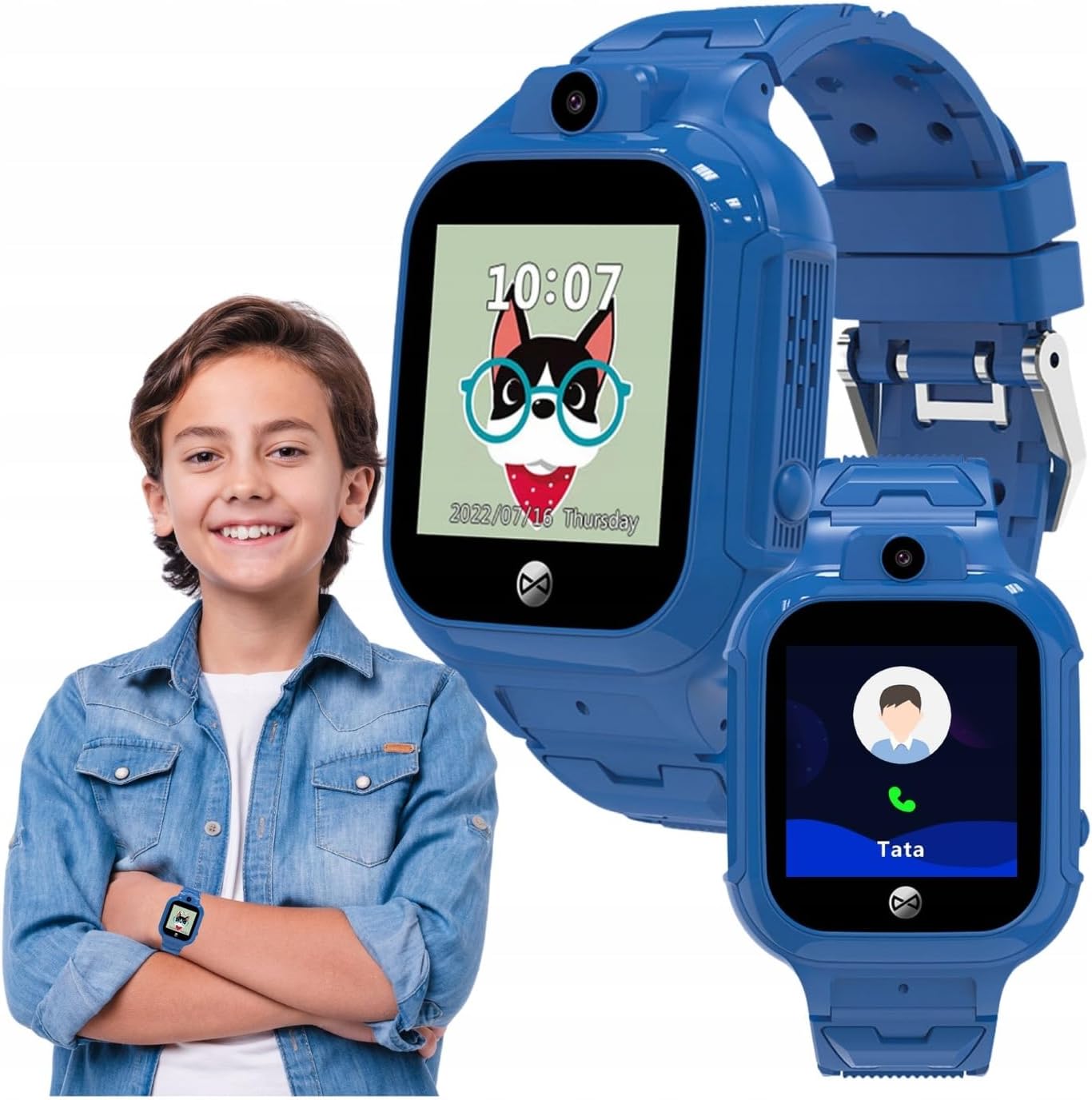
This manual provides comprehensive instructions for the FOREVER Smart Watch Kids See Me! 3 KW-320. This device is designed to keep children connected and safe, offering communication features, real-time tracking, and engaging activities. Please read this manual thoroughly before using the watch to ensure proper operation and safety.
Il-karatteristiċi ewlenin jinkludu:
Komunikazzjoni: Voice and video calls, voice messages, and parent-controlled contacts.
Traċċar tal-Post: Precise GPS, LBS, and Wi-Fi tracking with safety zone alerts.
Buttuna SOS: Quick emergency call function.
Personalizzazzjoni: Multiple watch faces and trendy colors.
Traċċar tal-Attività: Encourages physical activity and learning.
Child-Friendly Technology: Facial recognition for unlocking and secure access.
X'hemm fil-Kaxxa
Upon unboxing your FOREVER Smart Watch Kids See Me! 3 KW-320, please ensure all the following items are present:
FOREVER Smart Watch Kids See Me! 3 KW-320
Manwal għall-utent
Ċarġer tal
SIM Card tool
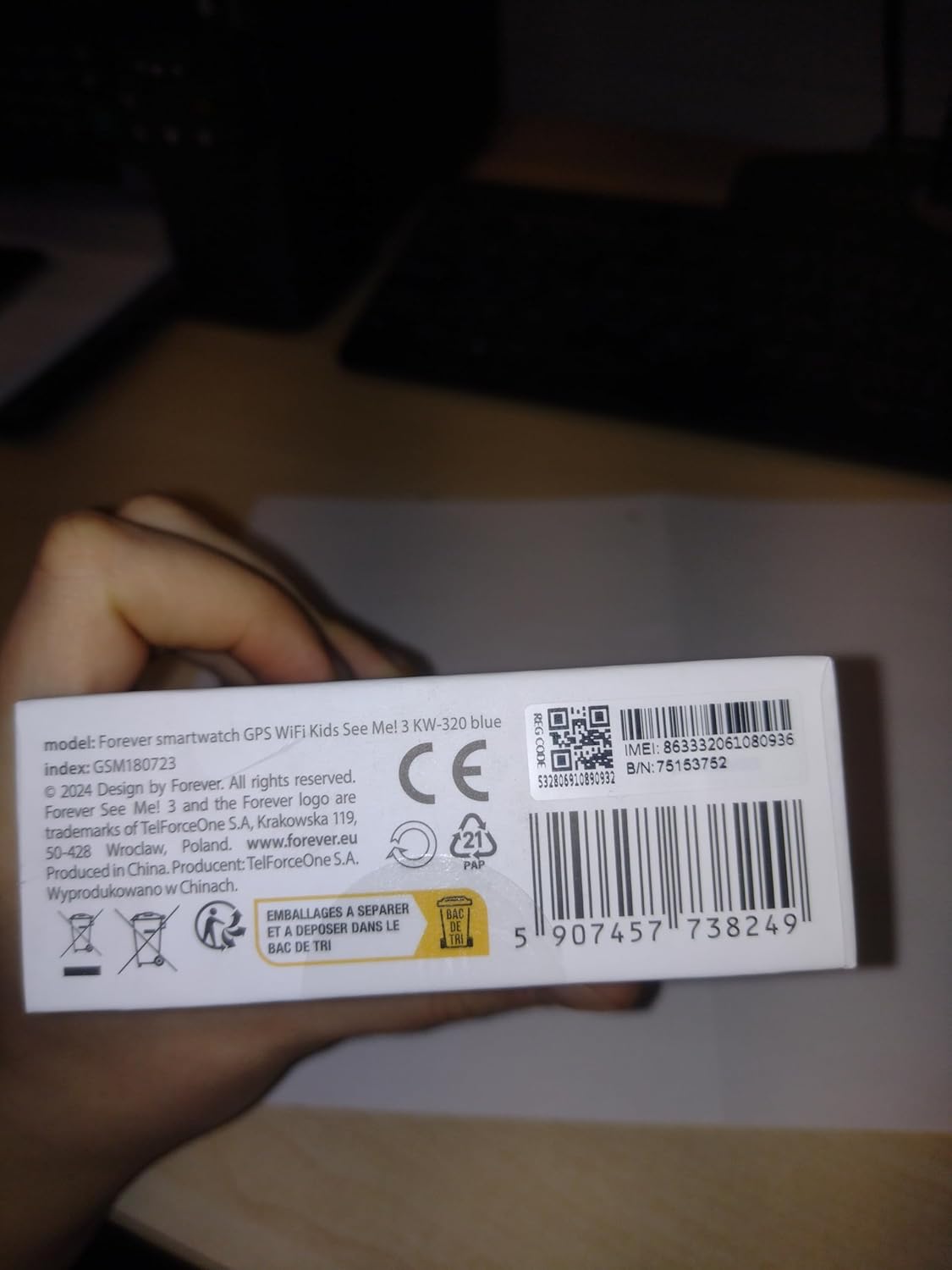
Image: The retail box for the FOREVER Smart Watch Kids See Me! 3 KW-320, indicating the included accessories.
Gwida ta' Setup
1. Iċċarġjar Inizjali
Before first use, fully charge the watch. Connect the charger to the watch's charging port and plug it into a power source. The watch screen will indicate charging status.
Image: Close-up of the watch's charging contacts on the back.
2. Installazzjoni ta' SIM Card
The watch requires a Nano SIM card for communication and GPS features. Use the provided SIM card tool to open the SIM card slot. Insert the Nano SIM card with the gold contacts facing up, ensuring it is correctly seated. Close the slot securely.
Image: The side of the watch with the SIM card slot clearly visible.
3. It-Tqabbil u l-Konfigurazzjoni tal-App
Download the dedicated FOREVER app on your smartphone (compatible with Android and iOS). Register an account and follow the in-app instructions to pair your child's watch. This app allows you to manage contacts, set safety zones, monitor location, and configure watch settings.
Image: A smartphone displaying the companion application for the watch, showing options for activities, chat, map, and settings.
4. Setting Up Contacts and SOS Numbers
Within the app, add trusted contacts that your child can call or receive calls from. Configure up to three SOS numbers. In an emergency, pressing the SOS button on the watch will cycle through these numbers until one is answered.
Image: A child with a minor injury, demonstrating the need for quick communication, alongside a close-up of the watch's contact list.
It-tħaddim tal-Għassa
Jagħmel u Jirċievi Sejħiet
Your child can initiate calls to pre-approved contacts directly from the watch. Incoming calls from approved numbers will be displayed on the watch screen. The watch supports both voice and video calls.
Image: A child wearing the watch, with an inset showing the watch's calling interface.
L-Użu tal-Funzjoni SOS
In an emergency, the child can press and hold the SOS button (usually located on the side of the watch) to activate the emergency call sequence. The watch will automatically dial the pre-set SOS numbers until a connection is made.
Location Tracking (GPS, LBS, Wi-Fi)
Parents can view the child's real-time location through the companion app. The watch uses a combination of GPS, LBS (Location Based Service via cellular towers), and Wi-Fi positioning for accurate tracking. You can also set up safety zones, and receive alerts if the child enters or leaves these designated areas.
Image: Children gathered together, symbolizing the watch's ability to help parents check their child's surroundings.
Camera and Photo Functions
The watch is equipped with a camera, allowing the child to take photos. These photos can often be viewed on the watch or uploaded to the companion app for parents to see.
Image: A child in a classroom, with the watch displaying educational games, highlighting its learning and activity features.
Traċċar tal-Attività u Logħob
The watch includes features to track daily activity, such as steps. It also offers playful and educational games to keep children engaged.
Nisfruttaw ir-Rikonoxximent tal-Wiċċ
For enhanced security and ease of use, the watch supports facial recognition to unlock the screen, ensuring only the child can access its features.
Manutenzjoni
Tindif tal-Għassa
Imsaħ l-arloġġ regolarment b'ċarruta ratba u niexfa. Għal ħmieġ iebes, neħħi ftit drapp.amp jista' jintuża drapp. Evita kimiċi ħarxa jew materjali li joborxu.
Reżistenza għall-Ilma (IP65)
The FOREVER Smart Watch KW-320 has an IP65 rating, meaning it is protected against dust ingress and low-pressure water jets from any direction. It is suitable for everyday use and splashes but should not be submerged in water or used for swimming.
Kura tal-batterija
To prolong battery life, avoid extreme temperatures. Charge the watch fully when indicated by the low battery warning. Do not leave the watch uncharged for extended periods.
Issolvi l-problemi
Problema
Kawża Possibbli
Soluzzjoni
Watch ma tixgħel
Batterija baxxa; Il-buttuna tal-qawwa ma ġietx ippressata għal żmien twil biżżejjed.
Iċċarġja l-arloġġ għal mill-inqas 30 minuta. Agħfas u żomm il-buttuna tal-qawwa għal 5-10 sekondi.
Ma nistax nagħmel/nirċievi telefonati
No SIM card; SIM card not active; Poor network signal; Contacts not set up in app.
Ensure SIM card is correctly inserted and active. Check network coverage. Add contacts via the app.
Post mhux preċiż tal-GPS
Weak GPS signal (indoors/dense areas); Reliance on LBS/Wi-Fi.
Move to an open area for better GPS signal. Ensure Wi-Fi is enabled on the watch for improved indoor positioning.
App not connecting to watch
Incorrect pairing; Network issues; App outdated.
Re-pair the watch with the app. Check internet connection on both devices. Update the app to the latest version.
Speċifikazzjonijiet
Karatteristika
Dettall
Numru tal-Mudell
ġimgħa 320
Daqs tal-Iskrin
1.4 Pulzier
Tip ta 'Wiri
LCD
Teknoloġija tal-Konnettività
Wi-Fi, Bluetooth
Traċċar tal-Post
GPS, LBS, Wi-Fi
Slot tal-Kard SIM
Nano SIM
Kapaċità tal-batterija
800 Milliamp Sigħat (Jone tal-Litju)
Klassifikazzjoni tar-Reżistenza għall-Ilma
IP65
Karatteristiċi Speċjali
Touchscreen, Voice Call, SOS Button, Activity Tracker, GPS, Facial Recognition
Dimensjonijiet tal-Prodott
23 x 15 x 4 ċm; 55 g
Garanzija u Appoġġ
For warranty information and technical support, please refer to the official FOREVER webis-sit jew ikkuntattja s-servizz tal-konsumatur tagħhom. Żomm l-irċevuta tax-xiri tiegħek bħala prova tax-xiri.
Manufacturer: TelForceOne
Ask a question about this manual
Ask about setup, troubleshooting, compatibility, parts, safety, or missing instructions. Manuals+ will review the question and use this page’s manual context to help answer it.