
Introduzzjoni
This manual provides detailed instructions for the setup, operation, and maintenance of your SENCKIT TH13Y WiFi Smart Thermometer Hygrometer. Please read this manual thoroughly before using the device to ensure proper functionality and to maximize its benefits.
Prodott Overview
The SENCKIT TH13Y is a wireless smart device designed to monitor temperature and humidity in various environments. It connects to your 2.4GHz WiFi network, allowing for remote monitoring, real-time alerts, and integration with smart home systems like Amazon Alexa. The device features a clear LCD display, data storage capabilities, and a calibration function for enhanced accuracy.

Image: SENCKIT TH13Y device and its companion application interface.
Kontenut tal-Pakkett
- SENCKIT TH13Y Room Humidity Gauge
- Back magnet sticker
- Loop tal-lanyard
- 2 Batteriji AAA
Speċifikazzjonijiet
| Numru tal-Mudell | TH13Y |
| Sors tal-Enerġija | Imħaddem bil-batterija (2 batteriji AAA, inklużi) |
| Konnettività | WiFi (2.4GHz biss), Bluetooth |
| Preċiżjoni tat-Temperatura | ±1°C (Range: -9.9°C to 60°C) |
| Eżattezza Umdità | ±5% RH (Range: 0% to 100% RH) |
| Tip ta 'Wiri | LCD diġitali |
| Karatteristiċi Speċjali | App Companion, High Accuracy, Programmable, Wi-Fi Support, Calibration, Voice Control (Alexa) |
| Dimensjonijiet | 3.03 x 1.81 x 1.06 pulzieri |
| Piż | 2.08 uqija |
Setup
1. Installazzjoni tal-batterija
- Iftaħ l-għatu tal-kompartiment tal-batterija fuq wara tal-apparat.
- Daħħal żewġ batteriji AAA, waqt li tiżgura l-polarità korretta (+/-).
- Close the battery compartment cover. The device LCD will power on.
2. Installazzjoni tal-App
The SENCKIT TH13Y operates with the Tuya Smart or Smart Life application. Download the app from your smartphone's app store (iOS App Store or Google Play Store).
- Fittex għal "Tuya Smart" jew "Ħajja Intelliġenti".
- Install the application and create an account or log in if you already have one.
3. Device Pairing (WiFi Connection)
Ensure your smartphone is connected to a 2.4GHz WiFi network. The device does not support 5GHz WiFi.
- Iftaħ l-app Tuya Smart jew Smart Life.
- Tektek l-ikona "Żid Apparat" jew "+" fir-rokna ta' fuq tal-lemin.
- Select "Sensor" from the device categories, then choose "Temperature and Humidity Sensor (Wi-Fi)".
- On the SENCKIT TH13Y device, open the battery compartment and locate the small black reset button.
- Press and hold the reset button for approximately 7 seconds until the WiFi icon on the device's LCD display starts flashing rapidly. This indicates pairing mode.
- In the app, confirm that the indicator is flashing rapidly and proceed with the on-screen instructions to connect the device to your WiFi network.
- Once connected, the WiFi icon on the device will stop flashing and remain solid.

Image: App interface displaying temperature and humidity data.
Istruzzjonijiet Operattivi
1. Qari tad-Displej
The LCD screen on the SENCKIT TH13Y displays current temperature and humidity readings. The temperature unit (Celsius or Fahrenheit) can be changed via the app settings.
2. App Features
- Monitoraġġ mill-bogħod: View real-time temperature and humidity data from anywhere via the app.
- Twissijiet ta 'Notifika: Set custom temperature and humidity ranges. The app will send notifications to your phone if readings go beyond these preset values.
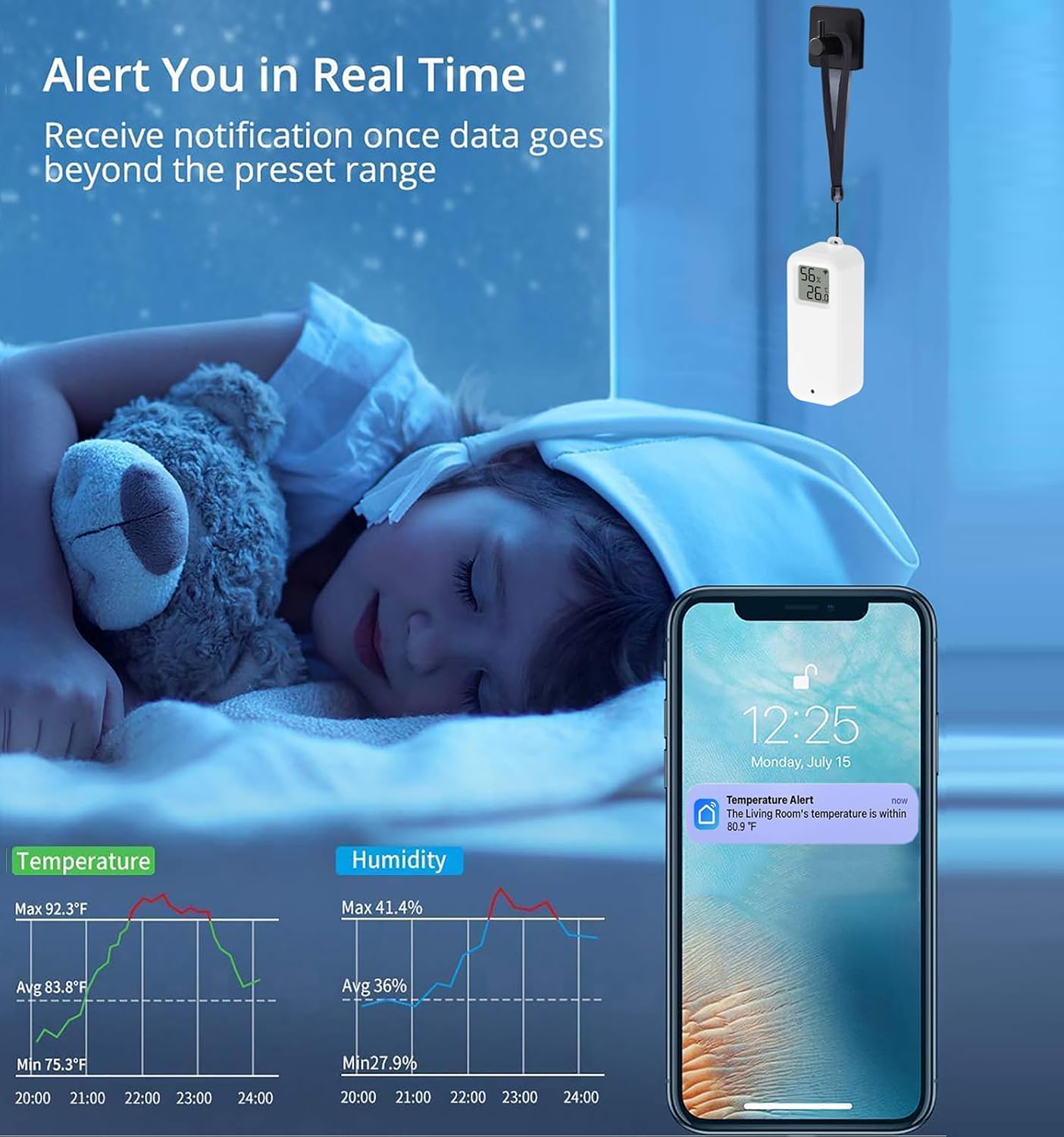
Image: Real-time alert notification on a smartphone.
- Ħażna u Esportazzjoni tad-Data: Access historical data graphs within the app. You can view daily, monthly, or yearly trends and export this data to your email address for further analysis.

Image: Data storage and export functionality.
- Funzjoni ta 'Kalibrazzjoni: If you suspect the readings are inaccurate, you can manually calibrate the temperature and humidity values within the app to match a known reference.

Image: App interface for manual calibration.
- Awtomazzjoni tad-Dar Intelliġenti: Integrate the TH13Y with other Tuya-compatible smart devices. Create automated scenes, for example, to turn on an air conditioner when the temperature exceeds a set limit or activate a dehumidifier when humidity is too high.

Image: Smart home automation setup.
- Appoġġ għall-Kmand tal-Vuċi: The device is compatible with Amazon Alexa and Google Home. You can inquire about current temperature and humidity readings using voice commands. For example, "Alexa, what is the temperature in the living room?"

Image: Voice control compatibility with Amazon Alexa and Google Home.
Tqegħid u Immuntar
The SENCKIT TH13Y offers multiple placement options for convenience:
- Mejda: Place the device on any flat surface.
- Immuntar tal-ħajt: Use the included magnet sticker to adhere the device to a metallic surface, or use the lanyard loop to hang it.
- Immuntar adeżiv: The device can be directly pasted onto a wall or other flat surface using appropriate adhesive (not included, but implied by "can be pasted on the wall").

Image: Various placement and mounting options for the device.
Its compact size makes it suitable for various locations, including cloak rooms, medicine cabinets, wine cellars, hatcheries, and warehouses.
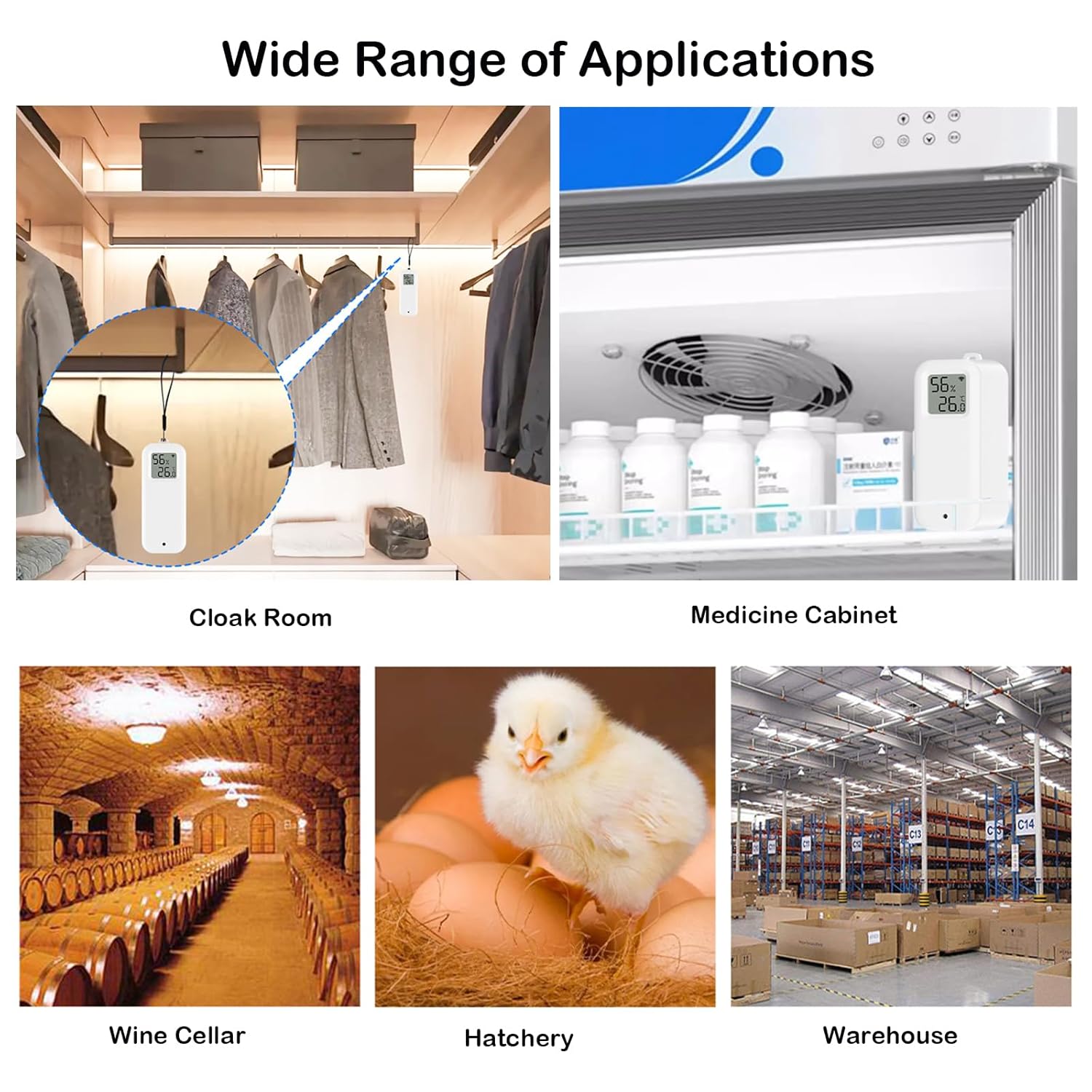
Immaġni: Eżamples of wide range of applications.
Manutenzjoni
1. Sostituzzjoni tal-batterija
When the battery level is low, an indicator may appear on the device's LCD or within the app. Replace the two AAA batteries by following the battery installation steps outlined in the Setup section.
2. Tindif
Wipe the device with a soft, dry cloth. Do not use liquid cleaners or immerse the device in water.
Issolvi l-problemi
- Apparat mhux qed jikkonnettja mal-WiFi:
- Kun żgur li n-netwerk WiFi tiegħek huwa 2.4GHz. L-apparat ma jappoġġjax netwerks ta' 5GHz.
- Iċċekkja li l-password tal-WiFi tiegħek hija korretta.
- Make sure the device is within range of your WiFi router.
- Re-enter pairing mode by holding the reset button for 7 seconds until the WiFi icon flashes rapidly.
- Qari mhux preċiż:
- Use the calibration function in the app to adjust temperature and humidity values if you have a reference device.
- Ensure the device is not placed in direct sunlight, near heat sources, or in areas with extreme drafts.
- Ħajja qasira tal-batterija:
- Kun żgur li qed tuża batteriji AAA ġodda u ta’ kwalità għolja.
- Frequent data updates or poor WiFi signal strength can increase battery consumption.
- Cannot change temperature unit (Celsius/Fahrenheit):
- The unit can be changed via the app settings. Navigate to the device settings within the app and look for "Temp unit convert" or similar option.
Garanzija u Appoġġ
For warranty information or technical support, please refer to the SENCKIT official webis-sit jew ikkuntattja lis-servizz tal-konsumatur tagħhom direttament. Żomm l-irċevuta tax-xiri tiegħek għal talbiet ta' garanzija.