
1. Introduzzjoni
Welcome to the user manual for your new ASUS ProArt PX13 2-in-1 AI Laptop. This document provides comprehensive instructions to help you set up, operate, maintain, and troubleshoot your device. The ASUS ProArt PX13 is designed for creative professionals, offering powerful performance, a vibrant OLED touchscreen, and versatile functionality.

Image 1.1: The ASUS ProArt PX13 2-in-1 AI Laptop, showcasing id-disinn eleganti u l-wiri vibranti tiegħu.
2. Prodott Aktarview
2.1 Karatteristiċi ewlenin
- Wiri: 13.3-inch AMOLED 2.8K (2880x1800) 60Hz Touchscreen Display with 500 nits brightness.
- Proċessur: AMD Ryzen AI 9 HX 370 (Zen 5 Gen, 2.00GHz up to 5.1 GHz, 12-Cores, 24-Threads).
- Grafika: NVIDIA GeForce RTX 4050 6GB GDDR6 (Dedicated).
- Memorja: 32GB OnBoard LPDDR5X RAM.
- Ħażna: 1TB PCIe NVMe SSD.
- Sistema Operattiva: Windows 11 Home-64.
- Konnettività: WiFi 7 (802.11be), Bluetooth 5.4.
- Karatteristiċi addizzjonali: Backlit Keyboard, Webcam, Support Stylus, DKZ USB Port Expander.
2.2 Komponenti u Portijiet
Familiarize yourself with the various components and ports of your ASUS ProArt PX13 laptop.

Image 2.1: Diagram illustrating the various ports and slots on the ASUS ProArt PX13 laptop.
- In-naħa tax-xellug: USB 4 Type-C, HDMI 2.1 FRL, DCI-in, 3.5 mm headphone jack.
- In-naħa tal-lemin: USB 3.2 Gen 2 Type-A, USB 4 Type-C, MicroSD UHS-II card reader, Power button.
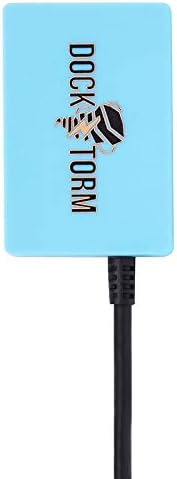
Image 2.2: The included DKZ USB Port Expander for additional connectivity.
3. Setup
3.1 Il-Ftuħ tal-Kaxxa u l-Inizjali Tixgħel
- Oħroġ il-laptop u l-aċċessorji kollha mill-imballaġġ bir-reqqa.
- Qabbad l-adapter tal-AC mal-port tad-dħul tal-enerġija tal-laptop u mbagħad ma' sokit tal-enerġija.
- Open the laptop lid. The system may power on automatically, or you may need to press the power button located on the right side.
- Segwi l-istruzzjonijiet fuq l-iskrin biex tlesti s-setup inizjali tal-Windows 11 Home, inkluż il-lingwa, ir-reġjun, il-konnessjoni tan-netwerk, u l-ħolqien tal-kont tal-utent.
3.2 Konnessjoni tal-Periferali
Uża l-portijiet disponibbli biex tikkonnettja apparati esterni:
- Apparat USB: Connect USB drives, mice, or keyboards to the USB Type-A or Type-C ports. The included DKZ USB Port Expander can provide additional USB ports.
- Display Estern: Use the HDMI 2.1 FRL port to connect an external monitor or projector.
- Awdjo: Plug headphones or external speakers into the 3.5mm headphone jack.
- Karti tal-memorja: Insert a MicroSD card into the MicroSD UHS-II card reader for expanded storage or data transfer.
4. Istruzzjonijiet Operattivi
4.1 L-Użu tal-Funzjonalità 2-f'1
The ASUS ProArt PX13 features a versatile 360-degree hinge, allowing it to transform into various modes:
- Modalità tal-Laptop: Standard laptop configuration for typing and general use.
- Modalità Tinda: Ideali għal preżentazzjonijiet jew għall-wiri tal-midja.
- Modalità Stand: Positions the screen closer for touch interaction.
- Modalità Pillola: Fold the keyboard back completely for a full tablet experience, perfect for drawing with a stylus or casual browsing.

Image 4.1: The ASUS ProArt PX13 demonstrating its versatile convertible modes.
4.2 Touchscreen and Touchpad
- Touchscreen: Interact directly with the 2.8K OLED display using your fingers or a compatible stylus for precise control in creative applications.
- Touchpad: The integrated touchpad supports multi-touch gestures for navigation. It also features a unique radial circle for enhanced control in certain applications.
4.3 Tastiera b'dawl minn wara
The backlit keyboard allows for comfortable typing in low-light conditions. Adjust the backlight intensity using the dedicated function keys (Fn + F3/F4).
5. Manutenzjoni
5.1 Tindif tal-Laptop Tiegħek
To maintain the appearance and functionality of your ASUS ProArt PX13:
- Uża drapp artab u mingħajr suf biex timsaħ l-iskrin u x-chassis.
- Għal tbajja’ iebsa, neħħi ħafifampNaddaf id-drapp bl-ilma jew b'prodott tat-tindif li ma jagħmilx ħsara lill-iskrin.
- Evita kimiċi ħarxa, materjali li joborxu, jew umdità eċċessiva.

Image 5.1: The Nano Black coating provides a smudge-resistant finish, simplifying maintenance.
5.2 Aġġornamenti tas-Software
Regularly update your Windows operating system and ASUS drivers to ensure optimal performance and security. You can check for updates through Windows Settings and the MyASUS application.
6 Issolvi l-problemi
This section addresses common issues you might encounter with your ASUS ProArt PX13.
6.1 Kwistjonijiet tal-Enerġija
- Il-laptop mhux qed jixgħel: Kun żgur li l-adapter tal-AC huwa konness sew u li s-sokit tal-enerġija jaħdem sew. Ipprova żomm il-buttuna tal-qawwa għal 15-20-il sekonda biex tagħmel hard reset.
- Il-batterija mhix qed tiċċarġja: Verify the AC adapter is correctly plugged into both the laptop and the wall. Check for any damage to the adapter or cable.
6.2 Problemi tal-Wiri
- Ebda wiri: Qabbad monitor estern biex tiċċekkja jekk il-problema hijiex fid-displej intern tal-laptop. Jekk il-monitor estern jaħdem, id-displej intern jew il-konnessjoni tiegħu jistgħu jkunu difettużi.
- Skrin li jteptep: Update your graphics drivers. If the issue persists, try adjusting the refresh rate in display settings.
6.3 Kwistjonijiet ta' Konnettività
- Il-Wi-Fi mhux qed jikkonnettja: Kun żgur li l-Wi-Fi huwa attivat fis-settings tal-Windows. Erġa' ibda r-router u l-laptop tiegħek. Aġġorna d-drivers tal-Wi-Fi.
- Apparat Bluetooth mhux qed jitqabbad: Make sure the Bluetooth device is in pairing mode and within range. Check Bluetooth settings on your laptop.
7. Speċifikazzjonijiet
Detailed technical specifications for the ASUS ProArt PX13.
| Karatteristika | Speċifikazzjoni |
|---|---|
| Brand | ASUS |
| Isem tal-Mudell | ProArt PX13 |
| Daqs tal-Iskrin | 13.3 Pulzier |
| Tip ta 'Wiri | Touchscreen AMOLED |
| Riżoluzzjoni | 2880x1800 (2.8K) |
| Riffriskar Rata | 60Hz |
| Proċessur | AMD Ryzen AI 9 HX 370 (2.0 GHz, up to 5.1 GHz) |
| Qlub / Ħjut | 12 Qlub / 24-il Ħjut |
| Grafika | NVIDIA GeForce RTX 4050 6GB GDDR6 |
| RAM | 32GB LPDDR5X Onboard |
| Ħażna | SSD PCIe NVMe ta' 1TB |
| Sistema Operattiva | Windows 11 Home |
| Konnettività bla fili | Wi-Fi 7 (802.11be), Bluetooth 5.4 |
| Portijiet | 2x USB 4 Type-C, 1x USB 3.2 Gen 2 Type-A, 1x HDMI 2.1 FRL, 1x 3.5mm Audio Jack, 1x MicroSD UHS-II Card Reader |
| Tastiera | Tastiera Standard b'Dawl ta' Wara |
| Webcam | Integrata |
| Batterija | 4-Ċelloli 73 WHr |
| Piż | 3 Libbra (madwar 1.36 kg) |
| Dimensions (L x W x Thickness) | 11.74"T x 11.74"W x 0.7"Ħ |
8. Garanzija u Appoġġ
Your ASUS ProArt PX13 comes with a 1-Year Manufacturer warranty from GreatPriceTech. For technical assistance, warranty claims, or further support, please refer to the documentation included with your product or contact GreatPriceTech directly. Keep your proof of purchase for warranty validation.