
Robosen 193734000467
Robosen Buzz Lightyear Interactive Robot User Manual
Mudell: 193734000467
Introduzzjoni
Welcome to the Robosen Buzz Lightyear Interactive Robot user manual. This guide provides essential information for setting up, operating, maintaining, and troubleshooting your new interactive robot. Please read this manual thoroughly to ensure optimal performance and enjoyment of your Buzz Lightyear figure.

Figure 1: The Robosen Buzz Lightyear Interactive Robot.
Informazzjoni Importanti dwar is-Sigurtà
This product is intended for household use only and for persons over the age of 15. Please observe the following safety guidelines:
- Żomm 'il bogħod mill-ilma jew umdità eċċessiva.
- Do not attempt to disassemble or modify the robot.
- Uża biss l-adapter tal-enerġija pprovdut għall-iċċarġjar.
- Evita temperaturi estremi.
- Keep out of reach of small children due to potential choking hazards from small parts.
Setup
1. Tneħħija tal-kaxxa u l-Kontenut
Neħħi bir-reqqa l-komponenti kollha mill-imballaġġ. Ivverifika li l-oġġetti kollha huma preżenti:
- Robosen Buzz Lightyear Interactive Robot
- Adapter tal-Enerġija
- Additional interchangeable hands (if included)
- "Andy" sticker (if included)
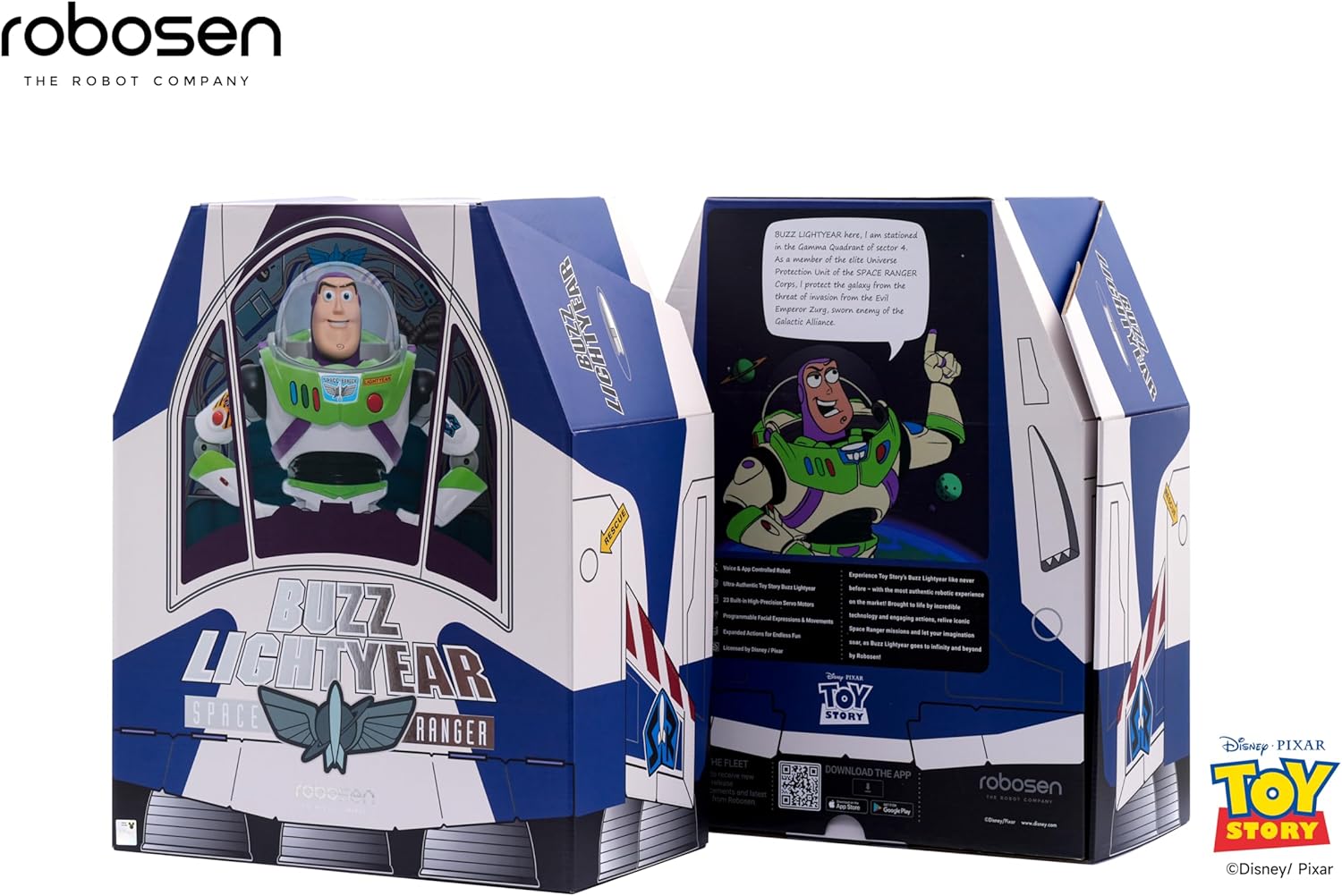
Figure 2: The Robosen Buzz Lightyear in its packaging, alongside the power adapter and other accessories.

Figure 3: Included accessories: various interchangeable hands and an "Andy" sticker.
2. Ħlas Inizjali
Before first use, fully charge your Buzz Lightyear robot using the provided power adapter. Connect the adapter to the robot's charging port and plug it into a standard wall outlet. The charging indicator will illuminate.
3. Tniżżil tal-App u Konnessjoni
To unlock the full interactive capabilities, download the official Robosen Buzz Lightyear app on your smartphone or tablet. The app is available for both Android and iOS devices. Follow the in-app instructions to connect your robot via Bluetooth.
Tista' tniżżel l-app minn https://download.robosen.com/cartoonBuzz.

Figure 4: Connecting the Buzz Lightyear robot to the mobile application.
Istruzzjonijiet Operattivi
1. Kmandi tal-Vuċi
The Robosen Buzz Lightyear responds to over 34 voice commands and features more than 200 original audio clips. To activate voice command mode, say "Hey Buzz." The robot will respond with "Roger that." You can then issue commands such as:
- "Introduce yourself"
- "Open fire"
- "To infinity and beyond"
- "Scan the terrain"
- "What can you do?"
- "Dance"

Figure 5: Buzz Lightyear demonstrating dynamic actions and sound effects in response to voice commands.
2. Manual Button Controls
Certain actions can also be triggered by pressing buttons on Buzz Lightyear's chest:
- Buttuna Ħamra: Activates jetpack wings and lights.
- Blue/Green Buttons: Trigger various phrases and movements.
- Helmet Button: Opens and closes the helmet visor.

Figure 6: Buzz Lightyear with activated jetpack wings, ready for flight.
3. Kontroll tal-App Mobbli
The mobile application provides advanced control options, including:
- Direct movement control (walking, turning).
- Access to a library of pre-programmed actions and poses.
- Custom programming interface for creating unique sequences.
- Language selection (e.g., Spanish mode).

Figure 7: The Robosen Studio platform for advanced programming and customization.
Manutenzjoni
To ensure the longevity and proper functioning of your Robosen Buzz Lightyear robot, follow these maintenance guidelines:
- Tindif: Imsaħ ir-robot b'ċarruta ratba u niexfa. Tużax kimiċi ħarxa jew materjali li joborxu.
- Ħażna: Store the robot in a cool, dry place away from direct sunlight and extreme temperatures.
- Kura tal-batterija: Għal ħażna estiża, kun żgur li l-batterija tkun parzjalment iċċarġjata (madwar 50%). Evita li l-batterija tiċċarġja kompletament għal perjodi twal.
- Ġonot: The robot features 23 smart joints. Avoid forcing movements that are outside its designed range of motion.
Issolvi l-problemi
| Problema | Kawża Possibbli | Soluzzjoni |
|---|---|---|
| Robot ma jixgħelx. | Batterija baxxa jew swiċċ tal-enerġija mitfi. | Ensure the power switch is in the 'ON' position. Charge the robot fully using the provided adapter. |
| Il-kmandi tal-vuċi ma jirrispondux. | Environmental noise, incorrect command, or microphone issue. | Reduce background noise. Speak clearly and directly to the robot. Ensure you say "Hey Buzz" to activate voice command mode. |
| Problemi bil-konnessjoni tal-app. | Bluetooth not enabled, robot too far, or app glitch. | Ensure Bluetooth is enabled on your device. Keep the robot within close range of your device. Restart the app and/or the robot. |
| Robot movements are stiff or unresponsive. | Low battery or obstruction in joints. | Charge the robot. Gently check for any obstructions in the robot's joints. Do not force movements. |
Speċifikazzjonijiet
- Ditta: Robosen
- Numru tal-Mudell: 193734000467
- Dimensjonijiet tal-Prodott: 13.8 x 5.9 x 14.7 pulzieri
- Piż tal-oġġett: 8.29 liri
- Batteriji: 1 batterija tal-jone tal-litju (inkluża)
- Età Rakkomandata mill-Manifattur: 5 - 5 years (Note: Safety information recommends 15+ for interactive robot features)
- Karatteristiċi ewlenin: Movable eyes and mouth, walking motion, 23 smart joints, voice interaction (34 commands, 200+ audio clips), app and web platform programming.
Informazzjoni dwar Garanzija
For detailed warranty information, please refer to the warranty card included in your product packaging or visit the official Robosen websit. Żomm il-prova tax-xiri tiegħek għal kwalunkwe talba ta' garanzija.
Appoġġ għall-Klijent
If you encounter any issues not covered in this manual or require further assistance, please contact Robosen customer support:
- Websit: www.robosen.com (Check for support contact details)
- Riżorsi onlajn: FAQs, video tutorials, and software updates may be available on the official websit.
Ask a question about this manual
Ask about setup, troubleshooting, compatibility, parts, safety, or missing instructions. Manuals+ will review the question and use this page’s manual context to help answer it.