
DOOGEE T35
Manwal għall-Utent tal-Pillola DOOGEE T35
Mudell: T35 | Marka: DOOGEE
1. Introduzzjoni
This manual provides essential information for the operation and maintenance of your DOOGEE T35 tablet. Please read it thoroughly before using the device to ensure proper functionality and longevity.
The DOOGEE T35 is an 11-inch tablet featuring a Helio G99 Octa-core processor, Android 14 operating system, and a 2.5K FHD+ display. It comes equipped with 20GB RAM and 256GB internal storage, expandable up to 2TB. Key features include 4G LTE calling, 5G Wi-Fi, an 8580mAh battery with 33W fast charging, and a 20MP camera. Accessories such as a keyboard, stylus, and protective case are included to enhance productivity and user experience.
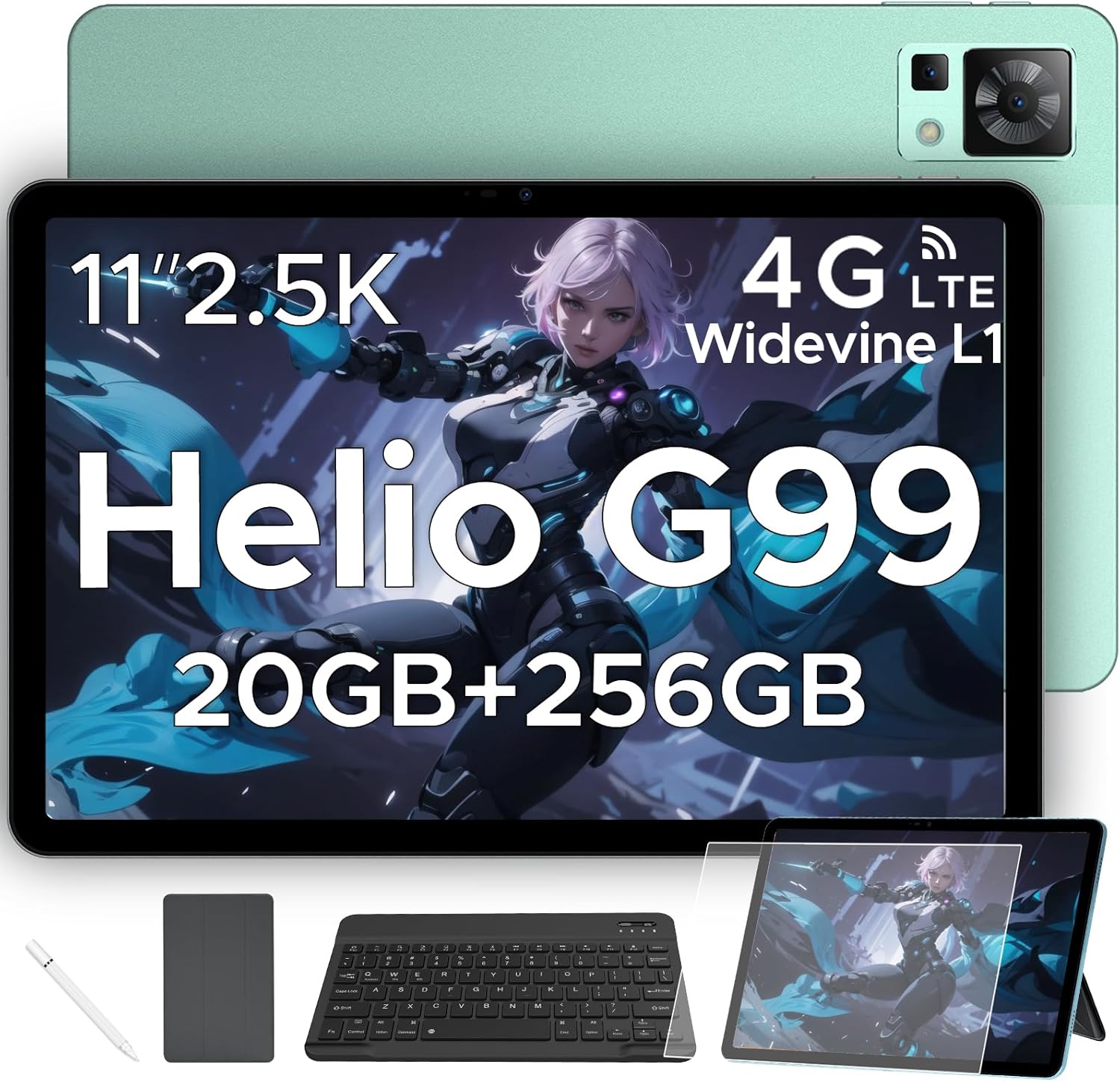
Figure 1.1: DOOGEE T35 Tablet and its accompanying accessories.
2. X'hemm fil-Kaxxa
Malli tiftaħ il-pakkett, ivverifika li l-oġġetti kollha elenkati hawn taħt huma preżenti u f'kundizzjoni tajba:
- Pillola DOOGEE T35
- Ċarġer tal
- Kejbil USB tat-Tip C
- SIM Card Tray Ejector Tool
- Manwal għall-Utent
- Tastiera Bluetooth
- Film Protettiv
- Pinna li Tmiss (Stylus)
- Kaxxa tal-Ġilda tan-Negozju
Video 2.1: An unboxing video demonstrating the contents of the DOOGEE T35 package, including the tablet and all listed accessories.
3. Setup
3.1 Qawwa Inizjali
- Agħfas u żomm il-buttuna tal-Power li tinsab fuq il-ġenb tat-tablet sakemm jidher il-logo ta' DOOGEE.
- Segwi l-istruzzjonijiet fuq l-iskrin biex tagħżel il-lingwa u r-reġjun tiegħek, u tikkonnettja ma' netwerk Wi-Fi.
- Idħol bil-kont tal-Google tiegħek jew oħloq wieħed ġdid biex taċċessa l-Google Play Store u servizzi oħra.
3.2 Daħħal il-Karta SIM u l-Karta MicroSD
The DOOGEE T35 supports 4G LTE connectivity and expandable storage via a MicroSD card (up to 2TB).
- Sib it-trej tal-kard SIM fuq il-ġenb tat-tablet.
- Insert the provided SIM card tray ejector tool into the small hole next to the tray and gently push until the tray pops out.
- Place your Nano-SIM card(s) and/or MicroSD card into the designated slots on the tray, ensuring correct orientation.
- Erġa’ daħħal it-trej fit-tablet bir-reqqa sakemm tikklikkja f’postu.
3.3 Aċċessorji tal-Konnessjoni
The tablet comes with a Bluetooth keyboard, stylus, and a business leather case.
- Tastiera Bluetooth: Turn on the keyboard and enable Bluetooth on your tablet. Fittex għal the keyboard in the Bluetooth settings and pair it.
- Stilus: The stylus is ready for use directly on the screen for drawing or navigation.
- Kaxxa tal-Ġilda tan-Negozju: Insert the tablet into the protective case for enhanced protection and convenience.
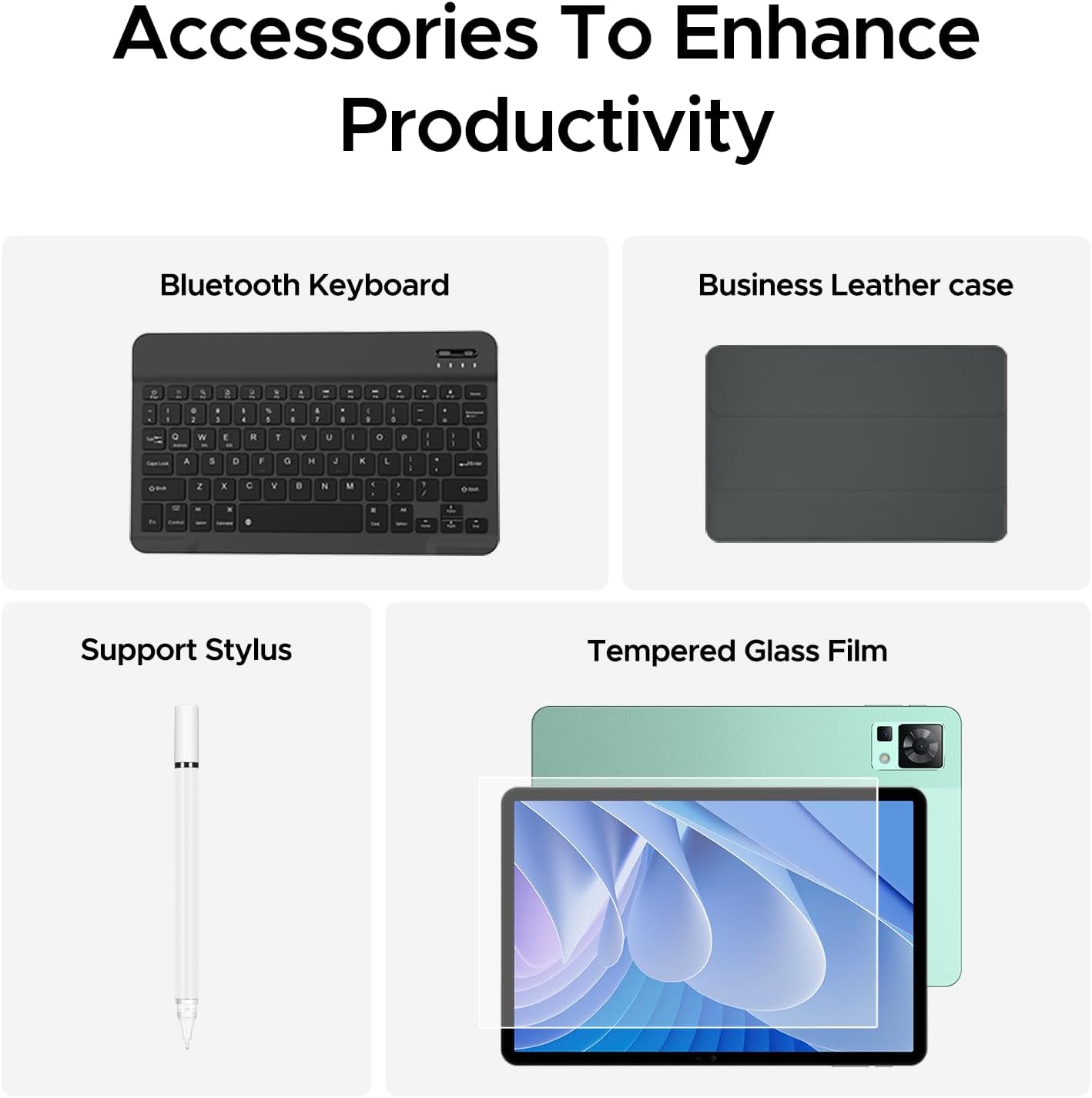
Figure 3.1: The DOOGEE T35 tablet with its included accessories, ready for use.
4. Istruzzjonijiet Operattivi
4.1 Wiri u Navigazzjoni
The DOOGEE T35 features an 11-inch 2.5K ultra-clear display (2560 x 1600 pixels) for a high-quality visual experience.
- Ġesti mess: Navigate the Android 14 interface using standard touch gestures like tap, swipe, pinch-to-zoom.
- Skrin maqsum: Uża l-karatteristika split-screen biex tħaddem żewġ applikazzjonijiet simultanjament għal multitasking imtejjeb.
- Modi ta' Qari: Adjust the display settings to Warm, Standard, or Cool mode for comfortable reading in various lighting conditions.

Figure 4.1: The 11-inch 2.5K ultra-clear display provides excellent visuals for all content.
4.2 Prestazzjoni u Ħażna
Powered by the Helio G99 Octa-core processor, the T35 offers robust performance for gaming, streaming, and productivity. It offers 20GB RAM (8GB base + 12GB extended) and 256GB ROM, expandable up to 2TB with a MicroSD card.
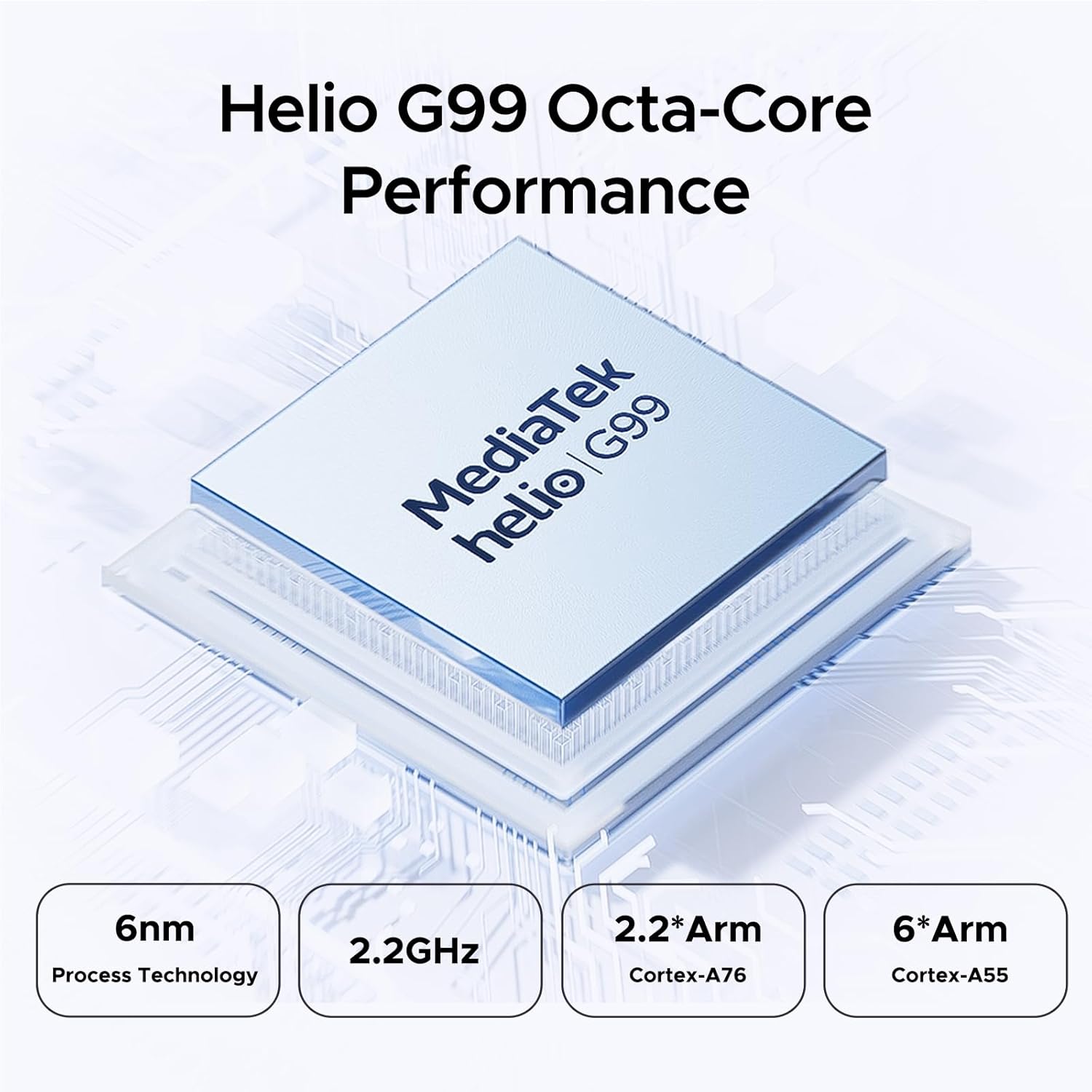
Figure 4.2: Helio G99 Octa-Core Processor for robust performance.

Figure 4.3: Memory and storage capabilities of the DOOGEE T35.
4.3 Ġestjoni tal-batterija
The 8580mAh large capacity battery provides extended usage. It supports 33W fast charging and reverse charging, allowing the tablet to act as a power bank for other devices.

Figure 4.4: 8580mAh Battery with 33W Fast Charging.
4.4 Konnettività
The tablet supports 4G LTE for cellular calls and data, and 5G Wi-Fi for high-speed internet. It also includes GPS, Glonass, Galileo, Beidou, and AGPS for accurate navigation.
4.5 Multimidja
Enjoy immersive audio with quad speakers and Smart PA. Widevine L1 support ensures high-quality streaming from platforms like Netflix and Amazon Prime Video.
Vidjo 4.1: Wirja ta' vidjo promozzjonaliasing the DOOGEE T35 Android Tablet and its accessories, highlighting its features and design.
5. Manutenzjoni
5.1 Tindif tat-Tablet
- Uża drapp artab u mingħajr suf biex tnaddaf l-iskrin u l-korp tat-tablet.
- Għal tbajja' iebsa, ftit dampNaddaf id-drapp bl-ilma jew b'prodott tat-tindif tal-iskrin. Evita kimiċi ħarxa.
- Kun żgur li l-portijiet kollha huma ħielsa mit-trab u l-fdalijiet.
5.2 Kura tal-Batterija
- Evita li tesponi l-pillola għal temperaturi estremi.
- Do not fully discharge the battery regularly. Charge it before it drops below 20%.
- Uża biss il-ċarġer u l-kejbil provduti għal prestazzjoni ottimali tal-iċċarġjar u sigurtà.
5.3 Aġġornamenti tas-Software
Iċċekkja u installa regolarment aġġornamenti tas-sistema biex tiżgura li t-tablet tiegħek ikollu l-aħħar karatteristiċi, irqajja tas-sigurtà, u titjib fil-prestazzjoni. Mur fuq Settings > Sistema > Aġġornament tas-sistema biex tiċċekkja għal aġġornamenti.
6 Issolvi l-problemi
| Problema | Kawża Possibbli | Soluzzjoni |
|---|---|---|
| It-tablet ma jixgħelx. | Batterija baxxa; softwer jiġġarraf. | Iċċarġja t-tablet għal mill-inqas 30 minuta. Agħfas u żomm il-buttuna tal-qawwa għal 10-15-il sekonda biex terġa' tibda. |
| Problemi bil-konnessjoni tal-Wi-Fi. | Incorrect password; router issues; tablet Wi-Fi disabled. | Verify Wi-Fi password. Restart router. Toggle Wi-Fi off/on on tablet. |
| L-apps jiġġarraf jew jiffriża. | Insufficient RAM; app bug; outdated software. | Close background apps. Clear app cache/data. Update the app or system software. |
| Prestazzjoni bil-mod. | Wisq apps jaħdmu; ħażna baxxa; softwer skadut. | Close unused apps. Free up storage space. Perform a system update. |
| Cannot connect to Google server/account. | Network issues; incorrect account details; software glitch. | Ensure stable internet connection. Verify Google account credentials. Restart tablet. If persistent, consider a factory reset (backup data first). |
7. Speċifikazzjonijiet
| Karatteristika | Speċifikazzjoni |
|---|---|
| Mudell | DOOGEE T35 |
| Sistema Operattiva | Android 14 |
| Proċessur | MediaTek Helio G99 Octa-core (6nm, 2.2GHz) |
| Wiri | 11-inch 2.5K (2560 x 1600 pixels) |
| RAM | 8GB (espandibbli għal 20GB) |
| Ħażna Interna (ROM) | 256GB |
| Ħażna espansibbli | Sa 2TB permezz ta' kard MicroSD |
| Kapaċità tal-batterija | 8580mAh |
| Iċċarġjar | Iċċarġjar Mgħaġġel ta' 33W, Iċċarġjar Reversa |
| Konnettività | 4G LTE, 5G Wi-Fi (802.11ax), Bluetooth |
| Navigazzjoni | GPS, Glonass, Galileo, Beidou, AGPS |
| Awdjo | Quad Speakers with Smart PA, Hi-Res Audio, 3.5mm Headphone Jack |
| Sigurtà | Face ID |
| Dimensjonijiet (LxWxH) | 10.12 x 6.64 x 0.3 pulzieri |
| Piż | 3 liri |
8. Garanzija u Appoġġ
DOOGEE jipprovdi appoġġ komprensiv għat-tablet T35 tiegħek:
- Garanzija ta' Money Back: Igawdi garanzija ta' flus lura ta' 30 jum u ritorni bla ħlas.
- Garanzija Limitata: The tablet comes with a 2-year limited warranty.
- Appoġġ għall-Klijent: Għal kwalunkwe mistoqsija jew assistenza, jekk jogħġbok ikkuntattja lis-servizz tal-klijenti ta' DOOGEE.
Għal aktar assistenza, jekk jogħġbok irreferi għad-DOOGEE uffiċjali webis-sit jew ikkuntattja l-kanali ta' appoġġ tagħhom.
Ask a question about this manual
Ask about setup, troubleshooting, compatibility, parts, safety, or missing instructions. Manuals+ will review the question and use this page’s manual context to help answer it.