1. Introduzzjoni
1.1 Dwar Dan il-Manwal
This manual provides essential instructions for the setup, operation, and maintenance of your Generic IR replacement remote control. Please read this manual carefully before use to ensure proper functionality and to understand its features.
1.2 Important Compatibility Note
This remote control is an IR replacement and is specifically designed for the Aiwa TV models listed in the product description. It is not a universal remote. Ensure your original remote matches the appearance of this replacement for proper functionality. If your TV model is not listed or your current remote differs significantly in layout, this replacement may not be compatible.
2. Prodott Aktarview
2.1 Tqassim tal-Kontroll mill-Bogħod
Familiarize yourself with the buttons and their functions as shown in the image below.

Immaġni: Quddiem view of the Generic replacement remote control, showing all buttons including power, source, number pad, navigation, volume, channel, and dedicated app buttons for Netflix and YouTube.
3. Setup
3.1 Installazzjoni tal-batterija
Il-kontroll remot tiegħek jeħtieġ żewġ batteriji AAA (mhux inklużi).
- Sib il-kompartiment tal-batterija fuq wara tal-kontroll remot.
- Żerżaq l-għatu tal-kompartiment tal-batterija 'l isfel biex tiftaħu.
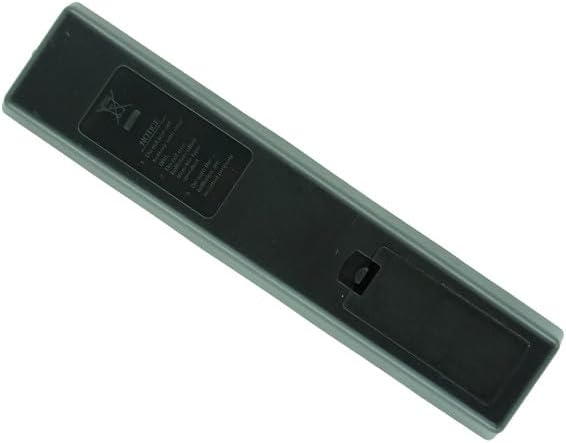
Immaġni: Wara view of the remote control with the battery compartment cover closed.

Immaġni: Wara view of the remote control with the battery compartment cover removed, showing the empty battery slots.
- Daħħal żewġ batteriji AAA, waqt li tiżgura li t-terminali pożittivi (+) u negattivi (-) ikunu allinjati sew mal-marki ġewwa l-kompartiment.
- Żerżaq l-għatu tal-kompartiment tal-batterija lura f'postu sakemm tikklikkja sew.
3.2 L-Ewwel Użu
No programming or code setup is required for this IR replacement remote. Once batteries are installed, point the remote directly at your Aiwa TV and begin operation.
4. Istruzzjonijiet Operattivi
4.1 Funzjonijiet Bażiċi
- Buttuna tal-Enerġija (Ħamra): Jixgħel jew jitfi t-TV.
- Buttuna Sors: Selects input sources (e.g., HDMI 1, AV, TV).
- Numru Pad (0-9): Idaħħal in-numri tal-kanali direttament.
- Volum 'il fuq/niżla (+/-): Jaġġusta l-volum tat-TV.
- Channel Up/Down (P+/-): Tibdel il-kanali tat-TV.
- Buttuni tan-Navigazzjoni ('Il fuq, 'l isfel, Xellug, Lemin, OK)Jinnaviga l-menus u jikkonferma l-għażliet.
- Buttuna Lura: Jirritorna għall-iskrin jew il-menù ta' qabel.
- Buttuna tad-dar: Accesses the TV's main home screen or smart features.
- Buttuna tal-Ħruġ: Exits current menu or application.
- Buttuna tan-NetflixAċċess dirett għall-applikazzjoni ta' Netflix.
- Buttuna YouTube: Direct access to the YouTube application.
- Buttuna Gwida: Juri l-gwida elettronika tal-programmi.
- Q.MENU Button: Accesses quick menu options.
4.2 Funzjonijiet Avvanzati
Refer to your Aiwa TV's original user manual for specific functions related to your television model, as this remote replicates the original remote's IR signals.
5. Manutenzjoni
5.1 Sostituzzjoni tal-batterija
Ibdel il-batteriji meta r-rispons tar-remote isir kajman jew jieqaf jaħdem. Dejjem ibdel iż-żewġ batteriji simultanjament b'batteriji AAA ġodda. Tħallatx batteriji qodma u ġodda, jew tipi differenti ta' batteriji.
5.2 Tindif
Imsaħ il-kontroll remot b'ċarruta ratba u niexfa. Tużax prodotti tat-tindif likwidi jew materjali li joborxu.
6 Issolvi l-problemi
6.1 Kwistjonijiet Komuni u Soluzzjonijiet
- Ir-remote mhux qed jirrispondi:
- Kun żgur li l-batteriji huma mdaħħla b'mod korrett bil-polarità xierqa.
- Ibdel batteriji qodma b'oħrajn ġodda.
- Kun żgur li m'hemm l-ebda ostaklu bejn ir-remote u s-senser IR tat-TV.
- Ipponta r-remote direttament lejn it-TV.
- Xi buttuni mhux qed jaħdmu:
- Verify that the remote is compatible with your specific Aiwa TV model. This remote is not universal.
- Naddaf kwalunkwe debris madwar il-buttuni.
- It-TV mhux mixgħul/mitfi:
- Check the TV's power connection.
- Ensure the remote is within effective range and pointed at the TV.
If issues persist after following these steps, confirm the compatibility of the remote with your TV model.
7. Speċifikazzjonijiet
7.1 Speċifikazzjonijiet tal-Prodott
| Karatteristika | Dettall |
|---|---|
| Brand | Ġeneriċi |
| Mudell | IR Replacement Remote (B0DH1Y1155) |
| Apparati Kompatibbli | Aiwa AW65B4K, AW32B4SM, AW58B4K, AW55B4KFL, AW42B4SM, AW39B4SM, AW43B4SMFL, AW50B4K, AW55B4KF, AW75B4K, AW40B1SM Smart 4K UHD LED HDTV TVs |
| Sors tal-Enerġija | 2 x Batteriji AAA (mhux inklużi) |
| Karatteristika Speċjali | Disinn ergonomiku, sostituzzjoni diretta tal-IR |
| Kulur | Iswed |
| Numru Massimu ta' Apparat Appoġġjat | 1 |
8. Garanzija u Appoġġ
8.1 Informazzjoni dwar Garanzija
This product is an IR replacement remote control. Please refer to the seller's return policy for information regarding returns or exchanges. Specific warranty details are not provided with this replacement unit.
8.2 Appoġġ għall-Klijent
Għal aktar assistenza, jekk jogħġbok ikkuntattja lill-bejjiegħ direttament permezz tal-pjattaforma fejn saret ix-xiri.