
DOOGEE T40
Manwal tal-Utent tat-Tablet DOOGEE T40 Android 14
Mudell: T40 | Marka: DOOGEE
1. Prodott Aktarview
Id-DOOGEE T40 hija tablet Android 14 avvanzata ddisinjata kemm għad-divertiment kif ukoll għall-produttività. Għandha display b'riżoluzzjoni għolja ta' 2.5K, proċessur Octa-Core qawwi, u kapaċitajiet estensivi ta' ħażna, li jagħmluha adattata għal firxa wiesgħa ta' applikazzjonijiet minn logħob għal kompiti professjonali.

Figura 1.1: Quddiem u wara view tat-Tablet DOOGEE T40, li jenfasizza d-disinn eleganti u l-modulu tal-kamera tiegħu.
Karatteristiċi ewlenin:
- Wiri: Wiri IPS Ultra Ċar ta' 11-il pulzier b'riżoluzzjoni ta' 2.5K (riżoluzzjoni ta' 2560x1600) għal viżwali vibranti.
- Prestazzjoni: Proċessur Helio G99 Octa-Core (teknoloġija tal-proċess ta' 6nm) għal multitasking u logħob bla xkiel.
- Memorja u Ħażna: Sa 20GB RAM (8GB fiżika + 12GB virtwali) u ħażna interna ta' 512GB, espansibbli sa 2TB permezz ta' microSD.
- Batterija: Batterija kbira ta' 8580mAh b'iċċarġjar veloċi ta' 18W u kapaċità ta' iċċarġjar invers.
- Konnettività: SIM Doppju 4G LTE, Wi-Fi Doppju (2.4G/5G), Bluetooth 5.0.
- Sistema Operattiva: Android 14 għal produttività u divertiment imtejba.
- Awdjo: Kelliema Quad Immersivi għal ħoss għani.
- Kameras: Kamera Prinċipali ta' 16MP u Kamera ta' Quddiem ta' 8MP.
Vidjo 1.1: Overview tat-Tablet DOOGEE T40, wirjaasinid-disinn, il-wiri, u l-karatteristiċi ewlenin tiegħu.
2. X'hemm fil-Kaxxa
Ivverifika li l-oġġetti kollha huma preżenti fil-pakkett qabel ma tipproċedi bis-setup.
- Pillola T40 x1
- Cable USB tat-Tip-C x1
- Ċarġer x1
- Għodda biex tieħu l-kard x1 (Għodda tal-Ejector tas-SIM)
- Film kontra l-isplużjoni x1 (Protettur tal-iskrin applikat minn qabel)
- Kaxxa tal-ippakkjar x1
- Manwal x1 (Dan id-dokument)
3. Speċifikazzjonijiet
| Karatteristika | Speċifikazzjoni |
|---|---|
| Brand | DOOGEE |
| Isem tal-Mudell | T40 |
| Sistema Operattiva | Android 14 |
| Daqs tal-Iskrin | 10.95 Pulzier |
| Riżoluzzjoni tal-Iskrin | 2560 x 1600 pixels (2.5K) |
| Proċessur | MediaTek Helio G99 Octa-Core |
| RAM | 20GB (8GB fiżiku + 12GB virtwali) |
| Ħażna Interna | 512GB |
| Ħażna espansibbli | Sa 2TB permezz ta' kard MicroSD |
| Kapaċità tal-batterija | 8580mAh |
| Iċċarġjar | Iċċarġjar Mgħaġġel ta' 18W, Iċċarġjar Reversa |
| Konnettività | SIM Doppja 4G LTE, Wi-Fi 2.4G/5G, Bluetooth 5.0 |
| Kameras | 16MP Prinċipali, 8MP ta' Quddiem |
| Dimensjonijiet (LxWxH) | 10.09 x 6.61 x 0.3 pulzieri |
| Piż tal-oġġett | 2.49 liri |
4. Setup
4.1. Ħlas Inizjali
Qabel l-ewwel użu, iċċarġja kompletament it-tablet DOOGEE T40 tiegħek billi tuża l-kejbil USB tat-Tip Ċ u l-ċarġer ipprovduti. Qabbad iċ-ċarġer mal-port USB-C tat-tablet u pplaggjah f'bokk tal-enerġija. L-indikatur tal-batterija fuq l-iskrin juri l-progress tal-iċċarġjar.

Figura 4.1: Illustrazzjoni tal-batterija ta' 8580mAh tat-tablet u l-kapaċità ta' ċċarġjar veloċi ta' 18W.
4.2. Power On/Off
- Biex Tixgħel: Agħfas u żomm il-buttuna tal-Power (li tinsab fuq il-ġenb) sakemm jidher il-logo ta' DOOGEE.
- Biex Tifi: Agħfas u żomm il-buttuna tal-Enerġija sakemm jidher il-menu tal-għażliet tal-enerġija, imbagħad agħżel "Itfi".
- Biex terġa' tibda: Mill-menù tal-għażliet tal-enerġija, agħżel "Erġa' ibda".
4.3. Installazzjoni tal-Karta SIM u l-Karta MicroSD
Id-DOOGEE T40 jappoġġja Dual SIM 4G LTE u espansjoni tal-kard MicroSD.
- Sib it-trej tal-kard SIM fuq il-ġenb tat-tablet.
- Daħħal l-għodda tal-ejecter tas-SIM provduta fit-toqba ż-żgħira ħdejn it-trej u imbotta bil-mod sakemm it-trej joħroġ 'il barra.
- Poġġi l-kards Nano-SIM u/jew il-kard MicroSD tiegħek fl-islots apposta fuq it-trej, filwaqt li tiżgura orjentazzjoni korretta.
- Imbotta t-trej lura fil-pillola bir-reqqa sakemm tikklikkja f'postu.

Figura 4.2: Dehra mill-qrib tas-slott tal-kard Dual SIM u TF (MicroSD) fuq id-DOOGEE T40 Tablet.
4.4. Konnessjoni tan-Netwerk
- Wi-Fi: Mur fuq Settings > Netwerk u internet > Wi-Fi, ixgħel il-Wi-Fi, agħżel in-netwerk mixtieq, u daħħal il-password jekk meħtieġ.
- Data mobbli: Kun żgur li s-SIM card tiegħek hija installata sew. Mur fuq Settings > Netwerk u internet > Netwerk mobbli u attiva d-dejta mobbli.
5. Istruzzjonijiet Operattivi
5.1. Navigazzjoni f'Android 14
Id-DOOGEE T40 jaħdem fuq Android 14, u joffri esperjenza intuwittiva għall-utent.
- Skrin tad-dar: Skrolla lejn ix-xellug jew il-lemin biex taċċessa skrins tad-dar differenti.
- App Drawer: Skrolla 'l fuq mill-qiegħ tal-iskrin biex taċċessa l-applikazzjonijiet installati kollha.
- Notifiki u Settings Mgħaġġla: Swipe 'l isfel minn fuq tal-iskrin għal view notifiki u toggles tas-settings rapidi (Wi-Fi, Bluetooth, eċċ.).
- Apps riċenti: Skrolla 'l fuq minn isfel u żomm, imbagħad itlaq biex tara l-applikazzjonijiet użati reċentement.
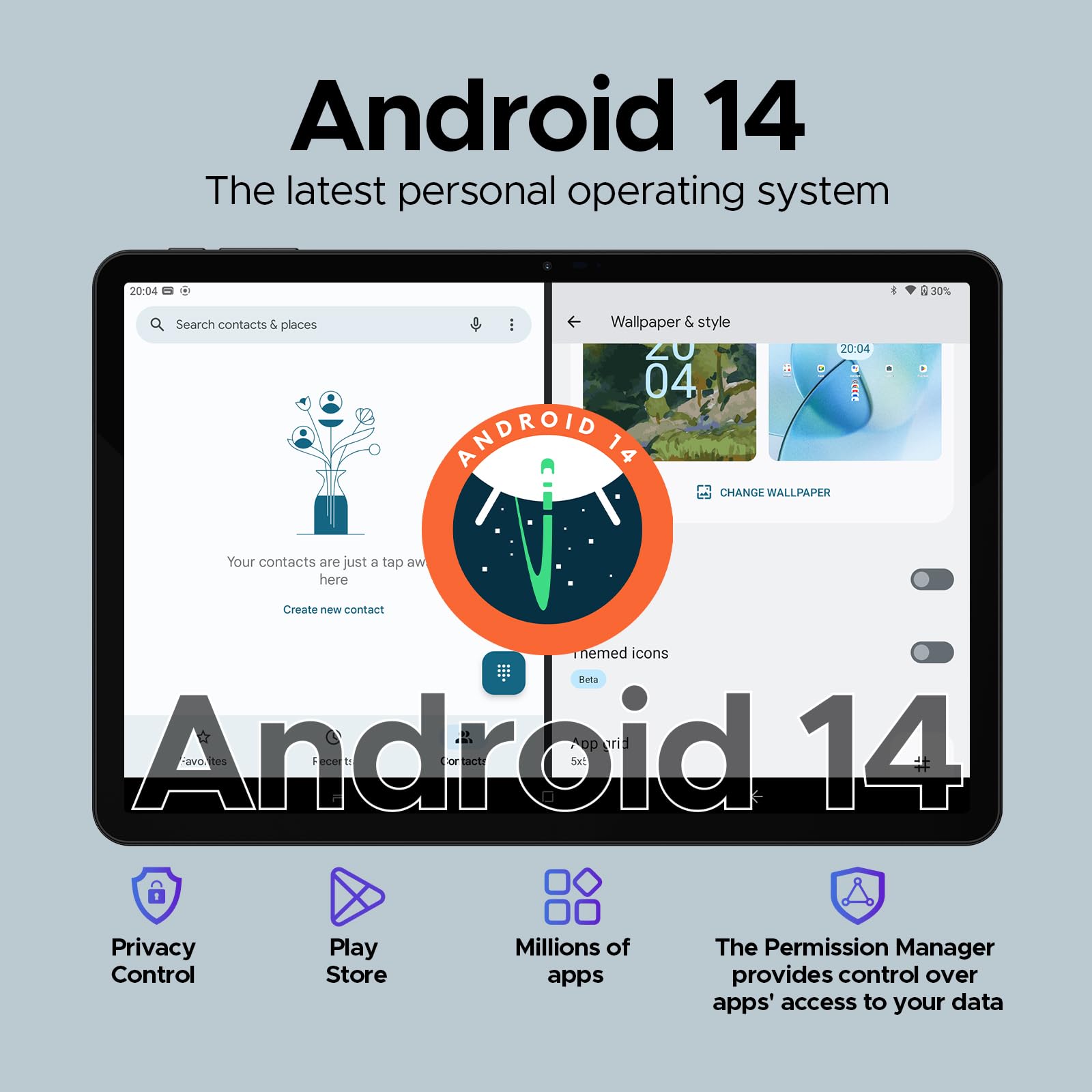
Figura 5.1: Rappreżentazzjoni viżwali tal-interfaċċja tas-sistema operattiva Android 14 fuq id-DOOGEE T40.
5.2. Wiċċ Miftuħ
Għal aċċess rapidu u sigur, ikkonfigura Face Unlock:
- Mur fuq Settings > Sigurtà u privatezza > Sblokkjar tal-apparat > Sblokkjar bil-wiċċ.
- Segwi l-istruzzjonijiet fuq l-iskrin biex tirreġistra wiċċek.
5.3. Funzjonalità ta' Skrin Maqsum
Agħmel ħafna affarijiet f'daqqa b'mod effiċjenti billi tuża żewġ apps simultanjament:
- Iftaħ l-ewwel app li trid tuża.
- Skrolla 'l fuq minn isfel u żomm biex taċċessa l-apps riċenti.
- Tektek l-ikona tal-app fil-parti ta' fuq tal-kard tal-ewwel app, imbagħad agħżel "Skrin maqsum".
- Agħżel it-tieni app mill-apps riċenti tiegħek jew mill-app drawer biex timla n-nofs l-ieħor tal-iskrin.
5.4. Funzjonalità OTG (Fuq il-Moviment)
Id-DOOGEE T40 jappoġġja l-OTG, li jippermettilek tikkonnettja apparati USB bħal flash drives, tastieri, jew ġurdien direttament mat-tablet billi tuża adapter OTG kompatibbli (mhux inkluż).
Jappoġġja wkoll iċċarġjar invers, li jippermetti lit-tablet jaġixxi bħala power bank għal apparati oħra. Qabbad it-tagħmir tiegħek mal-port USB-C tat-tablet billi tuża kejbil kompatibbli.
6. Manutenzjoni
6.1. Kura tal-batterija
- Evita temperaturi estremi, għax jistgħu jnaqqsu l-ħajja tal-batterija.
- Uża biss il-ċarġer u l-kejbil oriġinali pprovduti mat-tablet.
- Għal lonġevità ottimali tal-batterija, evita li tixxotta l-batterija kompletament ta' spiss jew li żżommha f'100% għal perjodi twal.
6.2. Tindif
- Uża drapp artab u mingħajr suf biex tnaddaf l-iskrin u l-korp tat-tablet.
- Għal tbajja' iebsa, ftit dampNaddaf id-drapp bl-ilma jew b'prodott tat-tindif tal-iskrin. Evita kimiċi ħarxa.
6.3. Aġġornamenti tas-Software
Iċċekkja u installa regolarment aġġornamenti tas-softwer biex tiżgura prestazzjoni ottimali, sigurtà, u aċċess għal karatteristiċi ġodda.
- Mur fuq Settings > Sistema > Aġġornament tas-sistema.
- Segwi l-istruzzjonijiet fuq l-iskrin biex tniżżel u tinstalla kwalunkwe aġġornament disponibbli. Kun żgur li t-tablet tiegħek ikun iċċarġjat biżżejjed jew imqabbad mal-kurrent waqt l-aġġornamenti.
7 Issolvi l-problemi
| Problema | Soluzzjoni Possibbli |
|---|---|
| It-tablet ma jixgħelx. | Kun żgur li l-batterija hija ċċarġjata. Qabbad il-ċarġer u stenna ftit minuti qabel ma tipprova terġa' tixgħelha. Jekk ma tirrispondix, agħfas u żomm il-buttuna tal-Enerġija għal 10-15-il sekonda biex terġa' tibda taħdem. |
| Problemi bil-konnessjoni tal-Wi-Fi. | Erġa' ibda t-tablet u r-router Wi-Fi tiegħek. Insieh in-netwerk fis-settings tal-Wi-Fi u erġa' qabbad. Kun żgur li tinsab fil-firxa tas-sinjal Wi-Fi. |
| L-apps qed jiġġarraf jew jiffriżaw. | Neħħi l-cache u d-dejta għall-app problematika (Settings > Apps > [Isem tal-App] > Ħażna u cacheAġġorna l-app mill-Google Play Store. Jekk il-problema tippersisti, iddiżinstalla u erġa' installa l-app. |
| Prestazzjoni bil-mod. | Agħlaq l-apps fl-isfond li ma tużax. Neħħi l-cache regolarment. Ikkunsidra li tneħħi l-apps li rarament tuża. Kun żgur li jkollok biżżejjed spazju għall-ħażna. Erġa' ibda t-tablet perjodikament. |
| SIM card ma misjubax. | Kun żgur li l-karta SIM hija mdaħħla sew fit-trej. Erġa' ibda t-tablet. Ivverifika li l-karta SIM hija attiva mal-operatur mobbli tiegħek. |
8. Garanzija u Appoġġ
It-Tablet DOOGEE T40 jiġi ma’ garanzija ta 'sena, kif iddikjarat fil-karatteristiċi tal-prodott. Għal kwalunkwe assistenza teknika jew talba ta' garanzija, jekk jogħġbok ikkuntattja lill-bejjiegħ direttament.
Bejjiegħ: Ħanut ewlieni tat-tablets
DOOGEE jipprovdi appoġġ tekniku tul il-ħajja u servizz tal-konsumatur sħiħ 24/7 għall-prodotti tagħhom.
Għal aktar assistenza, irreferi għad-DOOGEE uffiċjali webis-sit jew ikkuntattja l-kanali tal-appoġġ għall-klijenti tagħhom.
Ask a question about this manual
Ask about setup, troubleshooting, compatibility, parts, safety, or missing instructions. Manuals+ will review the question and use this page’s manual context to help answer it.