
Introduzzjoni
This manual provides detailed instructions for the setup, operation, and maintenance of your INSEETECH Tuya Smart Camera Indoor. This 4MP wireless camera is designed for indoor use, offering features such as motion detection, auto-tracking, night vision, and two-way audio, making it suitable for home security, baby monitoring, and pet supervision.

Figure 1: INSEETECH Tuya Smart Camera Indoor and its mobile application interface.
Karatteristiċi tal-Prodott
- High-Resolution 4MP Clarity: Captures detailed images and video with a 4-megapixel sensor, providing clear surveillance.
- Seamless 2.4GHz WiFi Connection: Ensures stable connectivity to your home network for remote access via the Tuya Smart app.
- Smart Motion Detection & Auto Tracking: Detects movement and automatically tracks objects, keeping them within the camera's view. Instant alerts are sent to your device.
- Awdjo f'żewġ direzzjonijiet: Built-in microphone and speaker allow for real-time communication with individuals near the camera.
- Viżjoni bil-lejl imtejba: Provides clear monitoring in low-light conditions up to 32.8 feet (10 meters).
- Funzjonalità Pan & Tilt: Offers a 355-degree horizontal pan and 90-degree vertical tilt for comprehensive coverage.
- Poġġiment versatili: Suitable for various indoor environments such as living rooms, bedrooms, and nurseries.
- Għażliet ta' Ħażna Multipli: Supports local storage via Micro SD card (not included) and cloud storage services for 24/7 recording.

Figura 2: Aktarview of the camera's primary features.

Figure 3: Visual comparison of 4MP and 1080P video clarity.
X'hemm fil-Kaxxa
Malli tiftaħ il-pakkett, jekk jogħġbok ivverifika li l-komponenti kollha li ġejjin huma inklużi:
- 1 x Kamera WiFi
- 1 x Adapter tal-Enerġija
- 1 x Kejbil tal-Enerġija
- 1 x Bracket tal-Immuntar
- 1 x Accessories (screws, wall plugs)
- 1 x Manwal tal-Utent (dan id-dokument)
Gwida ta' Setup
1. Tixgħel il-Kamera
Connect the provided power adapter to the camera's power input port and plug it into a standard electrical outlet. The camera will initiate its startup sequence.
2. Downloading the Tuya Smart App
The INSEETECH Smart Camera operates with the Tuya Smart application. Download the app from your device's app store (App Store for iOS, Google Play Store for Android) or by scanning the QR code provided in the installation image below.
- Open your smartphone's camera or a QR code scanner app.
- Scan the QR code to be redirected to the app download page.
- Install the "Tuya Smart" app.
- Irreġistra kont ġdid jew idħol jekk diġà għandek wieħed.
3. Konnessjoni tal-Kamera mal-Wi-Fi
Kun żgur li n-netwerk Wi-Fi tiegħek huwa 2.4GHz, għax il-kamera tappoġġja biss din il-frekwenza. Segwi dawn il-passi biex tikkonnettja l-kamera tiegħek:
- Open the Tuya Smart app and tap "Add Device" or the "+" icon.
- Select "Security & Video Surveillance" and then "Smart Camera (Wi-Fi)".
- Follow the on-screen prompts to enter your 2.4GHz Wi-Fi network name and password.
- L-app se tiġġenera kodiċi QR. Poġġi l-kamera tiegħek madwar 6-8 pulzieri (15-20 ċm) quddiem l-iskrin tat-telefon tiegħek, biex il-kamera tiskennja l-kodiċi QR.
- Once the camera successfully scans the code, it will emit a confirmation sound. Tap "I heard a prompt" in the app.
- The camera will then connect to your Wi-Fi network. This process may take a few moments.
- Once connected, you can name your camera and begin using it.

Figure 4: Visual guide for camera installation and app connection.
4. It-Tqegħid tal-Kamera
The camera can be placed on a flat surface or mounted to a wall or ceiling using the included mounting bracket. Choose a location that provides the desired viewing angle and is within range of your 2.4GHz Wi-Fi network.
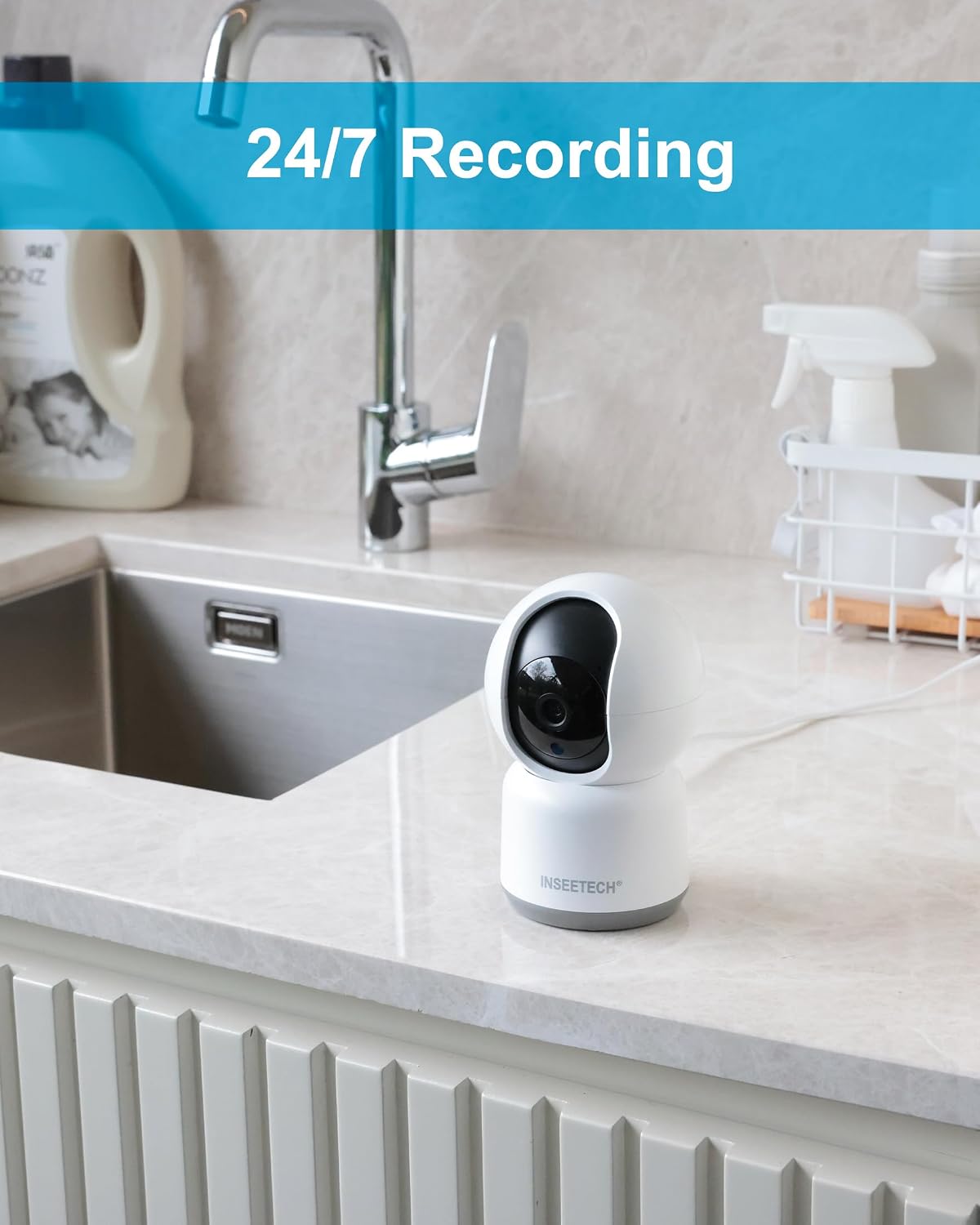
Figura 5: Eżample of camera placement in an indoor setting.

Figure 6: Mounting options for the camera.
Istruzzjonijiet Operattivi
1. Ħaj View u Kontroll
Open the Tuya Smart app and select your camera from the device list to access the live video feed. From this screen, you can:
- Pan u Mejjel: Use the directional controls on the app interface to remotely adjust the camera's viewangolu ta' inklinazzjoni (355° orizzontali, 90° vertikali).
- Żum diġitali: Pinch to zoom on the live feed to view dettalji.
- Awdjo f'żewġ direzzjonijiet: Tektek l-ikona tal-mikrofonu biex titkellem permezz tal-ispiker tal-kamera, u isma' permezz tat-telefon tiegħek.
- Take Snapshots/Record Video: Capture still images or record video directly to your phone.

Figure 7: Camera's pan and tilt capabilities.

Figure 8: Two-way audio communication and family sharing feature.
2. Sejbien tal-Mozzjoni u Twissijiet
The camera is equipped with smart motion detection and auto-tracking features. When motion is detected, the camera will:
- Send instant notifications to your smartphone.
- Automatically track the moving object within its field of view.
- Record the event (if recording is enabled).
You can customize motion detection sensitivity and alert settings within the Tuya Smart app.

Figure 9: Human detection and auto-tracking in action.

Figure 10: Instant smart alerts for detected motion.
3. Reġistrazzjoni u Ħażna
The camera supports continuous recording and event-triggered recording. You have two primary storage options:
- Karta Micro SD: Insert a Micro SD card (up to 128GB, Class 10 or higher, not included) into the camera's designated slot for local storage. Recordings can be accessed and played back via the app.
- Ħażna Cloud: Subscribe to the optional cloud storage service through the Tuya Smart app for secure, off-site storage of your recordings.
Biex taċċessa foo rreġistratitage, navigate to the playback section within the camera's interface in the Tuya Smart app.

Figure 11: Storage options and playback interface.
4. Viżjoni bil-lejl
The camera automatically switches to night vision mode in low-light conditions, utilizing infrared technology to provide clear black-and-white images. This ensures continuous monitoring even in complete darkness.

Figure 12: Camera operating in night vision mode.
Manutenzjoni
- Tindif: Uża drapp artab u niexef biex tnaddaf il-lenti u l-qafas tal-kamera. Evita li tuża kimiċi ħarxa jew prodotti tat-tindif li joborxu.
- Aġġornamenti tal-Firmware: Regularly check the Tuya Smart app for firmware updates. Keeping your camera's firmware updated ensures optimal performance and security.
- Ċiklu tal-Enerġija: If the camera experiences connectivity issues or malfunctions, try unplugging it from the power source for 10 seconds and then plugging it back in.
- Irrisettja: If persistent issues occur, a factory reset may be necessary. Refer to the troubleshooting section for instructions on how to reset the camera.
Issolvi l-problemi
| Problema | Kawża Possibbli | Soluzzjoni |
|---|---|---|
| Il-kamera ma tirnexxilhiex tikkonnettja mal-Wi-Fi. | Incorrect Wi-Fi password; camera too far from router; 5GHz Wi-Fi network used; camera needs reset. |
|
| No live video feed or offline status. | Internet connection issue; camera power loss; app glitch. |
|
| Twissijiet ta' skoperta ta' moviment ma jiġux riċevuti. | Alerts disabled in app; incorrect sensitivity settings; app notifications blocked by phone. |
|
| L-awdjo f'żewġ direzzjonijiet mhux ċar jew mhux qed jaħdem. | Microphone/speaker obstruction; network latency; app permissions. |
|
Speċifikazzjonijiet
| Karatteristika | Dettall |
|---|---|
| Isem tal-Mudell | WF820-4MPB |
| Użu fuq ġewwa/barra | Ġewwa |
| Riżoluzzjoni tal-Qbid tal-Vidjo | 4 MP (2560 x 1440 pixel) |
| Teknoloġija tal-Konnettività | Wireless (Wi-Fi 2.4GHz biss) |
| Angolu Pan | 355 Grad |
| Angolu Mejjel | 90 Grad |
| Medda tal-Viżjoni Lejl | 32.8 pied (10 metru) |
| Awdjo Two-Way | Iva |
| Sejbien tal-Moviment | Yes, with Auto Tracking |
| Għażliet ta' Ħażna | Karta Mikro SD (sa 128GB), Ħażna fis-Sħab |
| Sors tal-Enerġija | Elettriku bil-Fili (5V DC, 3.5W) |
| Dimensjonijiet (L x W x H) | 3 x 2.98 x 5 pulzieri (madwar 7.6 x 7.5 x 12.7 ċm) |
| Piż | 11.2 uqija (madwar 317 gramma) |
| Materjal | Acrylonitrile Butadiene Styrene (ABS) |
| Komponenti Inklużi | Camera, Power Adapter, Power Cable, Mounting Bracket, Accessories, User Manual |

Figure 13: Camera dimensions.
Garanzija u Appoġġ
For warranty information and technical support, please refer to the contact details provided on the product packaging or visit the official INSEETECH websit. Żomm l-irċevuta tax-xiri tiegħek bħala prova tax-xiri għal talbiet ta' garanzija.
For further assistance, you may also contact INSEETECH customer service through their official channels.