
1. Istruzzjonijiet Importanti dwar is-Sigurtà
Jekk jogħġbok aqra l-istruzzjonijiet kollha bir-reqqa qabel ma tuża dan l-apparat. Żomm dan il-manwal għal referenza futura.
- Dejjem kun żgur li l-apparat ikun skonnettjat qabel ma tnaddaf jew meta ma jkunx qed jintuża.
- Tgħaddix il-bażi tal-mutur fl-ilma jew likwidi oħra.
- Keep hands and utensils out of the bean hopper and ground coffee container during operation to prevent injury.
- Dan l-apparat mhuwiex maħsub għall-użu minn persuni b'kapaċitajiet fiżiċi, sensorji jew mentali mnaqqsa, jew b'nuqqas ta' esperjenza u għarfien, sakemm ma jkunux ingħataw superviżjoni jew istruzzjoni dwar l-użu tal-apparat minn persuna responsabbli għas-sigurtà tagħhom.
- It-tfal għandhom ikunu sorveljati biex jiżguraw li ma jilagħbux bl-apparat.
- Tħaddim l-ebda apparat b'korda jew plagg bil-ħsara, jew wara li l-apparat ma jaħdimx jew ikun ġie bil-ħsara b'xi mod.
- Uża biss aċċessorji rakkomandati jew mibjugħa mill-manifattur.
- Ensure the bean hopper lid is securely in place before operating.
- The appliance features overheating protection. If the motor overheats, it will automatically shut off to prevent damage. Allow it to cool down before resuming use.
2. Prodott Aktarview
Familiarize yourself with the components of your Aigostar Electric Conical Burr Coffee Grinder.
Komponenti:
- Delu tal-fażola: Transparent container for whole coffee beans (320g capacity) with a locking system.
- Upper Conical Burr: Removable for cleaning.
- Lower Conical Burr: Fixed grinding component.
- Grind Setting Collar: Adjustable ring with 52 precise settings for various brewing methods.
- Panel tal-Kontroll: Includes an LCD digital display, MODE button, '+' and '-' buttons, and Start/Stop button.
- Kontenitur tal-Kafè Mitħun: Removable container for collecting ground coffee (130g capacity) with anti-static technology.
- Portafilter Holders: Two sizes included (51-54mm and 58mm) for direct grinding into a portafilter.
- Xkupilja tat-Tindif: Għall-manutenzjoni tal-burrs u l-kompartiment tat-tħin.

Immaġni: Fuqview of the Aigostar Conical Burr Coffee Grinder, highlighting its features like anti-static, 52 grind settings, LCD display, durable conical burrs, 320g bean hopper, and two portafilter cradles.

Immaġni: Dettaljata view of the stainless steel conical burr, emphasizing its design for even grinding at low speed to preserve coffee flavor.
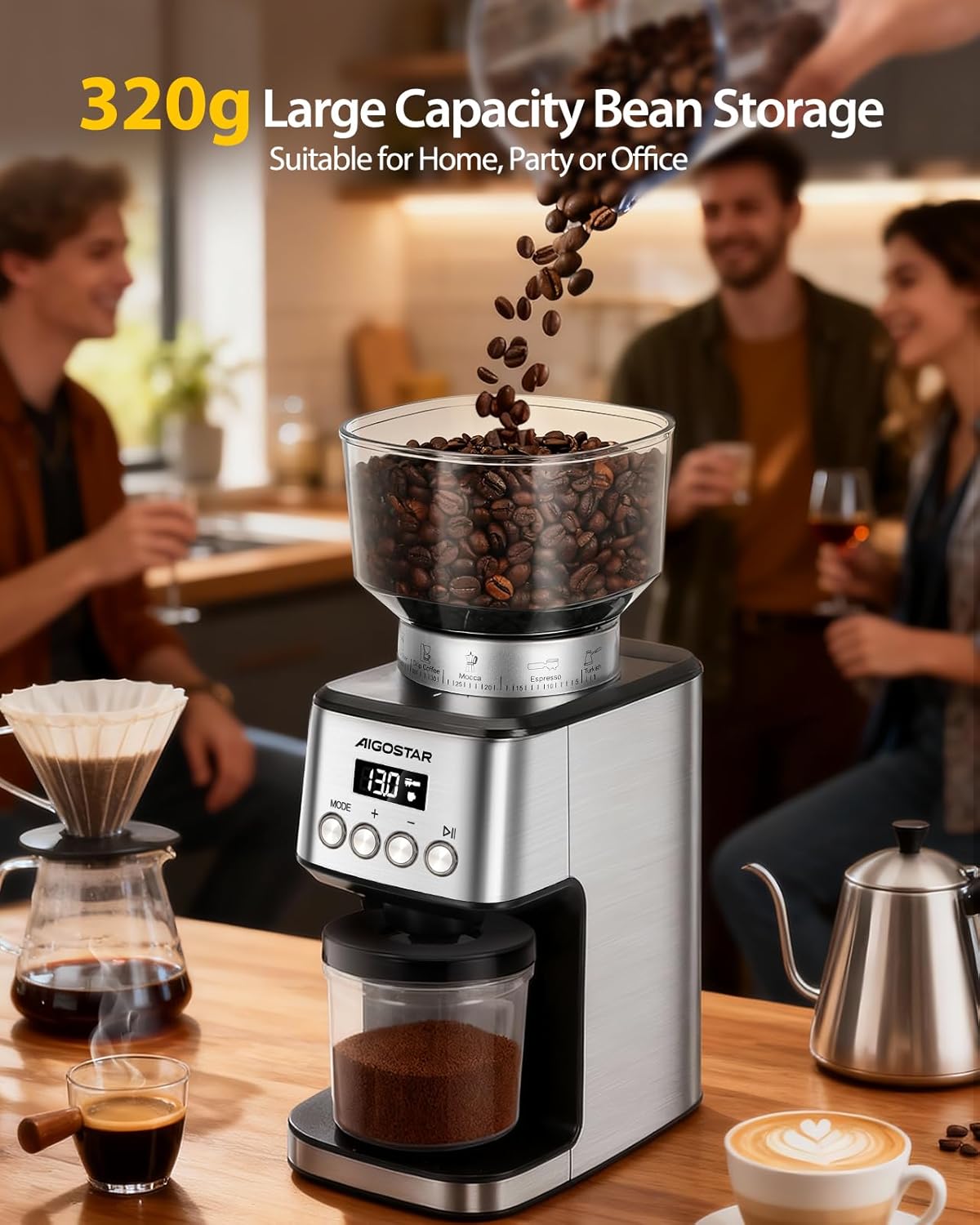
Image: The coffee grinder with its 320g large capacity bean storage, suitable for home, party, or office use.

Image: Demonstrates the locking system of the 320g bean hopper, designed for easy cleaning, storage, and bean changing.

Image: The 130g coffee powder container, highlighting its anti-static technology to keep it clean and reduce waste, compared to other containers.
3. Setup
Follow these steps to set up your coffee grinder for first use.
- Ippakkja: Carefully remove all components from the packaging. Check that all parts listed in the Product Overview huma preżenti u bla ħsara.
- Pjazzament: Place the grinder on a stable, flat, and dry surface. Ensure there is enough space around the appliance for proper ventilation.
- Installa l-Fażola Hopper: Align the bean hopper with the base and twist it clockwise until it locks securely into place. Ensure the locking mechanism is engaged to prevent accidental removal during operation.
- Qabbad l-Enerġija: Ipplaggja l-korda tad-dawl fi żbokk elettriku adattat.

Image: Visual guide showing steps to install the bean hopper, add coffee beans, swivel to choose fineness, set cups/timer, and collect ground coffee.
4. Istruzzjonijiet Operattivi
Learn how to use your Aigostar coffee grinder to achieve the perfect grind for your coffee.
4.1 It-tħin tal-fażola tal-kafè
- Żid Fażola: Pour whole coffee beans into the bean hopper. Do not overfill.
- Agħżel l-Issettjar tat-Tħin: Rotate the grind setting collar to choose your desired fineness. The grinder offers 52 precise settings, ranging from very fine (for Espresso) to coarse (for French Press). Refer to the markings on the collar for guidance.
- Choose Grinding Mode: Press the "MODE" button on the control panel to switch between "Time Mode" (grinding duration in seconds) and "Cup Mode" (number of cups).
- Aġġusta l-Kwantità: Use the '+' and '-' buttons to adjust the grinding time (1-50 seconds) or the number of cups (1-10 cups) according to your preference.
- Ibda tħin: Press the Start/Stop button to begin grinding. The grinder will automatically stop once the set time or quantity is reached.
- Iġbor il-Kafè Mitħun: Remove the ground coffee container or portafilter to collect your freshly ground coffee.

Image: The grind setting dial on the Aigostar coffee grinder, illustrating the 52 precise grinding settings for various coffee types like French Press, Pour Over, Drip Coffee, Mocca, Espresso, and Turkish.
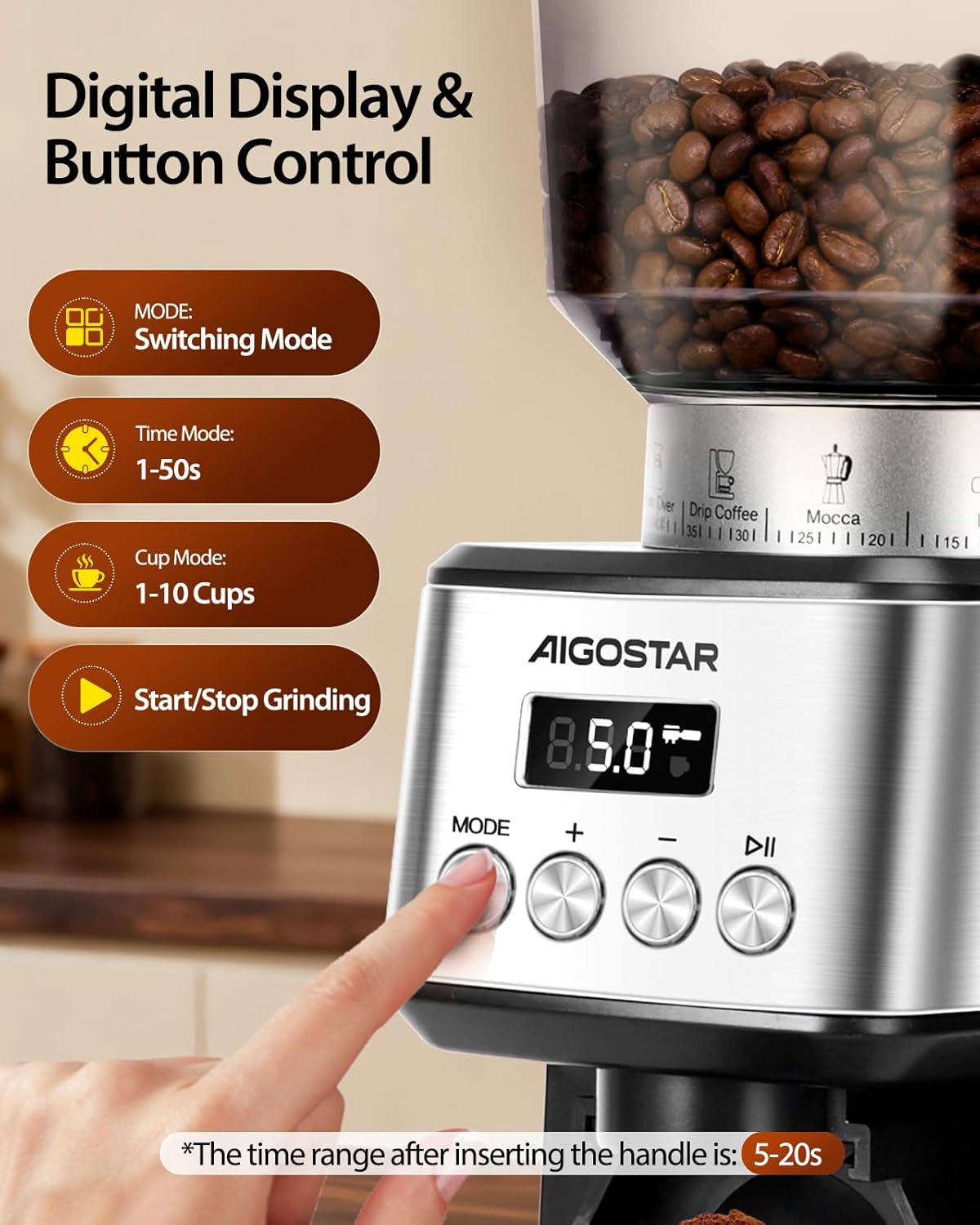
Image: The digital display and button controls, showing the MODE button for switching between time (1-50s) and cup (1-10 cups) modes, and the Start/Stop button. Note: For portafilter use, grinding duration is 5-20s.
4.2 Using Portafilter Holders
The grinder comes with two portafilter holders for direct grinding:
- Select the appropriate holder (51-54mm or 58mm) for your portafilter.
- Insert the portafilter holder into the designated slot on the grinder.
- Place your portafilter into the holder.
- Adjust the grind setting and quantity as desired (typically 5-20 seconds for portafilter grinding).
- Press Start/Stop to grind directly into your portafilter.

Image: The coffee grinder with a portafilter attached, showcasing the two included portafilter cradles (51-54mm and 58mm) for versatile use.
4.3 Dimostrazzjoni tal-Vidjo tal-Prodott
Video: An official product video demonstrating the setup, operation, and cleaning process of the Aigostar Electric Conical Burr Coffee Grinder. It shows how to add beans, select grind settings, use the control panel, and clean the burrs.
5. Manutenzjoni u Tindif
Tindif regolari jiżgura prestazzjoni ottimali u jestendi l-ħajja tal-grinder tiegħek.
- Spluggja: Dejjem aqla’ l-grinder mill-plagg tal-elettriku qabel ma tnaddaf.
- Kontenituri Vojta: Remove and empty the bean hopper and ground coffee container.
- Neħħi l-Burr ta' Fuq: Twist the upper conical burr counter-clockwise to unlock and lift it out.
- Clean Burrs and Chamber: Use the provided cleaning brush to remove any residual coffee grounds from both the upper and lower burrs, as well as the grinding chamber.
- Clean Containers: Wash the bean hopper and ground coffee container with warm, soapy water. Rinse thoroughly and dry completely before reassembling. Do not wash the motor base.
- Imsaħ barra: Imsaħ il-barra tal-grinder ma adamp drapp. Tużax tindif li joborxu.
- Erġa' arma: Once all parts are dry, reinsert the upper conical burr and twist clockwise to lock it into place. Reattach the bean hopper and ground coffee container.
Tip: Tapping the bean hopper lid at the end of each grind can help reduce residual coffee powder. Clean the grinder after each use for best results.

Image: The coffee grinder with its removable parts (bean hopper, ground coffee container, upper burr) laid out, demonstrating the ease of cleaning with the included brush.

Immaġni: Close-up view of a hand using the cleaning brush to effortlessly clean the removable upper burr, hopper, and chamber.
6 Issolvi l-problemi
If you encounter any issues with your grinder, refer to the following common problems and solutions:
| Problema | Kawża Possibbli | Soluzzjoni |
|---|---|---|
| Il-grinder ma jixgħelx. | Not plugged in, bean hopper not correctly installed, power outage, motor overheated. | Ensure power cord is securely plugged in. Check if the bean hopper is locked in place. Verify power supply. If motor overheated, allow it to cool down for 20-30 minutes. |
| Tħin inkonsistenti. | Burrs are dirty or clogged, incorrect grind setting. | Clean the burrs and grinding chamber thoroughly. Adjust the grind setting to a finer or coarser option as needed. |
| Coffee grounds sticking to container. | Static electricity (common with dry coffee beans). | The grinder features anti-static technology to minimize this. Ensure the container is clean and dry. A small amount of static is normal. |
| Grinder stops unexpectedly during operation. | Overheating protection activated, burrs jammed by foreign object. | Unplug the unit and allow it to cool down. Check the bean hopper for any foreign objects and remove them. Clean the burrs. |
7. Speċifikazzjonijiet
Detailed technical specifications for your Aigostar coffee grinder.
- Ditta: Aigostar
- Mudell: Grinder tal-Kafè Burr Koniku
- Kulur: Fidda
- Materjal: Stainless Steel
- Qawwa: 180 Watts
- Voltage: 120 Volts
- Kapaċità tad-delu tal-fażola: 320 Gramm
- Ground Coffee Container Capacity: 130 Gramm
- Issettjar tat-Tħan: 52 Precise Adjustments
- Dimensjonijiet tal-Prodott (L x W x H): 20 ċm x 13 ċm x 34 ċm
- Piż tal-Prodott: 2.5 Kilogrammi
- Karatteristiċi Speċjali: LCD Digital Display, Anti-static Technology, Overheating Protection, Low-speed Grinding
- Użu Rakkomandat: Grinding coffee beans for various brewing methods (Espresso, Drip, French Press, etc.)

Image: The Aigostar coffee grinder displayed in a kitchen, with its dimensions (13cm width, 34cm height, 20cm depth) clearly indicated.
8. Garanzija u Appoġġ
Aigostar is committed to providing high-quality products and excellent customer service.
- Garanzija: Dan il-prodott jiġi b'garanzija ta' 2 snin mid-data tax-xiri.
- Politika ta' Ritorn: Enjoy a 30-day return policy for any reason.
- Appoġġ għall-Klijent: For any inquiries or assistance, please contact Aigostar customer service. We offer lifetime support and aim for a 24-hour quick response via email.
For further assistance, please visit the official Aigostar store or contact their customer service channels.
Image: Aigostar customer service details, including 24-hour quick email response, 30-day return policy, 2-year warranty, and lifetime support for satisfied solutions.