Youshiko Radio Controlled Wall Clock (UK/Ireland Version)
Model: B0DC6XWBFR
Introduzzjoni
This manual provides detailed instructions for the setup, operation, and maintenance of your Youshiko Radio Controlled Wall Clock. This clock is designed for the UK and Ireland, utilizing the MSF radio signal for automatic time synchronization. It features a large LCD display, indoor temperature reading, date, day of the week, and a dual alarm function.
Karatteristiċi tal-Prodott
Large LCD display for clear readability.
Radio-controlled time (MSF signal for UK/Ireland) for automatic and accurate time setting.
Automatic adjustment for Daylight Saving Time (DST).
Displays date with full day of the week and 3-digit month.
Selectable 12 or 24-hour time format.
Indoor temperature display in Celsius (°C) or Fahrenheit (°F).
Dual alarm with snooze function.
Wall-mountable or free-standing design.
Setup
1. Li Tħaddem l-Arloġġ
The clock can be powered via a power cable (not explicitly mentioned if included, but implied by specifications) or batteries.
Installazzjoni tal-batterija: Open the battery compartment cover on the back of the clock. Insert the required batteries (typically AA or AAA, check the compartment for markings) according to the polarity indicators (+ and -). Close the cover securely.
Cable tal-Enerġija: If using a power cable, connect it to the appropriate port on the clock and plug it into a wall outlet.
Immaġni: Wara view tal-arloġġ, b'enfasi fuq il-kompartiment tal-batterija u l-buttuni tal-kontroll.
2. Initial Time Synchronization (MSF Signal)
Upon powering on, the clock will automatically attempt to receive the MSF radio signal from Cumbria, UK, to set the correct time.
Place the clock near a window, away from electronic devices that might cause interference.
The signal reception icon (often a radio tower symbol) will flash during synchronization.
Once the signal is successfully received, the icon will become solid, and the time will be set automatically. This process may take several minutes or up to 24 hours depending on signal strength.
If the signal is not received, try repositioning the clock.
Image: Front display of the clock, showing the radio signal icon (top right).
3. Għażliet ta 'Immuntar
Immuntar tal-ħajt: Use the integrated keyhole slot on the back of the clock to hang it securely on a wall hook or screw.
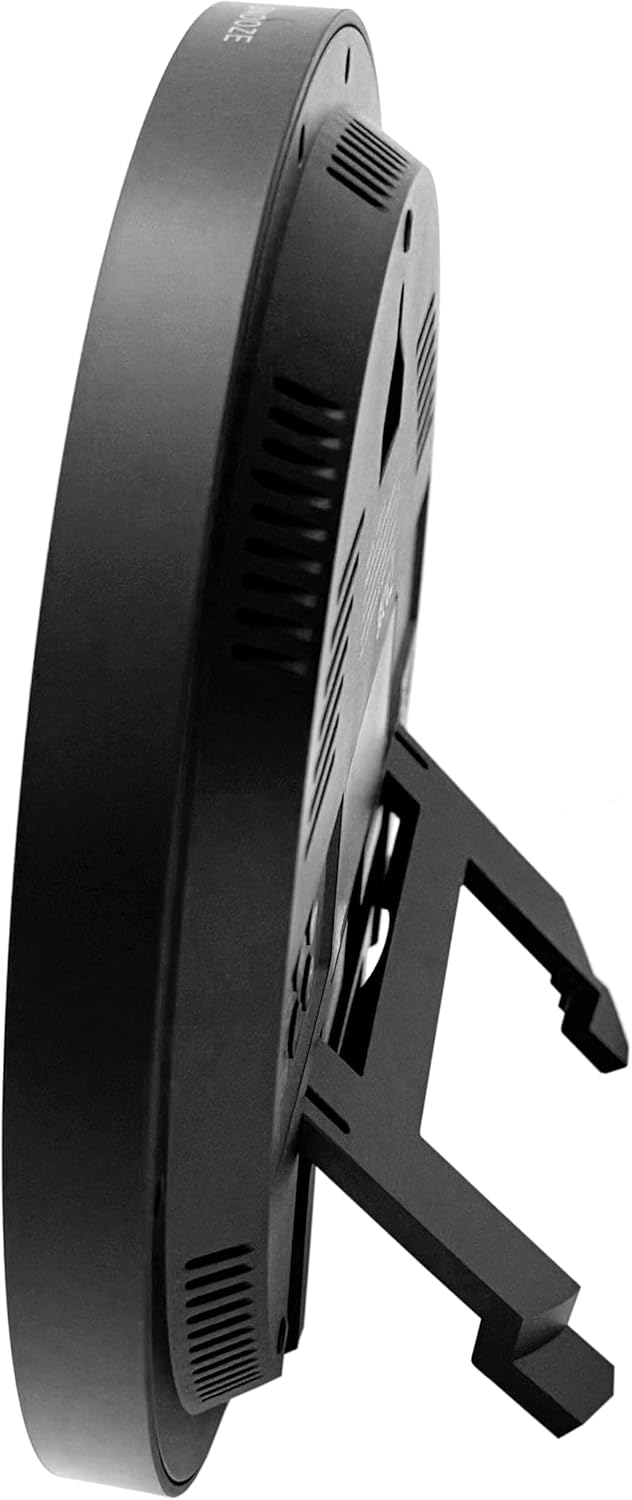
Stand tal-mejda: Extend the built-in stand on the back of the clock to place it on a flat surface.
Immaġni: Ġenb view of the clock, demonstrating the extended tabletop stand.
Immaġni: Naħa oħra view of the clock, illustrating its design and stand.
Istruzzjonijiet Operattivi
1. Uri Fuqview
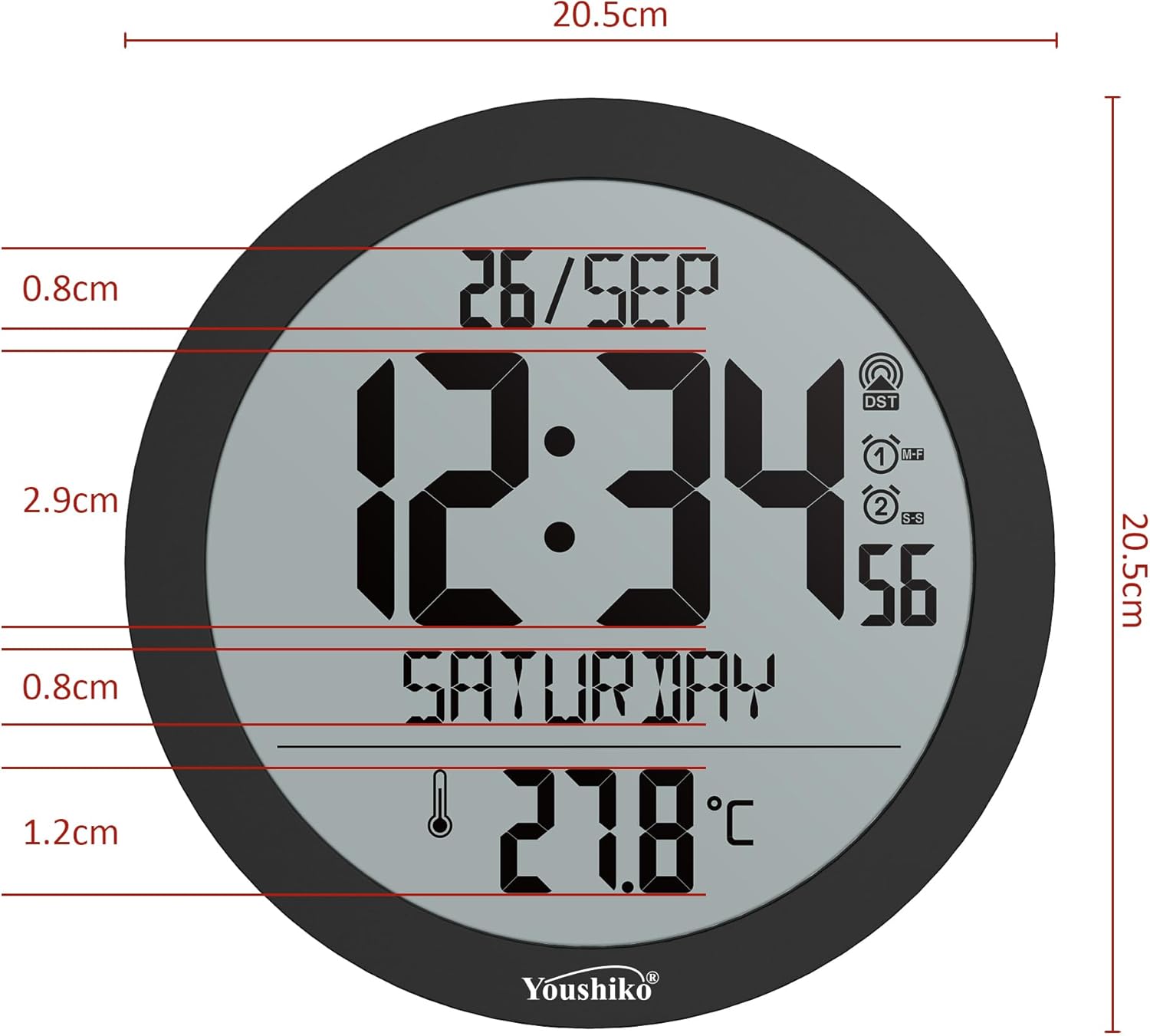
The large LCD display shows the current time, date (day/month), day of the week, and indoor temperature.
Immaġni: Dettaljata view of the clock's display, indicating various information segments.
Image: Clear front view tal-wiri diġitali tal-arloġġ.
2. Setting Time Format and Temperature Unit
Use the control buttons on the back of the clock to adjust settings. Refer to the button layout image for specific button functions.
Format 12/24 Siegħa: Press the 'MODE' or 'SET' button (refer to your clock's specific button labels) to cycle through time display options.
Temperature Unit (°C/°F): Press the '°C/°F' button (if available) or a combination of 'MODE' and '+' buttons to switch between Celsius and Fahrenheit.
Image: Close-up of the clock's rear control buttons for settings adjustment.
3. Issettjar tal-Allarm
The clock features a dual alarm with snooze.
Press the 'ALARM' button (or similar, refer to button labels) to enter alarm setting mode.
Use the '+' and '-' buttons to adjust the alarm time.
Press 'ALARM' again to confirm and set the second alarm if applicable.
To activate/deactivate the alarm, press the 'ALARM ON/OFF' button.
When the alarm sounds, press the 'SNOOZE' button (located on top or back) to temporarily silence it. The alarm will sound again after a few minutes.
To turn off the alarm completely, press any other button or let it sound for its full duration.
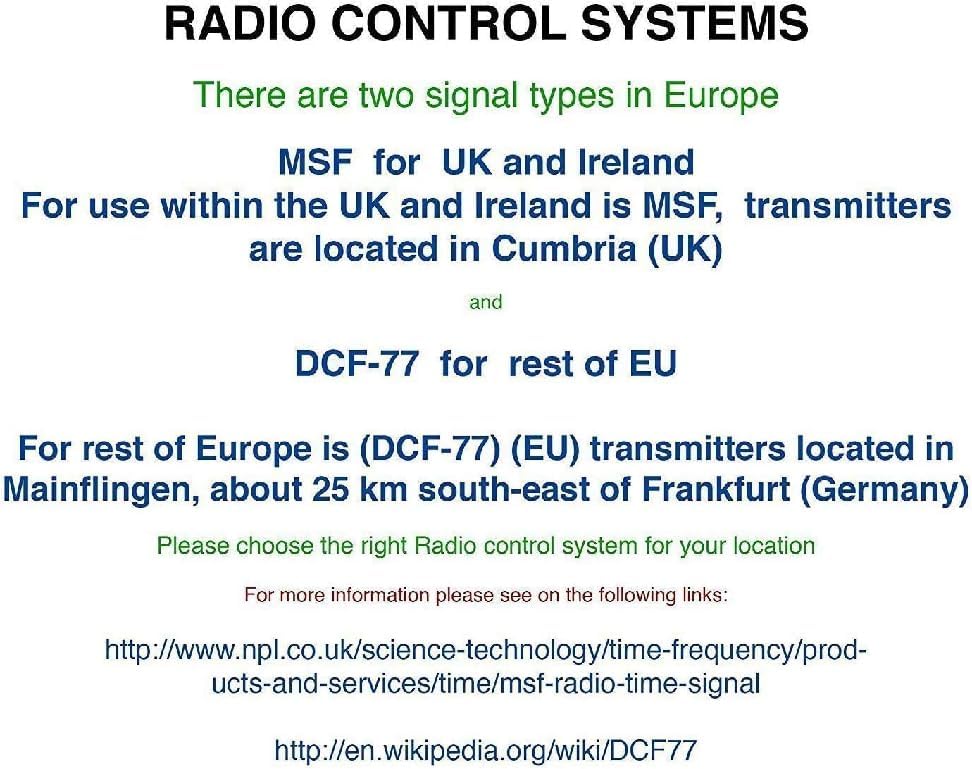
4. Radio Control Systems in Europe
It is important to understand the different radio control signals used in Europe to ensure your clock functions correctly in your region.
Image: Explanation of radio control systems (MSF for UK/Ireland, DCF-77 for rest of EU).
MSF (UK and Ireland): Transmitters are located in Cumbria, UK. This clock is specifically designed for the MSF signal.
DCF-77 (Rest of EU): Transmitters are located in Mainflingen, Germany. This clock is not designed to receive the DCF-77 signal.
Ensure you have the correct radio-controlled clock version for your geographical location.
Manutenzjoni
Tindif: Wipe the clock's surface with a soft, dry cloth. Do not use abrasive cleaners or solvents, as these may damage the display or casing.
Sostituzzjoni tal-batterija: If the display dims or the clock loses time frequently, replace the batteries. Ensure to use fresh batteries of the specified type and dispose of old batteries responsibly.
Ambjent: Avoid exposing the clock to extreme temperatures, direct sunlight, or high humidity, which can affect its performance and lifespan.
Issolvi l-problemi
Problema
Kawża Possibbli
Soluzzjoni
Clock not displaying time / blank screen.
Ebda enerġija jew batteriji mejta.
Check power cable connection or replace batteries.
Ħin muri ħażin.
Poor MSF signal reception or incorrect region setting.
Ensure the clock is placed in an area with good signal reception (e.g., near a window).
Evita li tpoġġih ħdejn apparati elettroniċi li jistgħu jikkawżaw interferenza.
Ħalli sa 24 siegħa għas-sinkronizzazzjoni inizjali.
Confirm you have the UK/Ireland version for MSF signal.
L-allarm ma jiddoqqx.
L-allarm mhux attivat jew issettjat ħażin.
Verify alarm settings and ensure the alarm is turned ON.
Il-qari tat-temperatura jidher li mhux preċiż.
Clock exposed to direct heat/cold sources.
Relocate the clock away from direct sunlight, vents, or other temperature-influencing factors.
Speċifikazzjonijiet
Mudell: B0DC6XWBFR
Ditta: Youshiko
Kulur: Iswed
Tip ta' wiri: LCD diġitali
Dimensjonijiet: 20.5 x 3.81 x 20.5 ċm (8.07 x 1.5 x 8.07 pulzieri)
Piż: 430 g (0.95 lbs)
Sors tal-Enerġija: Cable electrico (Power cable) / Batteries (Not included, type to be confirmed by compartment)
Karatteristiċi Speċjali: Automatic time adjustment (MSF), Temperature display, Dual alarm, Snooze function.
Tip ta' Kamra: Home, office, large halls, bedrooms, children's classrooms, kitchen, dining room, study room.
Forma: Round
Użu: Ġewwa
Garanzija u Appoġġ
For warranty information and customer support, please refer to the documentation included with your purchase or visit the official Youshiko websit.
Ask about setup, troubleshooting, compatibility, parts, safety, or missing instructions. Manuals+ will review the question and use this page’s manual context to help answer it.