
GNCC GT1PRO Black Caméra Surveillance
GNCC 2K Outdoor Security Camera User Manual
Model: GT1PRO Black Caméra Surveillance
Marka: GNCC
1. Introduzzjoni
This manual provides detailed instructions for the installation, operation, and maintenance of your GNCC 2K Outdoor Security Camera. This camera is designed to provide reliable surveillance with advanced features for enhanced home security.
Key features include 2K Ultra HD resolution, enhanced night vision up to 50 feet/15m, smart AI detection for motion and sound alerts, two-way audio, IP65 weatherproof rating, and seamless integration with Alexa and Google Home.
2. X'hemm fil-Kaxxa
- Manwal ta' Istruzzjoni
- Stand
- Adapter tal-Enerġija
- Invita tal-Immuntar

Image: GNCC 2K Outdoor Security Camera and its retail packaging, illustrating the product and its box contents.
3. Gwida ta' Setup
3.1. Installazzjoni Fiżika
- Agħżel Post: Select a suitable outdoor location for the camera, ensuring it is within reach of a power outlet. The camera is IP65 weatherproof, suitable for various outdoor conditions.
- Immarka u Ħaffer Toqob: Use the mounting bracket to mark the desired drill points on the installation surface. Drill pilot holes for the mounting screws.
- Waħħal il-parentesi tal-immuntar: Securely attach the mounting bracket to the surface using the provided screws.
- Immonta l-Kamera: Screw the camera onto the mounting bracket. Adjust the camera's angle and position as needed, then tighten the mount to secure it.
- Qabbad mal-Enerġija: Plug the camera's USB power cable into the provided power adapter, then plug the adapter into a wall outlet. Clips are included to help secure the wire along the installation path.

Image: The GNCC 2K Outdoor Security Camera, highlighting its IP65 weatherproof design, suitable for outdoor installation.
3.2. Installazzjoni u Konnessjoni tal-App
- Download the Osaio App: Fittex għal "Osaio" in your smartphone's app store (Google Play or Apple App Store) and install it.
- Irreġistra/Idħol: Open the Osaio app and follow the on-screen instructions to register a new account or log in if you already have one.
- Żid Apparat: In the app, select the option to add a new device. Choose the GNCC 2K Outdoor Security Camera from the list.
- Qabbad mal-Wi-Fi: Follow the app's prompts to connect the camera to your 2.4GHz Wi-Fi network. Ensure your Wi-Fi is set to 2.4GHz, as 5GHz is not supported. You may be prompted to scan a QR code displayed on your phone with the camera, or connect via AP mode.
- Konferma: A successful connection is typically indicated by a double beep from the camera and a green checkmark in the app. If the indicator light is flashing red, or you do not hear the double beep, please reset the camera and try again.
Video: A guide to connecting the GNCC security camera to the Osaio GT1Pro app, demonstrating the Wi-Fi and AP mode setup processes.
4. Istruzzjonijiet Operattivi
4.1. Ħaj View
Access the Osaio app to view foo ħajtage from your camera anytime, anywhere. This allows for real-time monitoring of your property.
4.2. Sejbien tal-Mozzjoni u l-Ħoss
The camera features smart AI-powered motion and sound detection. You will receive real-time phone alerts when people, pets, packages, or vehicles are identified, reducing false alarms. The built-in siren can be activated via the Osaio app to deter intruders.

Image: The GNCC 2K Outdoor Security Camera demonstrating motion detection capabilities, with a person approaching a door.

Image: A smartphone screen showing real-time notifications from the Osaio app, indicating detected motion and sound events.
4.3. Awdjo b'żewġ direzzjonijiet
Utilize the integrated microphone and speaker for two-way communication. This allows you to speak with visitors, delivery personnel, or warn unwanted guests directly through the camera from your smartphone.
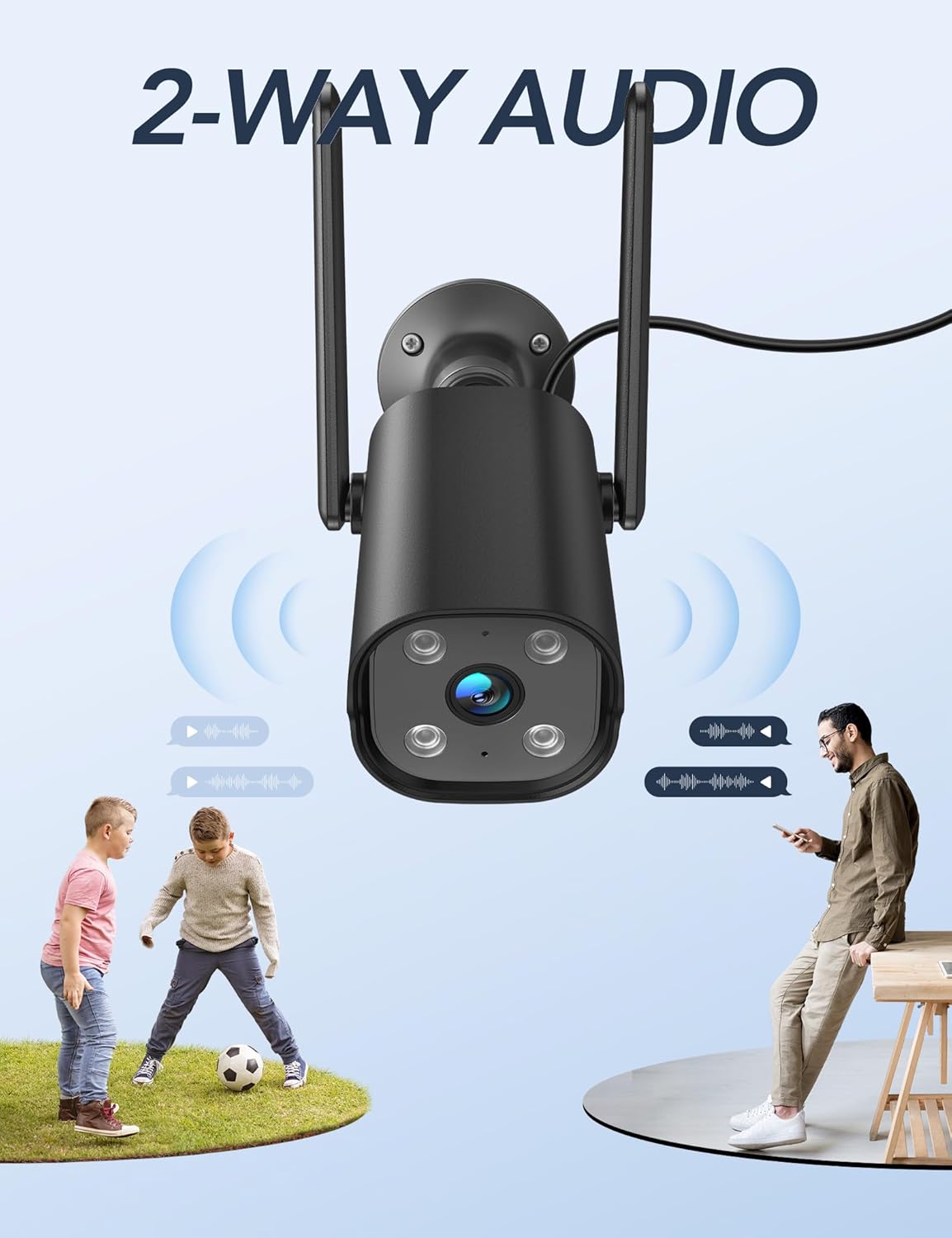
Image: The GNCC 2K Outdoor Security Camera illustrating its two-way audio capability, showing communication between the camera and individuals.
4.4. Viżjoni bil-lejl
The camera provides enhanced night vision, allowing you to see clearly up to 50 feet (15 meters) even in complete darkness, ensuring 24/7 surveillance.
4.5. Reġistrazzjoni u Ħażna
The camera supports 24/7 recording. Footage can be stored securely on a Micro SD card (up to 128GB, not included) or via encrypted cloud storage with a free 14-day trial. You can review past recordings through the Osaio app.

Image: A visual representation of the GNCC 2K Outdoor Security Camera's 24/7 recording capability, showing continuous video capture.

Image: Diagram illustrating the GNCC 2K Outdoor Security Camera's flexible storage options: cloud storage (with a 14-day free trial) and local SD card storage (up to 128GB, not included).
4.6. Smart Home Integrazzjoni
The GNCC 2K Outdoor Security Camera is compatible with Alexa and Google Home, allowing for convenient hands-free voice control. You can also remotely manage the camera and share live feeds with family members through the Osaio app.
Vidjo: Overview of the GNCC 2K Outdoor Security Camera (GT1Pro), highlighting its features including 2K HDR, siren, 2.4GHz WiFi, IP65, AI detection, night vision, motion detection, and 2-way audio.
5. Manutenzjoni
- Tindif: Imsaħ il-lenti u l-korp tal-kamera regolarment b'ċarruta ratba u damp drapp biex tneħħi t-trab u d-debris. Evita li tuża kimiċi ħarxa.
- Kontroll tal-Konnessjoni: Periodically check the power cable and Wi-Fi connection to ensure stable operation.
- Aġġornamenti tal-Firmware: Keep the Osaio app updated to the latest version. The app will notify you of any available firmware updates for the camera, which can improve performance and add new features.
6 Issolvi l-problemi
- Camera Not Connecting to App:
- Kun żgur li n-netwerk Wi-Fi tiegħek huwa 2.4GHz. Il-kamera ma tappoġġjax Wi-Fi ta' 5GHz.
- Iċċekkja li l-password tal-Wi-Fi tiegħek iddaħħlet b'mod korrett fl-app.
- Make sure the camera's indicator light is flashing red before attempting to connect. If not, reset the camera.
- Kun żgur li l-kamera tinsab fil-firxa tar-router Wi-Fi tiegħek.
- No Recording/Storage Issues:
- If using an SD card, ensure it is properly inserted and formatted within the app. Check if the SD card has sufficient storage space.
- If using cloud storage, verify your subscription status and internet connection.
- Twissijiet ta' Mozzjoni/Ħoss Falza:
- Adjust the sensitivity settings for motion and sound detection in the Osaio app.
- Define specific detection zones to exclude areas with frequent irrelevant movement (e.g., busy streets, swaying trees).
- Kwalità Fqira tal-Viżjoni bil-Lejl:
- Ensure there are no obstructions directly in front of the camera lens that could interfere with the infrared lights.
- Clean the camera lens to remove any smudges or dirt.
7. Speċifikazzjonijiet
| Karatteristika | Dettall |
|---|---|
| Brand | GNCC |
| Isem tal-Mudell | GT1ProB |
| Użu fuq ġewwa/barra | Outdoor (IP65 Weatherproof) |
| Riżoluzzjoni tal-Qbid tal-Vidjo | 2K (Riżoluzzjoni Effettiva ta' 3MP) |
| Medda tal-Viżjoni Lejl | 50 Saqajn |
| Teknoloġija tal-Konnettività | Wireless (Wi-Fi 2.4GHz biss) |
| Sors tal-Enerġija | Elettriku bil-Fili (5-il Volt, 5-il watts) |
| Awdjo Two-Way | Iva |
| Sejbien ta 'Moviment/Ħoss | Yes (Smart AI Detection) |
| Għażliet ta' Ħażna | Karta Mikro SD (sa 128GB), Ħażna fis-Sħab |
| Kompatibilità tad-Dar Intelliġenti | Alexa, Google Home |
| Dimensjonijiet (L x W x H) | 4.33 x 3.07 x 2.09 pulzieri |
| Piż tal-oġġett | 7.4 uqija (210 Grammi) |
| ViewIng Angolu | 110 Grad |
| Frame Rata | 15 frejm kull sekonda |
| Kodifikazzjoni tal-vidjo | H.265 |
| Zoom Tip | Digital Zoom (4X) |
8. Garanzija u Appoġġ
For any questions or support regarding your GNCC 2K Outdoor Security Camera, please contact GNCC customer service.
Email: support@gnchome.com
Please refer to the product packaging or official GNCC websit għal dettalji speċifiċi tal-garanzija.
Ask a question about this manual
Ask about setup, troubleshooting, compatibility, parts, safety, or missing instructions. Manuals+ will review the question and use this page’s manual context to help answer it.