
DOOGEE DOOGEE Blade 10 Ultra
DOOGEE Blade 10 Ultra Smartphone User Manual
Model: DOOGEE Blade 10 Ultra
1. Introduzzjoni
This manual provides comprehensive instructions for the safe and efficient use of your DOOGEE Blade 10 Ultra smartphone. Please read this manual carefully before using the device to ensure optimal performance and longevity.

Immaġni: Quddiem u wara view of the DOOGEE Blade 10 Ultra smartphone, highlighting its rugged design and key features like NFC and Android 14.
2. Setup
2.1 Tneħħija tal-kaxxa u Spezzjoni Inizjali
Carefully unbox your DOOGEE Blade 10 Ultra and verify that all components are present and in good condition. The package should contain:
- 1 x DOOGEE Blade 10 Ultra Smartphone
- 1 x USB Type-C Cable
- 1 x Charger
- 1 x Tempered Glass Protector (pre-applied)
- 1 x Manwal għall-Utent
2.2 Installazzjoni tal-Karta SIM u l-Karta microSD
Biex tinstalla l-karta/i SIM u/jew il-karta microSD tiegħek:
- Sib it-trej tas-SIM fuq il-ġenb tal-apparat.
- Daħħal l-għodda tal-ejecter tas-SIM fit-toqba ż-żgħira ħdejn it-trej biex tiftaħha.
- Place your Nano-SIM card(s) and/or microSD card into the designated slots. Ensure the gold contacts are facing down. The device supports up to 2TB external storage via microSD.
- Imbotta t-trej bil-mod lura fl-islott sakemm tikklikkja f'postu.

Image: Illustration of the internal storage components, showing 8GB+12GB RAM and 256GB ROM, with support for up to 2TB microSD card.
2.3 First Power On and Basic Setup
Press and hold the power button until the DOOGEE logo appears. Follow the on-screen prompts to complete the initial setup, including language selection, Wi-Fi connection, Google account setup, and security settings.
2.4 Iċċarġjar tal-Apparat
Connect the USB Type-C cable to the phone's charging port and the other end to the provided charger. Plug the charger into a power outlet. The battery indicator will show charging status. For optimal battery life, fully charge the device before first use.
3. It-Tħaddim tal-Ismartphone Tiegħek
3.1 Fuqview of Android 14
Your DOOGEE Blade 10 Ultra runs on the latest Android 14 operating system, offering enhanced privacy features, improved security, and a more personalized user experience. Explore new customization options and streamlined notifications.

Image: The Android 14 system logo, emphasizing its smart, secure, and convenient features.
3.2 Wiri u Navigazzjoni
The device features a 6.56-inch HD+ IPS waterdrop display with a 90Hz refresh rate for smooth visuals. Navigate the interface using touch gestures: swipe, tap, pinch-to-zoom, and long-press.
3.3 Użu tal-Kamera
Capture high-quality photos and videos with the 50MP AI main camera and 8MP front camera. The Morpho Imaging Algorithm enhances your photography with various modes including HDR, Watermark, Video, Picture, Beauty, Pro Mode, Portrait, Gif, Panorama, and Filter.

Image: Visual representation of the 50MP main camera and 8MP front camera, detailing the various imaging modes available through the Morpho Imaging Algorithm.
3.4 Konnettività
Your smartphone supports a wide range of connectivity options:
- Wi-Fi: Connect to 2.4G and 5G networks (802.11ac/a/b/g/n).
- Bluetooth: BT5.0 for connecting to wireless accessories.
- NFC: Għal ħlasijiet mingħajr kuntatt u kondiviżjoni rapida tad-dejta.
- OTG: On-The-Go support for connecting USB devices.
- Navigazzjoni: Integrated GPS, Glonass, Galileo, and Beidou for accurate positioning.
- Netwerks ċellulari: Supports 2G GSM (B2/3/5/8), 3G WCDMA (B1/2/4/5/8), and 4G FDD (B1/2/3/4/5/7/8/18/19/20/25/26/28A/28B/66) bands.
3.5 Ġestjoni tal-batterija
The DOOGEE Blade 10 Ultra is equipped with a large 5150mAh battery, providing extended usage times. To maximize battery life:
- Optimize screen brightness.
- Agħlaq l-applikazzjonijiet fl-isfond li ma jintużawx.
- Iddiżattiva l-Wi-Fi, il-Bluetooth, jew il-GPS meta ma tkunx qed tużahom.
- Expected battery life: up to 470 hours standby, 111.9 hours music, 25.5 hours talk, 16.7 hours video, 7.6 hours web browsing.
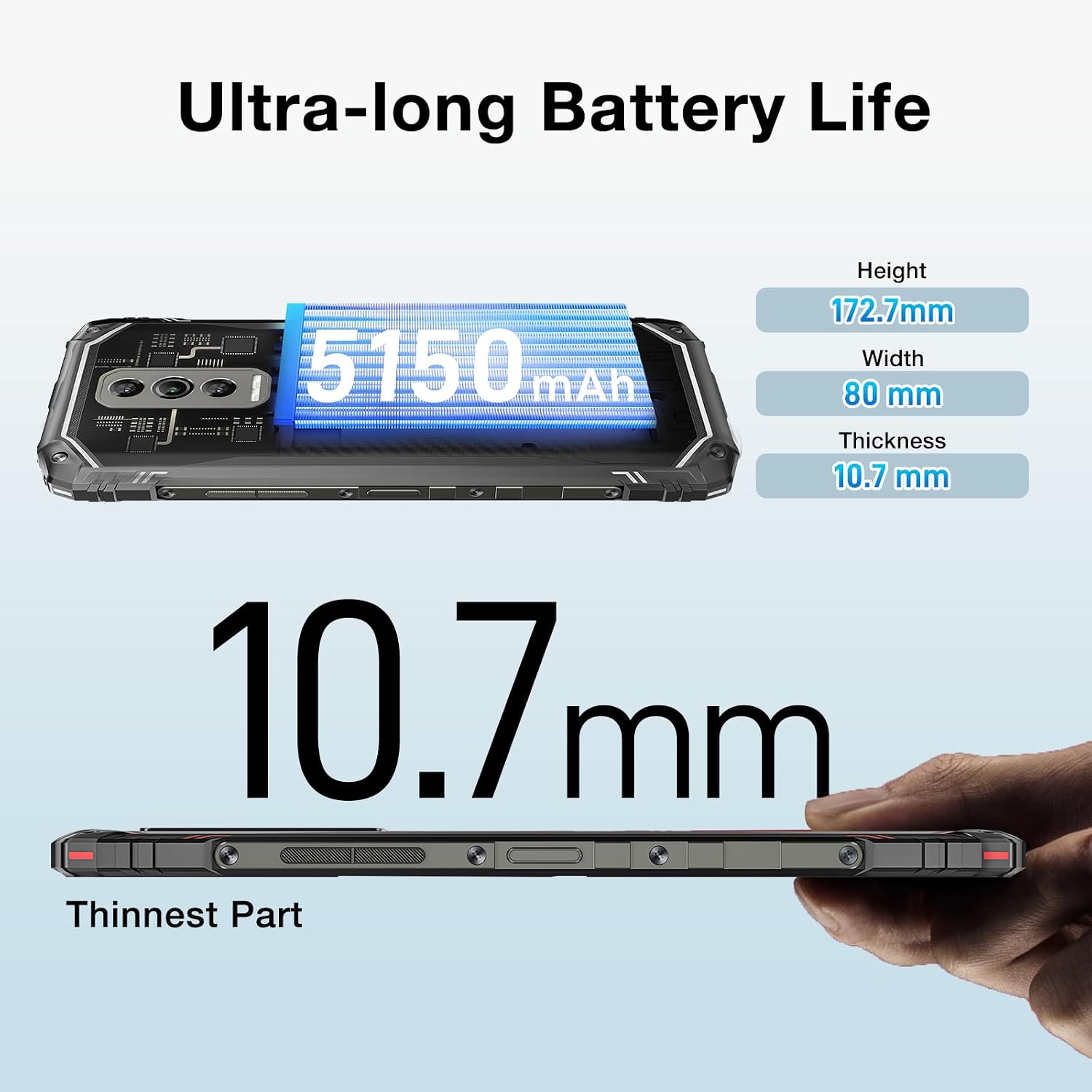
Image: The DOOGEE Blade 10 Ultra highlighting its 5150mAh battery capacity and physical dimensions (Height: 172.7mm, Width: 80mm, Thickness: 10.7mm).
3.6 Ġestjoni tal-Ħażna
The device comes with 256GB of internal storage (ROM) and up to 20GB of RAM (8GB physical + 12GB virtual). You can expand storage by up to 2TB using a microSD card. Regularly clear cache and unnecessary files biex tinżamm prestazzjoni ottimali.
3.7 Appoġġ Widevine L1
The DOOGEE Blade 10 Ultra supports Widevine L1, enabling high-definition streaming from popular platforms. Enjoy your favorite movies and shows in crisp, clear quality.
4. Manutenzjoni
4.1 Tindif tal-Apparat Tiegħek
Uża drapp artab u mingħajr suf biex tnaddaf l-iskrin u l-qafas tat-telefon tiegħek. Evita li tuża kimiċi ħarxa jew materjali li joborxu li jistgħu jagħmlu ħsara lill-apparat. Għal tbajja' persistenti, neħħi ftitampNaddaf id-drapp bl-ilma jew b'prodott tat-tindif tal-iskrin.
4.2 Aġġornamenti tas-Software
Iċċekkja u installa aġġornamenti tas-softwer regolarment biex tiżgura li t-tagħmir tiegħek ikollu l-aħħar karatteristiċi, irqajja tas-sigurtà, u titjib fil-prestazzjoni. Mur fuq Settings > Sistema > Aġġornament tas-sistema biex tiċċekkja għal aġġornamenti.
4.3 Ottimizzazzjoni tal-Ħażna
To keep your phone running smoothly, periodically review and delete unnecessary apps, photos, videos, and files. Utilize cloud storage or transfer large files to a computer to free up internal space.
5 Issolvi l-problemi
If you encounter issues with your DOOGEE Blade 10 Ultra, refer to the following common solutions:
| Problema | Soluzzjoni |
|---|---|
| Apparat mhux mixgħul | Ensure the battery is charged. Connect to the charger for at least 10 minutes, then try powering on. If unresponsive, perform a forced restart by holding the power button for 10-15 seconds. |
| Kwistjonijiet ta' ċċarġjar | Iċċekkja l-kejbil tal-USB u l-ċarġer għal ħsara. Ipprova sokit tal-enerġija differenti. Kun żgur li l-port tal-iċċarġjar huwa nadif u ħieles minn debris. |
| Konnettività fqira tan-netwerk | Check if airplane mode is off. Restart the device. Verify SIM card is properly inserted. Contact your network provider if the issue persists. |
| L-applikazzjonijiet jiġġarraf jew jiffriżaw | Clear the app's cache and data (Settings > Apps > [App Name] > Storage). Update the app to the latest version. If the problem continues, uninstall and reinstall the app. |
| L-apparat jaħdem bil-mod | Close unused background apps. Clear cache and temporary files. Ensure sufficient storage space is available. Restart the device. |
5.1 Irrisettja l-Fabbrika
If other troubleshooting steps fail, you may need to perform a factory reset. Twissija: Dan se jħassar id-dejta kollha fuq it-telefon tiegħek. Agħmel backup tad-dejta importanti qabel ma tipproċedi. Mur fuq Settings > Sistema > Irrisettja l-għażliet > Ħassar id-dejta kollha (reset tal-fabbrika) u segwi l-istruzzjonijiet fuq l-iskrin.
6. Speċifikazzjonijiet
Detailed technical specifications for the DOOGEE Blade 10 Ultra:
| Karatteristika | Speċifikazzjoni |
|---|---|
| Mudell | DOOGEE Blade 10 Ultra |
| Sistema Operattiva | Android 14 |
| Wiri | 6.56-inch HD+ IPS Waterdrop, 90Hz Refresh Rate |
| Proċessur | Spreadtrum T606 Octa-core 1.6GHz (12nm) |
| RAM | Up to 20GB (8GB physical + 12GB virtual) |
| Ħażna Interna (ROM) | 256GB |
| Ħażna espansibbli | Sa 2TB permezz ta' karta microSD |
| Kamera Prinċipali | 50MP AI |
| Kamera ta' Quddiem | 8MP |
| Kapaċità tal-batterija | 5150mAh |
| Meded tan-Netwerk | 2G GSM: B2/3/5/8; 3G WCDMA: B1/2/4/5/8; 4G FDD: B1/2/3/4/5/7/8/18/19/20/25/26/28A/28B/66 |
| Wi-Fi | 2.4G/5G (802.11ac/a/b/g/n) |
| Bluetooth | BT5.0 |
| NFC | Appoġġjati |
| OTG | Appoġġjati |
| Navigazzjoni | GPS | Glonass | Galileo | Beidou |
| Dimensjonijiet (H x W x T) | 172.7mm x 80mm x 10.7mm |
| Kulur | Iswed |

Image: Diagram illustrating the powerful Octa-core 1.6GHz processor, highlighting its boosted performance and reduced consumption.
7. Garanzija u Appoġġ
For warranty information, please refer to the warranty card included in your product packaging or visit the official DOOGEE website. For technical support or further assistance, please contact DOOGEE customer service through their official channels.
Ask a question about this manual
Ask about setup, troubleshooting, compatibility, parts, safety, or missing instructions. Manuals+ will review the question and use this page’s manual context to help answer it.