
1. Introduzzjoni
Thank you for choosing the VolkanoX VXH300 Hybrid Active Noise Cancelling Bluetooth Headphones. These headphones are designed to provide a high-quality audio experience with the convenience of wireless connectivity and effective noise cancellation. This manual will guide you through the setup, operation, and maintenance of your new headphones.
2. Informazzjoni dwar is-Sigurtà
- Tużax il-headphones b'volum għoli għal perjodi twal biex tevita ħsara fis-smigħ.
- Do not use the headphones in situations where inability to hear ambient sounds could be dangerous, such as while driving or cycling.
- Żomm il-headphones 'il bogħod mill-ilma, l-umdità, u temperaturi estremi.
- Tippruvax tiżżarma jew timmodifika l-headphones. Dan jannulla l-garanzija.
- Charge the headphones using a compatible USB power source.
3. Kontenut tal-Pakkett
Jekk jogħġbok kun żgur li l-oġġetti kollha huma preżenti fil-pakkett tiegħek:
- 1 x VolkanoX VXH300 Hybrid Active Noise Cancelling Bluetooth Headphones
- 1 x Cable tal-Iċċarġjar tal-USB Type-C
- 1 x 3.5mm Cable Awdjo
- 1 x Każ tal-Ġarr
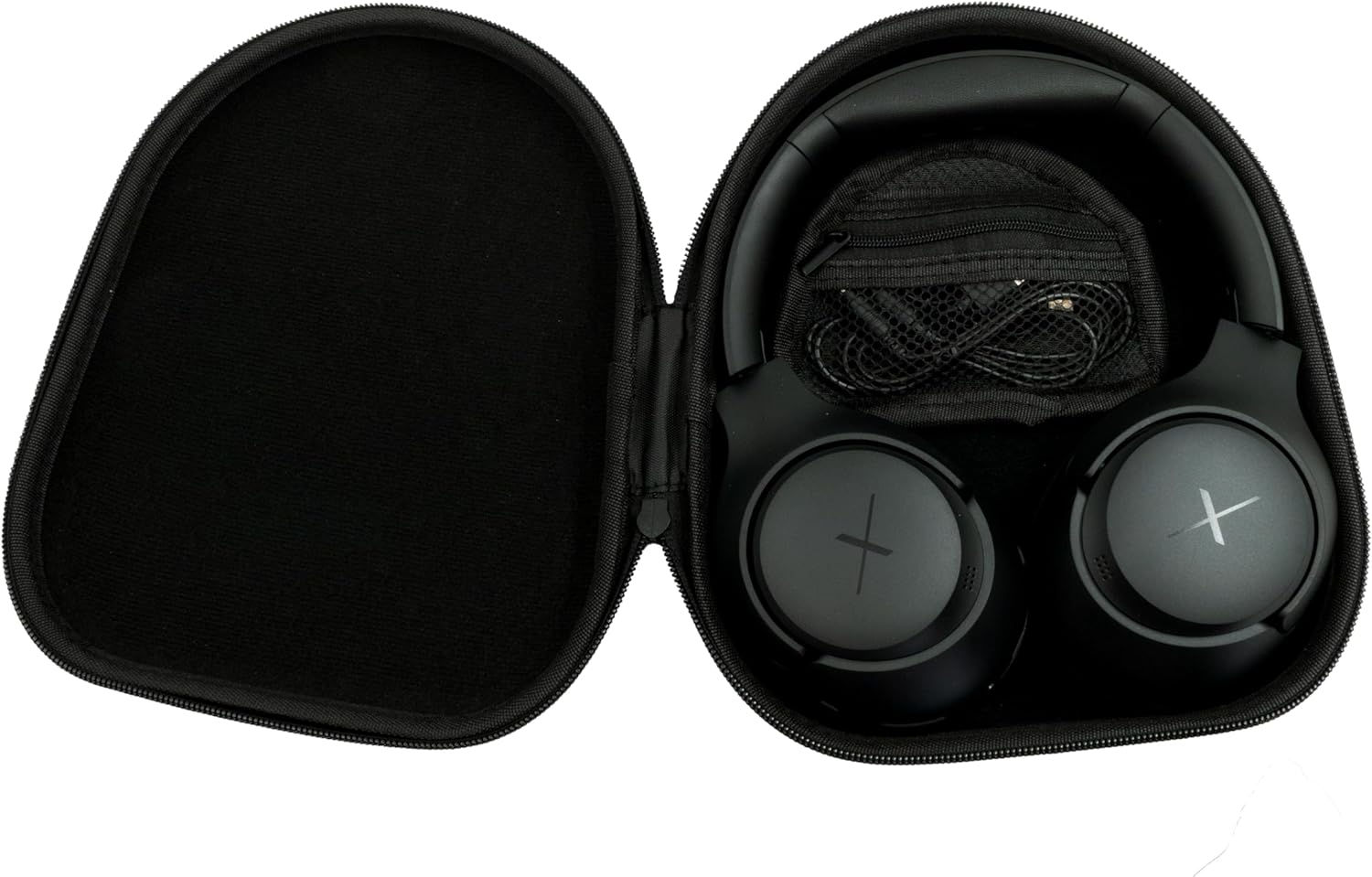
Image: VolkanoX VXH300 Headphones neatly stored in their carrying case, alongside the included charging and audio cables.
4. Prodott Aktarview
Familiarize yourself with the various parts and controls of your VolkanoX VXH300 headphones:

Immaġni: Dettaljata view of the right earcup, highlighting the control buttons, the 3.5mm Aux Input, and the USB Type-C Charging Port.
- Buttuni tal-Kontroll: Power On/Off, Volume Up/Down, Play/Pause, Track Skip, Call Answer/End.
- Input Aux: For wired audio connection using the 3.5mm audio cable.
- Port tal-Iċċarġjar tat-Tip C: Għall-iċċarġjar tal-batterija interna.
- Swiċċ ANC: Dedicated button or switch for Active Noise Cancelling function.
- Mikrofonu: Inkorporat għal sejħiet mingħajr idejn.
5. Setup
5.1 Iċċarġjar tal-Headphones
- Connect the supplied USB Type-C charging cable to the charging port on the headphones.
- Qabbad it-tarf l-ieħor tal-kejbil ma' adapter tal-enerġija USB (mhux inkluż) jew mal-port USB tal-kompjuter.
- The LED indicator will show charging status (e.g., red for charging, blue/off for fully charged).
- Ċarġ sħiħ jieħu madwar siegħa.
5.2 Tixgħel/Jitfi
- Biex Tixgħel: Press and hold the Power button for approximately 3 seconds until the LED indicator flashes.
- Biex Tifi: Agħfas u żomm il-buttuna tal-Power għal madwar 3 sekondi sakemm l-indikatur LED jintefa.
5.3 Tqabbil tal-Bluetooth
- Kun żgur li l-headphones huma mitfija.
- Agħfas u żomm il-buttuna tal-Power għal madwar 5-7 sekondi sakemm l-indikatur LED jteptep aħmar u blu alternattivament, u dan jindika l-modalità ta' tqabbil.
- Fuq l-apparat tiegħek (smartphone, tablet, kompjuter), attiva l-Bluetooth u fittex apparati ġodda.
- Select "VolkanoX VXH300" from the list of available devices.
- Once paired, the LED indicator will flash blue slowly, and you will hear an audible confirmation.
- The headphones will automatically reconnect to the last paired device when powered on, if within range (up to 10 meters).
5.4 Wired Connection (Duo Mode)
For ultimate flexibility, you can use the headphones in wired mode:
- Connect one end of the 3.5mm audio cable to the Aux Input port on the headphones.
- Connect the other end of the cable to the 3.5mm audio jack on your audio device.
- Il-headphones jaqilbu awtomatikament għall-modalità bil-fili. Il-funzjonalità tal-Bluetooth tiġi diżattivata.
6. Istruzzjonijiet Operattivi
6.1 Daqq tal-Mużika
- Play/Pawsa: Agħfas il-buttuna tal-Enerġija/Multi-funzjoni darba.
- Volum 'il fuq: Agħfas il-buttuna Volum 'il Fuq (+).
- Volum 'l isfel: Agħfas il-buttuna 'l isfel tal-Volum (-).
- Track li jmiss: Agħfas u żomm il-buttuna 'l fuq tal-Volum (+).
- Track preċedenti: Agħfas u żomm il-buttuna Volum 'l isfel (-).
6.2 Ġestjoni tas-Sejħiet
- Tweġiba/Tmiem Sejħa: Agħfas il-buttuna tal-Enerġija/Multi-funzjoni darba.
- Irrifjuta Sejħa: Agħfas u żomm il-buttuna tal-Enerġija/Multi-funzjoni għal żewġ sekondi.
- Isemmi mill-ġdid l-Aħħar Numru: Agħfas darbtejn il-buttuna tal-Enerġija/Multi-funzjoni.
6.3 Active Noise Cancelling (ANC) Function
The VolkanoX VXH300 features Hybrid Active Noise Cancelling technology to reduce ambient noise.

Image: A visual representation of Hybrid Active Noise Cancelling, showing how external noise is filtered to enhance the listening experience.
- Attiva l-ANC: Locate the dedicated ANC switch or button (refer to Product Overview) and slide/press it to the ON position. The ANC indicator light will illuminate.
- Iddiżattiva l-ANC: Slide/press the ANC switch or button to the OFF position. The ANC indicator light will turn off.
- ANC can be used independently or simultaneously with Bluetooth audio.
7. Manutenzjoni
7.1 Tindif
- Imsaħ il-headphones b'ċarruta ratba u niexfa.
- Tużax prodotti tat-tindif li joborxu, solventi, jew kimiċi ħarxa.
- Evita li tidħol l-umdità fi kwalunkwe fetħiet.
7.2 Ħażna
The VolkanoX VXH300 headphones feature a twist and folding design for compact storage.

Image: The headphones folded for portability, highlighting their space-saving design.
- When not in use, fold the headphones and store them in the provided carrying case to protect them from dust and damage.
- Aħżen f'post frisk u niexef, 'il bogħod mid-dawl tax-xemx dirett u temperaturi estremi.
8 Issolvi l-problemi
Jekk tiltaqa' ma' problemi bil-headphones tiegħek, irreferi għall-problemi u s-soluzzjonijiet komuni li ġejjin:
| Problema | Soluzzjoni Possibbli |
|---|---|
| Il-headphones ma jixegħlux. | Kun żgur li l-headphones huma ċċarġjati kompletament. Qabbadhom ma' sors ta' enerġija u erġa' pprova. |
| Ma tistax tgħaqqad ma' apparat Bluetooth. | Ensure headphones are in pairing mode (LED flashing red/blue). Turn off and on Bluetooth on your device. Move headphones closer to the device. Clear previous pairings on your device. |
| L-ebda ħoss jew volum baxx. | Check volume levels on both headphones and your connected device. Ensure headphones are properly paired or the 3.5mm cable is fully inserted. |
| ANC is not effective. | Ensure the ANC function is switched on. ANC is most effective against low-frequency, constant noise. |
| Il-mikrofonu mhux qed jaħdem. | Ensure headphones are connected via Bluetooth. Check microphone settings on your device. |
9. Speċifikazzjonijiet
| Karatteristika | Dettall |
|---|---|
| Isem tal-Mudell | VXH300 |
| Numru tal-Mudell | VKX-2104-BK |
| Konnettività | Bluetooth 5.0, Wired (3.5mm Aux) |
| Medda Bluetooth | Sa 10 metri |
| Kontroll tal-Ħoss | Kanċellazzjoni Ibrida tal-Ħoss Attiva |
| Tqegħid tal-widnejn | Fuq il-widna |
| Sensittività | 105 dB |
| Ħin tal-Ħarġ tal-Batterija | Madwar 1 siegħa |
| Mikrofonu inkorporat | Iva |
| Piż | 300 Gramm |
| Kulur | Iswed |
10. Garanzija u Appoġġ
10.1 Informazzjoni dwar Garanzija
Your VolkanoX VXH300 headphones are covered by a Garanzija limitata ta 'sena. This warranty covers manufacturing defects and ensures dependable performance.
You can extend your coverage by an additional 12 months, for a total of 24 months coverage, by registering your product. Please visit the official Volkano website for product registration details.
10.2 Appoġġ għall-Klijent
Should you have any questions, require assistance, or need to claim warranty support, please contact Volkano customer service. You can message us via the official Volkano Page jew irreferi għall-informazzjoni ta' kuntatt ipprovduta fl-imballaġġ tal-prodott tiegħek.