
1. Introduzzjoni
Thank you for choosing the Dghrti TAB30 10-inch Android 14 Tablet. This manual provides essential information for setting up, operating, and maintaining your device. Please read it carefully to ensure optimal performance and longevity of your tablet.
The Dghrti TAB30 is designed for versatile use, featuring a powerful Octa-Core processor, ample memory, a high-capacity battery, and a vibrant display with Widevine L1 support for an enhanced viewing experience. It comes equipped with a keyboard and mouse, transforming your tablet into a portable workstation.
2. X'hemm fil-Kaxxa
Malli tiftaħ il-kaxxa, jekk jogħġbok ivverifika li l-oġġetti kollha li ġejjin huma inklużi:
- 1* Dghrti TAB30 Smart Tablet
- Tastiera
- Ġurdien mingħajr fili
- Tastiera Bluetooth
- Adapter OTG
- Kawża Protettiva
- Adapter tal-Enerġija
- Kejbil USB Type-C
- Screen Protector (one pre-applied)
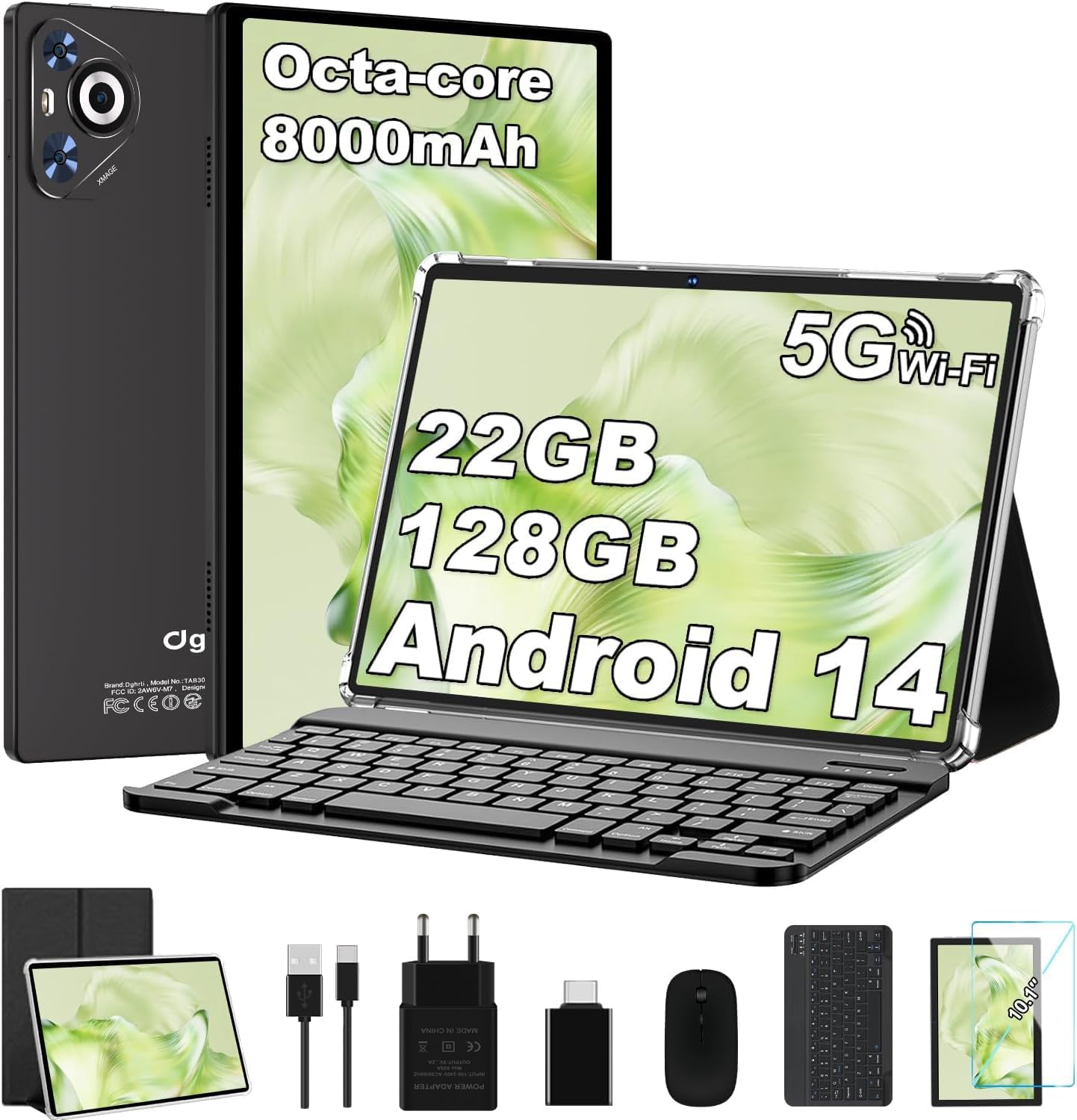
Image: Dghrti TAB30 Tablet with its full set of accessories, including the keyboard, mouse, charging cables, and protective case.
3. Karatteristiċi tal-Prodott Aktar minnview
The Dghrti TAB30 tablet is equipped with advanced features for a seamless user experience:
- Sistema Operattiva: Latest Android 14 for enhanced privacy, smarter notification management, and smoother performance.
- Proċessur: Powerful Unisoc T606 Octa-Core processor (A75 Performance-cores at 2.0 GHz and A55 Efficient-cores) with Mali-G57 GPU for efficient multitasking and improved graphics.
- Memorja u Ħażna: Impressive 22GB RAM (6GB physical + 16GB virtual) and 128GB ROM, expandable up to 1TB via microSD card.
- Wiri: 10.1-inch FHD display with 1280x800 resolution, full viewing angle, and Widevine L1 certification for high-quality streaming on platforms like Prime Video, Disney+, and YouTube.
- Batterija: Robust 8000mAh battery with energy-saving technology for extended usage.
- Konnettività: Dual-band 5G/2.4G WiFi and Bluetooth 5.0 for fast and stable connections.
- Kameras: Kamera ta' wara ta' 8MP u kamera ta' quddiem ta' 5MP għal ritratti u sejħiet bil-vidjo.
- Karatteristiċi addizzjonali: Split-screen function, casting support, advanced Face ID recognition, and stereo dual speakers.

Image: Visual summary of the Dghrti TAB30's core features, highlighting its Android 14 OS, Octa-core CPU, 8000mAh battery, Widevine L1 support, and camera specifications.

Image: Android 14 features on the Dghrti TAB30, illustrating improvements in productivity, user interface, new functionalities, and system security.

Immaġni: Dettaljata view of the Unisoc T606 Octa-Core processor, emphasizing its A75 and A55 cores for performance and energy efficiency.

Image: Illustration of the Dghrti TAB30's storage capacity, showing 22GB RAM, 128GB internal storage, and support for up to 1TB microSD expansion.
4. Gwida ta' Setup
4.1 Qawwa Inizjali
- Ensure the tablet is sufficiently charged. Connect the provided USB Type-C cable to the tablet's charging port and the power adapter to a wall outlet.
- Press and hold the Power button (usually located on the side or top edge) for a few seconds until the Dghrti logo appears on the screen.
- Segwi l-istruzzjonijiet fuq l-iskrin biex tagħżel il-lingwa u r-reġjun tiegħek, u tikkonnettja ma' netwerk Wi-Fi.
- Idħol bil-kont tal-Google tiegħek jew oħloq wieħed ġdid biex taċċessa l-Google Play Store u servizzi oħra.
4.2 Aċċessorji tal-Konnessjoni
The Dghrti TAB30 comes with a keyboard and mouse for enhanced productivity.
4.2.1 Bluetooth Keyboard & Mouse
- Turn on the Bluetooth keyboard and mouse. Refer to their individual manuals for specific power-on instructions.
- Fuq it-tablet tiegħek, mur fuq Settings > Apparati konnessi > Bluetooth.
- Ixgħel il-Bluetooth għal 'Mixgħul'.
- The tablet will scan for available devices. Select the keyboard or mouse from the list of found devices.
- Follow any on-screen pairing instructions, such as entering a PIN.
4.2.2 Kawża Protettiva
Carefully insert your tablet into the provided protective case to safeguard it from scratches and minor impacts. The case is designed to allow access to all ports and buttons.
5. It-Tħaddim tat-Tablet Tiegħek
5.1 Karatteristiċi ta' Android 14
Your Dghrti TAB30 runs on Android 14, offering several enhancements:
- Kontrolli tal-Privatezza: Manage app permissions more granularly, including revoking full-screen permissions for apps.
- Ġestjoni tan-Notifiki: Smarter and more intuitive notification handling.
- Għażliet tad-Disinn: More customization options for a personalized user interface.
- Split-Screen Function: To use two apps simultaneously, open one app, then swipe up from the bottom of the screen to reveal the recent apps. Drag the first app's icon to the top of the screen and select 'Split screen'. Then choose the second app from your recent apps or app drawer.
- Face ID: Set up Face ID for quick and secure unlocking. Go to Settings > Sigurtà u privatezza > Wiċċ nisfruttaw u segwi l-istruzzjonijiet.

Image: The Dghrti TAB30's 10-inch IPS screen and its WiFi Screencasting capability, demonstrating how to mirror content to a larger display.
5.2 Media Playback and Casting
With Widevine L1 certification, your tablet supports high-definition streaming from popular platforms.
- Widevine L1: Enjoy crisp, vibrant visuals when streaming content from services like Netflix, Prime Video, and Disney+.
- Tidwib: Project your tablet's screen directly to a compatible TV or display for a larger viewing experience. Ensure both devices are connected to the same Wi-Fi network. Access casting options from the Quick Settings panel (swipe down from the top of the screen) or in Settings > Apparati konnessi > Preferenzi ta' konnessjoni > Cast.

Image: The Dghrti TAB30's 10-inch display, emphasizing its comfortable viewing experience and eye protection features.
5.3 Użu tal-Kamera
The tablet features an 8MP rear camera and a 5MP front camera.
- Iftaħ l-app tal-Kamera mill-iskrin tad-dar tiegħek jew mill-kexxun tal-apps.
- Ibdel bejn il-kameras ta' quddiem u ta' wara billi tuża l-ikona tal-kamera.
- Tap the shutter button to take photos or record videos.
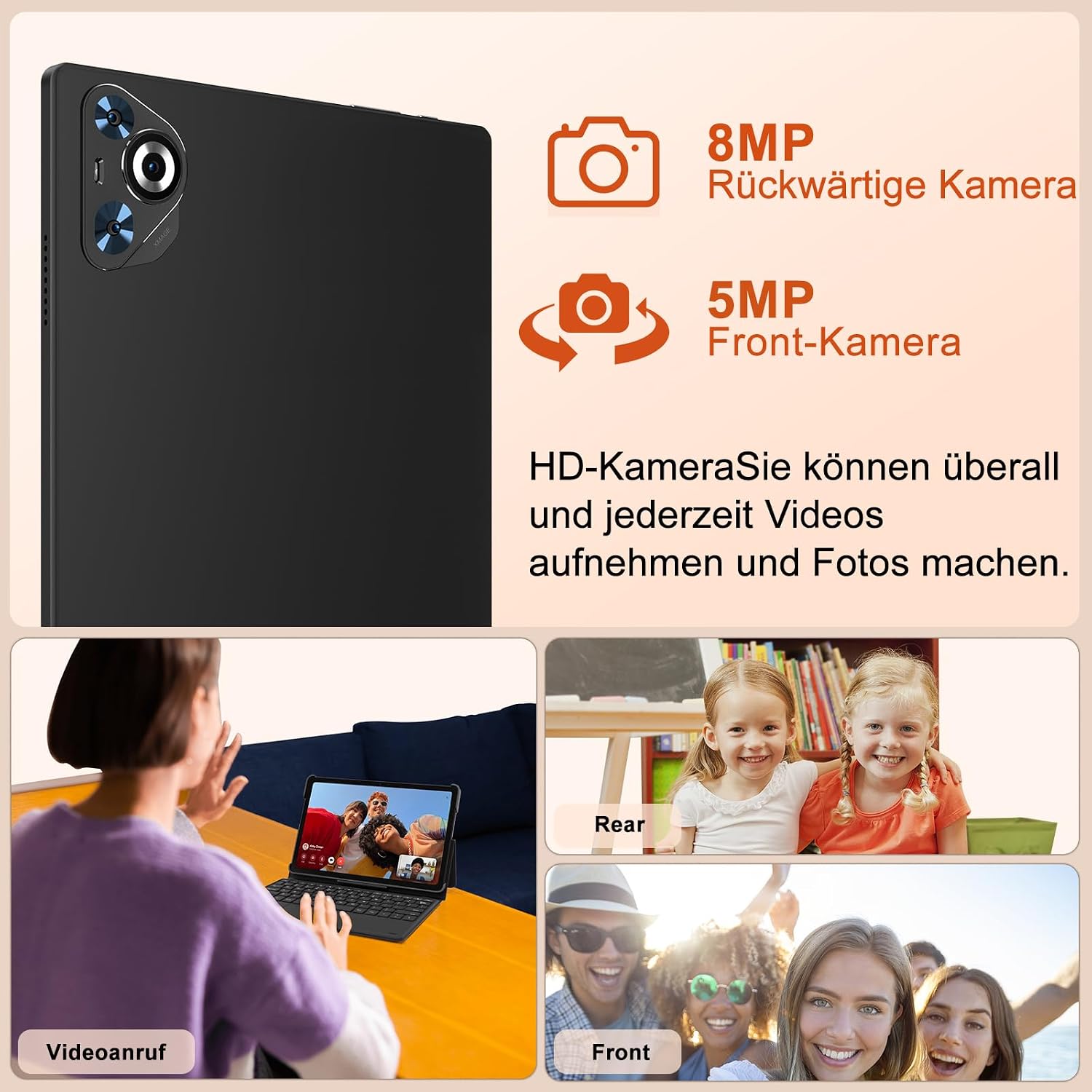
Immaġni: Fuqview of the Dghrti TAB30's camera capabilities, featuring an 8MP rear camera and a 5MP front camera, ideal for video calls and capturing moments.
5.4 Awdjo
The Dghrti TAB30 is equipped with stereo dual speakers for an immersive audio experience.

Image: The Dghrti TAB30 highlighting its stereo dual speakers, designed to provide a rich and clear sound experience.
6. Manutenzjoni
6.1 Kura tal-Batterija
The 8000mAh battery provides long-lasting power. To maximize battery life:
- Evita temperaturi estremi.
- Uża l-ċarġer u l-kejbil oriġinali.
- Evita li tiċċarġja l-batterija kompletament ta' spiss.
- Agħlaq l-apps mhux użati li jaħdmu fl-isfond.

Image: The Dghrti TAB30's 8000mAh battery, illustrating its long endurance and convenient Type-C charging port.
6.2 Ġestjoni tal-Ħażna
With 128GB ROM and 1TB microSD expansion, you have ample space. To manage storage:
- Regularly clear cache and temporary files from apps.
- Mexxi bil-kbir files (photos, videos) to the microSD card.
- Iddiżinstalla l-applikazzjonijiet mhux użati.
7 Issolvi l-problemi
| Problema | Soluzzjoni Possibbli |
|---|---|
| It-tablet mhux se jixgħel | Ensure battery is charged. Press and hold the power button for 10-15 seconds. |
| Kwistjonijiet ta 'konnessjoni Wi-Fi | Restart the tablet and router. Forget and reconnect to the Wi-Fi network. Ensure you are within range. |
| L-apps huma bil-mod jew qed jiġġarraf | Close background apps. Clear app cache. Restart the tablet. Ensure sufficient storage space. |
| Bluetooth accessories not connecting | Ensure accessories are in pairing mode and charged. Toggle tablet's Bluetooth off/on. Remove previous pairings and try again. |
| L-iskrin ma jirrispondix | Restart the tablet by holding the power button. If unresponsive, force restart (refer to device specific instructions, usually power + volume down). |
8. Speċifikazzjonijiet
| Karatteristika | Dettall |
|---|---|
| Brand | Dgħrti |
| Isem tal-Mudell | TAB30 |
| Sistema Operattiva | Android 14 |
| Daqs tal-Wiri | 10.1 Pulzier |
| Riżoluzzjoni tal-Iskrin | 1280 x 800 Pixels |
| Brand tal-proċessur | MediaTek (Unisoc T606) |
| Veloċità tal-Proċessur | 2 GHz |
| Daqs RAM | 22 GB (6GB fiżiku + 16GB virtwali) |
| Kapaċità tal-Ħżin | 128 GB (espandibbli sa 1TB permezz ta' microSD) |
| Koproċessur tal-Grafika | Mali-G57 |
| Tip ta 'Konnettività | Bluetooth, WLAN (802.11ac) |
| Wara WebCam Riżoluzzjoni | 8 MP |
| Quddiem WebCam Riżoluzzjoni | 5 MP |
| Kapaċità tal-batterija | 8000 Milliamperes (mAh) |
| Piż tal-oġġett | 1.33 Kilogrammi |
| Dimensjonijiet tal-Prodott | 24.21 x 16.1 x 0.79 ċm |
9. Garanzija u Appoġġ
Dghrti is committed to providing reliable products and professional customer service. Our dedicated technical team is available to assist you with any post-purchase issues. Please contact us if you need support.
For further assistance, please refer to the contact information provided with your product packaging or visit the official Dghrti support websit.