
Introduzzjoni
The Lenovo H210 Wired Gaming Headset is engineered for a clear audio experience and comfortable use during gaming sessions. This manual provides essential information for setup, operation, and maintenance of your headset.

Immaġni: Quddiem view of the Lenovo H210 Wired Gaming Headset.
Karatteristiċi ewlenin:
- Konnettività bil-fili: Reliable 3.5mm connection with a 2-meter soft cable.
- Awdjo Ċar: Equipped with 50mm audio drivers for a rich listening experience.
- Mikrofonu li Jħassar l-Istorbju: Flip-to-mute unidirectional microphone for clear communication.
- Disinn tal-Kumdità: Lightweight construction with soft, breathable, and washable cloth ear cups for passive noise isolation.
- Kontrolli Integrati: Intuitive volume control located on the earcup.
Setup Istruzzjonijiet
- Qabbad il-Headset: Locate the 3.5mm audio jack on your computer, gaming console, or compatible device. Insert the 3.5mm connector from the headset cable firmly into the audio jack.
- Ivverifika l-Konnessjoni: Kun żgur li l-konnessjoni hija sigura biex tevita interruzzjonijiet fl-awdjo.
- Adjust System Audio Settings: On your device, navigate to the sound settings. Select the Lenovo H210 headset as the default output and input device for audio and microphone.

Image: Close-up of the 3.5mm audio jack for connecting the headset.
Istruzzjonijiet Operattivi
Kontroll tal-Volum:
The volume control wheel is located on the left earcup. Rotate the wheel upwards to increase volume and downwards to decrease volume.
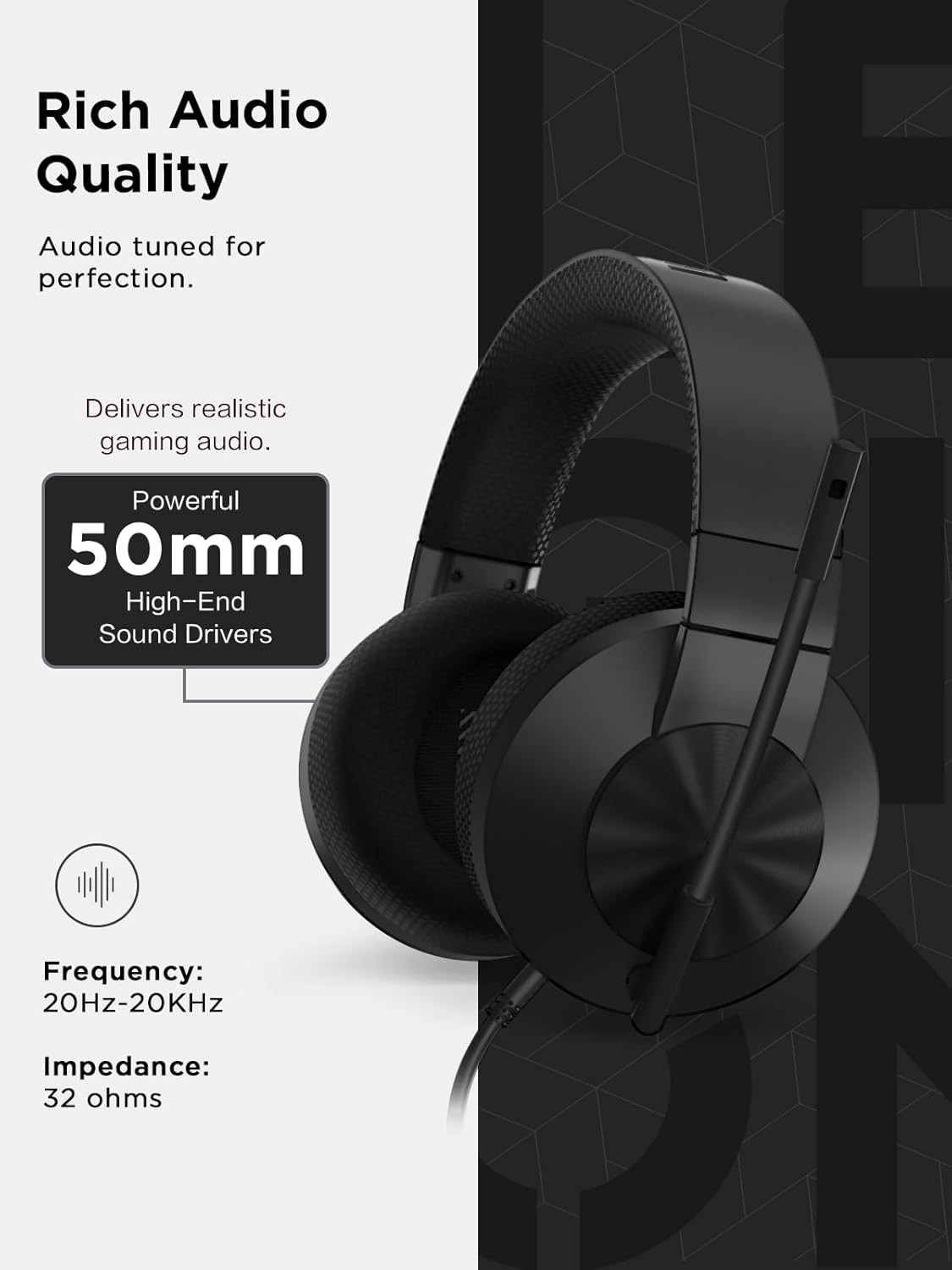
Image: Detail of the volume control wheel on the left earcup.
Microphone Usage (Flip-to-Mute):
- To activate the microphone, position the microphone boom downwards towards your mouth.
- To mute the microphone, flip the microphone boom upwards until it is parallel with the headband. This action physically mutes the microphone.

Image: The microphone in the muted (upright) position on the headset.
Manutenzjoni
- Tindif tat-Tazzi tal-Widnejn: The cloth ear cups are removable and washable. Gently detach them from the headset. Hand wash with mild soap and water, then allow them to air dry completely before reattaching.
- Tindif Ġenerali: Use a soft, dry cloth to wipe down the headset's surfaces. Avoid using harsh chemicals or abrasive materials.
- Kura tal-Cable: Avoid sharp bends or excessive pulling on the cable to prevent damage. Store the headset in a way that prevents the cable from tangling.

Image: Close-up of the breathable, removable ear cup.
Issolvi l-problemi
| Problema | Soluzzjoni |
|---|---|
| L-ebda ħoss mill-headset. |
|
| Il-mikrofonu mhux qed jaħdem. |
|
| Il-kwalità tal-awdjo hija fqira jew distorta. |
|
Speċifikazzjonijiet
| Karatteristika | Dettall |
|---|---|
| Isem tal-Mudell | H210 |
| Teknoloġija tal-Konnettività | Bil-wajer (Jack ta' 3.5mm) |
| Tul tal-Cable | 2-il metru |
| Tip ta' Sewwieq Awdjo | Sewwieq Dinamika |
| Daqs tas-Sewwieq | 50mm |
| Rispons ta' Frekwenza | 20Hz-20KHz |
| Impedenza | 32 Ohms |
| Tip ta 'mikrofonu | Unidirectional, Noise-Cancelling, Flip-to-Mute |
| Kontroll tal-Ħoss | Kanċellazzjoni Attiva tal-Istorbju (Mikrofonu) |
| Tqegħid tal-widnejn | Fuq il-widnejn |
| Materjal | Fabric, Plastic/Silicone |
| Kulur | Iswed |
| Piż tal-oġġett | 1.37 liri (madwar 621 gramma) |
| Dimensjonijiet tal-Prodott | 3.94 x 7.01 x 7.87 pulzieri (madwar 10 x 17.8 x 20 ċm) |
| UPC | 195892103622 |
Garanzija u Appoġġ
For warranty information, please refer to the documentation included with your purchase or visit the official Lenovo support website. For technical assistance or further inquiries, please contact Lenovo customer support.
You can find support resources and contact information on the Appoġġ Lenovo Websit.