
1. Introduzzjoni
This manual provides essential information for setting up, operating, maintaining, and troubleshooting your Lenovo ThinkPad X1 Carbon Gen 12 Business Laptop. Please read this guide thoroughly to ensure optimal performance and longevity of your device.
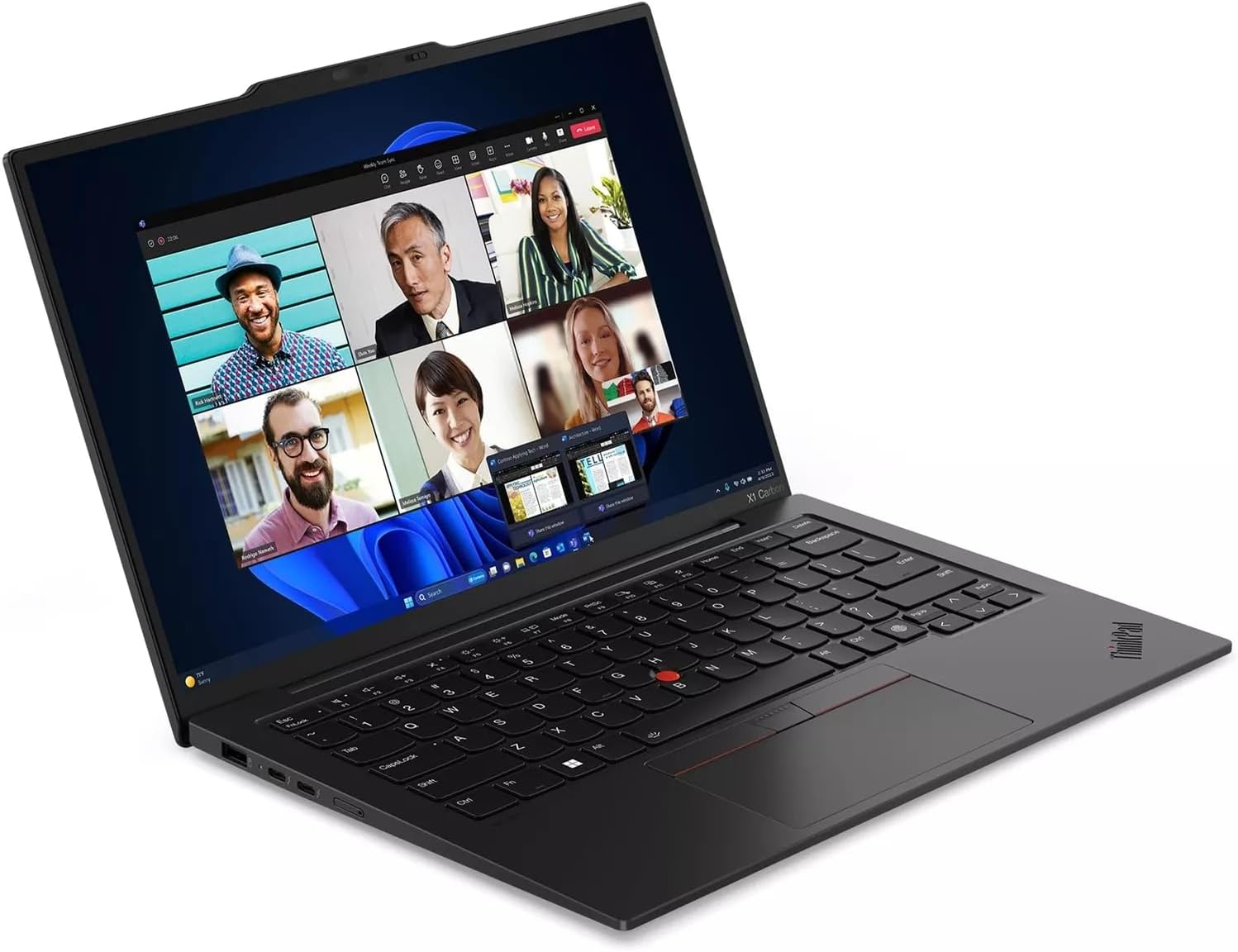
Figure 1.1: Lenovo ThinkPad X1 Carbon Gen 12 in use, showing a video conference.
2. Setup
2.1 Tneħħija tal-kaxxa u Spezzjoni Inizjali
Neħħi l-komponenti kollha mill-imballaġġ bir-reqqa. Kun żgur li l-oġġetti li ġejjin huma preżenti:
- ThinkPad X1 Carbon Gen 12 laptop
- 65W Slim Tip AC power adapter
- Batterija Interna (installata minn qabel)
- Gwida Quick Start
Spezzjona l-laptop għal xi ħsara fiżika. Jekk tinstab xi ħsara jew jekk ikun hemm komponenti neqsin, ikkuntattja lill-bejjiegħ tiegħek immedjatament.
2.2 Konnessjoni tal-Adapter tal-Enerġija
Connect the 65W Slim Tip AC power adapter to the laptop's power input port and then to a power outlet. The laptop can be used while charging.
2.3 L-Ewwel Tixgħil u s-Setup tas-Sistema Operattiva
Press the power button located on the side of the laptop to turn it on. Follow the on-screen instructions to complete the Windows 11 Pro setup process. This includes setting up your user account, network connection, and initial preferences.
3. It-Tħaddim tal-Laptop Tiegħek
3.1 Funzjonijiet Bażiċi
- Buttuna tal-Qawwa: Located on the side, used to turn the laptop on/off or put it to sleep.
- Tastiera: The backlit keyboard features standard QWERTY layout and function keys.
- TrackPad: Use the integrated TrackPad with three buttons for navigation and interaction.
- Qarrej tal-marki tas-swaba': For secure login, located near the keyboard. Follow Windows Hello setup for configuration.
- Kamera: The 1080P FHD IR+RGB camera includes a privacy shutter. Slide the shutter to cover the camera when not in use for enhanced privacy.
3.2 Portijiet u Konnetturi
Your ThinkPad X1 Carbon Gen 12 is equipped with various ports for connectivity. Refer to the diagram below for port identification.

Figure 3.1: Port Layout of ThinkPad X1 Carbon Gen 12
- USB-A (USB 5Gpbs)
- 2 x USB-C (Thunderbolt 4, USB 40Gbps)
- Optional SIM slot (Availability may vary by configuration)
- Buttuna tal-qawwa
- Combo tal-headphone / mic
- USB-A (USB 5Gpbs)
- HDMI 2.1
- Kensington Nano Slot tas-Sigurtà
3.3 Konnettività bla fili
- Wi-Fi: The laptop supports Intel Wi-Fi 6E AX211 2x2 AX vPro for high-speed wireless internet access. Connect to available Wi-Fi networks through Windows settings.
- Bluetooth: Integrated Bluetooth 5.1 (Windows 10) or Bluetooth 5.3 (Windows 11) allows connection to wireless peripherals such as mice, keyboards, and headphones.
4. Manutenzjoni
4.1 Tindif tal-Laptop Tiegħek
- Uża drapp ratba u mingħajr ħelu ftit dampNaddaf bl-ilma jew b'prodott tat-tindif tal-iskrin biex tnaddaf id-displej.
- Għat-tastiera u x-chassis, uża drapp artab. Evita kimiċi ħarxa jew materjali li joborxu.
- Kun żgur li l-laptop ikun mitfi u skonnettjat qabel ma tnaddaf.
4.2 Kura tal-Batterija
- Biex ittawwal il-ħajja tal-batterija, evita temperaturi estremi.
- Aħżen il-batterija perjodikament għal madwar 20% qabel ma terġa' tiċċarġjaha.
- If storing the laptop for an extended period, charge the battery to approximately 50% and store in a cool, dry place.
4.3 Aġġornamenti tas-Software
Iċċekkja u installa regolarment aġġornamenti tas-sistema operattiva (Windows Update) u aġġornamenti tas-sewwieqa (Lenovo Vantagsoftwer elettroniku jew appoġġ Lenovo website) to ensure optimal performance and security.
5 Issolvi l-problemi
Din it-taqsima tindirizza kwistjonijiet komuni li tista’ tiltaqa’ magħhom.
5.1 Kwistjonijiet tal-Enerġija
- Il-laptop ma jixgħelx: Ensure the power adapter is securely connected and the power outlet is functional. Try a different outlet. If the battery is completely drained, it may take a few minutes of charging before the laptop can power on.
- Il-batterija mhix qed tiċċarġja: Verify the power adapter is correctly connected. Check for any damage to the adapter or charging port.
5.2 Kwistjonijiet tal-Wiri
- Ebda wiri: Connect an external monitor to the HDMI port to check if the issue is with the laptop's internal display. Ensure the display brightness is not set to minimum.
- Skrin li jteptep: Aġġorna s-sewwieqa tal-grafika tiegħek.
5.3 Kwistjonijiet ta' Konnettività
- Il-Wi-Fi mhux qed jikkonnettja: Kun żgur li l-Wi-Fi huwa attivat fis-settings tal-Windows. Erġa' ibda r-router u l-laptop tiegħek. Iċċekkja għal sewwieqa tal-Wi-Fi aġġornati.
- Apparat Bluetooth mhux qed jitqabbad: Ensure the Bluetooth device is in pairing mode and within range. Check Bluetooth settings on your laptop.
5.4 Prestazzjoni tas-Sistema
- Prestazzjoni bil-mod: Close unnecessary applications. Check Task Manager for processes consuming high CPU or memory. Ensure sufficient free storage space.
- Is-sħana żejda: Kun żgur li l-ventijiet tal-ventilazzjoni mhumiex imblukkati. Uża l-laptop fuq wiċċ iebes u ċatt.
Għal kwistjonijiet aktar kumplessi, irreferi għall-appoġġ ta' Lenovo websit jew ikkuntattja l-appoġġ tekniku.
6. Speċifikazzjonijiet
| Komponent | Dettall |
|---|---|
| Proċessur | Intel Core Ultra 7 165U vPro (E-cores up to 3.80 GHz, P-cores up to 4.90 GHz) |
| Wiri | 14" WUXGA (1920 x 1200), IPS, Anti-Glare, Touch, 100%sRGB, 400 nits, 60Hz, Low Power |
| Memorja | 32 GB LPDDR5X-6400MHz (Issalljat) |
| Ħażna | 2 TB SSD M.2 2280 PCIe Gen4 |
| Grafika | Grafika Intel integrata |
| Sistema Operattiva | Windows 11 Pro 64 |
| Kamera | 1080P FHD IR+RGB b'Xatter tal-Privatezza |
| Tastiera | Dawl minn wara, Iswed - Ingliż (l-Istati Uniti) |
| WLAN | Intel Wi-Fi 6E AX211 2x2 AX vPro |
| Bluetooth | Bluetooth 5.1 (Windows 10) or Bluetooth 5.3 (Windows 11) |
| Portijiet | 2x USB-A (5Gpbs), 2x USB-C (Thunderbolt 4, 40Gbps), 1x HDMI 2.1, 1x Headphone/Mic Combo, 1x Kensington Nano Security Slot, Optional SIM slot |
| Dimensjonijiet (LxWxH) | 12.31 x 0.59 x 8.45 pulzieri |
| Piż | 2.37 liri |
7. Informazzjoni dwar Garanzija
Il-laptop Lenovo ThinkPad X1 Carbon Gen 12 tiegħek jiġi b' One Year Onsite Warranty. This warranty covers manufacturing defects and hardware failures under normal use conditions. For detailed terms and conditions, please refer to the warranty documentation included with your product or visit the official Lenovo support websit.
8. Appoġġ
For further assistance, technical support, or to download the latest drivers and software, please visit the official Lenovo Support websit:
You can also find contact information for customer service and technical support in your region on the Lenovo websit.