
1. Introduzzjoni
This manual provides detailed instructions for the safe and effective operation of your Flashpoint Flashback Lux Master Retro R2 TTL Camera Flash. Designed for photographers seeking precision and versatility, this advanced flash unit integrates a touch screen interface and supports the R2 2.4G wireless system. Please read this manual thoroughly before use to ensure optimal performance and to prevent damage to the unit or injury.
2. Informazzjoni dwar is-Sigurtà
Dejjem osserva l-prekawzjonijiet ta’ sigurtà li ġejjin biex tevita xokk elettriku, nar, jew ħsara lill-prodott:
- Tiżżarmax jew timmodifikax l-unità tal-flash. Volum għolitagIl-komponenti e huma preżenti.
- Żomm l-unità tal-flash niexfa. Tesponihiex għax-xita jew għall-umdità.
- Evita l-espożizzjoni diretta tal-għajnejn għad-dawl tal-flash, speċjalment minn distanza qrib, għax jista' jikkawża indeboliment temporanju tal-vista.
- Tħaddimx il-flash fil-preżenza ta' gassijiet jew likwidi fjammabbli.
- Ensure proper ventilation during use to prevent overheating. The flash tube can become very hot after continuous firing.
- Uża biss batteriji u aċċessorji tal-iċċarġjar speċifikati.
3. Karatteristiċi tal-prodott
The Flashpoint Flashback Lux Master offers a range of advanced features:
- Qawwa tal-Ħruġ Superjuri: Delivers a guide number of 82, providing ample illumination for various shooting scenarios.
- Lightning-Fast Recycle Time: Achieves a rapid 1.8-second recycle time for continuous shooting.
- Funzjonalità TTL: Offers seamless integration with multi-brand cameras for accurate automatic flash exposure.
- HSS Support: High-Speed Sync enables shooting at faster shutter speeds, freezing motion and allowing creative depth of field control.
- R2 2.4G Wireless System: Supports TTL, Multi, Manual, and Auto modes for versatile wireless control.
- Innovative Touch Screen Interface: Provides intuitive control and access to various settings.
- Wireless Sync Function: Simplifies channel and ID settings when using multiple flash triggers.
- Kwalità tal-Bini Eċċezzjonali: Robust construction ensures reliable performance and durability.
4. Identifikazzjoni tal-Komponent
Familiarize yourself with the various parts of your Flashpoint Lux Master flash unit:
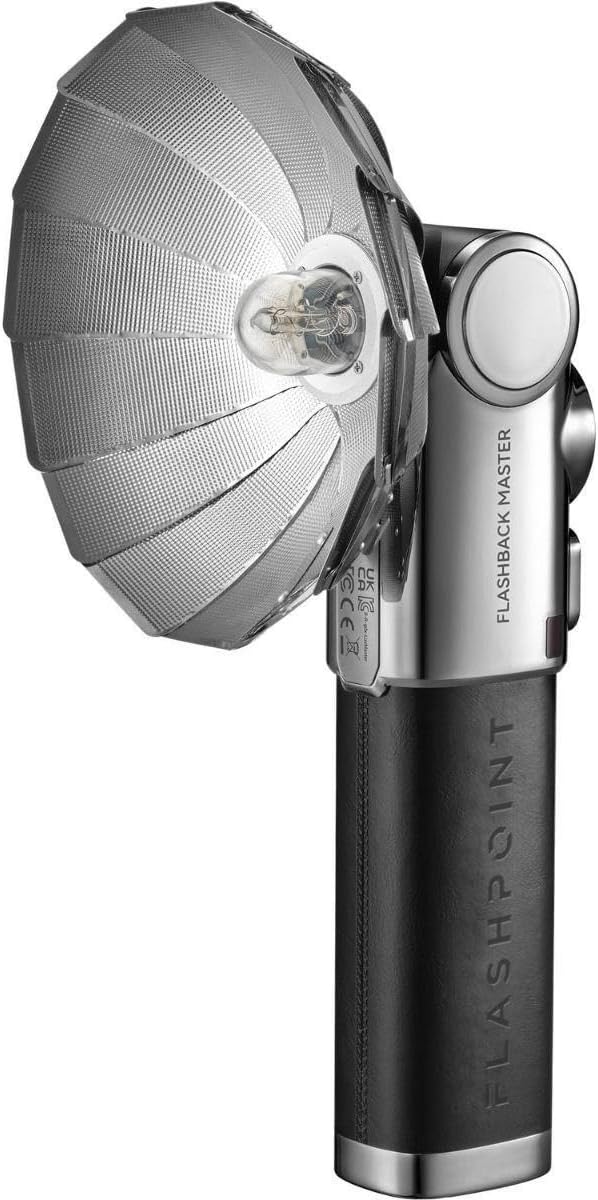
Figure 4.1: Flashpoint Flashback Lux Master Retro R2 TTL Camera Flash with its retro-styled parabolic reflector attached.

Figura 4.2: Wara view of the Flashpoint Lux Master, showing the circular touchscreen interface and control buttons.
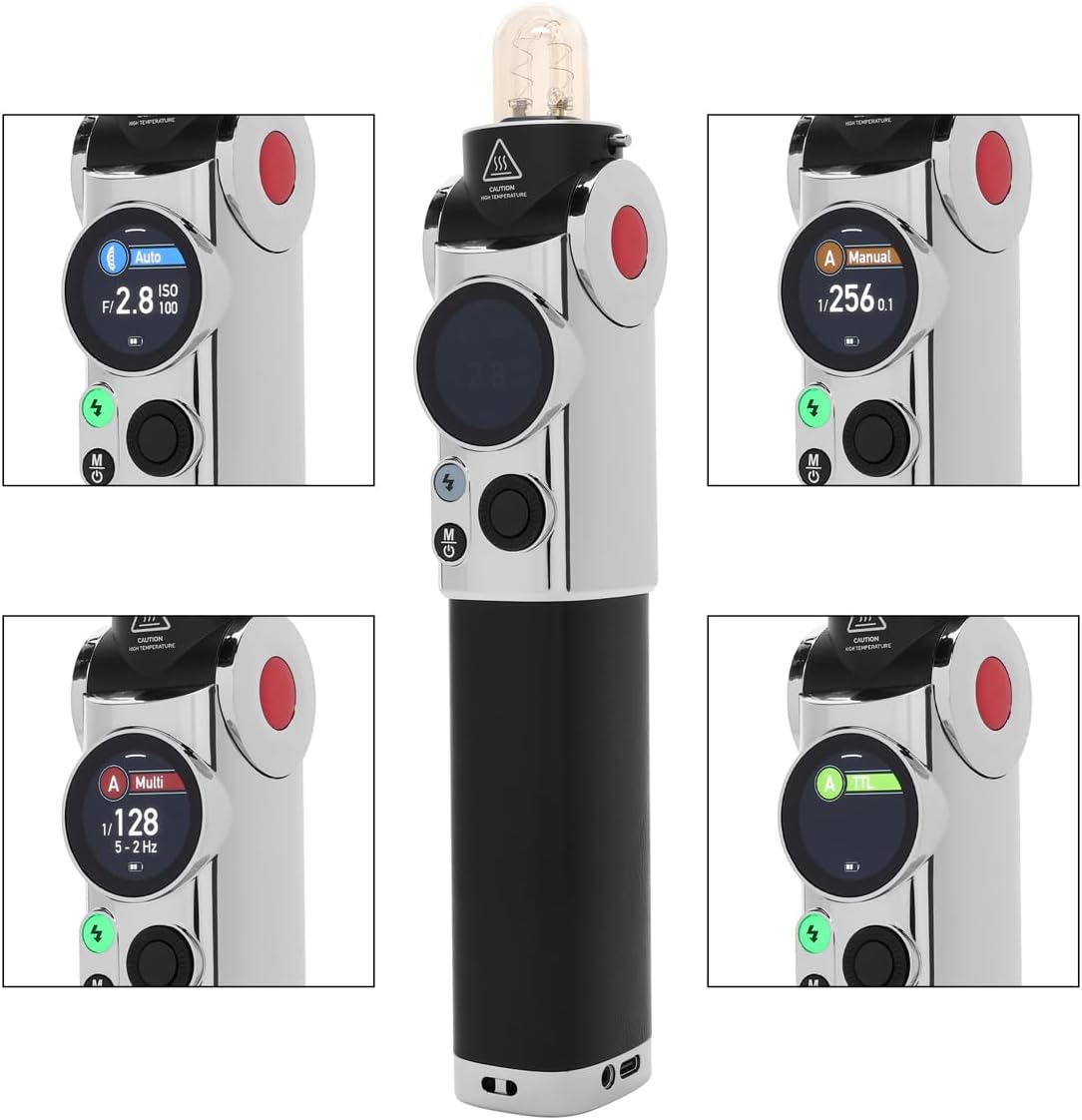
Figura 4.3: Dettaljat view of the Flashpoint Lux Master's touchscreen, displaying various operating modes including Auto, Manual, Multi, and TTL.
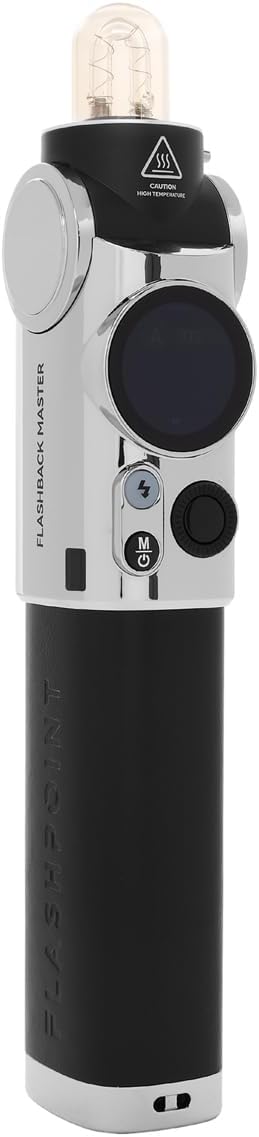
Figura 4.4: Proġett tal-ġenbfile of the Flashpoint Lux Master without the reflector, highlighting its sleek design and control layout.

Figura 4.5: Quddiem view of the Flashpoint Lux Master, showing the flash tube and the 'CAUTION HIGH TEMPERATURE' warning.

Figura 4.6: Minn fuq għal isfel view of the Flashpoint Lux Master, focusing on the flash tube and the power/mode buttons.
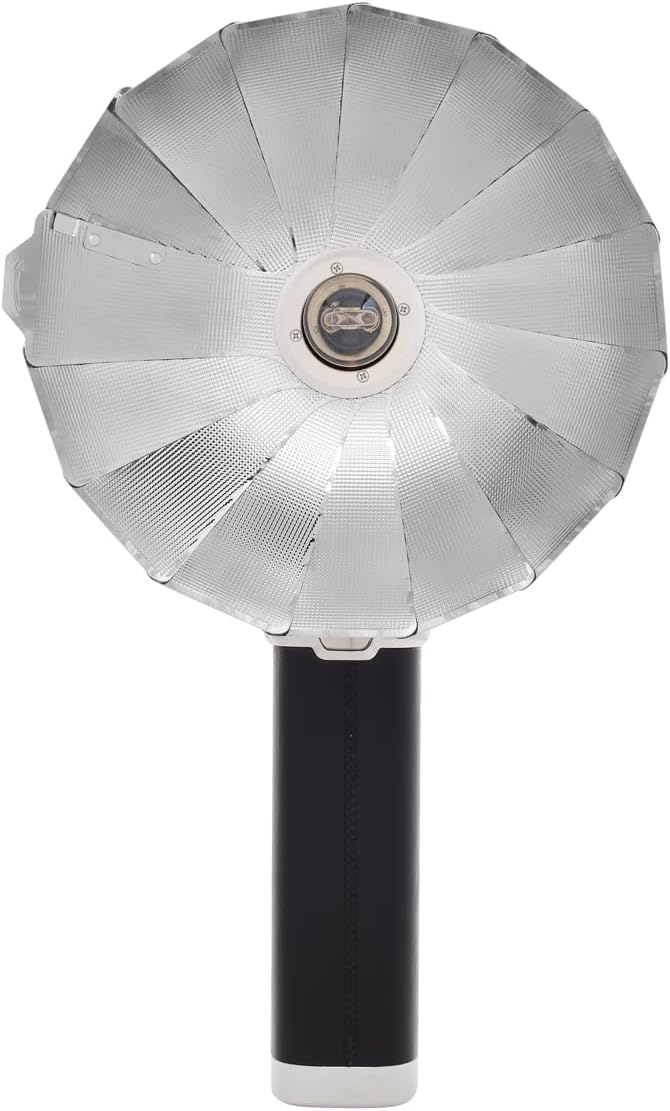
Figura 4.7: Wara view of the Flashpoint Lux Master, showing regulatory markings and the Flashpoint branding.
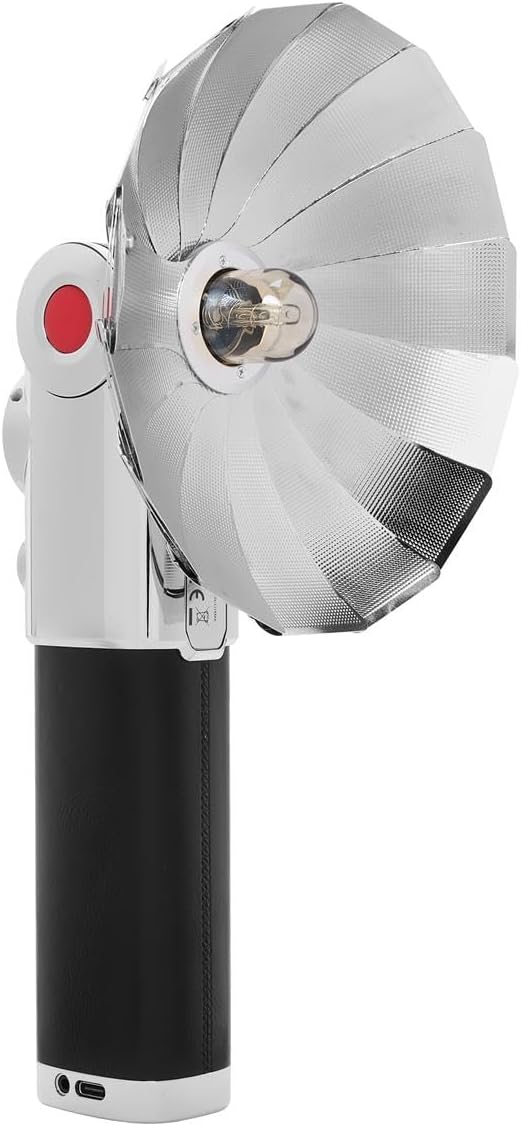
Figura 4.8: Quddiem view of the Flashpoint Lux Master with the parabolic reflector, showcasing the light-shaping accessory.
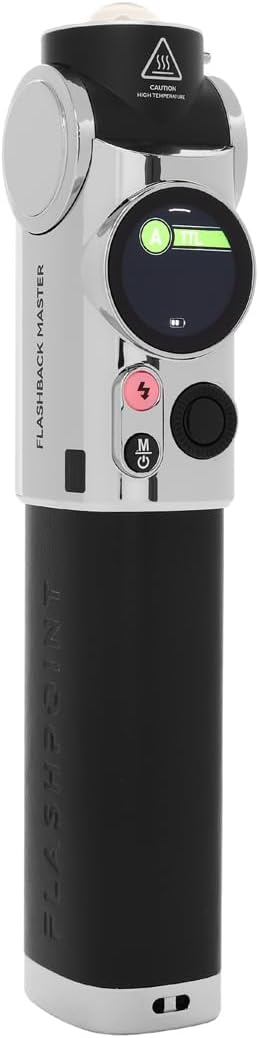
Figura 4.9: Naħa oħra view of the Flashpoint Lux Master, emphasizing its compact form factor.
5. Setup
Follow these steps to set up your Flashpoint Lux Master for first use:
- Iċċarġjar tal-batterija: Connect the flash unit to a power source using the provided USB-C cable. The battery indicator on the touchscreen will show charging status. Ensure the unit is fully charged before first use.
- Attaching to Camera: Slide the flash unit's hot shoe mount securely onto your camera's hot shoe. Tighten the locking mechanism if available on your camera or the flash.
- Power On/Off: Press and hold the power button (usually marked with a circle and a vertical line) for a few seconds to turn the unit on or off. The touchscreen will illuminate upon power-on.
- Settings Inizjali: Use the touchscreen to navigate through initial setup options such as language, time, and basic flash parameters.
6. Modi Operattivi
The Flashpoint Lux Master offers several operating modes to suit various photographic needs:
- Modalità TTL (Minn Ġewwa l-Lenti): This mode automatically adjusts flash output based on the camera's metering system, providing accurate exposure without manual adjustments. Select TTL on the touchscreen for automatic flash control.
- Modalità Manwali: Allows you to manually set the flash power output from full power down to the lowest setting. This mode offers precise control over lighting for consistent results. Adjust power levels using the touchscreen interface.
- Modalità Multipla (Stroboskopika): Fires a series of rapid flashes during a single exposure, ideal for capturing multiple movements of a subject in one frame. Configure flash frequency and number of flashes via the touchscreen.
- Modalità Awtomatika: The flash uses its own light sensor to determine the correct exposure, independent of the camera's metering. This is useful for older cameras or specific creative effects.
- R2 2.4G Wireless System: The Lux Master can function as a master or slave unit within the Flashpoint R2 2.4G wireless system. This enables remote control and multi-flash setups. Use the wireless sync function on the touchscreen to set channels and IDs for seamless communication with other R2 devices.
- Sinkronizzazzjoni b'Veloċità Għolja (HSS): When enabled, HSS allows the flash to synchronize with shutter speeds faster than the camera's native flash sync speed (e.g., 1/250s). This is crucial for shooting with wide apertures in bright conditions or freezing fast motion.
7. Manutenzjoni
Proper maintenance ensures the longevity and optimal performance of your flash unit:
- Tindif: Use a soft, dry cloth to clean the flash body and touchscreen. For stubborn dirt, a slightly damp Jista' jintuża drapp, segwit minn tnixxif immedjat. Tużax solventi jew prodotti tat-tindif li joborxu.
- Tubu tal-Flash: Avoid touching the flash tube directly with bare hands, as oils can reduce its lifespan. If touched, clean gently with an alcohol wipe.
- Ħażna: Store the flash unit in a cool, dry place away from direct sunlight and extreme temperatures. If storing for an extended period, remove the battery to prevent leakage.
- Kura tal-batterija: Erġa' ċċarġja l-batterija regolarment, anke jekk ma tkunx qed tintuża, biex iżżommha f'saħħitha. Evita li tiċċarġja l-batterija kompletament ta' spiss.
8 Issolvi l-problemi
If you encounter issues with your Flashpoint Lux Master, refer to the following common problems and solutions:
| Problema | Kawża Possibbli | Soluzzjoni |
|---|---|---|
| Il-flash ma jisparax | Low battery; Incorrect camera/flash settings; Flash not securely mounted. | Charge battery; Check flash mode (TTL/Manual) and camera flash settings; Re-mount flash securely. |
| Incorrect exposure (too dark/bright) | Incorrect flash power; TTL compensation needed; ISO/aperture mismatch. | Adjust manual power; Apply flash exposure compensation in TTL mode; Verify camera ISO/aperture settings. |
| Kwistjonijiet ta' konnessjoni bla fili | Mismatched channel/ID; Out of range; Interference. | Ensure master and slave units have matching channels and IDs; Reduce distance between units; Change channel to avoid interference. |
| Flash overheats | Sparar mgħaġġel eċċessiv. | Ħalli l-flash jiksaħ. Naqqas il-frekwenza tal-isparar. |
If the problem persists after attempting these solutions, please contact Flashpoint customer support.
9. Speċifikazzjonijiet
Key technical specifications for the Flashpoint Flashback Lux Master:
- Mudell: Lux Master
- Numru ta' Gwida: 82 (approssimattiv)
- Ħin tar-riċiklaġġ: 1.8 sekonda (madwar)
- Veloċità tas-Sinkronizzazzjoni tal-Flash: Up to 1/250s (standard), HSS supported
- Teknoloġija tal-Konnettività: Wireless (R2 2.4G System)
- Muntaturi Kompatibbli: ISO Hot Shoe
- Piż tal-oġġett: 2.45 liri
- Dimensjonijiet tal-pakkett: 12.5 x 9 x 7.5 pulzieri
- Manifattur: Flashpoint
10. Garanzija u Appoġġ
For warranty information, please refer to the documentation provided at the time of purchase or visit the official Flashpoint website. For technical assistance, troubleshooting beyond this manual, or service inquiries, please contact Flashpoint customer support directly.