
Sky Devices Sky PAD10 MAX
Sky PAD10 MAX 10-inch Display Tablet
Manwal għall-Utent
Introduzzjoni
The Sky PAD10 MAX is a versatile 10-inch tablet designed for entertainment, education, and productivity. It features a powerful Quad Core 2.0 GHz processor, 3GB RAM, and runs on the Android 13 operating system, providing a smooth and responsive user experience. With 64GB of internal storage, expandable via SD card, you have ample space for your applications, media, and documents. The tablet is equipped with a 5MP rear camera and a 2MP front camera, and a 5000mAh battery for extended use. A protective case is included to help safeguard your device.

Figura 1: Quddiem view of the Sky PAD10 MAX tablet.
X'hemm fil-Kaxxa
Malli tiftaħ il-pakkett, jekk jogħġbok ivverifika li l-oġġetti kollha li ġejjin huma inklużi:
- Sky PAD10 MAX Tablet (with built-in battery)
- Ċarġer tal
- Kejbil tad-Data
- Kawża Protettiva
Setup
1. Iċċarġja l-Pillola
Before initial use, fully charge your Sky PAD10 MAX tablet. Connect the provided data cable to the tablet's charging port and the charger to a power outlet. The battery indicator on the screen will show the charging status.

Figura 2: Ġenb view of the tablet, indicating the location of the charging port and other physical features.
2. Tixgħil / Mitfi
- Biex Tixgħel: Press and hold the Power button (located on the side) until the Sky Devices logo appears on the screen.
- Biex Tifi: Agħfas u żomm il-buttuna tal-Enerġija sakemm jidher menu tal-għażliet tal-enerġija. Agħżel "Itfi" u kkonferma.
- Biex terġa' tibda: Mill-menù tal-għażliet tal-enerġija, agħżel "Erġa' ibda" u kkonferma.
3. Inizjali Setup Wizard
The first time you power on the tablet, you will be guided through an initial setup wizard. Follow the on-screen prompts to:
- Agħżel il-lingwa tiegħek.
- Qabbad ma 'netwerk Wi-Fi.
- Set up your Google account (or create a new one). This is essential for downloading apps from the Google Play Store.
- Issettja l-illokkjar tal-iskrin (PIN, mudell, jew password).
- Review u aċċetta t-termini u l-kundizzjonijiet.
4. Daħħal Karta SD (Mhux obbligatorju)
The Sky PAD10 MAX supports expandable storage up to 64GB via an SD card (not included). To insert an SD card:
- Locate the SD card slot on the side of the tablet.
- Gently insert the SD card into the slot with the gold contacts facing down until it clicks into place.
- The tablet will notify you once the SD card is detected. You may be prompted to format the card for use with the tablet.

Figura 3: Wara view of the tablet, indicating the general area where the SD card slot might be located (exact location varies, refer to physical device).
It-tħaddim tal-Pillola
1. Navigazzjoni Bażika
- Mess: Tektek ikona jew għażla biex tagħżilha.
- Mess u Żomm: Agħfas u żomm oġġett biex taċċessa għażliet addizzjonali jew iċċaqlaqha.
- Swipe: Iddreggja subgħajk fuq l-iskrin biex tiskrollja minn paġni jew listi.
- Agħfas biex Tiżżumja: Use two fingers to zoom in or out on images, maps, or web paġni.
2. Konnettività Wi-Fi
Biex tikkonnettja ma' netwerk Wi-Fi:
- Mur fuq Settings > Netwerk u internet > Wi-Fi.
- Ixgħel il-Wi-Fi On.
- Agħżel in-netwerk mixtieq tiegħek mil-lista.
- Daħħal il-password jekk tintalab u tektek Qabbad.
3. Uża l-Kameras
It-tablet għandha kamera ta’ wara ta’ 5MP u kamera ta’ quddiem ta’ 2MP.
- Iftaħ il- Kamera applikazzjoni mill-iskrin tad-dar jew mill-kexxun tal-app.
- Tektek l-ikona tal-kamera biex taqleb bejn il-kameras ta' quddiem u ta' wara.
- Tektek il-buttuna tax-shutter biex tieħu ritratt jew tibda/twaqqaf ir-reġistrazzjoni tal-vidjow.
- Access various camera modes and settings within the app.
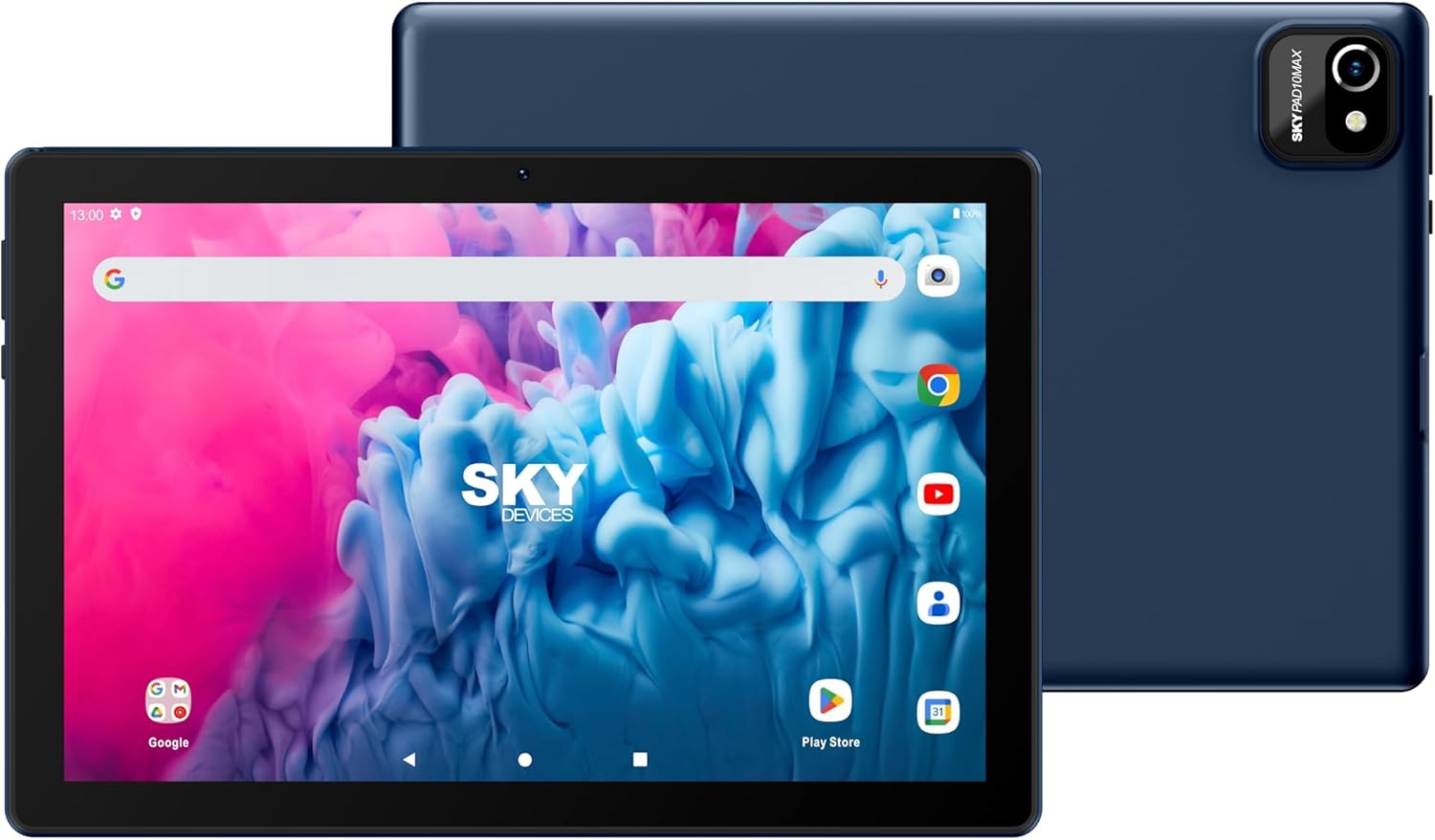
Figura 4: Quddiem u wara views highlighting the camera locations.
4. App Management and Google Play Store
The Android 13 operating system provides access to millions of apps via the Google Play Store.
- Iftaħ il- Play Store app.
- Fittex għal apps, games, movies, and books.
- Tektek Installa to download and install applications.
- To uninstall an app, touch and hold its icon on the home screen or app drawer, then drag it to the "Uninstall" option, or go to Settings > Apps > select the app > Iddiżinstalla.
5. Konnettività Bluetooth
To connect Bluetooth devices (e.g., headphones, speakers):
- Mur fuq Settings > Apparati konnessi > Preferenzi ta' konnessjoni > Bluetooth.
- Toggle Bluetooth On.
- Kun żgur li l-apparat Bluetooth tiegħek jinsab fil-modalità ta' tqabbil.
- Select your device from the list of available devices and follow any on-screen pairing instructions.
Manutenzjoni
1. Tindif tal-Apparat
- Uża drapp artab u mingħajr suf biex tnaddaf l-iskrin u l-korp tat-tablet.
- Għal tbajja' iebsa, ftit dampNaddaf id-drapp bl-ilma jew b'prodott tat-tindif li ma jagħmilx ħsara lill-iskrin.
- Evita li tuża kimiċi ħarxa, materjali li joborxu, jew umdità eċċessiva.
2. Kura tal-batterija
- To prolong battery life, avoid exposing the tablet to extreme temperatures.
- It is recommended to use the original charger and data cable provided with the tablet.
- Għal saħħa ottimali tal-batterija, evita li tixxotta l-batterija kompletament ta' spiss jew li żżommha ċċarġjata 100% għal perjodi twal.
3. Aġġornamenti tas-Software
Iċċekkja u installa aġġornamenti tas-softwer regolarment biex tiżgura li t-tablet tiegħek ikollu l-aħħar karatteristiċi, irqajja tas-sigurtà, u titjib fil-prestazzjoni.
- Mur fuq Settings > Sistema > Aġġornament tas-sistema.
- Segwi l-istruzzjonijiet fuq l-iskrin biex tiċċekkja u tinstalla kwalunkwe aġġornament disponibbli.
4. Using the Protective Case
The included protective case is designed to shield your tablet from scratches and minor drops. Ensure the tablet is properly seated within the case for maximum protection.
Issolvi l-problemi
This section addresses common issues you might encounter with your Sky PAD10 MAX tablet.
Tablet Does Not Power On
- Kun żgur li t-tablet huwa ċċarġjat biżżejjed. Qabbad il-ċarġer u stenna ftit minuti qabel ma tipprova tixgħelu mill-ġdid.
- Agħfas u żomm il-buttuna tal-Qawwa għal mill-inqas 10-15-il sekonda biex twettaq restart furzat.
Ma nistax nikkonnettja mal-Wi-Fi
- Verify that Wi-Fi is enabled in the tablet's settings.
- Kun żgur li qed iddaħħal il-password korretta tal-Wi-Fi.
- Erġa' ibda r-router tal-Wi-Fi tiegħek.
- Try forgetting the network and reconnecting. Go to Settings > Netwerk u internet > Wi-Fi, tektek l-isem tan-netwerk, imbagħad Tinsa.
Tablet is Slow or Unresponsive
- Agħlaq l-applikazzjonijiet mhux użati li jkunu qed jaħdmu fl-isfond.
- Clear cache data for frequently used apps (Settings > Apps > agħżel l-app > Ħażna u cache > Ċar il-cache).
- Ibda mill-ġdid il-pillola.
- Ensure there is sufficient free storage space.
Batterija Drejn Malajr
- Naqqas il-luminożità tal-iskrin.
- Iddiżattiva l-Wi-Fi, il-Bluetooth, u l-GPS meta ma tkunx qed tużahom.
- Agħlaq l-apps fl-isfond.
- Iċċekkja l-użu tal-batterija f' Settings > Batterija biex jiġu identifikati applikazzjonijiet li jikkunsmaw l-enerġija.
Speċifikazzjonijiet
| Karatteristika | Dettall |
|---|---|
| Isem tal-Mudell | Sky PAD10 MAX |
| Daqs tal-Wiri | 10 pulzieri |
| Riżoluzzjoni tal-Iskrin | 800 x 1280 pixels (HD) |
| Proċessur | Quad Core 2.0 GHz (MediaTek) |
| RAM | 3GB |
| Ħażna Interna (ROM) | 64GB |
| Ħażna espansibbli | Up to 64GB via SD card (not included) |
| Sistema Operattiva | Android 13 |
| Kamera ta' wara | 5 MP |
| Kamera ta' Quddiem | 2 MP |
| Kapaċità tal-batterija | 5000mAh (approx. 5 hours average use, 200 hours standby) |
| Konnettività bla fili | Wi-Fi (802.11g), Bluetooth |
| Dimensjonijiet (LxWxH) | 8.83 x 6.79 x 0.41 pulzieri |
| Piż tal-oġġett | 9.6 uqija |
| Kulur | Fidda |
Garanzija u Appoġġ
Informazzjoni dwar Garanzija
The Sky PAD10 MAX tablet comes with a standard manufacturer's warranty. Please refer to the warranty card included in your product packaging or visit the official Sky Devices websit għal termini u kundizzjonijiet dettaljati dwar il-kopertura tal-garanzija, it-tul ta' żmien, u l-proċeduri tat-talbiet.
Appoġġ għall-Klijent
If you encounter issues not covered in the troubleshooting section or require further assistance, please contact Sky Devices customer support. You can typically find contact information (phone number, email, or support portal) on the official Sky Devices webis-sit jew fl-imballaġġ tal-prodott.
When contacting support, please have your product model number (Sky PAD10 MAX) and any relevant purchase information ready to expedite the process.
Ask a question about this manual
Ask about setup, troubleshooting, compatibility, parts, safety, or missing instructions. Manuals+ will review the question and use this page’s manual context to help answer it.