
Introduzzjoni
This manual provides essential information for setting up, operating, maintaining, and troubleshooting your ASUS ROG Strix 17.3-inch Gaming Laptop. Please read this guide thoroughly to ensure optimal performance and longevity of your device.
1. Setup
1.1 Tneħħija tal-kaxxa u Spezzjoni Inizjali
Carefully remove the laptop and all accessories from the packaging. Inspect the laptop for any signs of damage during transit. The package should contain the ASUS ROG Strix laptop, power adapter, and any bundled accessories.
1.2 Konnessjoni tal-Adapter tal-Enerġija
Connect the power adapter to the laptop's power input port and then plug the adapter into a grounded electrical outlet. It is recommended to fully charge the battery before initial use.
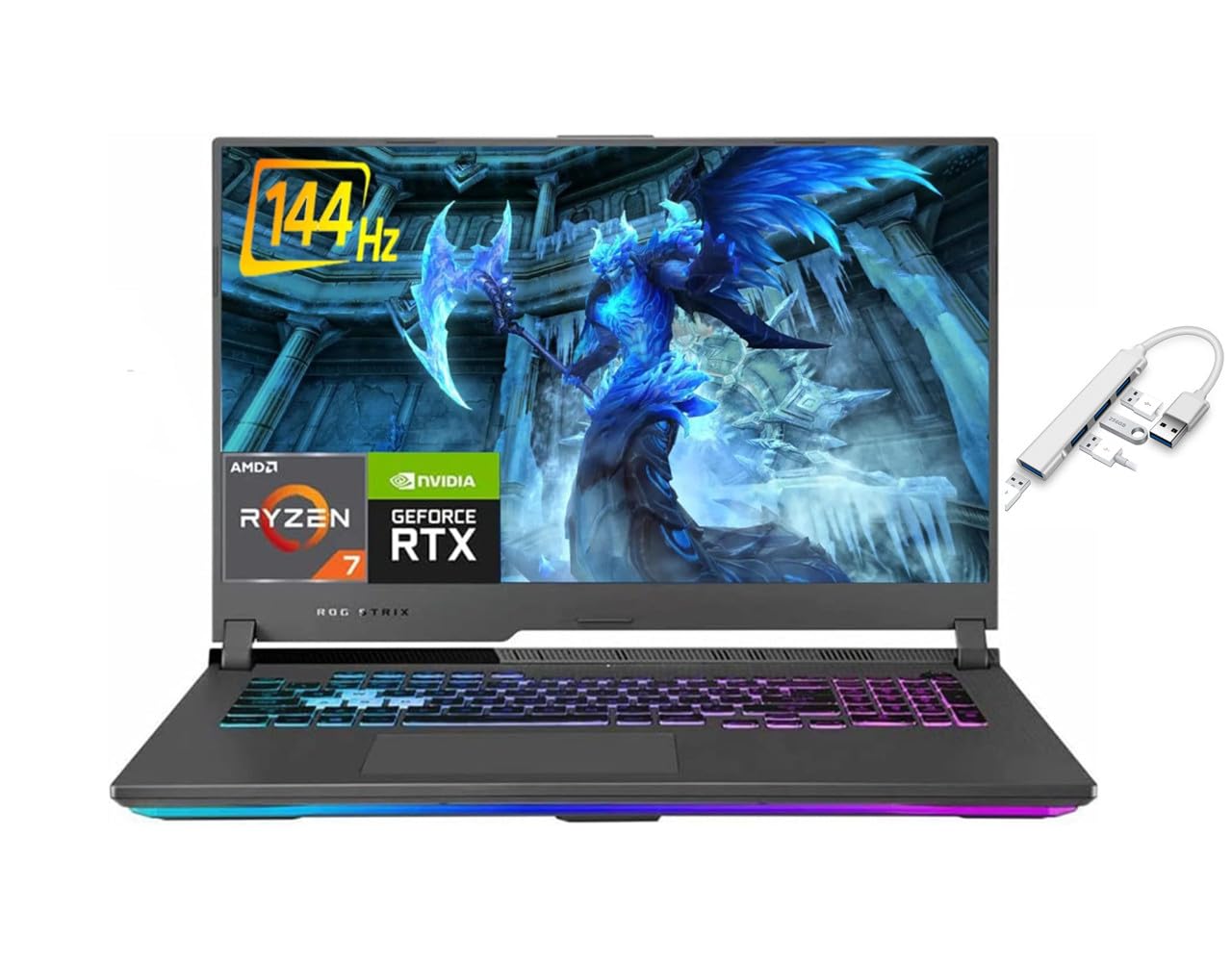
Figura 1: ASUS ROG Strix laptop powered on, showing the Windows 10 desktop environment. This image illustrates the laptop's display and keyboard layout.
1.3 Ixgħel u Setup Inizjali tal-Windows
Press the power button located on the laptop to turn it on. The laptop will guide you through the initial Windows 10 Home setup process. Follow the on-screen instructions to configure your language, region, network settings, and user account.
2. It-Tħaddim tal-Laptop Tiegħek
2.1 Tastiera u Touchpad
The ASUS ROG Strix features a full-sized backlit keyboard. The touchpad supports multi-touch gestures for navigation. Refer to Windows settings for customizing touchpad sensitivity and gestures.

Figura 2: Dettaljati view of the ASUS ROG Strix keyboard, highlighting the RGB backlighting and key layout. This image shows the dedicated numeric keypad and function keys.
2.2 Konnessjoni ta' Apparati Esterni
Il-laptop tiegħek huwa mgħammar b'diversi portijiet għall-konnessjoni ta' apparati esterni:
- USB 3.2 Ġen 2 Tip-Ċ: Għal trasferiment ta' dejta b'veloċità għolja u output tal-wiri.
- USB 3.2 Ġen 1 Tip-A: Għall-konnessjoni ta' apparati USB standard bħal ġurdien, tastieri, u drives esterni.
- HDMI 2.0b: Għall-konnessjoni ma' monitors jew televiżjonijiet esterni.
- Ethernet (RJ45): Għal konnessjonijiet tan-netwerk bil-fili.
- Mic/Headphone Combo Jack: Għall-konnessjoni ta' headsets jew mikrofoni esterni.

Figura 3: Left side of the ASUS ROG Strix laptop, illustrating the placement of USB ports and the audio jack. This view helps identify connection points for peripherals.

Figura 4: Right side of the ASUS ROG Strix laptop, showing additional USB ports and ventilation. This image provides a comprehensive look at the laptop's connectivity options.
2.3 Konnettività tan-Netwerk
The laptop supports Wi-Fi 6 (802.11ax) for wireless internet access and Bluetooth 5.1 for connecting wireless peripherals. To connect to a Wi-Fi network, click the Wi-Fi icon in the taskbar, select your network, and enter the password. For Bluetooth devices, go to Windows Settings > Devices > Bluetooth & other devices to pair.
3. Manutenzjoni
3.1 Tindif tal-Laptop Tiegħek
Biex iżżomm prestazzjoni u dehra ottimali:
- Uża drapp artab u mingħajr suf biex tnaddaf l-iskrin u x-chassis.
- Għal tbajja' iebsa, ftit dampNaddaf id-drapp bl-ilma jew b'prodott tat-tindif tal-iskrin.
- Evita li tisprejja likwidi direttament fuq il-laptop.
- Naddaf it-tastiera u t-touchpad regolarment biex tneħħi t-trab u l-fdalijiet.
- Ensure ventilation grilles are clear of obstructions to prevent overheating.
3.2 Kura tal-Batterija
Biex ittawwal il-ħajja tal-batterija:
- Evita temperaturi estremi.
- Tneħħix il-batterija kompletament ta' spiss.
- Jekk se taħżen il-laptop għal perjodu estiż, iċċarġja l-batterija sa madwar 50-60%.
- For optimal performance during gaming or intensive tasks, keep the laptop plugged into the power adapter.
3.3 Aġġornamenti tas-Software
Regularly update your Windows operating system, drivers, and ASUS utilities to ensure system stability, security, and performance. You can check for Windows updates via Settings > Update & Security > Windows Update.
4 Issolvi l-problemi
This section addresses common issues you might encounter with your ASUS ROG Strix laptop.
4.1 Kwistjonijiet tal-Enerġija
- Il-laptop ma jixgħelx: Kun żgur li l-adapter tal-enerġija huwa konness sew kemm mal-laptop kif ukoll ma' sokit tal-enerġija li jaħdem. Iċċekkja jekk id-dawl indikatur tal-adapter tal-enerġija hux mixgħul. Ipprova sokit differenti.
- Il-batterija mhix qed tiċċarġja: Verify the power adapter connection. Check the battery status in Windows. If the issue persists, contact support.
4.2 Kwistjonijiet tal-Wiri
- L-ebda wiri fuq l-iskrin: Qabbad monitor estern permezz tal-HDMI biex tivverifika jekk il-problema hijiex fid-displej intern tal-laptop. Jekk il-monitor estern jaħdem, id-displej intern jew il-konnessjoni tiegħu jistgħu jkunu difettużi.
- Wirja teptip jew distorta: Update your NVIDIA GeForce RTX 3060 graphics drivers. Adjust display refresh rate settings in Windows.
4.3 Kwistjonijiet ta' Prestazzjoni
- Prestazzjoni bil-mod: Close unnecessary applications. Check Task Manager for high CPU/RAM usage. Ensure adequate ventilation to prevent thermal throttling. Run a virus scan.
- Is-sħana żejda: Ensure ventilation grilles are clear. Use the laptop on a hard, flat surface. Consider using a cooling pad for extended heavy use.
4.4 Kwistjonijiet tal-Awdjo
- Ebda ħoss: Check volume levels in Windows and ensure speakers/headphones are properly connected. Verify audio drivers are installed and up to date.
5. Speċifikazzjonijiet
Key technical specifications for the ASUS ROG Strix 17.3-inch Gaming Laptop:
| Karatteristika | Speċifikazzjoni |
|---|---|
| Mudell | ASUS ROG Strix |
| Wiri | 17.3-inch Full HD (1920 x 1080) IPS, 144Hz Refresh Rate |
| Proċessur | AMD Ryzen 7 4800H (2.9 GHz base, up to 4.2 GHz boost) |
| Grafika | NVIDIA GeForce RTX 3060 (6 GB GDDR6) |
| RAM | 32 GB DDR4 |
| Ħażna | 512 GB SSD |
| Sistema Operattiva | Windows 10 Home |
| Konnettività bla fili | Wi-Fi 6 (802.11ax), Bluetooth 5.1 |
| Portijiet | 1x USB 3.2 Gen 2 Type-C, 3x USB 3.2 Gen 1 Type-A, 1x HDMI 2.0b, 1x Ethernet (RJ45), 1x Mic/Headphone Combo Jack |
| Batterija | 4-cell Lithium Ion, 90WHrs |
| Dimensjonijiet (LxWxH) | 15.55 x 11.1 x 1.11 pulzieri |
| Piż | 5.95 lbs |
6. Garanzija u Appoġġ
6.1 Informazzjoni dwar Garanzija
Your ASUS ROG Strix laptop comes with a limited manufacturer's warranty. Please refer to the warranty card included in your product packaging or visit the official ASUS support websit għal termini u kundizzjonijiet dettaljati. Żomm il-prova tax-xiri tiegħek għal talbiet ta' garanzija.
6.2 Appoġġ Tekniku
Għal assistenza teknika, downloads ta' sewwieqa, jew aktar soluzzjonijiet għal problemi, jekk jogħġbok żur is-sit uffiċjali tal-appoġġ tal-ASUS website or contact ASUS customer service. You will need your laptop's serial number, which can usually be found on a sticker on the bottom of the laptop or in the BIOS/UEFI settings.
Appoġġ ASUS Websit: https://www.asus.com/support/