
Introduzzjoni
This manual provides detailed instructions for the assembly, operation, and maintenance of your FLEXISPOT 180x80cm motorized standing desk. Please read all instructions carefully before use to ensure proper function and safety. The desk is designed to offer a healthy work environment by allowing seamless transitions between sitting and standing positions, reducing fatigue and improving concentration.
Key features include a high-quality desktop, a digital control panel with memory presets, and robust, stable legs made from industrial carbon steel.
Informazzjoni dwar is-Sigurtà
Dejjem osserva l-prekawzjonijiet tas-sigurtà li ġejjin:
- Kun żgur li l-konnessjonijiet kollha huma sikuri qabel ma tħaddem l-iskrivanija.
- Do not overload the desk. The maximum recommended weight capacity is 70 kg.
- Żomm it-tfal u l-annimali domestiċi 'l bogħod mill-iskrivanija waqt it-tħaddim biex tevita inċidenti.
- The control panel includes a child lock function to prevent accidental adjustments. Activate this function when the desk is not in use.
- Evita li tpoġġi likwidi direttament fuq il-pannell tal-kontroll jew ħdejn komponenti elettriċi.
- Do not attempt to disassemble or repair the motor or control system yourself. Contact qualified service personnel for assistance.
- Ensure there are no obstructions in the desk's path when adjusting its height.
Lista ta' Komponenti
Qabel l-assemblaġġ, ivverifika li l-komponenti kollha huma preżenti u mhux imħassra. Il-pakkett għandu jinkludi:
- Desktop (180 x 80 cm)
- Qafas tal-iskrivanija (saqajn u traversa)
- Digital Control Panel with Memory Function
- Adapter tal-Enerġija u Cable
- Ganċ tal-headphone
- Detentur tat-Tazza
- Ħardwer tal-Assemblaġġ (viti, għodda)
- Manwal ta' Istruzzjoni
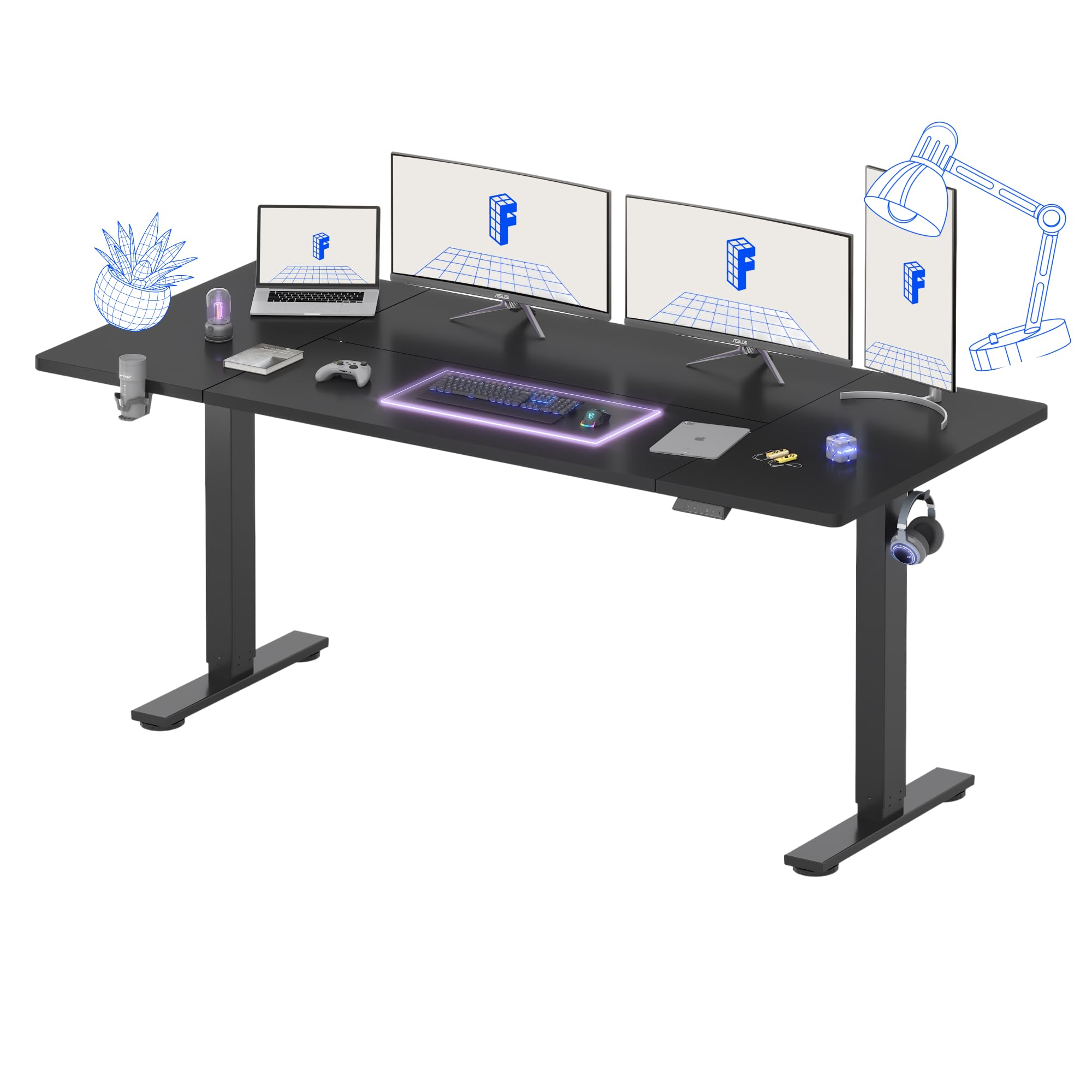
Figura 1: Aktarview of the FLEXISPOT Standing Desk.
Setup Istruzzjonijiet
Assembly is recommended for one person. Follow the included assembly instructions carefully. Ensure you have adequate space and a clean work area.
- Ħoll il-Komponenti: Neħħi l-partijiet kollha mill-imballaġġ bir-reqqa u poġġihom fuq wiċċ artab u nadif biex tevita l-grif.
- Arma l-Qafas tal-Iskrivanija: Attach the desk legs to the crossbar according to the diagrams in the separate assembly guide. Ensure all screws are tightened securely.
- Waħħal id-Desktop: Place the desktop upside down on a soft surface. Carefully align the assembled frame with the pre-drilled holes on the desktop and secure it with the provided screws.
- Installa l-Panel tal-Kontroll u l-Aċċessorji: Mount the digital control panel, headphone hook, and cup holder in your desired positions using the provided hardware.
- Qabbad l-Enerġija: Connect the power cable to the control box and then to a power outlet.
- Ġestjoni tal-Kejbil: Organize cables using the integrated cable management features to maintain a tidy workspace.
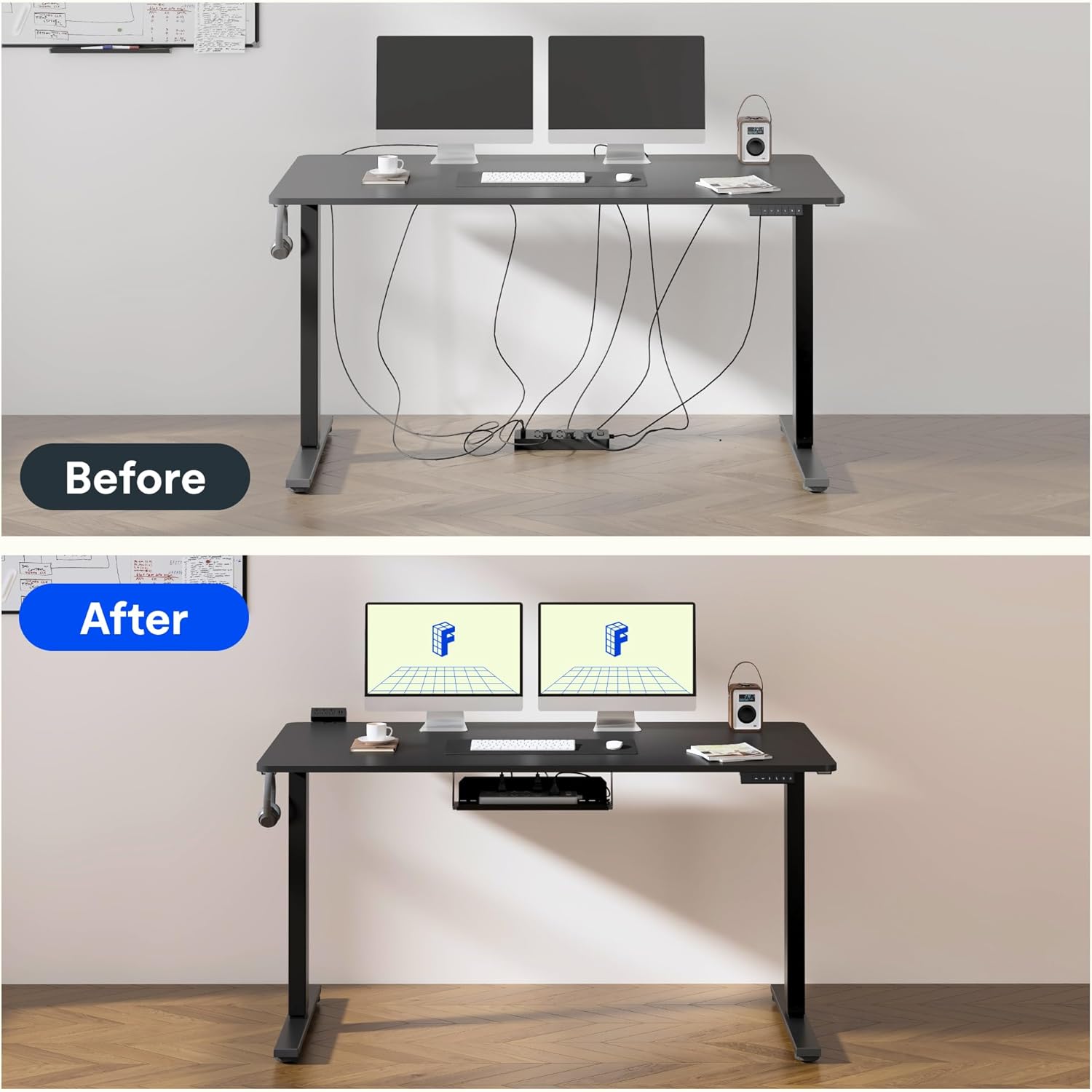
Figure 2: Effective cable management for a tidy workspace.

Figure 3: Close-up of integrated cable organization features.
Istruzzjonijiet Operattivi
Your FLEXISPOT standing desk features an intuitive digital control panel for easy height adjustments and memory functions.

Figure 4: Digital control panel with LED display and memory buttons.
Aġġustament Għoli
- Buttuni 'l fuq /' l isfel: Use the ▲ (Up) and ▼ (Down) buttons on the control panel to manually adjust the desk height. The current height will be displayed on the LED screen.
- L-iskrivanija tista' tiġi aġġustata minn għoli minimu ta' 75 ċm sa għoli massimu ta' 120 ċm.

Figure 5: Desk height adjustment range, illustrating minimum and maximum positions.
Presets tal-Memorja
The control panel allows you to save preferred sitting and standing heights for quick adjustments.
- Aġġusta l-iskrivanija għall-għoli mixtieq tiegħek billi tuża l-buttuni 'l fuq/'l isfel.
- Press the 'M' button (Memory) followed by a number button (1 or 2) to save the current height. The LED display will confirm the save.
- To recall a saved height, simply press the corresponding number button (1 or 2). The desk will automatically move to the preset position.
Funzjoni tal-Lock tat-Tfal
To activate the child lock, press and hold the 'M' button for 3 seconds until 'LOC' appears on the display. To deactivate, press and hold 'M' again for 3 seconds.
Operazzjoni ta' Ħoss Baxx
The desk operates with a low noise level of approximately 50dB, ensuring a quiet environment suitable for focused work or shared spaces.

Figure 6: Illustration of the desk's low noise operation, ideal for quiet environments.
Manutenzjoni
Manutenzjoni regolari tiżgura l-lonġevità u l-prestazzjoni ottimali tal-iskrivanija tiegħek.
- Tindif: Imsaħ id-desktop u l-qafas b'ċarruta ratba u damp drapp. Evita prodotti tat-tindif li joborxu jew kimiċi ħarxa li jistgħu jagħmlu ħsara lill-finitura.
- Iċċekkja tal-Cable: Periodically inspect all cables for wear or damage. Ensure they are properly routed and not pinched.
- Iċċekkja tal-Qafliet: Iċċekkja l-viti u l-qafliet kollha minn żmien għal żmien biex tiżgura li jibqgħu ssikkati. Erġa' ssikkahom jekk meħtieġ.
- Distribuzzjoni tal-piż: Qassam il-piż b'mod uniformi madwar id-desktop biex tevita tensjoni fuq il-mutur u l-qafas.
Issolvi l-problemi
If you encounter issues with your FLEXISPOT standing desk, refer to the following common problems and solutions:
| Problema | Kawża Possibbli | Soluzzjoni |
|---|---|---|
| L-iskrivanija ma tiċċaqlaqx | Power cable disconnected; Child lock activated; Overload protection triggered. | Check power connection; Deactivate child lock; Reduce weight on desk. |
| Aġġustament irregolari tal-għoli | Obstruction; Loose connection in frame. | Remove obstructions; Check and tighten frame connections. |
| Kodiċi ta' żball fuq il-wiri | Ħsara speċifika tas-sistema. | Refer to the detailed troubleshooting section in the full assembly manual or contact customer support. |
Speċifikazzjonijiet
Detailed technical specifications for your FLEXISPOT standing desk:
- Ditta: FLEXISPOT
- Mudell: 180 x 80 ċm
- Disinn tal-Iskrivanija: Desk Permanenti
- Dimensjonijiet tal-Prodott (P x W x H): 80P x 180L x 73H ċm
- Kulur: Iswed
- Materjal tad-Desktop: Injam
- Materjal Bażi: Industrial Carbon Steel
- Karatteristika Speċjali: Għoli aġġustabbli
- Mekkaniżmu ta' rfigħ: Elettriku
- Għoli Minimu: 75 Ċentimetru
- Għoli Massimu: 120 Ċentimetru
- Ħxuna tad-Desktop: 25 Millimetru
- Maximum Recommended Weight: 70 Kilogrammi
- Assemblaġġ Meħtieġa: Yes (1 person recommended)
- Komponenti Inklużi: Headphone hook, cup holder, control panel with memory function
- GTIN: 810072888365

Figure 7: The robust frame is designed to support up to 70 kg.
Informazzjoni dwar Garanzija
This FLEXISPOT standing desk comes with a Limited Warranty. For specific terms and conditions, please refer to the warranty card included in your product packaging or visit the official FLEXISPOT websit. Żomm il-prova tax-xiri tiegħek għal talbiet ta' garanzija.
Appoġġ
For further assistance, technical support, or to order replacement parts, please contact FLEXISPOT customer service. Contact details can typically be found on the official FLEXISPOT websit jew fl-ippakkjar tal-prodott.
Riżorsi onlajn: Żur il- Ħanut FLEXISPOT fuq Amazon għal informazzjoni u appoġġ addizzjonali dwar il-prodott.