
Redkey
Redkey R10 Robot Vacuum and Mop User Manual
Model: R10 | Brand: Redkey
1. Introduzzjoni
Thank you for choosing the Redkey R10 Robot Vacuum and Mop. This 2-in-1 cleaning device is designed to provide efficient and hands-free floor cleaning, combining powerful vacuuming with effective mopping. Equipped with advanced LiDAR navigation and a self-emptying station, the R10 offers a convenient and thorough cleaning experience for various floor types. Please read this manual carefully before using the product to ensure proper operation and maintenance.
2. X'hemm fil-Kaxxa
Iftaħ il-komponenti kollha mill-pakkett bir-reqqa u ċċekkja mal-lista t'hawn taħt. Jekk xi oġġetti huma nieqsa jew bil-ħsara, jekk jogħġbok ikkuntattja l-appoġġ għall-klijenti.
- Redkey R10 Robot Vacuum and Mop
- Stazzjon li Jbattal Awto-Żejjed
- Kejbil tal-Enerġija
- Borża tat-Trab (installata minn qabel fl-istazzjon)
- Mop Pad
- Għodda tat-Tindif
- Manwal għall-Utent

Image: The Redkey R10 robot vacuum, its self-emptying station, a blue mop pad, and a smartphone displaying the control app. This image illustrates the main components included in the product package.
3. Setup
3.1 Placing the Self-Emptying Station
- Place the station on a hard, level surface against a wall.
- Kun żgur li hemm mill-inqas 0.5 metri (1.6 piedi) ta' spazju vojt fuq iż-żewġ naħat u 1.5 metri (4.9 piedi) quddiem l-istazzjon.
- Keep the area free from obstacles, direct sunlight, and heat sources.
- Plug the power cable into the station and a wall outlet.
3.2 Iċċarġjar inizjali
Place the robot onto the charging contacts of the self-emptying station. Ensure the robot is properly aligned. The robot will automatically begin charging. For first-time use, fully charge the robot before operation (approximately 4-6 hours).
3.3 Tniżżil u Konnessjoni tal-App
- Download the Redkey app from your smartphone's app store (iOS or Android).
- Irreġistra jew idħol fil-kont tiegħek.
- Follow the in-app instructions to add your Redkey R10 device. This typically involves connecting to the robot's Wi-Fi hotspot and then connecting the robot to your home Wi-Fi network (2.4 GHz only).

Image: A person holding a smartphone displaying the Redkey app interface, with the Redkey R10 robot vacuum in the background. This image highlights the intelligent app control feature, showing how users can manage cleaning plans and room settings.
3.4 Immappjar Inizjali
For optimal navigation, allow the robot to complete a full mapping run of your home. During this process, ensure all doors are open and clear any small obstacles. The robot uses LiDAR navigation to create a precise map of your environment, which can then be customized in the app.
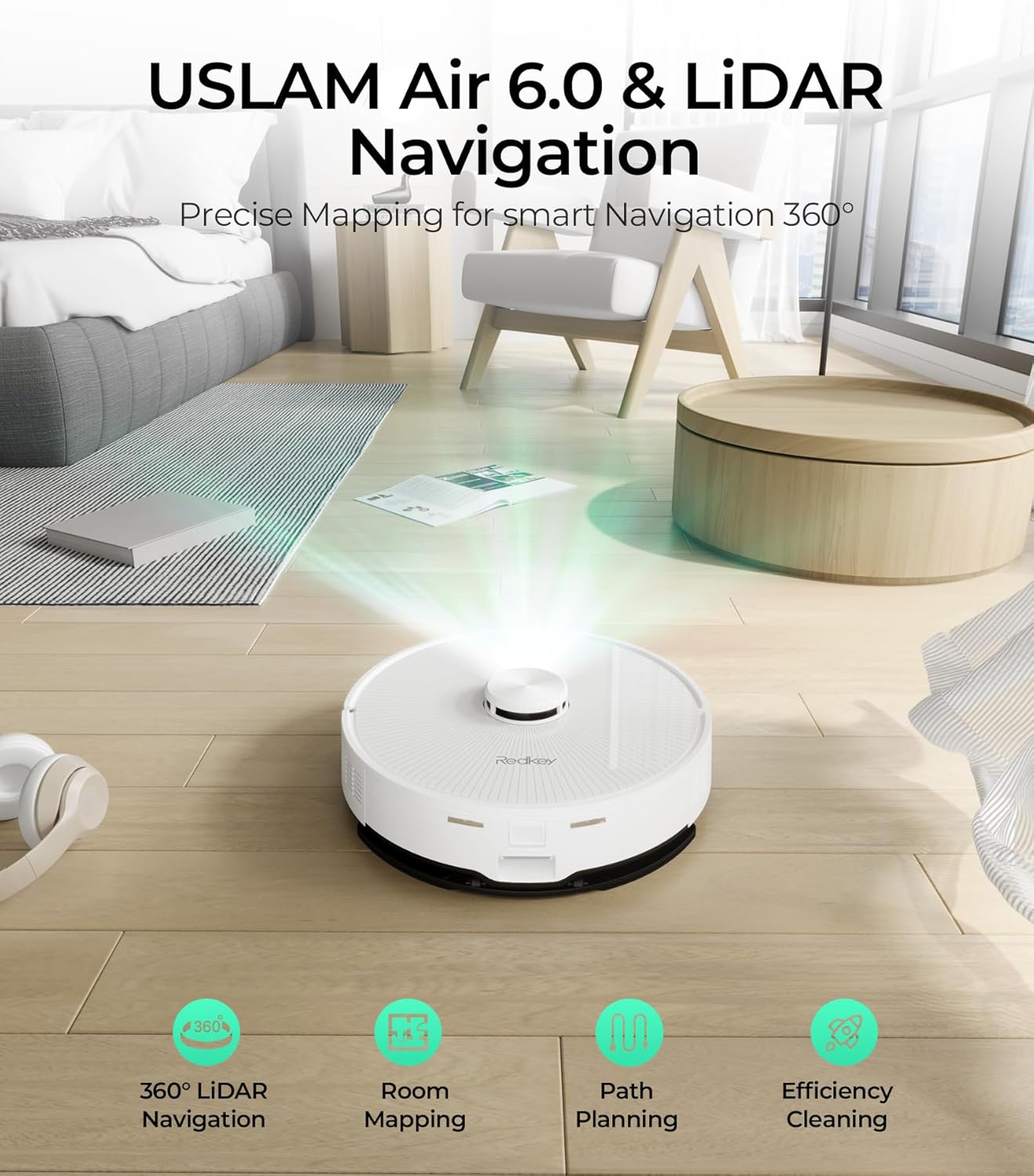
Image: The Redkey R10 robot vacuum emitting a laser beam to map its surroundings, illustrating its USLAM Air 6.0 and LiDAR navigation capabilities for precise mapping and efficient cleaning path planning.
4. Istruzzjonijiet Operattivi
4.1 Tibda u Twaqqif tat-Tindif
- Ibda: Press the power button on the robot or tap 'Start Cleaning' in the app. The robot will begin cleaning in auto mode.
- Pawża: Press the power button once during cleaning to pause.
- Stop/Return to Dock: Press and hold the power button for 3 seconds, or tap 'Return to Dock' in the app.
4.2 Modalità tal-Vakwu
The Redkey R10 features a powerful 4000Pa suction to effectively remove dirt, dust, and pet hair from various floor types, including hard floors and carpets. The robot can automatically increase suction power when it detects carpets (Turbo Carpet Auto feature).

Image: The Redkey R10 robot vacuum cleaning a rug, with text indicating its 4000 Pa super suction power and different modes: Quiet, Standard, Strong, and MAX. This illustrates the robot's powerful cleaning capability.
4.3 Mopping Mode
Biex tuża l-funzjoni tat-tindif:
- Fill the water tank with clean water. Do not use detergents or cleaning solutions not approved for robot vacuums.
- Attach the mop pad firmly to the water tank module.
- Slide the water tank module into the designated slot on the robot.
- Start a cleaning cycle via the app or robot button. The robot will automatically switch to mopping mode.
You can adjust the water flow level (3 levels available) via the app to suit different floor types and cleaning needs. The robot can cover up to 200 square meters on a single water tank fill.

Image: The Redkey R10 robot vacuum actively mopping a hard floor, leaving a clean, wet path behind it. This image emphasizes the mopping function and the promise of up to 90 days of hands-free cleaning.
4.4 Smart App Control and Customization
The Redkey app provides comprehensive control over your robot:
- Skeda tat-Tindif: Issettja skedi ta' tindif ta' kuljum jew ta' kull ġimgħa.
- Tindif taż-Żona: Iddefinixxi żoni speċifiċi li r-robot għandu jnaddaf.
- Ħitan Virtwali/Żoni Mhux Awtorizzati: Draw virtual boundaries on the map to prevent the robot from entering certain areas.
- Ġestjoni tal-Kamra: Divide, merge, or rename rooms on the map for targeted cleaning.
- Suction & Water Flow Adjustment: Customize cleaning power and water output.
- Storja tat-Tindif: View rekords tat-tindif tal-passat.

Image: The Redkey R10 robot vacuum operating near a blue shaded area on the floor, representing a virtual wall or reserved zone. This illustrates the robot's ability to respect user-defined boundaries for protected areas.
5. Manutenzjoni
Regular maintenance ensures optimal performance and extends the lifespan of your Redkey R10.
5.1 Self-Emptying Station Dust Bag
The 4L dust bag in the self-emptying station can hold up to 90 days of dust and debris, minimizing manual intervention. When the bag is full, the app will notify you. To replace:
- Open the top cover of the self-emptying station.
- Carefully remove the full dust bag. The bag's design prevents dust leakage upon removal.
- Dispose of the old bag and insert a new one, ensuring it is properly seated.
- Agħlaq l-għatu tal-istazzjon.

Image: The Redkey R10 robot vacuum docked at its self-emptying station, with a large '90' indicating 90 days of hands-free dust collection. This highlights the convenience of the automatic dust disposal system.
5.2 Pniezel tat-tindif
- Pinzell Prinċipali: Turn the robot over. Remove the main brush cover and lift out the brush. Use the cleaning tool to remove tangled hair and debris. Reinstall the brush and cover. Clean weekly.
- Pinzell tal-Ġenb: Use a screwdriver to remove the side brush. Clean off any tangled hair or debris. Reattach the brush. Clean monthly or as needed.
5.3 Tindif tal-Filtri
The robot has multiple filters (e.g., HEPA filter, sponge filter). Remove the dustbin from the robot, then remove the filters. Tap them gently to remove dust or rinse with water if washable (check specific filter type in the manual). Ensure filters are completely dry before reinstallation. Clean weekly.
5.4 Cleaning Water Tank and Mop Pad
- Tank tal-Ilma: After each mopping session, empty any remaining water from the tank and rinse it thoroughly. Allow it to air dry.
- Kuxxinett tal-mopp: Remove the mop pad after each use. Hand wash or machine wash the pad and allow it to air dry completely before reattaching.
5.5 Tindif tas-Sensuri u l-Kuntatti tal-Iċċarġjar
Wipe all sensors (LiDAR, cliff sensors, wall sensors) and charging contacts on both the robot and the station with a clean, dry cloth. This ensures accurate navigation and charging. Clean monthly.
6 Issolvi l-problemi
If you encounter issues with your Redkey R10, please refer to the following common problems and solutions:
| Problema | Kawża Possibbli | Soluzzjoni |
|---|---|---|
| Robot mhux jiċċarġja | Il-kuntatti tal-iċċarġjar huma maħmuġin jew imfixkla. | Clean the charging contacts on both the robot and the station with a dry cloth. Ensure the robot is properly docked. |
| Ir-robot jeħel spiss | Too many obstacles, loose cables, or low clearance areas. | Clear the cleaning area of obstacles. Use virtual walls in the app for problematic zones. |
| Prestazzjoni fqira tat-tindif | Brushes or filters are dirty/worn. Dustbin is full. | Clean or replace brushes and filters. Empty the dustbin. Increase suction power via the app. |
| Robot ma jistax jikkonnettja mal-Wi-Fi | Password tal-Wi-Fi mhux korretta, netwerk ta' 5GHz, jew sinjal dgħajjef. | Ensure you are connecting to a 2.4GHz Wi-Fi network. Double-check the password. Move the robot closer to the router. |
| Il-funzjoni tat-tindif mhux qed taħdem | Water tank empty, mop pad not attached, or water outlet blocked. | Fill the water tank. Ensure the mop pad is correctly attached. Clean the water outlet if blocked. |
For issues not listed here, or if problems persist, please refer to the full troubleshooting section in the app or contact Redkey customer support.
7. Speċifikazzjonijiet
| Karatteristika | Speċifikazzjoni |
|---|---|
| Brand | Redkey |
| Numru tal-Mudell | R10 |
| Kulur | Abjad |
| Dimensjonijiet (L x W x H) | 38 x 41 x 37 cm (Robot & Station) |
| Piż tal-oġġett | 8.16 Kilogrammi (18 Liri) |
| Qawwa tal-ġbid | 4000 Pa |
| Kapaċità tal-borża tat-trab | 4 Litri (sa 90 jum mingħajr idejn) |
| Ħajja tal-batterija | minuti 150 |
| Tip ta 'batterija | Lithium-ion |
| Tip ta' Navigazzjoni | LiDAR |
| Obstacle Climbing Height | 18mm |
| Tip ta 'filtru | Cloth, Cartridge, Sponge |
| Konnettività | Wi-Fi 2.4 GHz |
8. Garanzija u Appoġġ
The Redkey R10 Robot Vacuum and Mop comes with a standard manufacturer's warranty. Please refer to the warranty card included in your package for specific terms and conditions. For technical support, troubleshooting assistance, or warranty claims, please contact Redkey customer service through the contact information provided on the official Redkey website or within the Redkey app.
Jekk jogħġbok żomm il-prova tax-xiri tiegħek għal skopijiet ta' garanzija.