
1. Introduzzjoni
This manual provides essential information for the safe and efficient use of your Lenovo ThinkPad P16s Gen 3 21KS0027US mobile workstation. Please read this manual thoroughly before operating the device and retain it for future reference. This document covers product overview, is-setup, it-tħaddim, il-manutenzjoni, u s-soluzzjoni tal-problemi.
2. Informazzjoni dwar is-Sigurtà
Observe the following safety precautions to prevent damage to your device or injury to yourself:
- Use only the power adapter supplied with your workstation.
- Tesponix l-apparat għal temperaturi estremi, dawl tax-xemx dirett, jew umdità.
- Avoid placing heavy objects on the workstation.
- Tippruvax tiżżarma jew issewwi l-apparat int stess. Irreferi għal persunal tas-servizz kwalifikat.
- Żgura ventilazzjoni xierqa biex tevita sħana żejda.
3. Kontenut tal-Pakkett
Ivverifika li l-oġġetti kollha huma preżenti fil-pakkett tal-prodott tiegħek:
- Lenovo ThinkPad P16s Gen 3 (Intel) 21KS0027US Mobile Workstation
- Adapter tal-Enerġija
4. Prodott Aktarview
The Lenovo ThinkPad P16s Gen 3 21KS0027US is a high-performance mobile workstation designed for demanding tasks. It features a 16-inch WUXGA display, an Intel Core Ultra 7 155H processor, 32 GB of DDR5 SDRAM, a 1 TB SSD, and an NVIDIA RTX 500 Ada 4 GB discrete graphics card.
4.1. Quddiem View
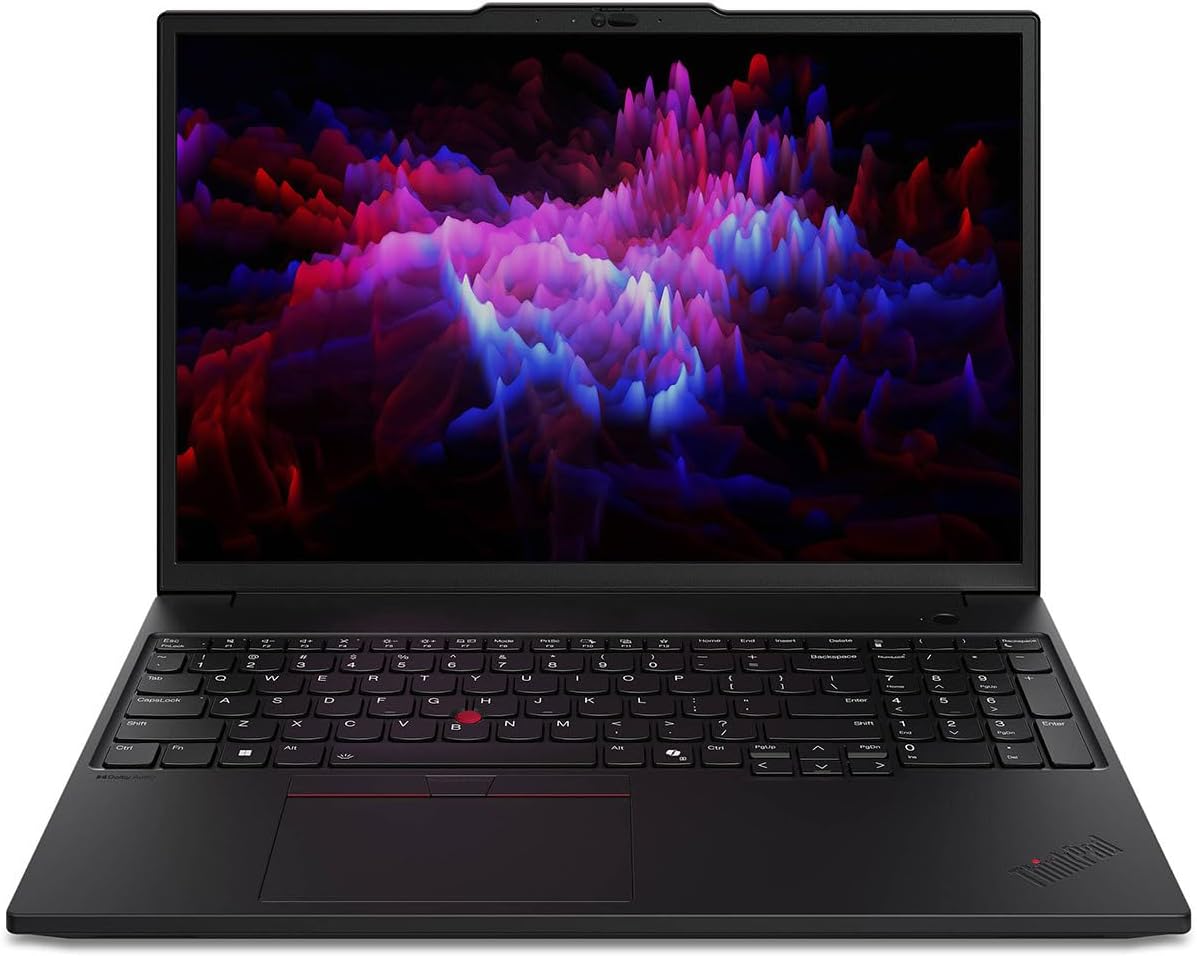
Figura 4.1: Quddiem view of the ThinkPad P16s Gen 3 with display open.
4.2. Tastiera u Touchpad

Figura 4.2: Dettaljat view taż-żona tat-tastiera u tat-touchpad.
The workstation features a full-sized English keyboard with a numeric keypad and a precision touchpad. The iconic TrackPoint pointing device is also integrated for precise cursor control.
4.3. Portijiet u Konnetturi

Figure 4.3: Left side ports and connectors.
The ThinkPad P16s Gen 3 includes various ports for connectivity:
- USB-C ports (Thunderbolt compatible)
- Portijiet USB-A
- Output HDMI
- Port Ethernet
- Jack combo awdjo
5. Setup
5.1. L-Ewwel Tixgħil
- Unpack the workstation and power adapter from the box.
- Connect the power adapter to the workstation's power input port and then to a power outlet.
- Open the display lid.
- Agħfas il-buttuna tal-qawwa, li tipikament tinsab fin-naħa ta' fuq tal-lemin tat-tastiera.
5.2. Setup tas-Sistema Operattiva

Figure 5.1: Windows 11 Pro initial setup screen.
Upon first boot, the workstation will guide you through the Windows 11 Pro setup process. Follow the on-screen instructions to:
- Agħżel ir-reġjun u d-disinn tat-tastiera tiegħek.
- Qabbad ma 'netwerk Wi-Fi.
- Aċċetta l-ftehim tal-liċenzja.
- Oħloq jew idħol b'kont tal-Microsoft.
- Set up security features like Windows Hello (if applicable).
6. Joperaw
6.1. Użu Bażiku
Your ThinkPad P16s Gen 3 runs on Windows 11 Pro. Familiarize yourself with the operating system's interface for optimal use. Use the touchpad or an external mouse for navigation, and the keyboard for text input.
6.2. Ġestjoni tal-Enerġija
To conserve battery life and manage performance:
- Adjust screen brightness using the function keys (Fn + F5/F6).
- Utilize Windows power plans (Balanced, Power Saver, High Performance).
- Close unused applications to free up system resources.
- Put the workstation to sleep or shut it down when not in use for extended periods.
7. Manutenzjoni
7.1. Cleaning the Workstation
- Skrin: Uża ċarruta ratba u mingħajr ħelu dampLaħlaħ bl-ilma jew b'tindif tal-iskrin. Tisprejjax likwidu direttament fuq l-iskrin.
- Tastiera u Chassis: Uża drapp artab u niexef. Għal ħmieġ iebes, neħħi ftit drapp.amp Jista' jintuża drapp b'soluzzjoni ta' sapun ħafif, biex tiżgura li l-ebda likwidu ma jidħol fil-fetħiet.
- Portijiet: Uża arja kkompressata biex tneħħi t-trab bil-mod mill-portijiet.
7.2. Aġġornamenti tas-Software
Regularly update your operating system and drivers to ensure optimal performance and security. Windows Update can be accessed via Settings > Windows Update. Lenovo Vantage software may also provide specific driver updates for your ThinkPad.
8 Issolvi l-problemi
Din it-taqsima tindirizza kwistjonijiet komuni li tista’ tiltaqa’ magħhom.
8.1. Kwistjonijiet tal-Enerġija
- Workstation does not turn on: Ensure the power adapter is securely connected to both the workstation and a working power outlet. Check if the power outlet is functional.
- Il-batterija mhix qed tiċċarġja: Ivverifika l-konnessjoni tal-adapter tal-enerġija. Ipprova sokit tal-enerġija differenti. Jekk il-problema tippersisti, ikkuntattja l-appoġġ.
8.2. Kwistjonijiet tal-Wiri
- Ebda wiri: Ensure the workstation is powered on. Try connecting an external monitor to check if the internal display is the issue.
- Skrin li jteptep: Update your graphics drivers. Adjust the display refresh rate in Windows settings.
8.3. Kwistjonijiet ta' Prestazzjoni
- Prestazzjoni bil-mod: Close unnecessary applications. Check for background processes consuming high resources (Task Manager). Ensure sufficient free space on the SSD.
- Is-sħana żejda: Ensure ventilation vents are clear. Use the workstation on a hard, flat surface.
9. Speċifikazzjonijiet
| Karatteristika | Speċifikazzjoni |
|---|---|
| Brand | Lenovo |
| Isem tal-Mudell | ThinkPad P16s Ġen 3 |
| Numru tal-Mudell tal-Oġġett | 21KS0027US |
| Daqs tal-Iskrin | 16 Pulzier |
| Riżoluzzjoni tal-Iskrin | 1920 x 1200 (WUXGA) |
| Proċessur | Intel Core Ultra 7 155H (4.8 GHz) |
| RAM | 32 GB DDR5 SDRAM |
| Hard Drive | 1 TB SSD |
| Koproċessur tal-Grafika | NVIDIA RTX 500 Ada |
| Daqs tar-RAM tal-Karta tal-Grafika | 4 GB |
| Sistema Operattiva | Windows 11 Pro |
| Tip bla fili | 802.11n |
| Kulur | Iswed |
| Piż tal-oġġett | 4.01 liri |
| Dimensjonijiet tal-Prodott | 9.8 x 14.2 x 0.83 pulzieri |
| Karatteristiċi Speċjali | Kisi Kontra d-Dija, Tamper Sejbien |
10. Garanzija u Appoġġ
Għal informazzjoni dwar il-garanzija u appoġġ tekniku, jekk jogħġbok irreferi għad-dokumentazzjoni inkluża mal-prodott tiegħek jew żur is-sit uffiċjali tal-appoġġ ta' Lenovo. websit. Il website provides access to drivers, software updates, and contact information for customer service.
Appoġġ Lenovo Websit: https://support.lenovo.com