
1. Introduzzjoni
The Belkin BoostCharge Pro 3-in-1 Wireless Charging Pad with Qi2 15W provides convenient wireless charging for compatible devices. It delivers up to 15W for iPhones, 5W for AirPods, and 5W for an Apple Watch. Featuring magnetic Qi2 technology, it ensures a secure and aligned connection. An integrated LED indicator light shows charging status.
2. Kontenut tal-Pakkett
Ivverifika li l-oġġetti kollha huma preżenti fil-pakkett:
- 1 x Belkin BoostCharge Pro 3-in-1 Wireless Charging Pad
- 1 x 5ft (1.5M) USB-C to USB-C cable
- 2 x 30W USB-C power supply
3. Gwida ta' Setup
- Qabbad l-Adapter tal-Enerġija: Insert the USB-C end of the provided cable into the charging pad's USB-C port. Connect the other end of the cable to one of the 30W USB-C power supplies, then plug the power supply into a wall outlet.

Image: The Belkin 3-in-1 Wireless Charging Pad connected to its power adapter and ready for use.
- Position the Charging Pad: Poġġi l-pjattaforma tal-iċċarġjar fuq wiċċ ċatt u stabbli, bħal skrivanija jew komodina. Kun żgur li hemm ventilazzjoni adegwata madwar l-apparat.
- Apple Watch Charging Puck: The Apple Watch charging puck is detachable. Ensure it is securely connected to the main charging pad if you intend to charge your Apple Watch.
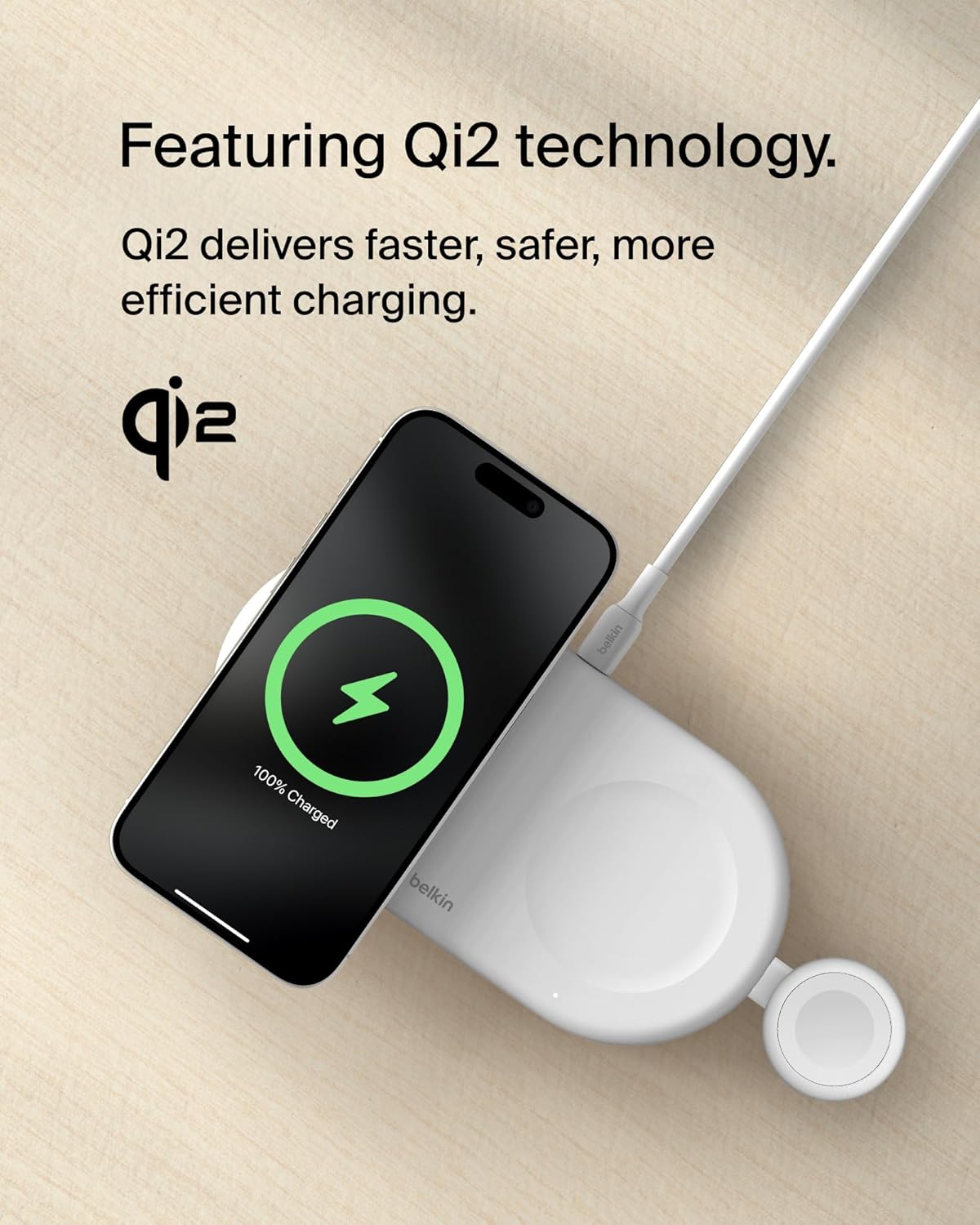
Immaġni: Close-up view of the detachable Apple Watch charging puck, highlighting its integration with the main charging pad.
4. Istruzzjonijiet Operattivi
4.1 Charging an iPhone (15W Qi2)
- Pjazzament: Place your MagSafe-compatible iPhone (iPhone 17, 16, 15, or 14 series) directly onto the magnetic charging surface of the pad. The magnetic Qi2 technology will align your iPhone for optimal charging.
- Konferma: Your iPhone screen will display a charging animation, indicating that charging has begun. The pad delivers up to 15W fast charging.
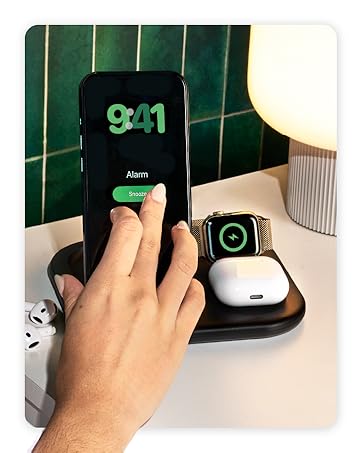
Image: An iPhone placed on the magnetic charging area of the pad, showing the charging indicator on its screen.
4.2 Charging AirPods (5W)
- Pjazzament: Place your AirPods (or other Qi-compatible earbuds) in their charging case onto the designated 5W charging spot on the pad.
- Konferma: The LED indicator on your AirPods case will illuminate, confirming that charging is active.
4.3 Iċċarġjar tal-Apple Watch (5W)
- Pjazzament: Place your Apple Watch onto the integrated Apple Watch charging puck. The watch will magnetically snap into place.
- Konferma: Your Apple Watch screen will display a charging icon.

Image: An Apple Watch positioned on its dedicated charging puck, showing the charging status.
4.4 Iċċarġjar Simultanju
The Belkin BoostCharge Pro allows for simultaneous charging of an iPhone, AirPods, and Apple Watch. Ensure all devices are correctly placed on their respective charging areas.

Image: The charging pad actively charging an iPhone, AirPods, and Apple Watch at the same time.
4.5 Dawl Indikatur LED
A built-in LED indicator light on the secondary 5W Qi pad provides charging status for your AirPods or other Qi-compatible device. Refer to the device's manual for specific LED behavior.

Image: A close-up of the charging pad showing the LED indicator light, which confirms charging status.
5. Manutenzjoni
- Tindif: Disconnect the charging pad from the power source before cleaning. Use a soft, dry, lint-free cloth to wipe the surface. Avoid using abrasive cleaners, solvents, or aerosol sprays.
- Ħażna: When not in use, store the charging pad in a cool, dry place away from direct sunlight and extreme temperatures. Its slim, lightweight design makes it suitable for travel.
- Kura tal-Cable: Evita li tgħawweġ jew tgħaqqad il-kejbil USB-C b'mod eċċessiv biex tevita l-ħsara.
6 Issolvi l-problemi
| Problema | Kawża Possibbli | Soluzzjoni |
|---|---|---|
| Apparat mhux jiċċarġja. |
|
|
| Iċċarġjar bil-mod. |
|
|
| LED indicator blinking/not working. |
|
|
7. Speċifikazzjonijiet
| Karatteristika | Dettall |
|---|---|
| Brand | Belkin |
| Numru tal-Mudell | WIZ022ttWH |
| Teknoloġija tal-Konnettività | USB |
| Tip ta' Konnettur | USB Tip Ċ |
| Wireless Charging Standard | Qi2 (Magnetic) |
| Max iPhone Output | 15W |
| Max AirPods Output | 5W |
| Max Apple Watch Output | 5W |
| Komponenti Inklużi | 1 x 3-in-1 BoostCharge Pro Wireless Charging Pad, 1 x 5ft (1.5M) USB-C to USB-C cable, 2 x 30W USB-C power supply |
| Karatteristiċi Speċjali | Fast Charging, LED Indicator Light, Qi2 Technology, Slim/Lightweight Design, Travel-friendly |
| Kulur | Abjad |
| Input Voltage | 9 Volts |
| Kurrent tal-Ħruġ | 3 Amps |
| Ħruġ Voltage | 9 Volts |
| Piż tal-oġġett | 1.2 Libbra (madwar 0.54 kg) |
| Materjal tal-għeluq | Plastic (made from a minimum of 72% post-consumer recycled content) |
8. Garanzija u Appoġġ
8.1 Informazzjoni dwar Garanzija
Dan il-prodott jiġi ma 'a garanzija ta 'sena. Additionally, it includes a $2,500 Connected Equipment Warranty (CEW). For detailed terms and conditions, please refer to the official Belkin websit jew ikkuntattja l-appoġġ tal-klijent.
8.2 Appoġġ għall-Klijent
Għal aktar assistenza, appoġġ tekniku, jew talbiet għal garanzija, jekk jogħġbok żur is-sit uffiċjali tal-appoġġ ta' Belkin. website or contact their customer service department. You can find contact information on the Belkin websit: www.belkin.com/support
9. Riżorsi Addizzjonali
9.1 Vidjows tal-Prodott
Belkin Brand Video
Dan il-video jipprovdi overview of the Belkin brand and its commitment to technology solutions. It showcases various Belkin products and their integration into daily life.