
lifoarey RL-HD082YC-HD2053
Manwal tal-Utent tal-Kamera CCTV bil-Kulur lifoarey 1080P Full-Time
Model: RL-HD082YC-HD2053
Brand: lifoarey

Figure 1: lifoarey 1080P Full Time Color CCTV Camera.
Introduzzjoni
This manual provides comprehensive instructions for the installation, operation, and maintenance of your lifoarey 1080P Full Time Color CCTV Camera. This 2MP wired outdoor security camera offers 24/7 recording surveillance with 4-in-1 compatibility (TVI/CVI/AHD/CVBS) and 100 ft colorful night vision, designed for home security applications.
X'hemm fil-Kaxxa
- Kamera tas-Sigurtà
- Istruzzjoni manwali
- Pakkett ta 'Viti
Note: BNC cable and power supply are not included and must be purchased separately.
Karatteristiċi Ewlenin
- Kompatibilità 4 f'1: Compatible with 1080P COAX DVRs, supporting TVI, CVI, AHD, and CVBS video outputs. Factory default is 1080P@30fps HD-TVI. Ensure your DVR supports 1080p or higher.
- Riżoluzzjoni HD 1080P: Captures clear and colorful images with 1920 × 1080P resolution. Features a 3.6mm lens with two 3500k warm supplemental lights, providing an 82.2° viewing angle and 85ft color night vision range.
- 24/7 Full Time Color Night Vision: Built-in 2pcs warm light LEDs enable clear color images in low light conditions, enhancing recognition of people and objects at night.
- IP66 li ma jgħaddix ilma minnha: Constructed from premium ABS material, designed for outdoor use and functional in all weather conditions including rain, storm, snow, and frost.
- Installazzjoni faċli: Designed for wall or ceiling mounting with 3-axis adjustment for flexible positioning.
Gwida ta' Setup
1. Lista ta' Kontroll ta' Qabel l-Installazzjoni
- Ensure you have a compatible 1080P COAX DVR (TVI/CVI/AHD/CVBS).
- Obtain a BNC cable of appropriate length for your installation.
- Acquire a 12V DC power supply for the camera.
- Identify suitable mounting locations (wall or ceiling) that provide optimal viewing angles and are within reach of power and video cables.
2. Immuntar tal-Kamera
The camera can be mounted on a wall or ceiling. Use the included pack of screws for secure installation.
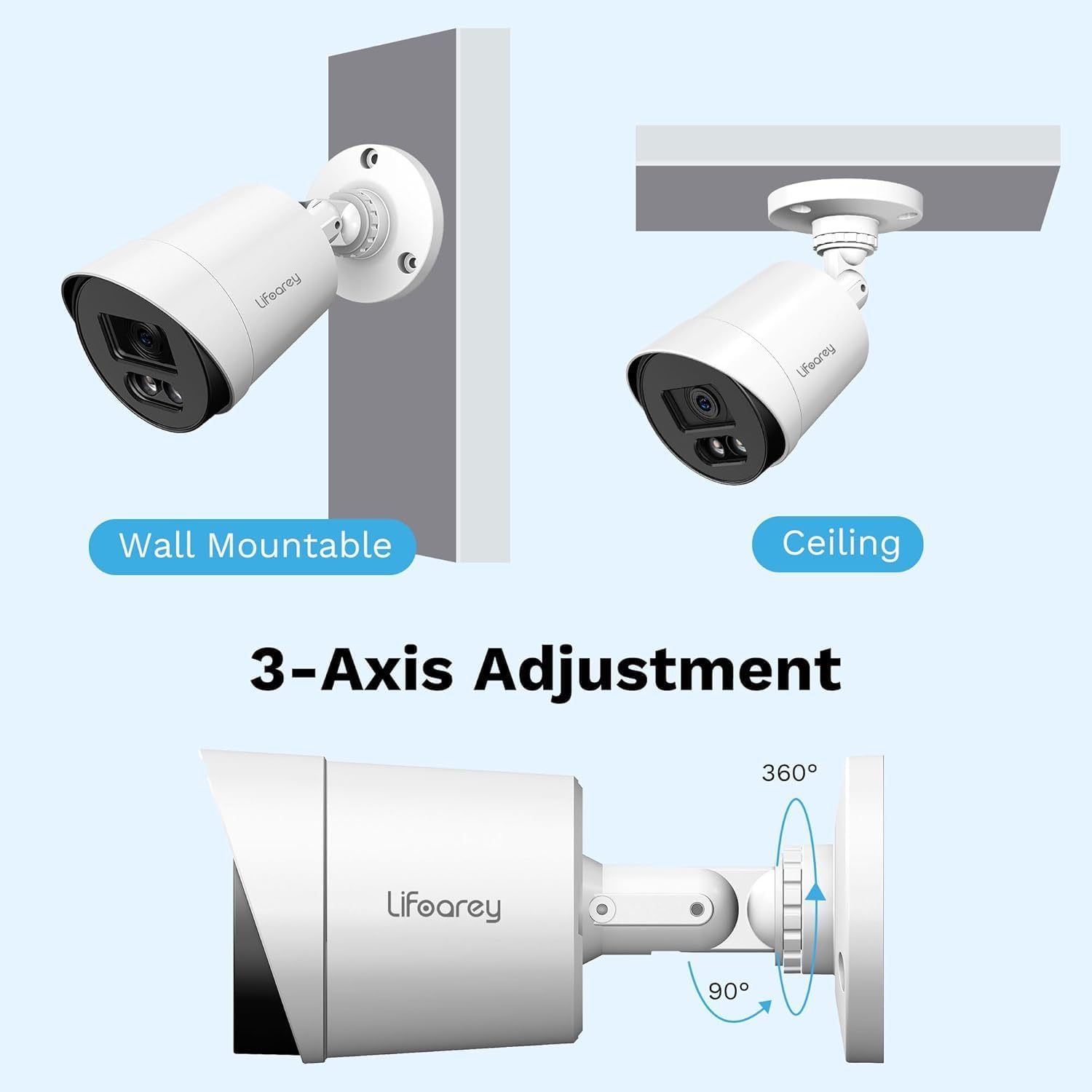
Figure 2: Mounting Options and 3-Axis Adjustment. The camera offers flexible positioning with 360-degree rotation and 90-degree tilt capabilities.
- Choose a mounting surface that is stable and can support the camera's weight.
- Immarka l-punti tat-tħaffir billi tuża l-bażi tal-kamera bħala mudell.
- Ħaffra toqob pilota fil-punti mmarkati.
- Waħħal il-bażi tal-kamera mal-wiċċ billi tuża l-viti pprovduti.
- Adjust the camera's angle using the 3-axis adjustment mechanism to achieve the desired viewing żona.
3. Tqabbad il-Kamera
- Connect one end of the BNC cable to the camera's video output port.
- Connect the other end of the BNC cable to an available video input port on your DVR.
- Connect the 12V DC power supply to the camera's power input port and plug it into a power outlet.
- Once connected, the camera should power on.
4. Switching Video Output Mode (if necessary)
By factory default, the camera is set to 1080P@30fps HD-TVI. If your DVR uses a different format (CVI, AHD, or CVBS), you may need to switch the camera's video output mode. This is typically done via the DVR's OSD (On-Screen Display) menu or a physical switch on the camera cable (if available, consult your DVR manual for specific instructions on accessing camera OSD).

Figure 3: 4-in-1 CCTV Camera Compatibility. This camera supports TVI, CVI, AHD, and CVBS formats, ensuring broad compatibility with various DVR systems.
Istruzzjonijiet Operattivi
1. ViewIkel Livetage
After successful connection and power-up, access your DVR system. The camera's live feed should appear on the corresponding channel. Refer to your DVR's user manual for specific instructions on viewing live feeds and navigating channels.
2. Understanding Night Vision
This camera features 24/7 Full Time Color Night Vision, utilizing two built-in warm light LEDs. In low-light conditions, these LEDs automatically activate to provide vivid color images, unlike traditional IR cameras that produce black and white footage.

Figure 4: Color Night Vision in Operation. The camera's warm lights provide full-color visibility even in low-light nighttime conditions.

Figure 5: Full-Time Color vs. Ordinary IR Night Vision. Experience superior nighttime clarity with full-color imaging compared to standard black and white infrared cameras.
3. Reġistrazzjoni u Daqq
The camera provides continuous 24/7 recording when connected to a compatible DVR. All recording and playback functions are managed through your DVR system. Consult your DVR's manual for detailed instructions on setting up recording schedules, motion detection, and reviewli rreġistra footage.
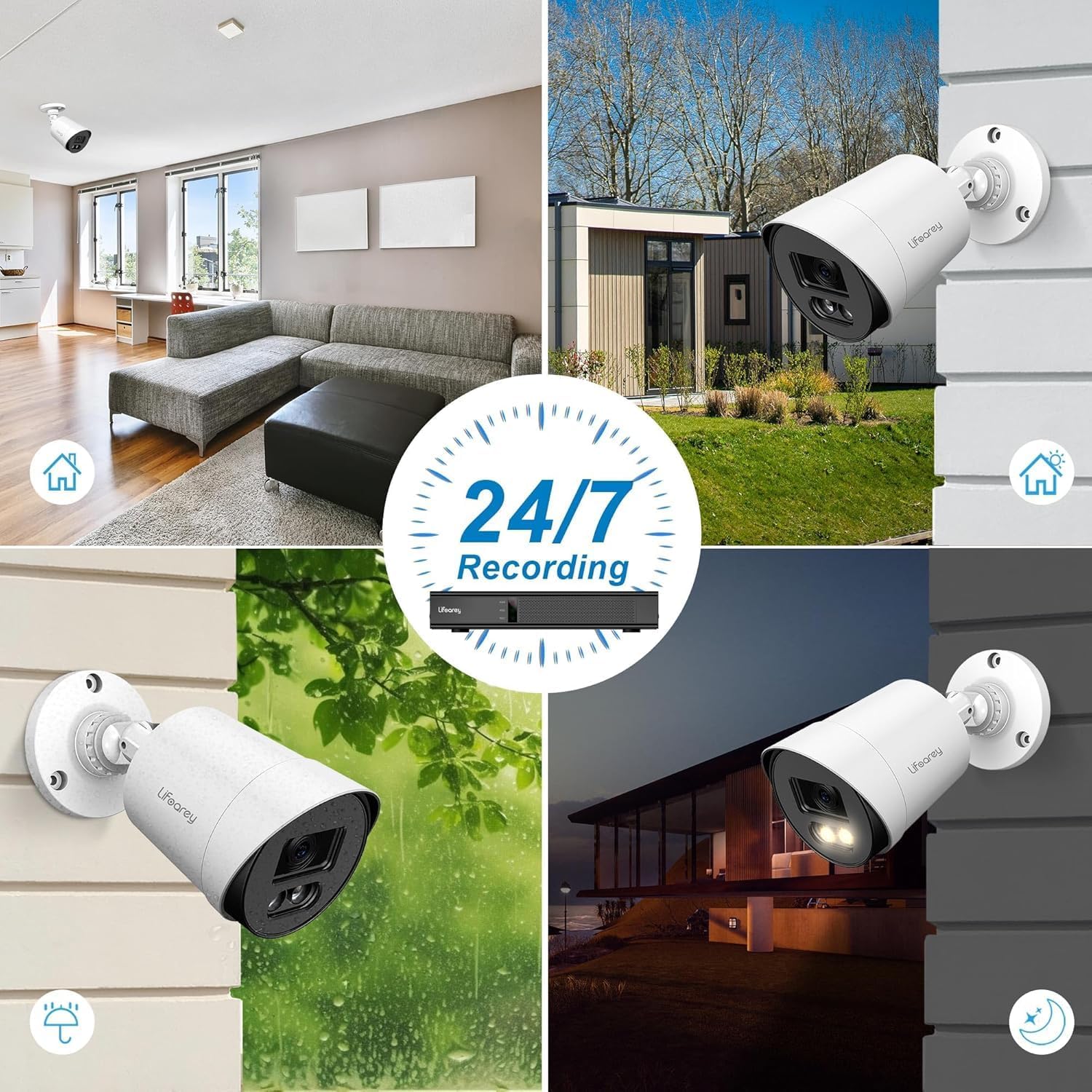
Figure 6: 24/7 Recording Capability. The camera is designed for continuous surveillance in various conditions, day and night.
Manutenzjoni
1. Tindif tal-Kamera
Regularly clean the camera lens and housing to ensure optimal image clarity. Use a soft, damp cloth to wipe away dust and dirt. Avoid abrasive cleaners or solvents that could damage the camera's finish or lens.
2. Reżistenza għat-temp
The camera is IP66 waterproof, designed to withstand various weather conditions. However, ensure that all cable connections are properly sealed and protected from direct water exposure to prevent damage.
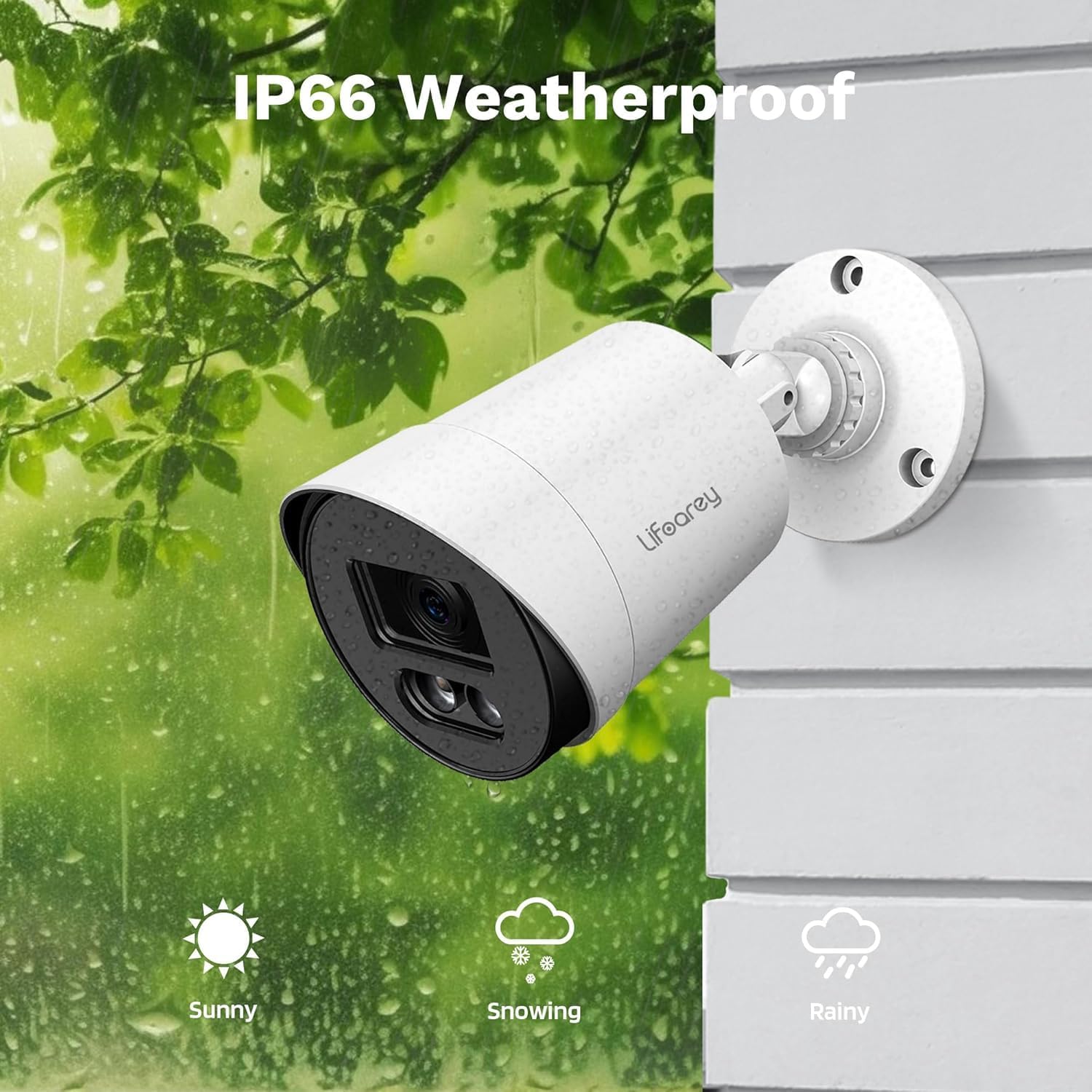
Figure 7: IP66 Weatherproof Design. The camera is built to endure diverse outdoor elements, ensuring reliable performance.
3. Cable and Connection Checks
Periodically inspect all cables and connections for any signs of wear, corrosion, or damage. Secure any loose connections to maintain stable video transmission and power supply.
Issolvi l-problemi
| Problema | Kawża Possibbli | Soluzzjoni |
|---|---|---|
| No image on DVR | No power to camera; Loose BNC cable connection; Incorrect video format; DVR channel not selected. | Check power supply and connections; Ensure BNC cable is securely connected; Verify camera video output matches DVR input (TVI/CVI/AHD/CVBS); Select correct DVR channel. |
| Poor image quality / Flickering | Dirty lens; Loose cable connection; Cable interference; Insufficient power. | Clean the camera lens; Secure all cable connections; Use shielded cables or relocate cables away from power lines; Ensure power supply meets camera requirements. |
| Night vision not working or dim | Insufficient ambient light for color vision; Warm LEDs not activating. | Ensure there is some ambient light for full-color night vision (e.g., streetlights, porch lights); Check camera settings via DVR OSD to ensure warm LEDs are enabled (if applicable). |
| Camera not recognized by DVR | Incompatible DVR; Incorrect video mode. | Confirm DVR supports 1080p resolution and the camera's video formats (TVI/CVI/AHD/CVBS); Switch camera's video output mode to match DVR. |
Speċifikazzjonijiet
| Karatteristika | Dettall |
|---|---|
| Numru tal-Mudell | RL-HD082YC-HD2053 |
| Riżoluzzjoni tal-Qbid tal-Vidjo | 1080p (1920 x 1080) |
| Frame Rata | 30 frejm kull sekonda |
| Lenti | 3.6mm |
| ViewIng Angolu | 82.2 Grad |
| Medda tal-Viżjoni Lejl | 100 Feet (Colorful Night Vision) |
| Teknoloġija tal-Konnettività | Powerline, Wired (BNC) |
| Apparati Kompatibbli | DVR/TVI/CVI/AHD/CVBS |
| Sors tal-Enerġija | Corded Elettriku (12 Volts DC) |
| Użu fuq ġewwa/barra | Ġewwa, Barra |
| Livell ta 'Reżistenza għall-Ilma | IP66 Waterproof |
| Materjal | Acrylonitrile Butadiene Styrene (ABS) |
| Dimensjonijiet (L x W x H) | 3.2 x 3.2 x 6.5 pulzieri |
| Piż tal-oġġett | 8.1 uqija |
| Tip ta' Sors tad-Dawl | LED (Warm Light) |
| Tip ta 'Immuntar | Ceiling Mount, Wall-Mounted |
Garanzija u Appoġġ
This lifoarey security camera comes with a Garanzija ta 'sentejn mid-data tax-xiri. Din il-garanzija tkopri difetti fil-manifattura u malfunzjonamenti taħt użu normali.
For technical support, warranty claims, or any questions regarding your product, please contact lifoarey customer support:
- Email: support@lifoarey.com
- Appoġġ onlajn: Visit the official lifoarey websit għal FAQs u riżorsi addizzjonali.
Please have your model number (RL-HD082YC-HD2053) and purchase details ready when contacting support.
Ask a question about this manual
Ask about setup, troubleshooting, compatibility, parts, safety, or missing instructions. Manuals+ will review the question and use this page’s manual context to help answer it.