
STRONG SRT32HG6733C
STRONG SRT32HG6733C 32-inch HD Android Smart TV User Manual
Model: SRT32HG6733C
Introduzzjoni
This manual provides essential information for the setup, operation, and maintenance of your STRONG SRT32HG6733C 32-inch HD Android Smart TV. Please read these instructions carefully before using the product to ensure proper functionality and safety.
X'hemm fil-Kaxxa
Meta tiftaħ il-pakkett, ivverifika li l-oġġetti kollha elenkati hawn taħt huma preżenti u f'kundizzjoni tajba:
- STRONG SRT32HG6733C TV Unit
- Remote control with voice recognition
- 2 x batteriji AAA
- Manwal għall-Utent (dan id-dokument)

Image: The STRONG SRT32HG6733C TV unit with its central stand, remote control, and included accessories.
Setup
1. Twaħħil tal-Istand
Carefully place the TV screen-down on a soft, clean surface to prevent scratches. Align the central stand with the mounting holes on the bottom of the TV. Secure the stand using the provided screws. Ensure the stand is firmly attached before proceeding.

Immaġni: Wara view of the TV showing the central stand attachment points and various input ports.
2. Qawwa tal-Konnessjoni
Ipplaggja l-korda tal-enerġija fid-dħul tal-enerġija tat-TV, imbagħad f'sokit tal-ħajt. It-TV jidħol fil-modalità standby.
3. Is-Setup Inizjali u l-Konnessjoni tan-Netwerk
Upon first power-on, the TV will guide you through the initial setup process. This includes language selection, country, and network connection. For optimal Smart TV functionality, connect to your Wi-Fi network. You can also connect via an Ethernet cable for a stable wired connection.

Image: The TV screen displaying connectivity options, highlighting Wi-Fi and Bluetooth symbols.
Istruzzjonijiet Operattivi
Funzjonijiet Bażiċi
- Power On/Off: Agħfas il-buttuna tal-qawwa fuq il-kontroll remot jew fuq it-TV.
- Għażla tal-Kanal: Use the CH+/- buttons or the number pad on the remote.
- Kontroll tal-Volum: Uża l-buttuni VOL+/-.
- Sors tad-dħul: Press the SOURCE button to select between HDMI, AV, DVB-T/T2, DVB-C, DVB-S/S2 inputs.
Karatteristiċi tat-TV Intelliġenti (Google TV)
Your TV runs on Google TV, providing access to a wide range of applications and services.
- Skrin tad-dar: Access your favorite apps, movies, and shows directly from the customizable home screen.
- Applikazzjonijiet ta' Streaming: Pre-installed apps include Netflix, Prime Video, YouTube, and Disney+. Additional apps can be downloaded from the Google Play Store.
- Google Assistent: Use the voice recognition remote to control your TV, search for content, and get information by pressing the Google Assistant button and speaking your command.
- Google Cast: Stream content from your compatible smartphone or tablet directly to the TV.

Image: The TV screen showing the Google TV interface with icons for Netflix, YouTube, Prime Video, Disney+, and other streaming services.

Image: A user holding the voice-controlled remote, with a visual representation of Google Assistant responding to a voice command on the TV screen.
Konnettività
It-TV joffri diversi portijiet għall-konnessjoni ta' apparati esterni:
- Portijiet HDMI (x2): Qabbad plejers tal-Blu-ray, konsols tal-logħob, jew apparati oħra li jaħdmu bl-HDMI.
- Port tal-USB (x1): Daqq tal-midja files (photos, videos, music) from a USB storage device.
- Ethernet (RJ45) Port: Għal konnessjoni tal-internet bil-fili.
- Antenna (ANT in) / Satellite (SAT in) Inputs: Connect your terrestrial or satellite antenna for live TV.
- Slott CI: Għal Moduli ta' Aċċess Kondizzjonali (CAM) biex jiddeċifraw kanali kriptati.
- Output SPDIF: Għal ħruġ awdjo diġitali għal soundbar jew sistema ta' home theater.
- Dħul AV: Għall-konnessjoni ta' apparati eqdem li jużaw vidjo kompost u awdjo stereo.
- Ħruġ tal-headphones: Għall-konnessjoni tal-headphones.

Immaġni: Wara dettaljata view of the TV highlighting all available input and output ports, including AV in, HDMI, USB, Ethernet, S/PDIF, ANT in, SAT in, CI slot, and Headphone output.
Vidjo: Preċedenza qasiraview demonstrating the TV's use in a mobile setting, such as a camper van, showing its compact size and clear display for entertainment on the go.
Manutenzjoni
Tindif tat-TV
Biex tnaddaf l-iskrin, imsaħ bil-mod b'ċarruta ratba u mingħajr suf. Għal marki persistenti, imsaħ ftit.ampen the cloth with water or a screen-cleaning solution. Avoid using harsh chemicals or abrasive materials. Clean the TV casinNaddaf b'ċarruta niexfa u ratba.
Aġġornamenti tas-Software
Your Android TV may receive software updates periodically. Ensure your TV is connected to the internet to receive these updates. Updates can improve performance, add new features, and enhance security. You can check for updates manually in the TV's settings menu.
Issolvi l-problemi
| Problema | Soluzzjoni Possibbli |
|---|---|
| Ebda qawwa | Check if the power cord is securely plugged into the TV and the wall outlet. Ensure the outlet is functional. |
| L-ebda stampa, iżda l-ħoss huwa preżenti | Iċċekkja li s-sors tad-dħul korrett huwa magħżul. Iċċekkja l-konnessjonijiet tal-kejbil ma' apparati esterni. |
| L-ebda ħoss, iżda l-istampa hija preżenti | Check the volume level and mute status. Ensure audio cables are correctly connected if using external speakers. |
| Il-kontroll mill-bogħod ma jaħdimx | Ibdel il-batteriji. Kun żgur li m'hemm l-ebda ostaklu bejn ir-remote u s-senser IR tat-TV. |
| Ma tistax tikkonnettja mal-Wi-Fi | Ensure your router is on and working. Re-enter the Wi-Fi password. Try restarting both the TV and the router. |
| L-apps tat-TV intelliġenti huma bil-mod jew ma jirrispondux | Check your internet connection speed. Close unused applications. Restart the TV. |
Speċifikazzjonijiet
| Karatteristika | Dettall |
|---|---|
| Numru tal-Mudell | SRT32HG6733C |
| Daqs tal-Iskrin | 32 pulzieri (81 ċm) |
| Teknoloġija tal-Wiri | LED |
| Riżoluzzjoni | Lest għall-HD (1366 x 768p) |
| Sistema Operattiva | Google TV |
| Konnettività | Wi-Fi, Bluetooth, 2x HDMI, 1x USB, Ethernet (RJ45), AV In, SPDIF, ANT in, SAT in, CI Slot |
| Tuners | DVB-T/T2, DVB-C, DVB-S/S2 (HEVC 265 codec) |
| Karatteristiċi Speċjali | Google Assistant, Google Cast, Dolby Audio |
| Dimensjonijiet (W x D x H) | 71.8 x 22.3 x 45.2 ċm (bl-istand) |
| Komponenti Inklużi | TV, Voice Remote, 2x AAA Batteries, Manual |
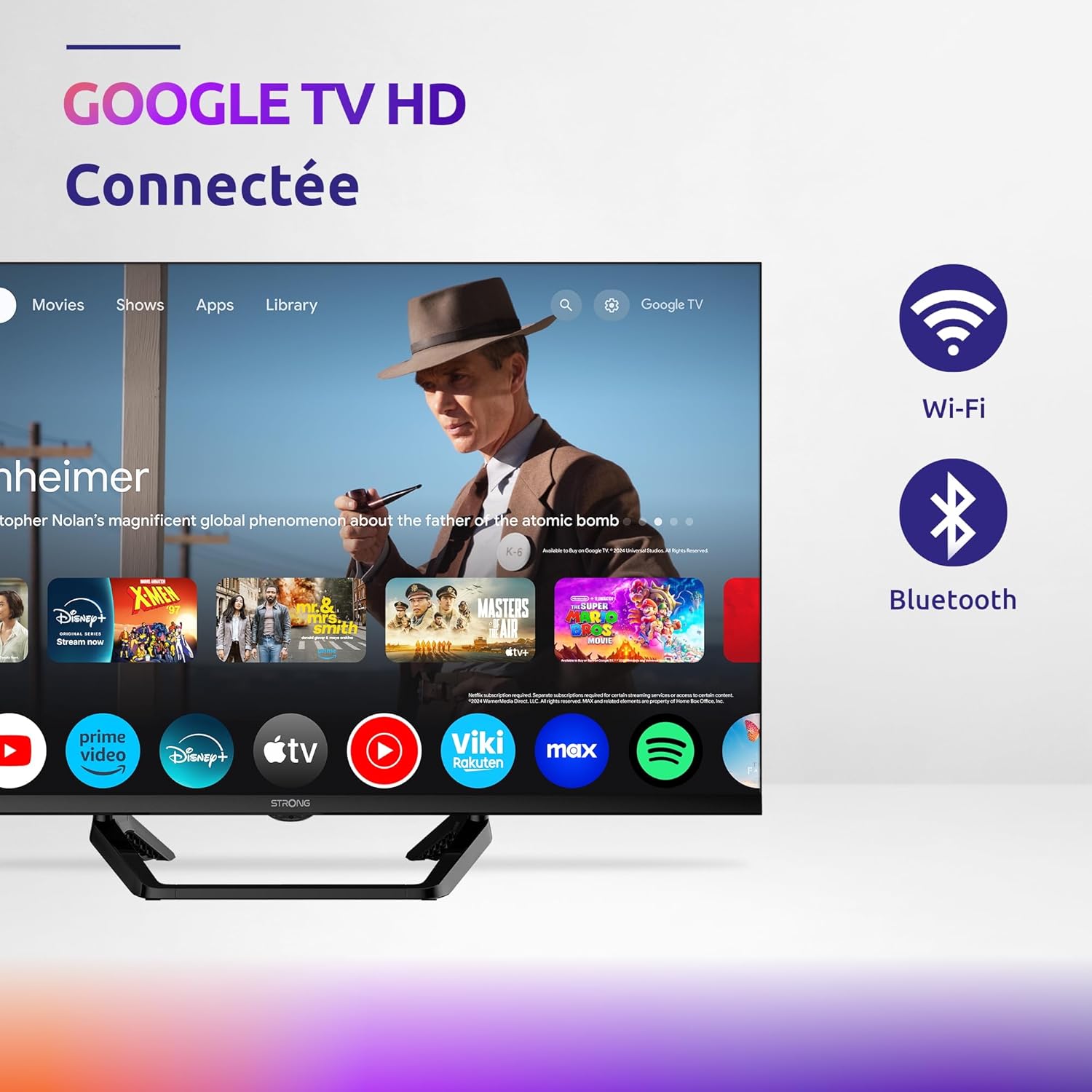
Image: Diagram showing the dimensions of the STRONG SRT32HG6733C TV, including width, height, and depth with the central stand.
Garanzija u Appoġġ
This product comes with a manufacturer's warranty of 24 months. For warranty claims or technical support, please refer to the contact information provided on the official STRONG webis-sit jew id-dokumentazzjoni tax-xiri tiegħek.
For frequently asked questions and additional resources, visit the STRONG Brand Store.


Images: Icons representing warranty information and frequently asked questions.