
1. Introduzzjoni
This manual provides detailed instructions for setting up, operating, maintaining, and troubleshooting your ASUS RT-BE82U BE6500 Dual-Band WiFi 7 Router. Please read this manual thoroughly before using the device to ensure optimal performance and safety.
Karatteristiċi ewlenin:
- Ultrafast WiFi 7 (802.11be) dual-band speeds up to 6500 Mbps.
- Five 2.5GbE Ports for optimized wired connectivity.
- Smart AiMesh Extendable Network for whole-home seamless roaming.
- Multi-link Operation for stable internet connections and efficient data transfers.
- Commercial-Grade AiProtection Pro powered by Trend Micro for advanced network security.
- Advanced Parental Controls for managing internet activity.
2. Kontenut tal-Pakkett
Ivverifika li l-oġġetti kollha huma preżenti fil-pakkett tiegħek:
- ASUS RT-BE82U Router
- Kejbil RJ-45
- Adapter tal-enerġija
- Gwida Quick Start
- Karta tal-garanzija
3. Setup u Installazzjoni
Follow these steps to set up your ASUS RT-BE82U router:
- Iftaħ ir-Router mill-pakkett: Oħroġ bir-reqqa r-router u l-aċċessorji kollha mill-imballaġġ.
- Qabbad l-antenni: Ensure all four external antennas are securely attached and positioned for optimal signal.
- Qabbad mal-Internet:
- Connect one end of the provided RJ-45 cable to the WAN port (blue) on the back of the RT-BE82U router.
- Qabbad it-tarf l-ieħor tal-kejbil RJ-45 mal-port LAN tal-modem tiegħek.
- Qawwa Mixgħul: Connect the power adapter to the router's DC-IN port and then plug it into a power outlet. Press the power button to turn on the router.
- Initial Configuration (via ASUS Router App):
- Download the ASUS Router app from your mobile device's app store (available on iOS and Android).
- Open the app and follow the on-screen instructions to detect and configure your new router. This includes setting up your Wi-Fi network name (SSID) and password.
- Ivverifika l-Konnessjoni: Once setup is complete, check the LED indicators on the front of the router. The WAN, 2.4GHz, and 5GHz LEDs should be solid white, indicating a successful connection.

Figura 3.1: Quddiem view of the ASUS RT-BE82U BE6500 Dual-Band WiFi 7 Router with antennas extended.

Figura 3.2: Wara view showing the 2.5GbE WAN, 2.5GbE LAN ports, USB WAN, DC-IN, Power button, and Reset button.
4. It-Tħaddim tar-Router Tiegħek
4.1. Network Management via ASUS Router App
The ASUS Router app provides comprehensive control over your network. You can:
- Immonitorja t-traffiku tan-netwerk u l-apparati konnessi.
- Manage Wi-Fi settings for 2.4GHz and 5GHz bands.
- Issettja netwerks tal-mistednin għall-viżitaturi.
- Configure advanced security features like AiProtection Pro.
- Implement parental controls to manage internet access for family members.

Figure 4.1: ASUS Router App interface for managing parental controls and network settings.
4.2. AiMesh System
The RT-BE82U supports ASUS AiMesh technology, allowing you to create a whole-home mesh Wi-Fi system by adding compatible ASUS routers. This extends coverage and eliminates Wi-Fi dead zones, providing seamless roaming throughout your home.
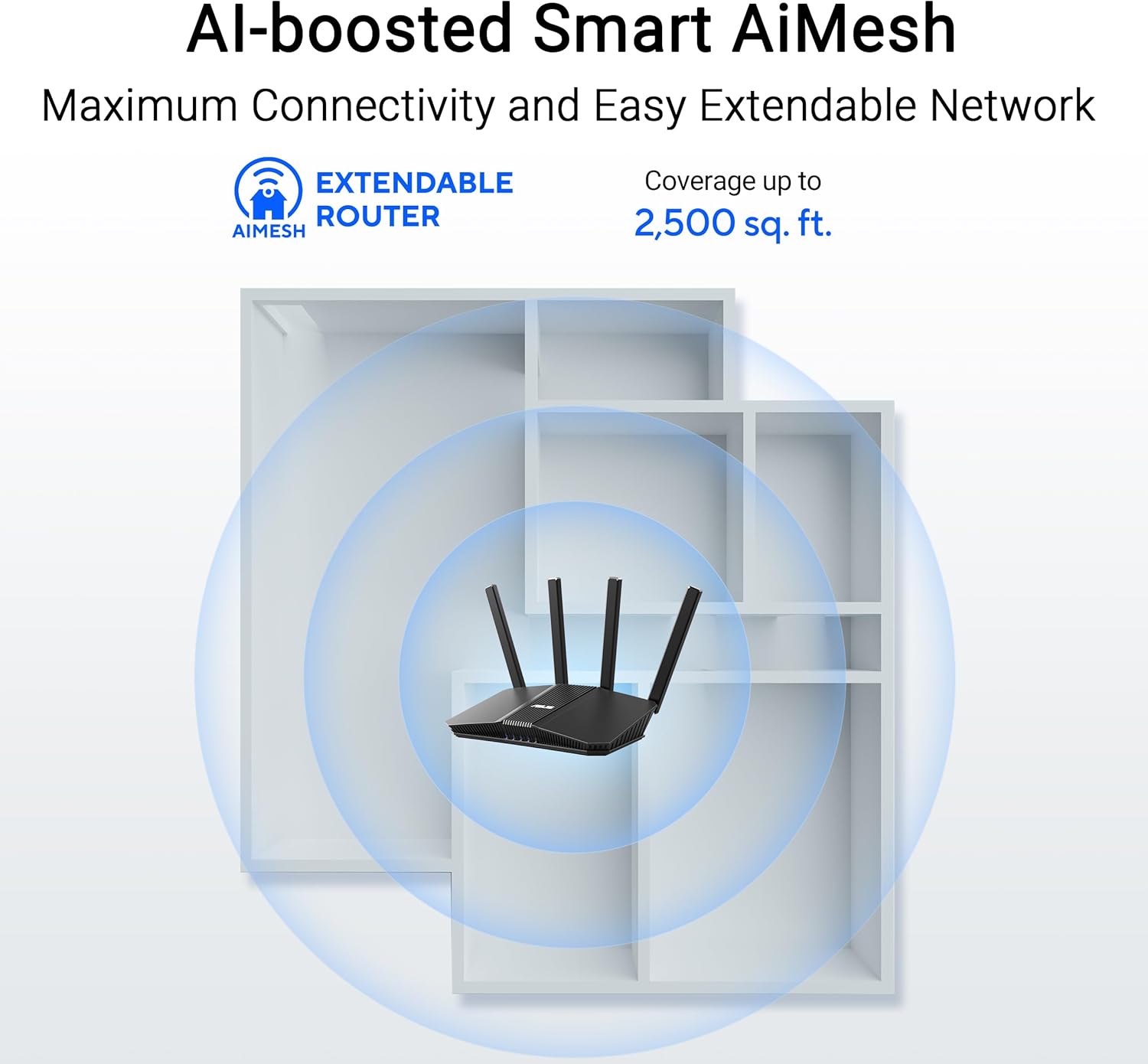
Figure 4.2: AiMesh system extending Wi-Fi coverage up to 2,500 sq. ft.
4.3. Advanced Network Security
The router includes AiProtection Pro, a commercial-grade network security suite. This feature provides real-time network protection against internet threats, malicious websites, and intrusion prevention. It also offers a one-tap security scan and Safe Browsing features.

Figure 4.3: AiProtection Pro interface within the ASUS Router App.
5. Manutenzjoni
To ensure the longevity and optimal performance of your router, consider the following maintenance tips:
- Aġġornamenti tal-Firmware: Regularly check for and install firmware updates via the ASUS Router app or the web interface. Updates often include security patches and performance improvements.
- Pjazzament: Place the router in a central location, away from obstructions and other electronic devices that may cause interference. Ensure good airflow around the device to prevent overheating.
- Tindif: Żomm ir-router nadif u ħieles mit-trab. Uża drapp artab u niexef biex timsaħ il-barra. Tużax prodotti tat-tindif likwidi.
- Erġa' ibda Perjodikament: A periodic restart (e.g., once a month) can help clear temporary issues and refresh network performance.
6 Issolvi l-problemi
Jekk tiltaqa' ma' problemi bir-router tiegħek, ipprova l-passi li ġejjin għas-soluzzjoni tal-problemi:
- Ebda Konnessjoni tal-Internet:
- Iċċekkja l-konnessjonijiet kollha tal-kejbil (WAN, LAN, enerġija) biex tiżgura li huma sikuri.
- Erġa' ibda l-modem tiegħek u mbagħad ir-router tiegħek.
- Iċċekkja li l-konnessjoni tal-fornitur tas-servizz tal-internet tiegħek (ISP) hija attiva.
- Veloċità baxxa tal-Wi-Fi:
- Ensure your devices are connected to the 5GHz band for faster speeds, if supported.
- Naqqas l-interferenza billi tmexxi r-router 'il bogħod minn apparat elettroniku ieħor.
- Iċċekkja għal applikazzjonijiet li jużaw ħafna bandwidth u li jaħdmu fl-isfond.
- Consider adding an AiMesh node to extend coverage if you have dead zones.
- Ma nistax naċċessa s-Settings tar-Router:
- Kun żgur li t-tagħmir tiegħek huwa konness man-netwerk Wi-Fi tar-router jew permezz ta' kejbil Ethernet.
- Try accessing the router's web interface using the default IP address (e.g., 192.168.1.1) or via the ASUS Router app.
- Irrisettjar tal-Fabbrika: If all else fails, perform a factory reset. Locate the Reset button on the back of the router (refer to Figure 3.2), press and hold it for 5-10 seconds until the power LED blinks, then release. This will restore the router to its default settings.
7. Speċifikazzjonijiet
| Karatteristika | Dettall |
|---|---|
| Brand | ASUS |
| Isem tal-Mudell | RT-BE82U |
| Klassi ta' Banda ta' Frekwenza | Doppju-Band |
| Komunikazzjoni mingħajr fili Standard | 802.11be (WiFi 7), 802.11ac, 802.11ax, 802.11n |
| Rata ta' Trasferiment tad-Data | Sa 6500 Mbps (5764 Mbps fuq 5 GHz, 688 Mbps fuq 2.4 GHz) |
| Numru ta' Portijiet | 5 (Five 2.5GbE Ports) |
| Tip ta' Antenna | Fixed (4 Antennas) |
| Protokoll ta 'Sigurtà | AiProtection, VPN, Let's Encrypt, DNS-over-TLS, SSH, Security Scan, Firewall, WPS support, WPA/WPA2/WPA3-Personal, WPA/WPA2-Enterprise, WPS |
| AiMesh Support | Yes (Extendable Router) |
| Dimensjonijiet (L x W x H) | 5.8"T x 3.8"W x 9.3"Għ |
| Piż tal-oġġett | 1.1 Liri |
8. Informazzjoni dwar Garanzija
The ASUS RT-BE82U BE6500 Dual-Band WiFi 7 Router comes with a garanzija ta 'sena. Please refer to the included Warranty Card in your package for detailed terms and conditions, including information on service and support.
9. Appoġġ
For further assistance, technical support, or to download the latest drivers and firmware, please visit the official ASUS support website or use the ASUS Router app. You can also find additional resources and FAQs on the ASUS websit.
Appoġġ ASUS Websit: www.asus.com/support/
App ASUS Router: Available on the Apple App Store and Google Play Store.