
1. Informazzjoni Importanti dwar is-Sigurtà
Please read all safety instructions carefully before using the VETEK NPX108 camcorder. Keep this manual for future reference.
- Tesponix il-kamera għall-ilma jew l-umdità.
- Evita temperaturi estremi.
- Tippruvax iżarma jew isewwi l-kamera lilek innifsek.
- Uża biss aċċessorji u adapters tal-enerġija approvati.
- Żomm fejn ma jintlaħaqx mit-tfal.
2. Kontenut tal-Pakkett
Ivverifika li l-oġġetti kollha huma preżenti fil-pakkett tiegħek:
- VETEK NPX108 4K Camcorder
- Stabbilizzatur li jinżamm fl-idejn
- Lens Hood
- Mikrofonu
- Imla Dawl
- 64GB SD Card
- Kontroll mill-bogħod
- Batterija DV-108 (4500mAh)
- Cable USB
- Ċarġer tal
- Kamra tal-Borża
- Manwal għall-Utent

Image: The VETEK NPX108 camcorder with all included accessories, such as the handheld stabilizer, microphone, fill light, SD card, battery, cables, and carrying bag.

Image: A visual representation of the camcorder and its accessories, including microphone, remote control, LED lights, lens hood, battery, bag, 64GB SD card, data line, charger, and user manual.
3. Prodott Aktarview
3.1. Komponenti u Kontrolli

Image: A multi-angle diagram of the camcorder highlighting key components such as Handle Charging Port, Battery, Video Button, Photo Button, Confirmation Button/Control Wheel, DISP Button, USB Interface/Camera Charging Port, MIC Interface, HDMI Interface, Lens, Power Button, Menu Button, Mode Button, Playback Button, SD Card Slot, Speaker, Handle Hot Shoe, Handle Video/Photo Button, Handle Digital Zoom, Camera Zoom, and Camera Hot Shoe.
The VETEK NPX108 camcorder features a 4.0-inch 270-degree rotating touchscreen for flexible viewing and control. It supports 4K Ultra HD 60FPS video resolution and 64MP image resolution, with 18X digital zoom.

Image: The VETEK NPX108 camcorder showcasing its 4K UHD capabilities, 64MP resolution, 270-degree rotating screen, and 3.0-inch HD touch screen.
4. Setup
4.1. Installazzjoni u Iċċarġjar tal-batterija
The camcorder uses a 4500mAh Lithium Polymer battery. Ensure the battery is fully charged before first use.
- Iftaħ l-għatu tal-kompartiment tal-batterija.
- Insert the battery according to the polarity indicators.
- Agħlaq l-għatu tal-kompartiment tal-batterija sew.
- Connect the USB cable to the camera's charging port and the charger, then plug into a power outlet. The camera supports recording while charging.

Image: The camcorder displaying a 93% battery charge on its screen, emphasizing its 4500mAh battery for longer shooting times.
4.2. Installazzjoni tal-Kard SD
The camcorder comes with a 64GB SD card. Insert it correctly to store your recordings.
- Sib l-islott tal-karta SD fuq il-kamera.
- Daħħal il-kard SD bil-kuntatti tal-metall iħarsu fid-direzzjoni t-tajba sakemm tikklikkja f'postha.
- To remove, gently press the card until it ejects.
4.3. Twaħħil tal-Aċċessorji
Attach the included accessories for enhanced functionality.
- Stabbilizzatur li jinżamm fl-idejn: Attach the stabilizer to the bottom of the camera for improved stability, especially for low-angle shots. It includes zoom and shooting buttons for convenience.
- Mikrofonu: Connect the external microphone to the MIC interface for clearer audio recording, reducing background noise.
- Imla Dawl: Mount the fill light onto the camera's hot shoe for additional illumination in low-light conditions. Adjust brightness and color temperature as needed.
- Lens Hood: Attach the lens hood to protect the lens from damage and improve image contrast by reducing glare.
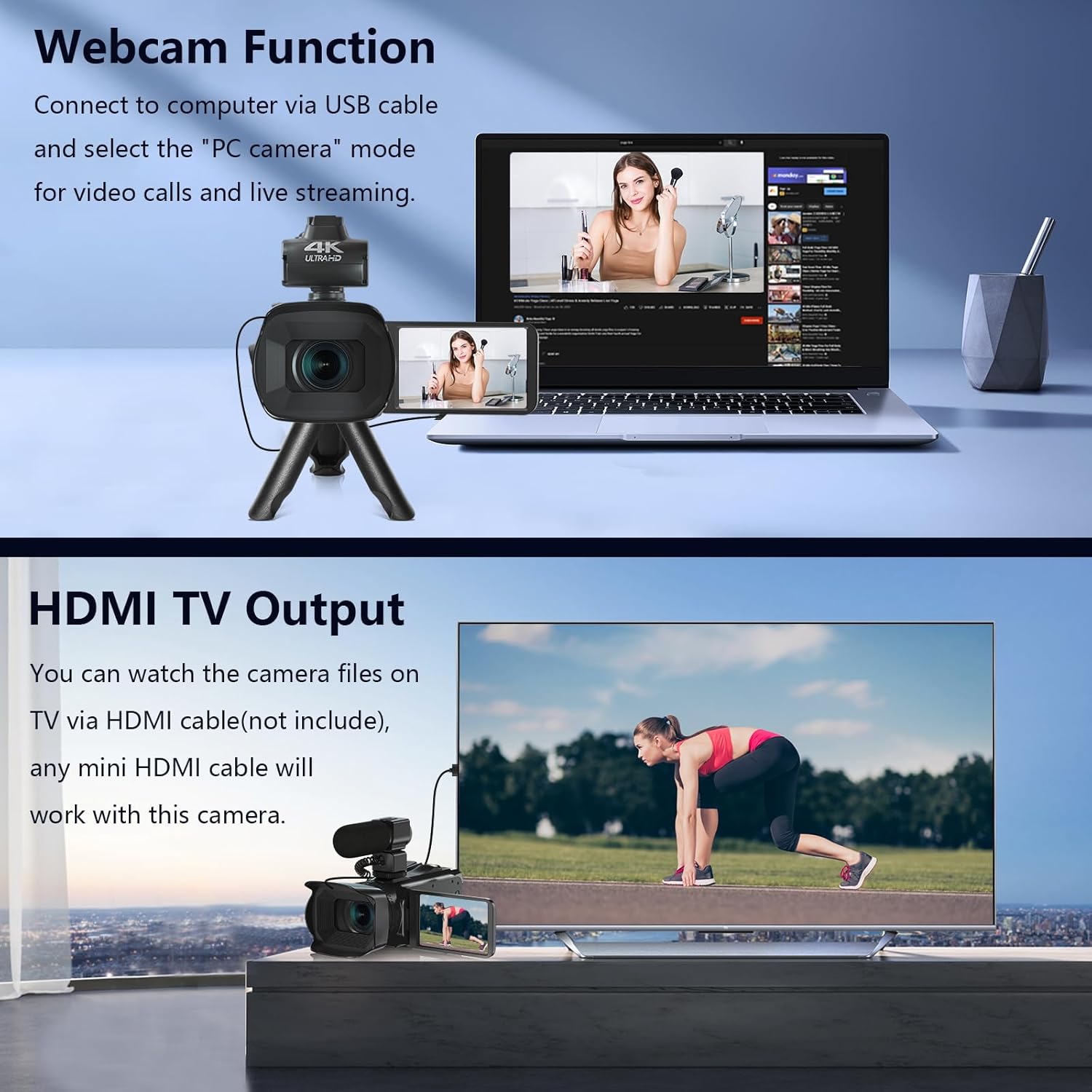
Image: The fill light accessory demonstrating its adjustable brightness (100%, 50%, 10%) and color temperature (3300K-5600K) settings, with examples of white light, white glow, and warm light.
5. It-tħaddim tal-Kamera
5.1. Power On/Off
Open the LCD screen to power on the camera. Close it to power off.
5.2. Basic Recording (Video/Photo)
Use the dedicated Video and Photo buttons to switch between modes and start/stop recording or capture images.
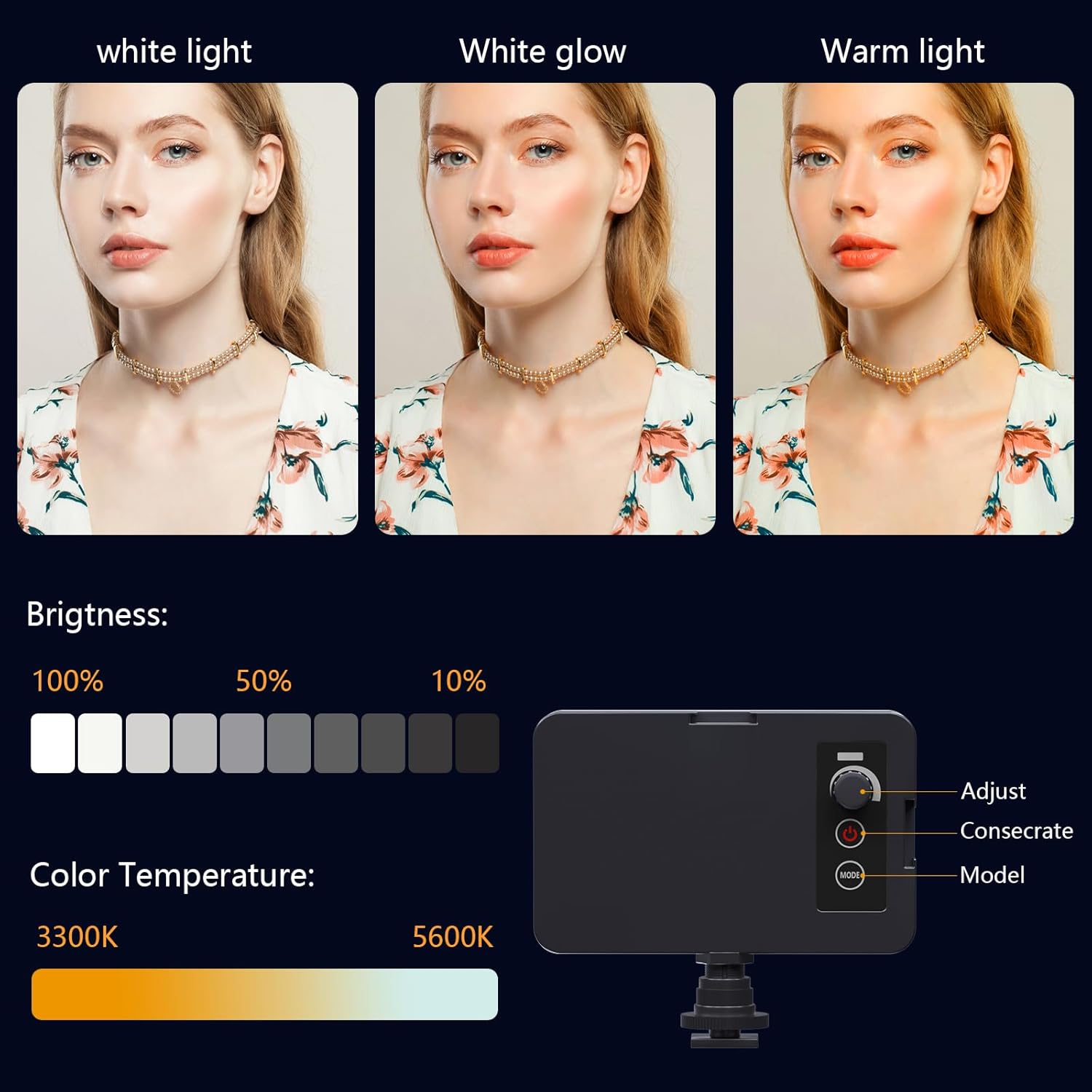
Image: The camcorder recording a 4K 60FPS video, with smaller inset images showing the effect of 18X, 16X, and 12X digital zoom on a subject.
5.3. Funzjoni taż-Żum
Use the zoom controls on the camera body or handheld stabilizer to adjust the 18X digital zoom.
5.4. Tħaddim tal-Iskrin tat-Touch
Navigate menus and settings directly on the 4.0-inch touchscreen. The screen can rotate 270 degrees for versatile shooting angles.
5.5. Settings tal-Menu
Press the Menu button to access various settings such as resolution, white balance, exposure, and metering mode. Use the control wheel or touchscreen to make selections.
5.6. Konnessjoni Wi-Fi u Użu tal-App
Connect your smartphone to the camcorder via Wi-Fi to control it remotely and transfer files.
- Turn on Wi-Fi on the camcorder via the menu. The screen will display the Wi-Fi ID (e.g., 4K_WIFI) and password (e.g., 12345678), along with a QR code.
- Download the "IDC CAM" app by scanning the QR code or searching on your app store.
- On your smartphone, go to Wi-Fi settings and connect to the camcorder's Wi-Fi network using the provided password.
- Open the "IDC CAM" app. You can now view a live feed, control recording, and capture photos remotely.

Image: The camcorder's screen showing Wi-Fi ID, password, and a QR code for downloading the companion app, with smartphones connected via Wi-Fi in the background.
For a visual guide on Wi-Fi connection and app usage, watch this video:
Video: This video demonstrates how to connect the NPX108 digital video camera to Wi-Fi and use the companion app for remote control and file ġestjoni.
5.7. WebCam Funzjoni
The camcorder can be used as a webcam for video calls and live streaming.
- Qabbad il-camcorder mal-kompjuter tiegħek billi tuża l-kejbil USB.
- On the camera's screen, select "PC CAM" mode.
- Your computer should now recognize the camcorder as a webcam.
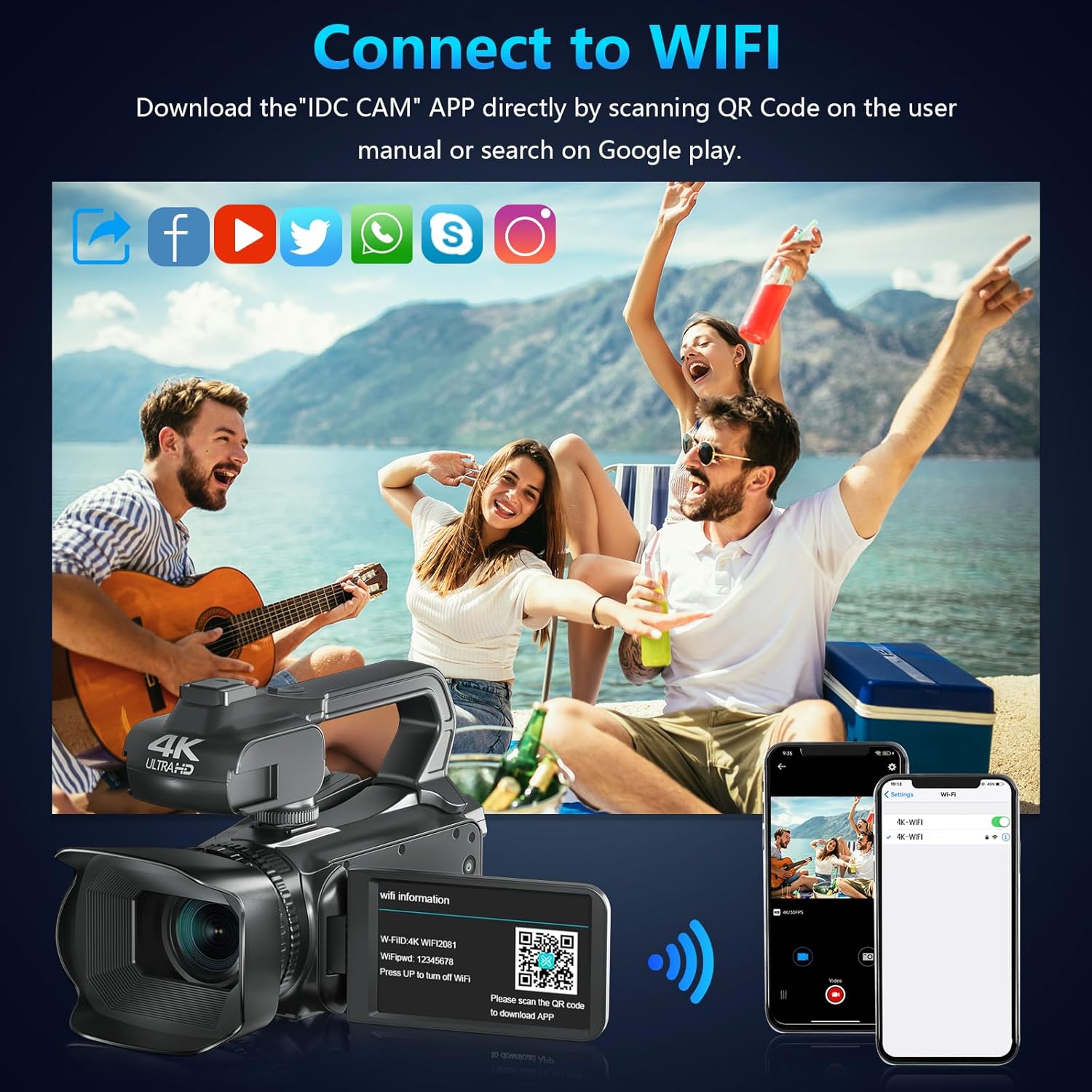
Image: The camcorder functioning as a webcam connected to a laptop, and also connected to a TV via HDMI for output.
5.8. HDMI TV Output
View your recorded videos and photos directly on a TV or monitor.
- Connect the camcorder to your TV using a mini HDMI cable (not included).
- Agħżel l-input HDMI xieraq fuq it-TV tiegħek.
- The camera's display will now be mirrored on your TV.

Image: The camcorder connected to a laptop for live streaming (webcam mode) and to a TV via an HDMI cable for real-time viewkontenut.
5.9. Karatteristiċi Speċjali
- Reġistrazzjoni Waqt l-Iċċarġjar: Continue recording even when the battery is low by connecting the charger.
- Mozzjoni bil-mod: Capture dynamic scenes in slow motion.
- Time-Lapse: Record events over an extended period and condense them into a short video.
- Self-Timer: Set a delay before capturing a photo or starting a video.
- Kontra t-Tħawwad: Digital image stabilization helps reduce blur from camera movement.
- Viżjoni bil-lejl: Aqbad ikel ċartage f'kundizzjonijiet ta 'dawl baxx.

Image: A collage demonstrating various camcorder features: recording while charging, pause function, continuous shooting, and anti-shake stabilization.

Image: A sequence of three images illustrating the time-lapse recording feature, capturing the progression of a sunset over water.
6. Manutenzjoni
6.1. Tindif
- Uża drapp artab u niexef biex tnaddaf il-korp tal-kamera.
- For the lens, use a lens cleaning cloth and specialized lens cleaning solution. Avoid touching the lens directly with your fingers.
- Clean the touchscreen with a microfiber cloth.
6.2. Ħażna
- When not in use, store the camera in its protective bag in a cool, dry place.
- Neħħi l-batterija jekk il-kamera mhux se tintuża għal perjodu estiż.
7 Issolvi l-problemi
| Problema | Kawża Possibbli | Soluzzjoni |
|---|---|---|
| Il-kamera ma tixgħelx | Il-batterija mejta jew imdaħħla ħażin. | Iċċarġja l-batterija jew erġa’ daħħalha b’mod korrett. |
| Cannot record video/take photos | Il-kard SD hija mimlija, mhux imdaħħla, jew korrotta. | Insert a new SD card, ensure it's properly inserted, or format the card (this will erase all data). |
| Poor video/image quality | Lens is dirty, insufficient lighting, or incorrect settings. | Clean the lens, use the fill light, or adjust exposure/white balance settings. |
| Kwistjonijiet ta 'konnessjoni Wi-Fi | Incorrect password, app not installed, or distance too far. | Verify password, install "IDC CAM" app, ensure close proximity to camera. |
8. Speċifikazzjonijiet
- Ditta: VETEK
- Numru tal-Mudell: NPX108
- Riżoluzzjoni tal-Qbid tal-Vidjo: 4K (60FPS)
- Riżoluzzjoni tal-Immaġni: 64MP
- Żum diġitali: 18X
- Daqs tal-iskrin: 4.0 pulzieri (touchscreen li jdur 270 grad)
- Konnettività: Wi-Fi, USB, HDMI
- Karatteristiċi Speċjali: Fokus Awtomatiku, Reġistrazzjoni Waqt l-Iċċarġjar, Mozzjoni Bil-Mod, Time-Lapse, Webcam Function, Self-Timer, HD Output, External MIC Support, Handheld Stabilizer Support, Night Vision, Anti-Shake, Face Detection
- Batterija: Polimeru tal-litju 4500mAh (inkluż)
- Ħażna: Karta SD (64GB inkluża)
- Piż tal-oġġett: 3.56 liri
- Dimensjonijiet tal-Prodott: 6.7 x 3.8 x 3.9 pulzieri
9. Garanzija u Appoġġ
VETEK products are designed for quality and reliability. For any issues or inquiries, please refer to the following:
- Politika ta' Ritorn: Il-prodotti kollha huma eliġibbli għal ritorn bla ħlas fi żmien 30 jum mix-xiri.
- Servizz tal-Klijent: VETEK offers 24-hour customer service. Please contact us for assistance.
- Pjanijiet ta' Protezzjoni: Extended protection plans are available for purchase (e.g., 2-Year Protection Plan, 3-Year Protection Plan, Complete Protect).

Image: The VETEK brand logo, representing quality and customer commitment.