
1. Introduzzjoni
The Machenike K500W is a versatile mechanical gaming keyboard designed for performance and flexibility. It features a compact 94-key layout, tri-mode connectivity (Bluetooth, 2.4G wireless, and wired USB), hot-swappable switches, and customizable RGB backlighting. This manual provides essential information for setting up, operating, maintaining, and troubleshooting your K500W keyboard.
Karatteristiċi ewlenin:
- Tri-Mode Connectivity: Bluetooth 5.0, 2.4G Wireless, and Wired USB.
- 94-Key Compact Layout.
- 100% Anti-Ghosting & N-Key Rollover.
- Hot-Swappable Switches (compatible with 3/5-pin switches).
- PBT Doubleshot Keycaps.
- Customizable RGB Backlighting (20 effects, 16.8 million colors).
- Programmable Driver Software.
- Built-in 2500mAh Lithium Battery.
- Ħoss Damping Silicone Pad for improved acoustics.
2. Setup
2.1 Iċċarġjar inizjali
Before first use, ensure the keyboard is fully charged. Connect the keyboard to a USB power source using the provided USB-C cable. The charging indicator will show the charging status.
2.2 Konnessjoni tat-Tastiera
The Machenike K500W supports three connection modes:
2.2.1 Modalità bil-Fili
- Connect the USB-C cable to the keyboard and the other end to your computer's USB port.
- It-tastiera tiġi rikonoxxuta awtomatikament u tkun lesta għall-użu.
2.2.2 Modalità Wireless 2.4G
- Locate the 2.4G USB receiver, typically stored in a dedicated slot on the keyboard.
- Ipplaggja r-riċevitur USB 2.4G f'port USB disponibbli fuq il-kompjuter tiegħek.
- Switch the keyboard's mode selector to 2.4G wireless mode. The keyboard should connect automatically.
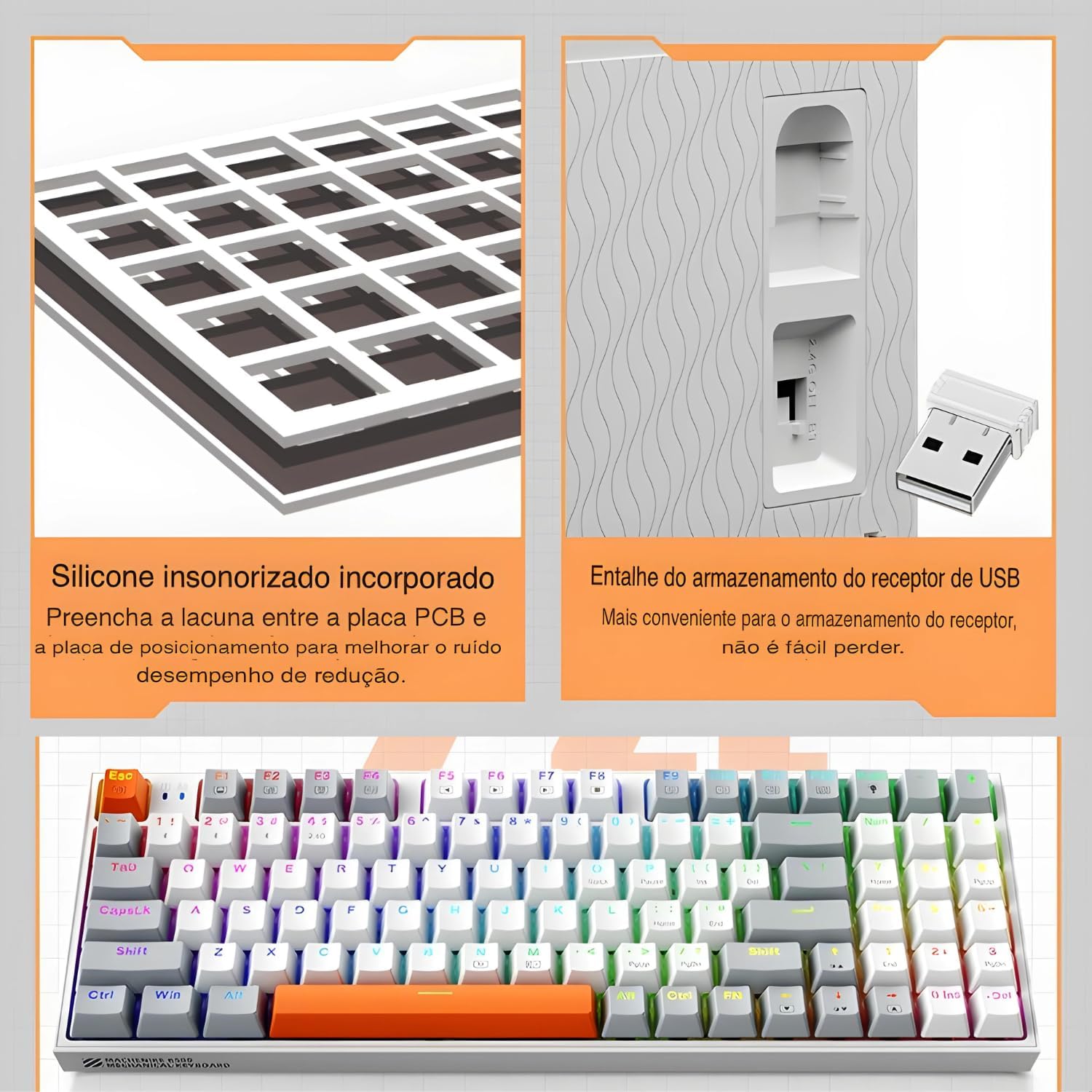
The keyboard features a silicone sound damping pad and a convenient storage slot for the 2.4G USB receiver.
2.2.3 Modalità Bluetooth
- Ibdel is-selettur tal-modalità tat-tastiera għall-modalità Bluetooth.
- Fuq il-kompjuter jew l-apparat tiegħek, attiva l-Bluetooth u fittex apparati ġodda.
- Select "Machenike K500W" from the list of available devices to pair.
- Jekk tintalab, daħħal il-kodiċi ta' tqabbil muri fuq l-iskrin tiegħek.

The Machenike K500W supports tri-mode connectivity, allowing connection to multiple devices like PCs, laptops, and smartphones.
3. Istruzzjonijiet Operattivi
3.1 It-tqassim u l-funzjonijiet taċ-ċwievet
The K500W features a compact 94-key layout, providing essential keys while saving desk space. Familiarize yourself with the key positions, especially the function (Fn) key combinations for multimedia and lighting controls.
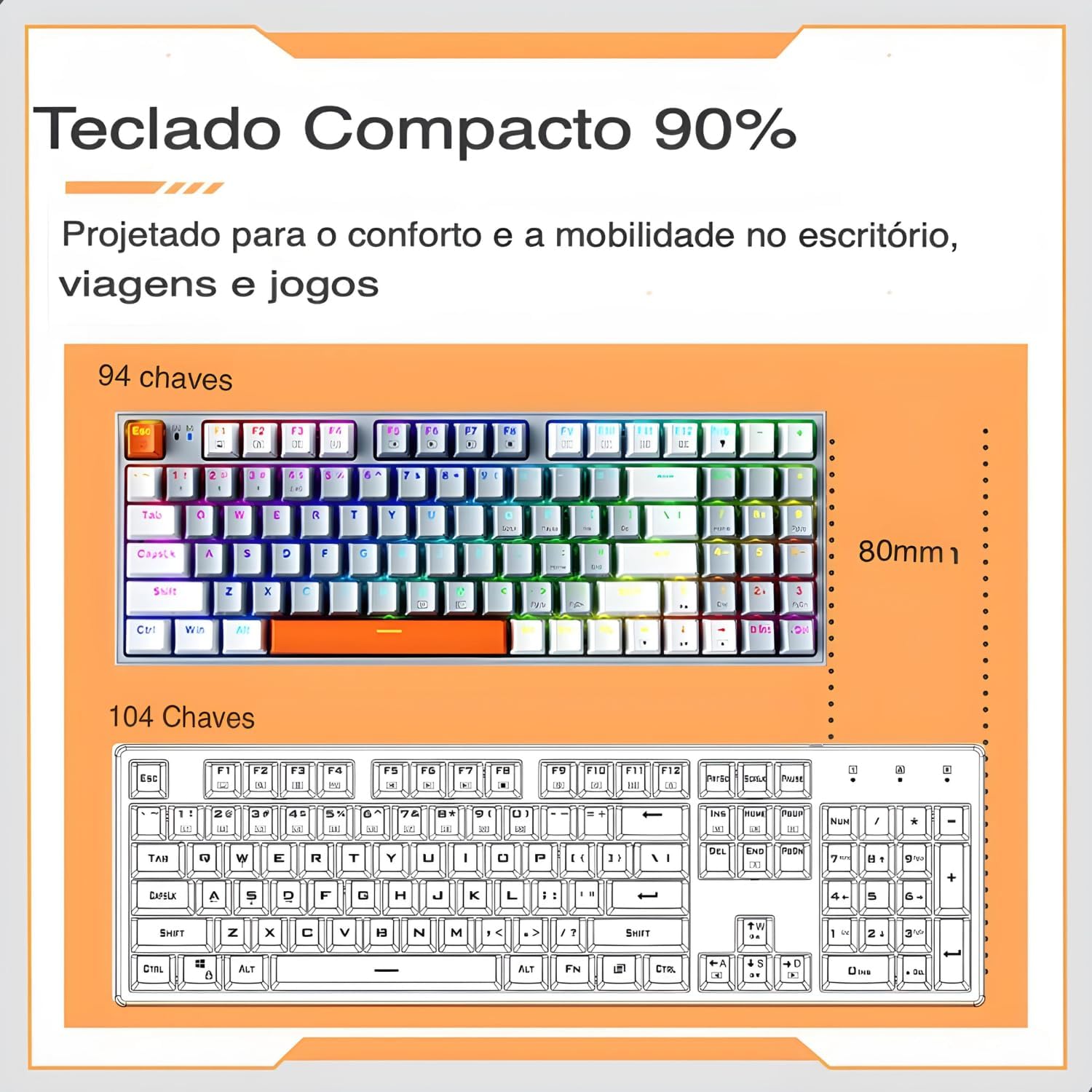
The 94-key compact layout offers more space for mouse movement compared to a 104-key keyboard.
3.2 Backlighting RGB
The keyboard features dynamic RGB backlighting with 20 lighting effects and approximately 16.8 million programmable colors. Use the dedicated function keys (often combined with the Fn key) to cycle through lighting modes, adjust brightness, and change speed.
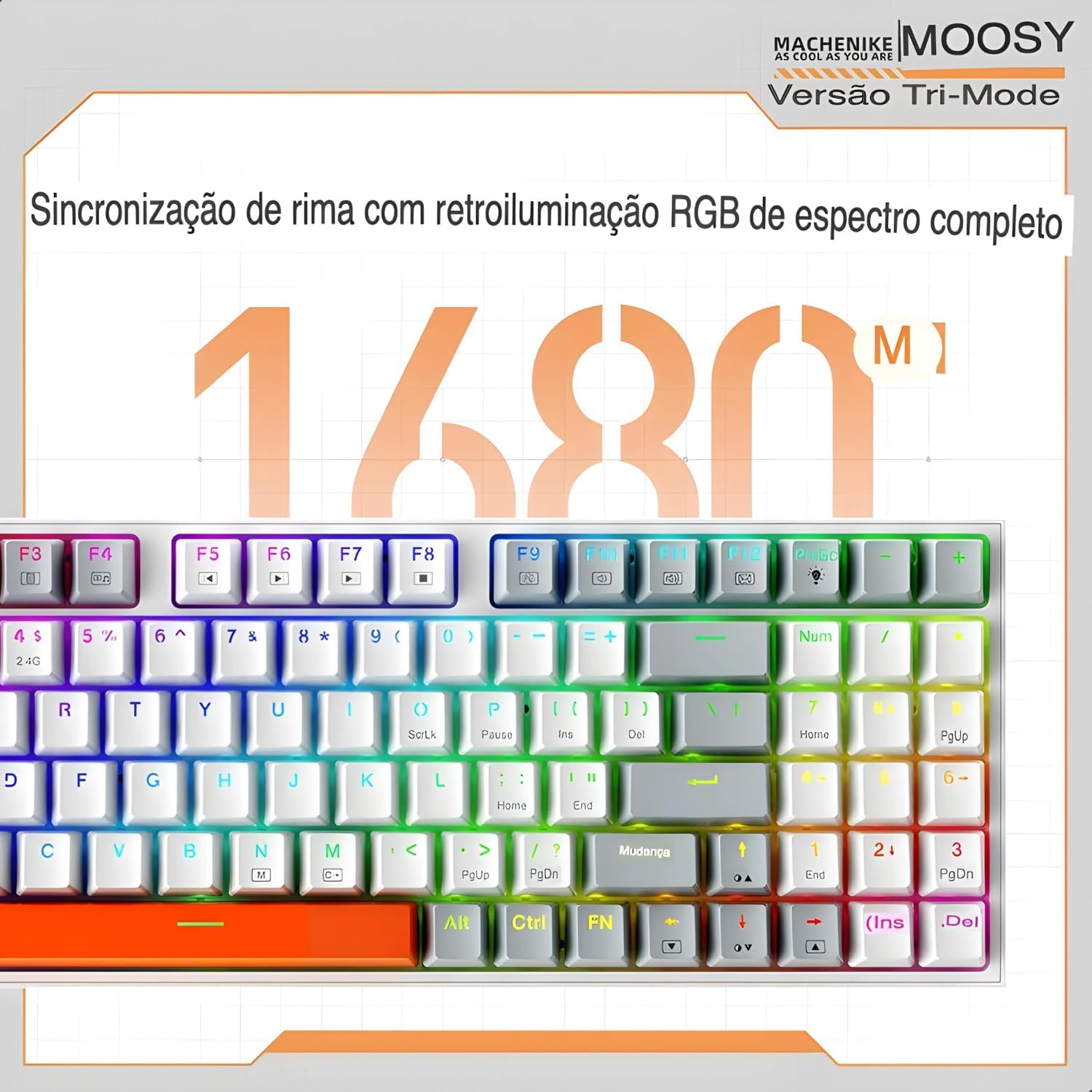
Experience full-spectrum RGB backlighting with 16.8 million colors and various dynamic effects.
3.3 Swiċċijiet li jistgħu jinbidlu bis-sħana
The K500W allows you to easily change mechanical switches without soldering. This feature enables customization of your typing experience. Use the included switch puller to remove existing switches and insert new 3-pin or 5-pin compatible switches.

The hot-swap feature allows for easy installation and replacement of mechanical switches.
3.4 Programmable Driver Software
For advanced customization, download and install the Machenike K500W programmable driver software. This software allows you to remap keys, create macros, and fine-tune RGB lighting effects to your preference.
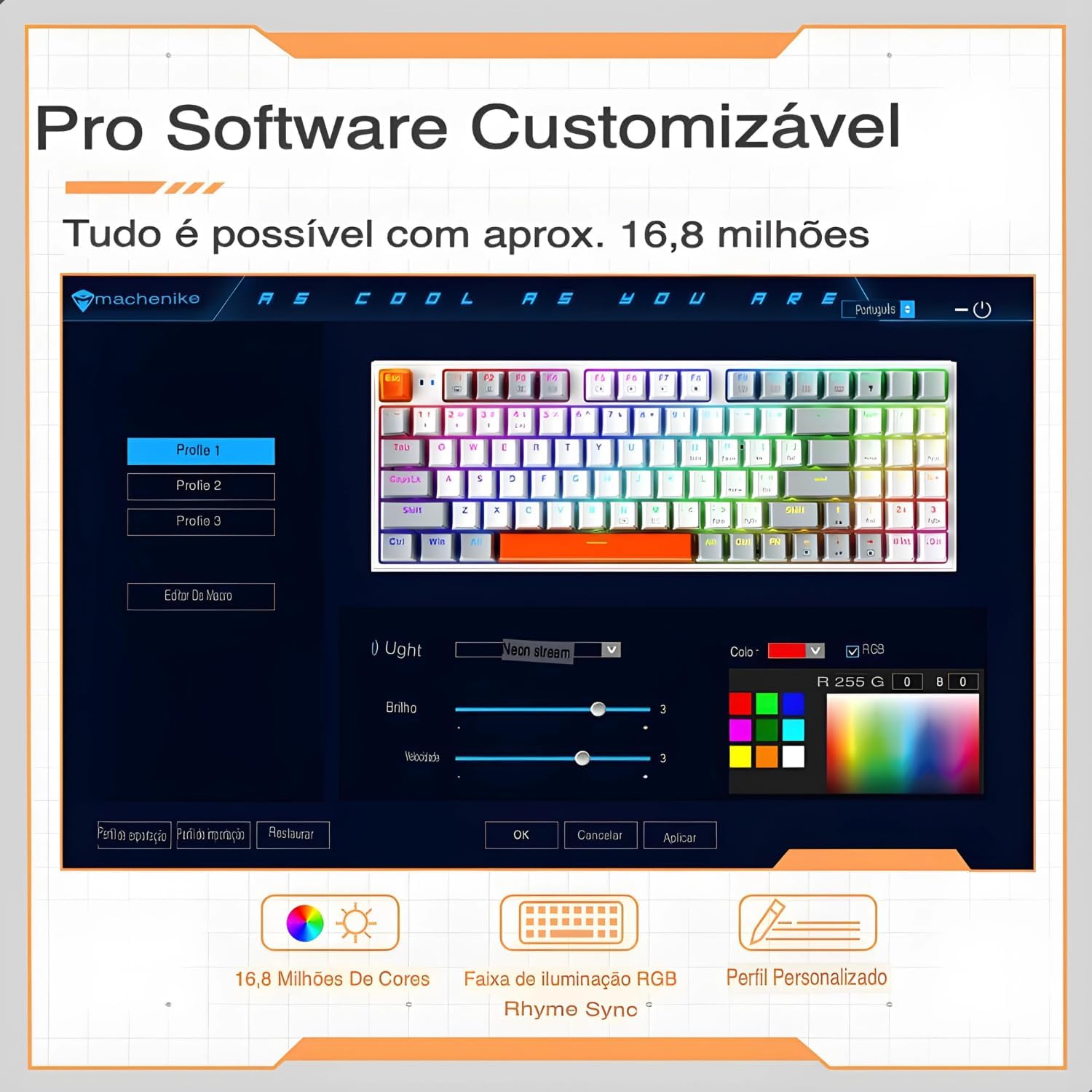
The professional software allows for customizable RGB lighting, macro creation, and personalized profiles.
4. Manutenzjoni
Manutenzjoni xierqa tiżgura l-lonġevità u l-prestazzjoni ottimali tat-tastiera tiegħek.
- Evita t-tixrid: Keep liquids away from your mechanical keyboard, as spills can damage the internal circuits.
- Gentle Disconnection: When disconnecting the cable, always pull the plug, not the cable itself, to prevent damage.
- Tindif regolari: Dust and debris can accumulate and affect performance. Regularly clean your keyboard using compressed air and a soft cloth. For keycaps, you can remove them for a deeper clean.
- Ipproteġi l-Konnettur USB: When not in use, disconnect and store the keyboard properly to protect the USB connector from damage.
- Aġġornamenti tas-Software: Keep the keyboard's software and drivers updated to ensure optimal performance and access to new features.
- Evita Qtar: While mechanical keyboards are durable, severe impacts can still cause damage. Handle with care.
5 Issolvi l-problemi
If you encounter issues with your Machenike K500W keyboard, refer to the following troubleshooting steps:
5.1 Connectivity Issues (Bluetooth or 2.4G Wireless)
- Adapter Bluetooth: Use a reputable brand Bluetooth adapter. Other adapters may cause compatibility issues. Refer to your adapter's instructions for installation details.
- Attivazzjoni Bluetooth: Before connecting, ensure your computer's Bluetooth adapter is correctly installed and Bluetooth is enabled.
- Tqabbil mill-ġdid: If you cannot connect, disable or delete the existing keyboard connection from your device's Bluetooth settings, then re-pair according to the setup instructions.
- Device Change: If your computer's Bluetooth device has changed, you must re-pair the keyboard.
- Interferenza: If your computer's Bluetooth is connected to other devices, check if the Bluetooth speed is adequate or if there's interference.
- 2.4G Anomaly: For 2.4G mode issues, re-pair the keyboard and device by removing the 2.4G receiver and inserting it into another valid USB port.
- Medda operattiva: Ensure the keyboard is used within a 10-meter working range from the receiver/device.
5.2 Indikazzjoni tal-Batterija Baxxa
If the keyboard shows a low battery indication, connect it to a USB power source using the provided cable to charge it. Refer to section 2.1 for initial charging instructions.
6. Speċifikazzjonijiet
| Karatteristika | Dettall |
|---|---|
| Brand | Machenike |
| Numru tal-Mudell | K500W |
| Teknoloġija tal-Konnettività | Bluetooth 5.0, 2.4G Wireless, Wired (USB-C) |
| Deskrizzjoni tat-Tastiera | Mekkaniċi |
| Kwantità Ewlenin | 94 Ċwievet |
| Tip ta' Swiċċ | Hot-swappable (3/5-pin compatible) |
| Materjal Keycap | PBT Doubleshot Plastic |
| Appoġġ Backlight | RGB (20 modes, 16.8 million colors) |
| Kapaċità tal-batterija | Batterija tal-litju 2500mAh |
| Apparati Kompatibbli | PC, Laptop, Pillola |
| Dimensjonijiet | 36 x 13 x 5 ċm (madwar) |
| Karatteristiċi Speċjali | Anti-ghosting, N-key rollover, Programmable, Sound DampIng Pad |

Fuqview of the Machenike K500W's main features and specifications.
7. Garanzija u Appoġġ
7.1 Informazzjoni dwar Garanzija
Dan il-prodott jiġi ma 'a Garanzija ta '90 jum from the date of purchase. The warranty covers manufacturing defects and malfunctions under normal use. It does not cover damage caused by misuse, accidents, unauthorized modifications, or normal wear and tear.
7.2 Appoġġ għall-Klijent
For technical assistance, warranty claims, or any questions regarding your Machenike K500W keyboard, please contact the seller or manufacturer's customer support. Refer to your purchase documentation for contact details.