
FAMOO 33
FAMOO Bluetooth Headset Model 33 User Manual
Mudell: 33
Introduzzjoni
Thank you for choosing the FAMOO Bluetooth Headset Model 33. This manual provides essential information for setting up, operating, and maintaining your new headset. Please read it thoroughly before use to ensure optimal performance and longevity of your device.
X'hemm fil-Kaxxa
- Wireless Bluetooth Headset x1
- Każ tal-Iċċarġjar x1
- Cable tal-iċċarġjar x1
- Spare Ear Caps x3 Pairs (S, M, L)
- Manwal ta' Istruzzjoni x1
Setup
1. Iċċarġjar tal-Headset u l-Kaxxa
Before first use, fully charge the headset and its charging case. Connect the provided charging cable to the charging case and a USB power source. The headset charges automatically when placed inside the case.
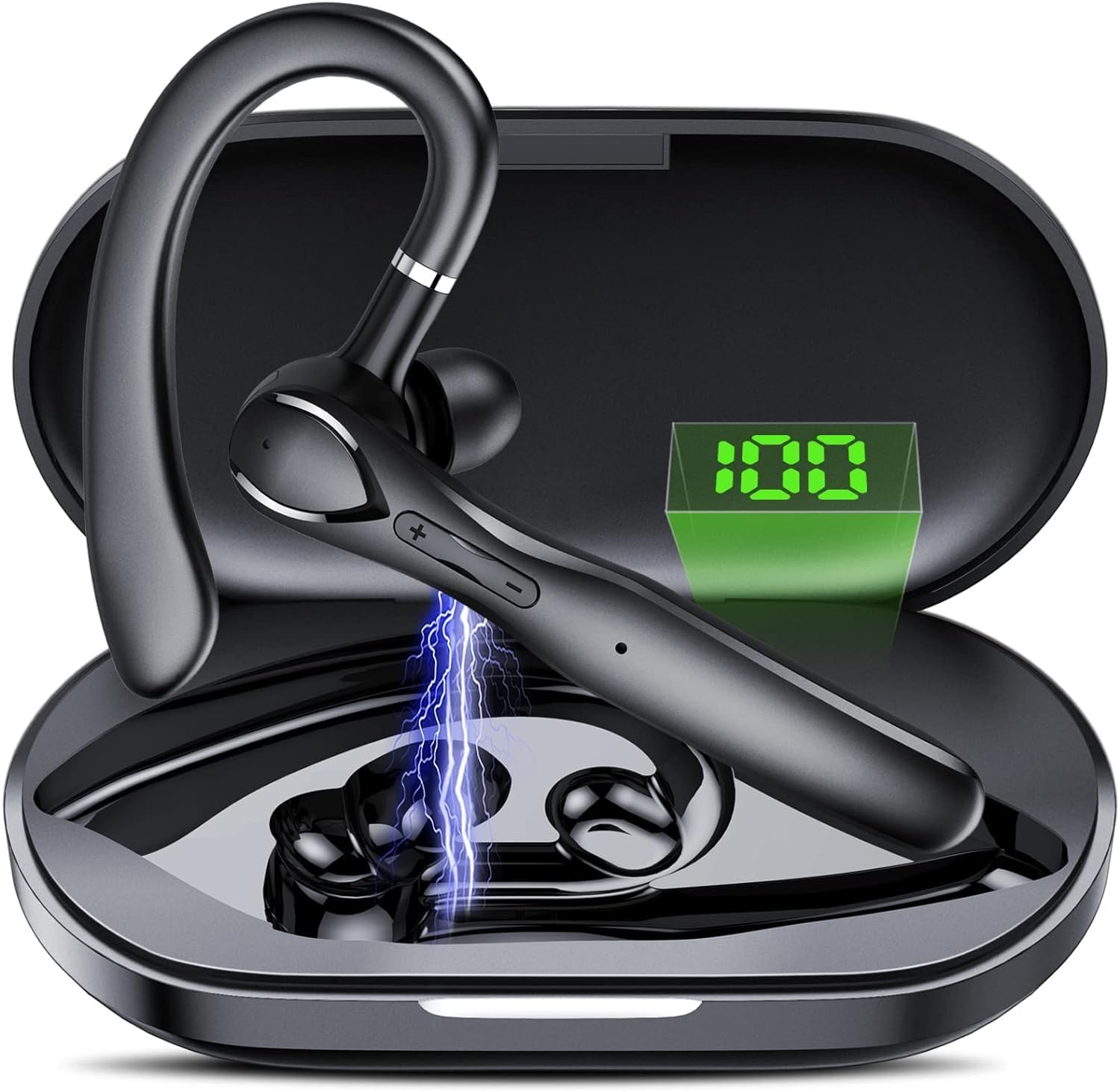
Immaġni: The FAMOO Bluetooth Headset inside its charging case, illustrating battery life and charging duration. The charging case provides up to 100 hours of total play time, with the headset offering 20 hours of play time on a single charge. A full charge takes approximately 1.5 hours.
- Kapaċità tal-Każ tal-Iċċarġjar: 400mAh
- Headset Play Time: Sa 20 sigħat
- Total Play Time (with case): Sa 100 sigħat
- Ħin tal-Iċċarġjar: Madwar sagħtejn
2. It-tqabbil mat-Tagħmir Tiegħek
- Kun żgur li l-headset huwa ċċarġjat u mixgħul.
- Attiva l-Bluetooth fuq l-ismartphone tiegħek jew apparat ieħor.
- Fittex għal available Bluetooth devices and select "FAMOO 33" from the list.
- Ladarba jkun konness, il-headset se jindika tqabbil b'suċċess.
The FAMOO Bluetooth Headset supports Bluetooth 5.3 for stable connectivity and can connect to two devices simultaneously.

Immaġni: The FAMOO Bluetooth Headset shown wirelessly connected to two different smartphones, demonstrating its dual device connectivity feature. This allows for seamless switching between devices like Android phones, iPhones, iPads, laptops, and desktop computers.
3. Adjusting for a Comfortable Fit
The headset is designed for an adjustable and comfortable fit for both ears. Choose the appropriate ear cap size (S, M, L) for a secure and comfortable seal. The ear hook can be rotated to fit either the left or right ear.

Immaġni: A man wearing the FAMOO Bluetooth Headset, illustrating its adjustable design for a comfortable fit on either the left or right ear. The image highlights the ergonomic ear hook design.
Istruzzjonijiet Operattivi
1. Power On/Off
- Qawwa Mixgħul: Agħfas u żomm il-buttuna Multi-funzjoni għal 3-il sekonda.
- Itfi: Agħfas u żomm il-buttuna Multi-funzjoni għal 5-il sekonda.
2. Ġestjoni tas-Sejħiet
The headset features an HD microphone and ENC (Environmental Noise Cancellation) for clear calls, even in noisy environments. CVC8.0 technology further enhances audio clarity.

Immaġni: A man using the FAMOO Bluetooth Headset while driving, demonstrating the clear call feature with ENC Noise Cancellation and Smart Voice Assistant. The graphic indicates a significant reduction in background noise (90% reduction).
- Tweġiba/Tmiem Sejħa: Agħfas darba waħda l-buttuna Multi-funzjoni.
- Irrifjuta Sejħa: Agħfas u żomm il-buttuna Multi-funzjoni għal 2-il sekonda.
- Isemmi mill-ġdid l-Aħħar Numru: Agħfas darbtejn il-buttuna Multi-funzjoni.
3. Daqq tal-mużika
- Play/Pawsa: Agħfas darba waħda l-buttuna Multi-funzjoni.
- Track li jmiss: Agħfas u żomm il-buttuna Volume Up.
- Track preċedenti: Agħfas u żomm il-buttuna Volum Down.
4. Kontroll tal-Volum
The headset features dedicated volume control buttons to adjust audio levels.

Immaġni: A close-up of the FAMOO Bluetooth Headset highlighting the two physical control buttons (volume up/down) and the touch-sensitive area for other functions. This design aims to reduce accidental touches while providing easy access to controls.
- Volum 'il fuq: Agħfas fil-qosor il-buttuna Volume Up.
- Volum 'l isfel: Agħfas fil-qosor il-buttuna Volum 'l isfel.
5. Assistent tal-Vuċi
Activate your device's voice assistant (e.g., Siri, Google Assistant) using the headset.
- Attiva l-Assistent tal-Vuċi: Agħfas tliet darbiet il-buttuna Multi-funzjoni.
Manutenzjoni
- Tindif: Use a soft, dry cloth to clean the headset and charging case. Do not use harsh chemicals or abrasive materials.
- Ħażna: Store the headset in its charging case when not in use to protect it from dust and damage. Avoid extreme temperatures.
- Kura tal-batterija: Biex ittawwal il-ħajja tal-batterija, evita li tiċċarġja l-headset kompletament ta' spiss. Iċċarġjah regolarment, anke jekk ma jkunx qed jintuża kontinwament.
Issolvi l-problemi
1. Headset Not Pairing
- Kun żgur li l-headset huwa ċċarġjat u mixgħul.
- Itfi u ixgħel il-Bluetooth tat-tagħmir tiegħek.
- Delete "FAMOO 33" from your device's Bluetooth list and try pairing again.
- Mexxi l-headset eqreb lejn it-tagħmir tiegħek.
2. Ebda Ħoss
- Iċċekkja l-livell tal-volum kemm fuq il-headset kif ukoll fuq l-apparat konness tiegħek.
- Kun żgur li l-headset huwa konness sew mat-tagħmir tiegħek.
- Ipprova daqq l-awdjo minn applikazzjoni jew sors differenti.
3. Kwistjonijiet ta' Iċċarġjar
- Iċċekkja li l-kejbil tal-iċċarġjar huwa konness sew kemm mal-kaxxa kif ukoll mas-sors tal-enerġija.
- Kun żgur li s-sors tal-enerġija jaħdem.
- Clean the charging contacts on the headset and inside the case with a dry cotton swab.
Speċifikazzjonijiet
| Brand | FAMOO |
| Numru tal-Mudell | 33 |
| Teknoloġija tal-Konnettività | Wireless (Bluetooth) |
| Verżjoni Bluetooth | 5.3 |
| Tqegħid tal-widnejn | Fil-widnejn |
| Fattur tal-Formola | Fil-widnejn |
| Kontroll tal-Ħoss | Kanċellazzjoni Attiva tal-Istorbju (ENC) |
| Mikrofonu | Mikrofonu HD integrat |
| Metodu ta' Kontroll | Voice, Touch Control, Physical Buttons |
| Forma tal-widna | Ganċ |
| Materjal tal-għeluq | Plastik |
| Karatteristiċi Addizzjonali | Fast Charging, Microphone Included, Touch Control, Dual Device Connectivity |
Informazzjoni dwar Garanzija
The FAMOO Bluetooth Headset Model 33 comes with a garanzija ta 'sena from the date of purchase. This warranty covers manufacturing defects and workmanship. Please retain your proof of purchase for warranty claims. For detailed warranty terms and conditions, please refer to the official FAMOO websit jew ikkuntattja l-appoġġ tal-klijent.
Appoġġ għall-Klijent
For further assistance, technical support, or warranty inquiries, please visit the official FAMOO store or contact our customer service team.
FAMOO Store: Visit the FAMOO Store on Amazon
Ask a question about this manual
Ask about setup, troubleshooting, compatibility, parts, safety, or missing instructions. Manuals+ will review the question and use this page’s manual context to help answer it.