
AUTOOL SVB302
AUTOOL Two-Way Articulating Borescope
Mudell: SVB302
Manwal ta' Istruzzjoni
1. Introduzzjoni
The AUTOOL SVB302 Two-Way Articulating Borescope is a professional inspection camera designed for detailed visual inspection in hard-to-reach areas. It features a highly flexible probe with a two-way articulating lens, adjustable LED lighting, and compatibility with both Android and iOS devices for real-time viewing and recording. This manual provides essential information for the safe and effective use of your borescope.

The AUTOOL SVB302 borescope is widely used for auto inspection, mechanical maintenance, construction industry, power facilities, chemical pipelines, and security monitoring.
2. Karatteristiċi ewlenin
- Two-Way Articulating Lens: The camera probe offers 210° two-way articulation, allowing for comprehensive inspection of complex internal structures.
- Immaġini b'Definizzjoni Għolja: Captures clear images and videos with 1280*720 resolution and a 70° angle of view.
- Adjustable LED Illumination: Equipped with 6 super bright LEDs with 3 adjustable brightness levels to ensure clear visibility in dark environments.
- Sonda li ma jgħaddix ilma minnha IP67: The 1-meter flexible metal cable and camera are IP67 rated, making them suitable for use in wet or submerged conditions.
- Kompatibilità Wiesgħa: Supports both Android and iOS systems, connecting via USB 2.0 to your smartphone for real-time display.
- Protezzjoni tat-temperatura: Features smart protection that cuts video signals in extreme heat to prevent damage to the device.
- Ħajja twila tal-batterija: Integrated 2000mAh rechargeable Lithium-ion battery provides 2-3 hours of continuous operating time.
- Appoġġ f'diversi lingwi: User interface supports English, French, German, Italian, Spanish, Chinese, and Japanese.

Dettaljati view of the 210° articulating camera, showing its 0.25-inch diameter, 1.18-3.94 inch depth of field, 70° angle of view, and 1.38-inch bending radius.

Illustration of the 6 high-intensity illumination lights and their three adjustable brightness levels (Level 1, Level 2, Level 3).
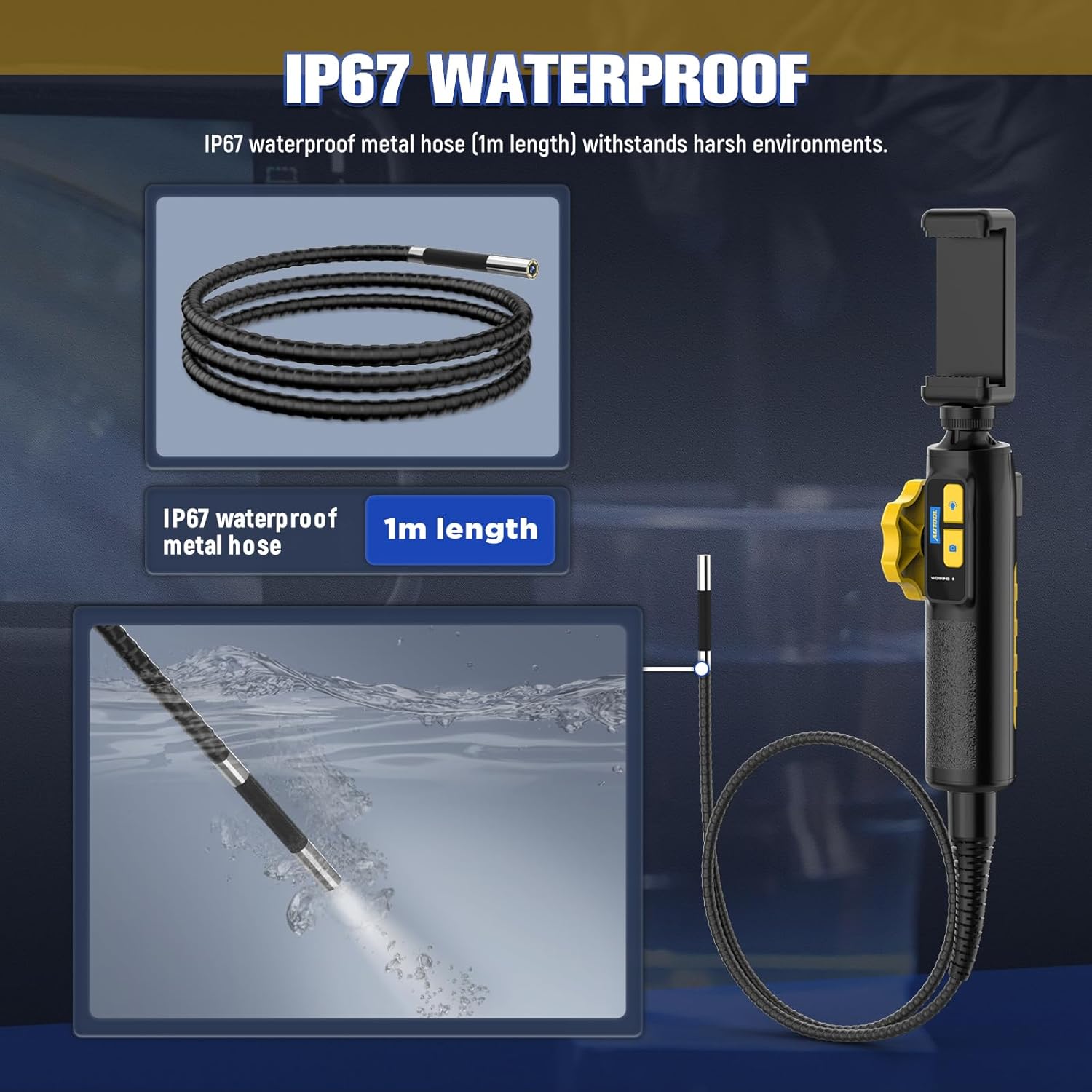
The IP67 waterproof metal hose (1m length) is designed to withstand harsh environments, as demonstrated by its submersion capability.

The borescope features a high-temperature alert system that protects the device by cutting video signals. It is powered by a 2000mAh rechargeable battery.

The device supports multilingual settings, including English, French, German, Italian, Spanish, Chinese, and Japanese.
3. X'hemm fil-Kaxxa
Malli tiftaħ il-pakkett, jekk jogħġbok ivverifika li l-komponenti kollha li ġejjin huma preżenti:
- AUTOOL SVB302 Borescope Unit (Handle with integrated camera cable)
- Kawża Protettiva tal-Ġarr
- Cable tal-Iċċarġjar tal-USB
- Manwal għall-Utent (dan id-dokument)

The AUTOOL SVB302 borescope, its protective carrying case, and included cables.
4. Gwida ta' Setup
- Niżżel l-App: Scan the QR code on the device or search for "JCAM Pro" or "JCAM" in your device's app store (iOS App Store for Apple, Google Play Store for Android) and install the application.
- Installa t-telefown tiegħek: Securely place your smartphone into the adjustable phone holder on the borescope handle. The holder is designed to fit screens from 3.5 to 6.3 inches (5.5-10.5 cm / 2.1-4.1 inches).
- Qabbad mat-Telefon: Connect the borescope to your smartphone using the appropriate USB cable (Lightning for iOS, USB-C for Android).
- Qawwa Mixgħul: Long press the power button on the borescope handle to turn on the device.
- Iftaħ l-App: Launch the JCAM app on your smartphone. The live video feed from the borescope camera should appear automatically.

Instructions for downloading the JCAM app from the respective app stores for iOS and Android devices.

The phone holder's adjustable range, accommodating phones from 5.5cm (2.1 inches) to 10.5cm (4.1 inches).
Official product video demonstrating the setup process, including app download, phone installation, connection, power-on, and initial use of the borescope's articulating lens and features.
5. Istruzzjonijiet Operattivi
5.1 Articulating the Camera
Use the rotation wheel on the handle to control the two-way articulation of the camera lens. This allows you to navigate bends and view the narrowed interior in all directions without needing to reposition the entire probe.
5.2 Aġġustament tad-Dwal LED
Press the light control button on the handle to cycle through the three brightness levels of the LED lights. Select the appropriate brightness for optimal visibility in different inspection areas.
5.3 Qbid ta' Ritratti u Vidjows
Press the photo/video button on the handle to capture still images or start/stop video recording directly through the app. Captured media will be saved to your connected smartphone.
5.4 ViewMidja Maqbuda
Access the gallery or playback section within the JCAM app to review ir-ritratti u l-vidjows li ħadt.
6. Manutenzjoni
- Tindif: Wara kull użu, speċjalment f'ambjenti maħmuġin jew imxarrbin, imsaħ bil-mod is-sonda u l-kejbil tal-kamera b'ċarruta ratba u mxarrba.amp cloth. For stubborn dirt, a mild, non-abrasive cleaner can be used. Ensure the probe is dry before storage.
- Ħażna: Store the borescope and its accessories in the provided protective carrying case in a cool, dry place, away from direct sunlight and extreme temperatures.
- Kura tal-batterija: Biex ittawwal il-ħajja tal-batterija, iċċarġja l-apparat regolarment, anke jekk ma tużahx ta' spiss. Evita li tiċċarġja l-batterija kompletament għal perjodi twal.
- Protezzjoni tat-temperatura: The device is equipped with a high-temperature alert system. If the operating temperature exceeds 80°C (176°F), the video signal may be cut to prevent damage. Allow the device to cool down before resuming operation.
7 Issolvi l-problemi
- L-ebda Immaġni fuq l-Iskrin:
- Ensure the borescope is properly connected to your smartphone.
- Verify the borescope is powered on (long press the power button).
- Check if the JCAM app is open and has necessary permissions.
- Try restarting both the borescope and the app. - Kwalità Fqira tal-Immaġni:
- Adjust the LED brightness using the light control button.
- Clean the camera lens if it appears smudged or dirty.
- Ensure the camera is within the optimal depth of field (1.18-3.94 inches). - Is-sħana żejda tal-apparat:
- If the high-temperature alert activates, immediately cease operation and allow the device to cool down in a well-ventilated area. Do not use until it has returned to a safe operating temperature. - Batterija Mhux Iċċarġja:
- Ensure the USB charging cable is securely connected to both the borescope and a power source.
- Ipprova port USB jew adapter tal-enerġija differenti.
8. Speċifikazzjonijiet tal-Prodott
| Karatteristika | Speċifikazzjoni |
|---|---|
| Numru tal-Mudell | SVB302 |
| Dijametru tal-Kamera | 0.25 pulzieri (6.45mm) |
| Riżoluzzjoni | 1280*720 (720p HD) |
| Fond tal-Qasam | 1.18 - 3.94 inches (30-100mm) |
| Angolu ta ' View | 70° |
| Angolu Artikolanti | Max. 210° (Two-way) |
| Raġġ tal-liwi | 1.38 pulzieri (35mm) |
| Tul tal-Cable | 1 metru |
| Livell li ma jgħaddix ilma minnu | IP67 |
| Sors tad-Dawl | 6 Highlight LEDs (3-stage adjustable brightness) |
| Kapaċità tal-batterija | Polimer tal-Litju 2000mAh |
| Ħin Operattiv | 2-3 sigħat |
| Interface USB | USB 2.0 |
| Ambjent Operattiv | -10°C sa 80°C |
| Umdità | 15-90% |
| Protezzjoni ta 'Temperatura Għolja | Intelligent protection, automatic shutdown |
9. Garanzija u Appoġġ
9.1 Informazzjoni dwar Garanzija
The AUTOOL SVB302 Borescope comes with a garanzija ta 'sena mid-data tax-xiri, li tkopri difetti fil-manifattura u malfunzjonijiet taħt użu normali. Jekk jogħġbok żomm il-prova tax-xiri tiegħek għal talbiet ta' garanzija.
9.2 Appoġġ għall-Klijent
For technical assistance, troubleshooting, or warranty inquiries, please contact AUTOOL customer support through their official webis-sit jew l-informazzjoni ta' kuntatt ipprovduta mal-imballaġġ tal-prodott tiegħek. Tista' wkoll iżżur il- AUTOOL Store on Amazon għal aktar informazzjoni.
Ask a question about this manual
Ask about setup, troubleshooting, compatibility, parts, safety, or missing instructions. Manuals+ will review the question and use this page’s manual context to help answer it.