
Redkey M1-02
Redkey M1 Cordless Electric Mop User Manual
Mudell: M1-02
Brand: Redkey
Introduzzjoni
Thank you for choosing the Redkey M1 Cordless Electric Mop. This powerful and versatile floor cleaner is designed to make your cleaning tasks easier and more efficient. Equipped with a dual-motor system and self-cleaning features, it effectively removes stubborn stains and dust from various floor types. Please read this manual carefully before use to ensure proper operation and maintenance.
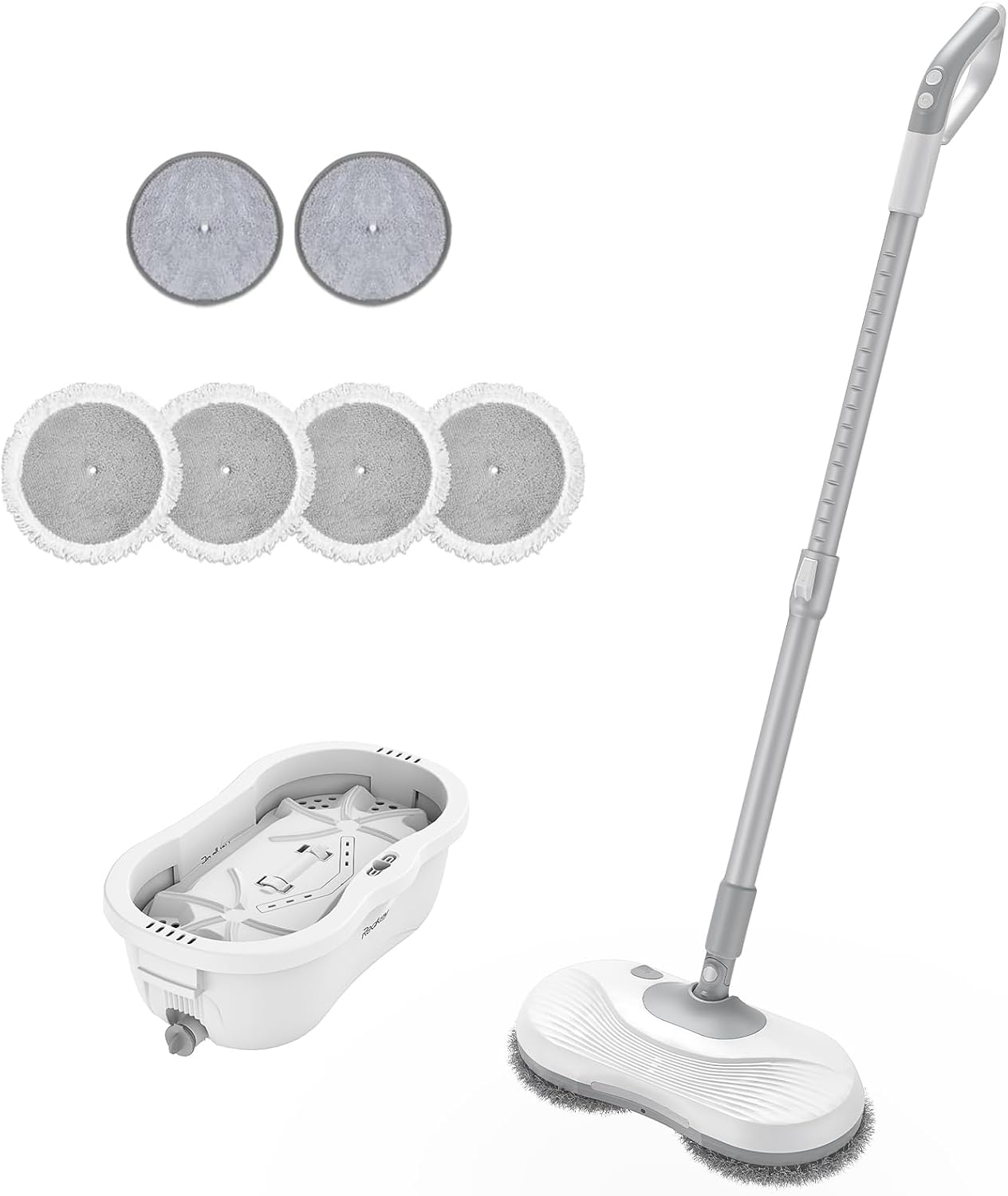
Figure 1: Redkey M1 Cordless Electric Mop, self-cleaning bucket, and included washing pads.
Kontenut tal-Pakkett
Jekk jogħġbok iċċekkja l-kontenut tal-pakkett meta tiftaħ il-kaxxa biex tiżgura li l-oġġetti kollha huma preżenti u bla ħsara:
- 1 x Redkey M1 Electric Mop
- 1 x Self-cleaning Bucket
- 1 x Charger
- 6 x Washing Pads (2 pre-installed, 4 spare)
- Manwal għall-Utent

Figura 2: Aktarview of Redkey M1 components and accessories. Key parts include the water spray button, ON/OFF button, aluminum handle, LED indicator, LED headlight, water spray nozzle, mop pads, charging port, water inlet cover, and battery compartment cover.
Gwida ta' Setup
- Assemblea:
Connect the handle sections firmly until they click into place. Attach the assembled handle to the main mop body. Ensure the washing pads are securely attached to the mop head.
- Iċċarġjar inizjali:
Before first use, fully charge the mop. Connect the charger to the charging port (refer to Figure 2, item 8) and plug it into a power outlet. The LED indicator will show charging status. A full charge typically takes approximately 3 hours.
- Imla t-Tank tal-Ilma:
Locate the water inlet cover (refer to Figure 2, item 9) on the mop head. Open it and fill the integrated 300ml water tank with clean water. You may also add a small amount of floor cleaning solution or wax oil if desired. Close the cover securely.
Istruzzjonijiet Operattivi
Operazzjoni Bażika
- Power On/Off:
Press the ON/OFF button (refer to Figure 2, item 2) on the handle to turn the mop on or off. The LED headlight (refer to Figure 2, item 5) will illuminate when the mop is active.
- Ibda t-Tindif:
Once powered on, the dual motors will begin spinning the mop pads at up to 220 RPM, effectively cleaning your floors.

Figure 3: The Redkey M1 features powerful dual motors for efficient cleaning.
- Funzjoni tal-Isprej tal-Ilma:
Press the water spray button (refer to Figure 2, item 1) on the handle to activate the water spray nozzle (refer to Figure 2, item 6). This allows you to spray water or cleaning solution directly onto the floor as you clean.
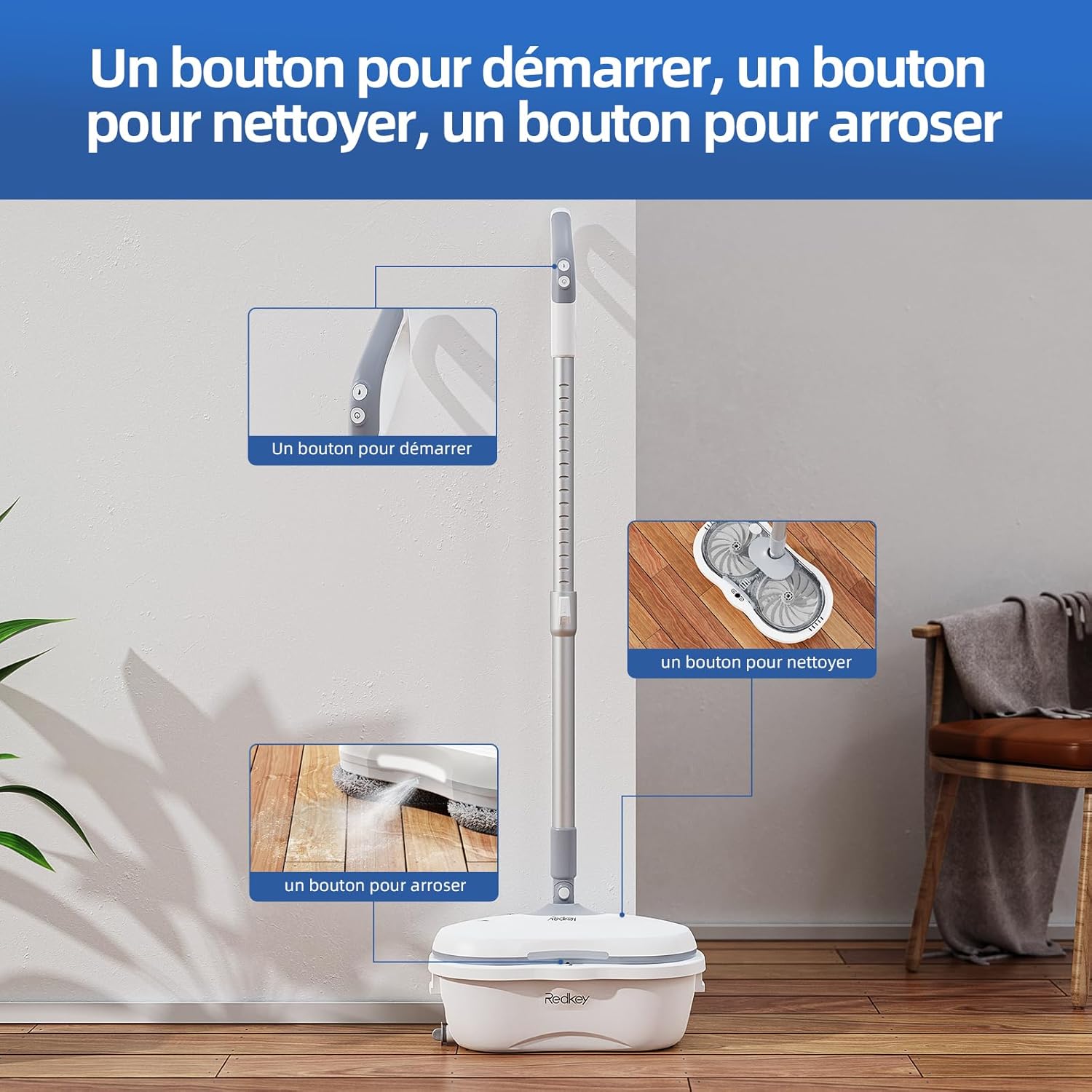
Figure 4: Control buttons for starting, cleaning, and spraying water.
- Adjustable Handle and Head:
The handle is retractable, allowing adjustment from 37 inches to 48.8 inches for comfortable use. The mop head can pivot up to 180 degrees horizontally and 90 degrees vertically, enabling easy cleaning under furniture and in tight spaces.
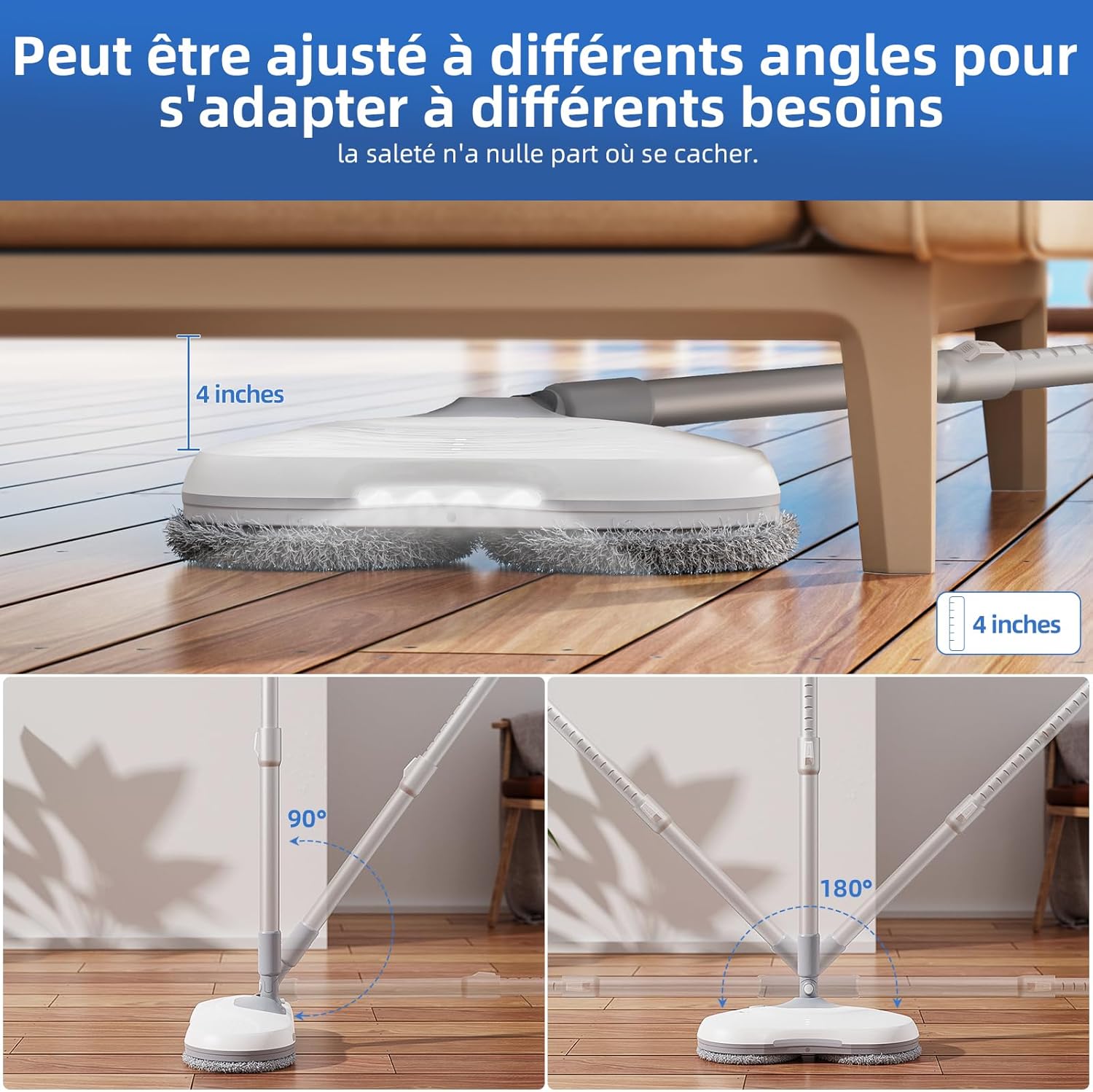
Figure 5: The mop head adjusts to various angles for versatile cleaning.
- Tipi ta' Pavimenti Adatti:
The Redkey M1 is suitable for cleaning various hard floor surfaces, including hardwood, tile, and marble.

Figure 6: Effective on various hard floor surfaces.
Funzjoni ta 'Awto-Tindif
The Redkey M1 features an innovative self-cleaning bucket system:
- Ipprepara l-Barmil:
Fill the self-cleaning bucket with clean water up to the indicated line. The bucket is designed to separate clean and dirty water during the cleaning process.
- Ibda t-Tindif Awtomatiku:
Place the mop head into the designated slot in the self-cleaning bucket. Press and hold the water spray button on the mop handle for 2 seconds. The mop will enter automatic cleaning mode.
- Ċiklu tat-Tindif:
The self-cleaning cycle consists of 15 seconds of cleaning and 30 seconds of scraping. The machine will automatically stop once the cycle is complete.

Figure 7: The self-cleaning bucket separates clean and dirty water for efficient pad cleaning.
- Drain Dirty Water:
After self-cleaning, use the drainage plug on the bucket to empty the dirty water. This system eliminates the need to frequently change water in the bucket.
Manutenzjoni u Kura
- Washing Pads:
The microfiber washing pads are reusable and washable. After use, they can be removed from the mop head and machine washed for thorough cleaning. Ensure they are completely dry before reattaching.

Figure 8: The durable microfiber pads are washable and reusable.
- Tank tal-Ilma:
Regularly empty and rinse the mop's internal water tank to prevent residue buildup. Use clean water only.
- Self-Cleaning Bucket:
After each self-cleaning cycle, empty the dirty water and rinse the bucket thoroughly. Allow it to air dry.
- Ħażna:
Store the mop in a cool, dry place. Ensure the battery is charged periodically if storing for extended periods to maintain battery health.
Issolvi l-problemi
| Problema | Kawża Possibbli | Soluzzjoni |
|---|---|---|
| Il-mopp ma jixgħelx. | Il-batterija hija baxxa jew eżawrita. | Charge the mop fully. |
| Il-kuxxinetti tal-mopp mhux qed iduru. | Obstruction in the mop head. | Turn off the mop and check for any debris or hair tangled around the mop pad attachments. |
| L-isprej tal-ilma mhux qed jaħdem. | Water tank is empty or clogged nozzle. | Refill the water tank. Check if the spray nozzle is clear of any blockages. |
| Prestazzjoni fqira tat-tindif. | Mop pads are dirty or worn out. | Clean or replace the mop pads. Ensure the water tank has sufficient cleaning solution. |
| Il-funzjoni tat-tindif awtomatiku mhux qed taħdem. | Insufficient water in the bucket or incorrect placement. | Ensure the bucket has enough water and the mop head is correctly seated in the self-cleaning slot. |
Speċifikazzjonijiet
| Numru tal-Mudell | M1-02 |
| Brand | Redkey |
| Dimensjonijiet (L x W x H) | 75 x 25 x 25 ċm (madwar 29.5 x 9.8 x 9.8 pulzieri) |
| Piż | Appross. 0.45 kg (1 lb) |
| Qawwa | 60 Watts |
| Tip ta 'batterija | 1 x Lithium-polymer (included) |
| Volum tat-Tank tal-Ilma | 300 ml |
| Mop Pad Speed | Sa 220 RPM |
| Karatteristika Speċjali | Cordless, Self-cleaning, LED Headlight |
| Rakkomandazzjoni tal-wiċċ | All hard floors (wood, tile, marble) |
Garanzija u Appoġġ
Redkey products come with a standard manufacturer's warranty. For specific warranty terms and conditions, please refer to the warranty card included with your product or visit the official Redkey website. If you encounter any issues or require technical assistance, please contact Redkey customer support through the following channels:
- Appoġġ onlajn: Visit the Redkey official websit għal FAQs u riżorsi ta' appoġġ.
- Appoġġ bl-Email: Irreferi għall-imballaġġ tal-prodott tiegħek jew għall-karta tal-garanzija għall-email tas-servizz tal-konsumatur.
- Tim tas-Servizz: The product includes access to a 24/7 service team (as per product description).
Please have your model number (M1-02) and purchase information ready when contacting support.