
1. Istruzzjonijiet Importanti dwar is-Sigurtà
Jekk jogħġbok aqra u ifhem l-informazzjoni kollha dwar is-sigurtà qabel ma tuża dan il-prodott. Jekk ma ssegwix dawn l-istruzzjonijiet, dan jista' jirriżulta f'xokk elettriku, nar, jew korriment serju.
- Sigurtà Elettrika: Always ensure the charger is disconnected from the power outlet before making or breaking connections to the battery. Do not expose the charger to rain or wet conditions.
- Sigurtà tal-batterija: Il-batteriji jistgħu jipproduċu gassijiet splussivi. Kun żgur li tkun qed tiċċarġja. Ilbes protezzjoni għall-għajnejn u ħwejjeġ protettivi. Evita xrar jew fjammi ħdejn il-batterija.
- OBD2 Scanner Safety: Do not attempt to connect or disconnect the scanner while the vehicle's ignition is on or the engine is running. This could damage the vehicle's electronic system or the scanner.
- Prekawzjonijiet Ġenerali: Keep out of reach of children. Do not operate if the product or cables are damaged. Use only as intended.
2. Prodott Aktarview
2.1 MOTOPOWER MP00205B 12V Battery Charger/Maintainer
The MOTOPOWER MP00205B is an automatic 12-volt battery charger and maintainer designed for lead-acid, flooded, or sealed maintenance-free batteries (AGM and gel cell). It features a compact and durable design, utilizing pulse charging technology to optimize battery performance and extend life. The charger incorporates multiple safety protections, including spark-free technology and automatic shut-off to prevent overcharging.

Figure 1: MOTOPOWER MP00205B 12V Battery Charger Maintainer in use.
2.2 MOTOPOWER MP69040 OBD2 Diagnostic Scanner
The MOTOPOWER MP69040 is an OBD2 diagnostic scanner designed to support all OBDII protocols, including KWP2000, J1850 VPW, ISO9141, J1850 PWM, and CAN. It is compatible with most 1996 US-based, 2003 EU-based, and 2008 Asian-based vehicles, as well as newer OBD2 and CAN vehicles. The scanner features a 2.8-inch TFT color screen and a user-friendly interface for efficient vehicle diagnostics.
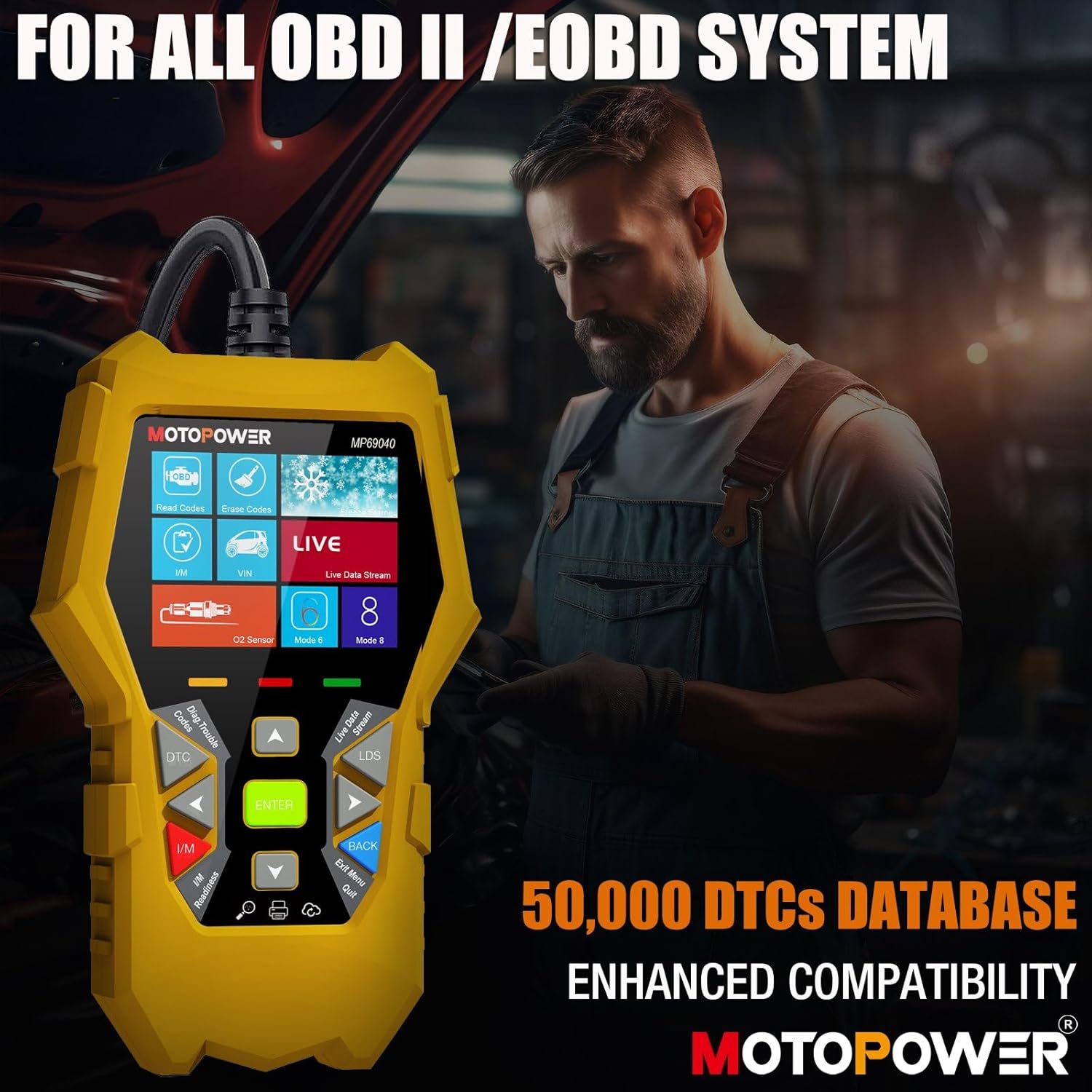
Figure 2: MOTOPOWER MP69040 OBD2 Diagnostic Scanner.
3. Kontenut tal-Pakkett
Ivverifika li l-oġġetti kollha huma preżenti fil-pakkett:
- MOTOPOWER MP00205B 12V Battery Charger/Maintainer
- Alligatur Clamp Harness (50amp)
- Ring Terminal Harness (7.5amp fuse protected)
- MOTOPOWER MP69040 OBD2 Diagnostic Scanner

Figure 3: MP00205B Charger and its accessories.
4. MOTOPOWER MP00205B Charger/Maintainer Setup and Operation
4.1 Konnessjoni tal-Ċarġer
- Kun żgur li l-ċarġer huwa skonnettjat mis-sokit tal-enerġija AC.
- Agħżel il-konnettur xieraq:
- Alligatur Clamps: Qabbad il-cl aħmaramp għat-terminal pożittiv (+) tal-batterija u l-iswed clamp għat-terminal negattiv (-) tal-batterija.
- Terminali taċ-ċirku: If permanently installing, connect the red ring terminal to the positive (+) battery post and the black ring terminal to the negative (-) battery post.
- Connect the SAE quick-release connector from the chosen harness to the charger's output cable.
- Plug the charger into a standard 120V AC power outlet.
4.2 Proċess tal-Iċċarġjar
The MP00205B operates automatically. Once connected and powered, it will begin its multi-stagProċess tal-iċċarġjar elettroniku:
- Desulfating: If the battery is deeply discharged or sulfated, the charger may enter a desulfation stage to recover the battery.
- Iċċarġjar: The charger delivers a steady current to bring the battery to a full charge.
- Assorbiment: The charger switches to a constant voltage, gradually reducing current as the battery approaches full capacity. This stage includes pulse charging technology to maximize battery performance.
- Charged/Maintain: Once fully charged, the charger automatically switches to maintenance mode, providing a float charge at 13.6V to keep the battery at optimal levels indefinitely without overcharging.
The LED indicators on the charger will show the current charging stage. The device features spark-free technology for enhanced safety during connection and disconnection.

Figure 4: Charger indicating Pulse Boost Technology and charging stages.

Figure 5: Charger displaying automatic operation and safety protections.
5. MOTOPOWER MP69040 OBD2 Scanner Setup and Operation
5.1 Konnessjoni tal-Iskaner
- Locate the vehicle's 16-pin Data Link Connector (DLC), typically under the dashboard on the driver's side.
- Kun żgur li l-ignition tal-vettura hija MITFIJA.
- Plug the scanner's OBD2 cable into the vehicle's DLC.
- Turn the vehicle's ignition to the ON position (engine can be off). The scanner will power on automatically.
5.2 Funzjonijiet Bażiċi
The MP69040 scanner provides various diagnostic functions through its user-friendly interface:
- Aqra Kodiċijiet: Jirkupra l-Kodiċijiet Dijanjostiċi tal-Problemi (DTCs) mill-kompjuter tal-vettura.
- Ħassar Kodiċijiet: Clears DTCs from the vehicle's computer. Note: Clearing codes does not fix the underlying problem.
- Dejta Live: Displays real-time data streams from the vehicle's sensors, such as Engine RPM, Fuel Pressure, and more.
- Lest I / M: Checks the status of emission-related monitors to determine if the vehicle is ready for an emissions test.
- Vehicle Identification (VIN): Reads the Vehicle Identification Number and other vehicle information.
- Librerija DTC: Jipprovdi definizzjonijiet għal kodiċijiet ġeneriċi u speċifiċi għall-manifattur.
- Aġġornament: Supports lifetime free online updates for the latest functions and vehicle compatibility.

Figure 6: MP69040 Scanner user interface.

Figure 7: Key features of the MP69040 Scanner.

Figure 8: Live Data display on the MP69040 Scanner.
6. Manutenzjoni
- Tindif: Imsaħ l-apparati b'ċarruta ratba u niexfa. Tużax prodotti tat-tindif jew solventi li joborxu.
- Ħażna: Store both the charger and scanner in a cool, dry place away from direct sunlight and extreme temperatures. Ensure cables are neatly coiled to prevent damage.
- Spezzjoni tal-Cable: Regularly inspect all cables and connectors for any signs of damage, fraying, or corrosion. Replace if necessary.
7 Issolvi l-problemi
7.1 MP00205B Charger/Maintainer
- Il-ċarġer mhux qed jixgħel: Check the AC power connection. Ensure the outlet is functional. Verify the battery connections are secure.
- Charging indicator not lighting up: Ikkonferma l-volum tal-batterijatage is above 2V. If the battery is severely discharged, it might take a few minutes for the charger to detect it. Ensure proper polarity.
- Charger not maintaining charge: Ensure the charger remains connected to both the AC outlet and the battery. Check for any loose connections.
7.2 MP69040 OBD2 Scanner
- L-iskaner mhux qed jixgħel: Ensure the OBD2 cable is securely connected to the vehicle's DLC. Verify the vehicle's ignition is in the ON position.
- Żball ta' komunikazzjoni: Check the vehicle's ignition status. Ensure the OBD2 cable is not damaged. Try connecting to a different vehicle (if available) to rule out a vehicle-specific issue. Verify the vehicle is OBDII compliant.
- Skrin iffriżat: Disconnect the scanner from the vehicle, wait a few seconds, and reconnect.
8. Speċifikazzjonijiet
8.1 MOTOPOWER MP00205B Charger/Maintainer
| Speċifikazzjoni | Valur |
|---|---|
| Input Voltage | 120V AC (Standard) |
| Ħruġ Voltage | 12 Volts DC |
| Kurrent tal-Ħruġ | 1000mA (1A) |
| Tul tal-Cable | Up to 8.5FT (18AWG UL standard) |
| Karatteristiċi tas-Sigurtà | Spark-free, Overcharge Protection |
| Ċertifikazzjonijiet | CE, FCC, UL |
8.2 MOTOPOWER MP69040 OBD2 Scanner
| Speċifikazzjoni | Valur |
|---|---|
| Wiri | Skrin tal-Kulur TFT ta '2.8 pulzieri |
| Protokolli Appoġġjati | KWP2000, J1850 VPW, ISO9141, J1850 PWM, JISTA' |
| Kompatibbiltà tal-Vettura | 1996 US-based, 2003 EU-based, 2008 Asian-based and newer OBD2/CAN vehicles (excluding new energy/hybrid) |
| DTC Database | Aktar minn 50,000 kodiċi |
| Lingwi | 10 lingwi integrati |
9. Garanzija u Appoġġ
MOTOPOWER products are designed for reliability and performance. For warranty information, technical support, or service inquiries, please contact MOTOPOWER customer support through their official webis-sit jew il-bejjiegħ bl-imnut minn fejn inxtara l-prodott. Jekk jogħġbok żomm in-numru tal-mudell tal-prodott tiegħek u d-data tax-xiri disponibbli meta tikkuntattja l-appoġġ.


