
1. Introduzzjoni
Thank you for choosing the Vonztek Wireless Headset BT782-BJ. This headset is designed to provide clear audio and comfortable wear for various communication needs, including calls, online meetings, and general audio playback. It features Bluetooth 5.0 technology for stable connectivity and a noise-cancelling microphone for enhanced call clarity.
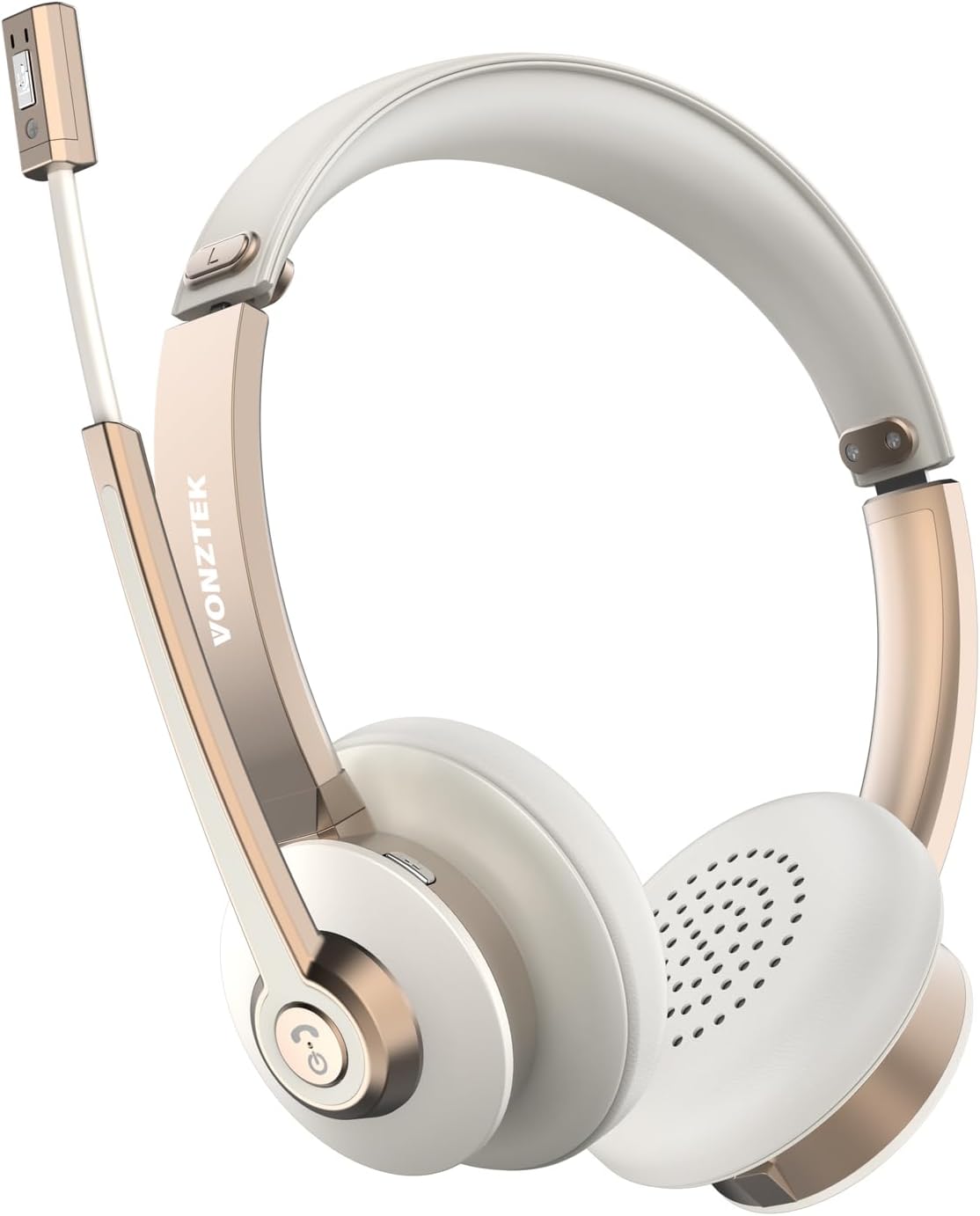
Figure 1.1: Vonztek Wireless Headset BT782-BJ
2. X'hemm fil-Kaxxa
The Vonztek Wireless Headset BT782-BJ package includes the following items:
- 1 x Vonztek Wireless Headset
- 1 x Cable tal-Iċċarġjar tat-Tip-Ċ
- 1 x Manwal tal-Utent (dan id-dokument)
3. Setup u Konnettività
3.1 Iċċarġjar tal-Headset
Before first use, fully charge the headset. Connect the provided Type-C charging cable to the charging port on the headset and the other end to a USB power source (e.g., computer USB port, wall adapter). The charging indicator light will show charging status (refer to LED indicator section for details). A full charge takes approximately 2 hours.
3.2 Tixgħel/Jitfi
- Qawwa Mixgħul: Agħfas u żomm il-buttuna Multi-funzjoni għal madwar 3 sekondi sakemm l-indikatur LED jteptep blu.
- Itfi: Agħfas u żomm il-buttuna Multi-funzjoni għal madwar 5 sekondi sakemm l-indikatur LED jteptep aħmar u mbagħad jintefa.
3.3 Tqabbil tal-Bluetooth
The headset supports Bluetooth V5.0 and can connect to two devices simultaneously.
- Kun żgur li l-widna hija mitfija.
- Press and hold the Multi-function button for approximately 5-7 seconds until the LED indicator flashes red and blue alternately, indicating pairing mode.
- Fuq l-apparat tiegħek (smartphone, laptop, eċċ.), attiva l-Bluetooth u fittex apparati disponibbli.
- Select "BT782-BJ" from the list of found devices.
- Ladarba jkun konness, l-indikatur LED se jteptep blu bil-mod.
- To connect a second device, disable Bluetooth on the first device, put the headset back into pairing mode, and connect to the second device. Then re-enable Bluetooth on the first device; the headset should automatically reconnect to both.

Figure 3.1: Multipoint Connection allows simultaneous pairing with a computer and phone.

Figure 3.2: Headset connected to multiple devices, demonstrating wide compatibility.
4. Istruzzjonijiet Operattivi
4.1 Kontrolli Fuqview
The headset features intuitive controls for managing calls and audio playback.
| Buttuna/Funzjoni | Azzjoni | Deskrizzjoni |
|---|---|---|
| Buttuna b'ħafna funzjonijiet | Agħfas darba | Daqq / Issospendi mużika, Tweġiba / Tmiem is-sejħa |
| Buttuna b'ħafna funzjonijiet | Agħfas u żomm (2s) | Tiċħad is-sejħa |
| Volum + | Agħfas darba | Żid il-volum |
| Volum - | Agħfas darba | Naqqas il-volum |
| Buttuna Mute (fuq il-mikrofonu boom) | Agħfas darba | Mute/Unmute microphone during a call |
4.2 Użu tal-Mikrofonu
The headset features a 270° rotatable microphone boom, allowing it to be worn on either the left or right ear. The microphone includes ENC (Environmental Noise Cancelling) technology for clear voice transmission.

Figure 4.1: The microphone can be rotated 270 degrees for use on either ear.

Figure 4.2: The headset features ENC Noise Cancelling Technology for clear voice.
Vidjo 4.1: Prodott lestview video demonstrating the Vonztek Wireless Headset with Mic for PC.
5. Manutenzjoni
To ensure the longevity and optimal performance of your Vonztek Wireless Headset, follow these maintenance guidelines:
- Tindif: Uża drapp artab u niexef biex tnaddaf il-headset. Tużax prodotti tat-tindif jew solventi li joborxu.
- Ħażna: Aħżen il-headset f'post frisk u niexef 'il bogħod mix-xemx diretta u minn temperaturi estremi.
- Kura tal-batterija: Evita li tiċċarġja l-batterija kompletament ta' spiss. Iċċarġja l-headset regolarment, anke jekk ma tkunx qed tużah għal perjodi twal, biex iżżomm il-batterija f'kundizzjoni tajba.
- Evita l-umdità: The headset is not water-resistant. Keep it away from water, rain, and excessive humidity.
6 Issolvi l-problemi
If you encounter issues with your Vonztek Wireless Headset, refer to the following common problems and solutions:
| Problema | Soluzzjoni Possibbli |
|---|---|
| Il-headset ma jixgħelx. | Ensure the headset is charged. Connect to a power source and try again. |
| Ma tistax tqabbad mat-tagħmir. | Ensure the headset is in pairing mode (flashing red/blue). Turn off and on Bluetooth on your device. Move closer to the device. |
| L-ebda awdjo jew kwalità tal-awdjo fqira. | Check volume levels on both headset and device. Ensure headset is selected as the audio output device. Re-pair the headset. |
| Microphone not working or unclear. | Ensure microphone is not muted. Check microphone input settings on your device. Position the microphone closer to your mouth. |
| Konnessjoni intermittenti. | Move closer to your device. Avoid obstacles between the headset and device. Reduce interference from other wireless devices. |
If the issue persists, please contact Vonztek customer support.
7. Speċifikazzjonijiet
Detailed technical specifications for the Vonztek Wireless Headset BT782-BJ:
| Karatteristika | Dettall |
|---|---|
| Isem tal-Mudell | BT782-BJ |
| Teknoloġija tal-Konnettività | Bluetooth |
| Verżjoni Bluetooth | 5.0 |
| Medda Bluetooth | Sa 10 metri (33 pied) |
| Ħajja tal-Batterija (Ħin tat-Taħdit) | Sa 26 sigħat |
| Ħin tal-Iċċarġjar | Madwar sagħtejn |
| Mikrofonu | ENC Noise Cancelling, 270° Rotatable |
| Sewwieqa tal-Awdjo | Sewwieqa dinamiċi 40mm |
| Piż | 120 Gram (4.2 uqija) |
| Tqegħid tal-widnejn | Fuq Widnejn |
| Materjal | Ġilda artifiċjali (kuxxini tal-widnejn) |
8. Garanzija u Appoġġ
Vonztek guarantees a 12-MONTH Warranty for this product. For any inquiries, technical assistance, or warranty claims, please contact Vonztek customer support. Our 24/7 online service is available to assist you.
For further support, please visit the official Vonztek store or contact their customer service channels as provided with your purchase documentation.