
1. Introduzzjoni
Thank you for choosing the Yunir MP3 Player. This device is designed to provide a portable and versatile music experience with its Bluetooth 5.0 connectivity, 2.4-inch TFT touch screen, and support for various audio formats. This manual will guide you through the setup, operation, and maintenance of your new MP3 player.
2. Kontenut tal-Pakkett
Jekk jogħġbok iċċekkja l-pakkett għall-oġġetti li ġejjin:
- Yunir MP3 Player
- Headphone bil-fili
- Kejbil tal-Iċċarġjar (USB)
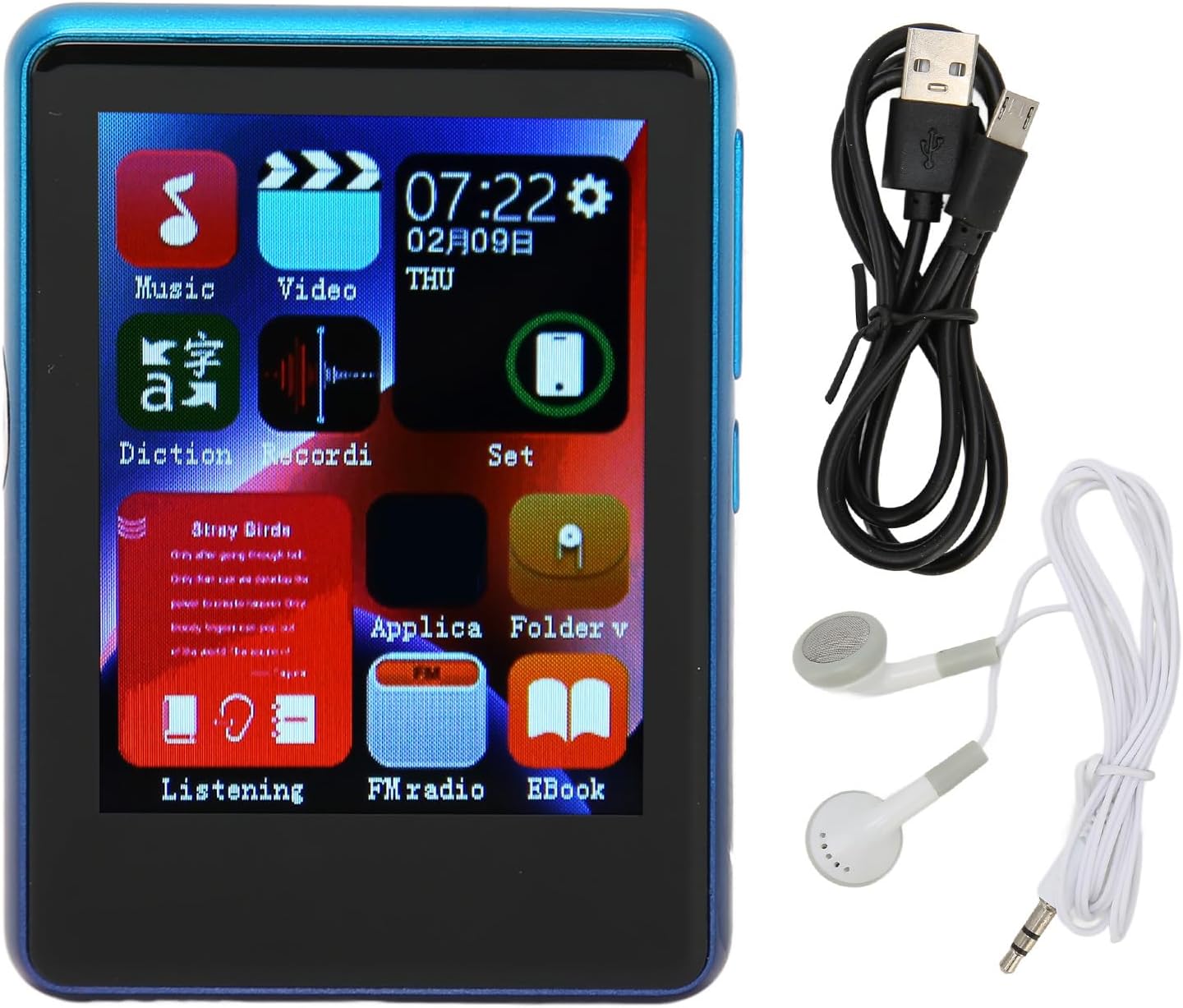
Image: The Yunir MP3 Player, accompanied by its wired headphones and USB charging cable, as included in the package.
3. Prodott Aktarview
3.1 Layout tal-Apparat
Familiarize yourself with the buttons, ports, and screen of your MP3 player.

Image: Multiple side views of the MP3 player, highlighting the volume control buttons (+ and -) and the power button on the side.

Image: A close-up of the bottom edge of the MP3 player, displaying the speaker grille, 3.5mm headphone jack, and Micro USB charging/data port.
- Skrin tat-Touch TFT ta' 2.4 pulzieri: For navigation and interaction.
- Buttuni tal-Volum (+/-): Aġġusta l-livell tal-ħruġ tal-awdjo.
- Buttuna tal-Qawwa: Turn the device on/off or lock/unlock the screen.
- Jack tal-headphones ta' 3.5mm: Qabbad il-headphones bil-fili.
- Port Micro USB: Għall-iċċarġjar u t-trasferiment tad-dejta.
- Slott tal-Karta Mikro SD: Expand storage up to 256GB (card not included).
4. Setup
4.1 Iċċarġjar tal-Apparat
- Connect the small end of the included USB charging cable to the Micro USB port on the MP3 player.
- Qabbad it-tarf l-akbar tal-kejbil USB ma' adapter tal-enerġija USB (mhux inkluż) jew mal-port USB tal-kompjuter.
- The device will indicate that it is charging. Allow sufficient time for a full charge before first use.
Nota: Ensure the charging port is clean and free of debris to prevent connection issues.
4.2 Daħħal Micro SD Card
The device has 4GB of built-in memory and supports expansion up to 256GB via a Micro SD card (not included).
- Sib is-slott tal-kard Micro SD fuq il-ġenb tal-plejer.
- Daħħal il-kard Micro SD bil-mod fl-islott bil-kuntatti tad-deheb iħarsu 'l isfel sakemm tikklikkja f'postha.
- Biex tneħħiha, imbotta l-karta ftit 'il ġewwa sakemm toħroġ 'il barra.
5. Istruzzjonijiet Operattivi
5.1 Power On/Off
- Biex Tixgħel: Agħfas u żomm il-buttuna Power sakemm l-iskrin jixgħel.
- Biex Tifi: Press and hold the Power button, then select "Power Off" on the screen.
- Lock/Nisfrutta l-iskrin: Agħfas fil-qosor il-buttuna tal-Qawwa biex tissakkar jew tiftaħ l-iskrin.
5.2 Navigazzjoni
The MP3 player features a 2.4-inch TFT touch screen for intuitive navigation. Tap icons to open applications or settings, and swipe to scroll through lists.

Image: The MP3 player's main menu interface, showing various application icons such as Music, Video, FM Radio, and EBook, indicating touch screen functionality.
5.3 Daqq tal-Mużika
The player supports a wide range of audio formats including MP3, APE, FLAC, WMA, WAV, and AAC, up to 24-bit quality.

Image: The MP3 player screen showing a music playback interface, with text indicating support for multiple audio formats like MP3, APE, FLAC, WMA, WAV, and AAC.
- From the main menu, tap the "Music" icon.
- Browse your music library by artist, album, genre, or folder.
- Tap a song to begin playback.
- Use the on-screen controls for play/pause, skip tracks, and adjust volume.
5.4 Konnettività Bluetooth
Connect to Bluetooth headphones or speakers for wireless audio.

Image: The MP3 player connected to wired headphones, illustrating its audio output capabilities, including the 3.5mm stereo line output jack for stable transmission.
- From the main menu, tap the "Set" or "Bluetooth" icon (if available).
- Ixgħel il-Bluetooth u fittex apparati disponibbli.
- Select your Bluetooth device from the list to pair.
- Once paired, audio will stream wirelessly to your connected device.
5.5 Radju FM
The MP3 player includes an FM radio function.
- Connect wired headphones to the 3.5mm jack; they act as the antenna.
- From the main menu, tap the "FM Radio" icon.
- Use the on-screen controls to scan for stations or tune manually.
5.6 E-book Function
Aqra t-test files direttament fuq it-tagħmir tiegħek.
- From the main menu, tap the "EBook" icon.
- Browse for compatible text files stored on your device or Micro SD card.
- Tektek a file biex tiftaħ u taqra.
6. File Ġestjoni
6.1 Trasferiment Files
- Connect the MP3 player to your computer using the USB charging cable.
- The player should appear as a removable disk drive on your computer.
- Drag and drop music, video, or e-book files into the appropriate folders on the device's internal storage or the Micro SD card.
- Oħroġ l-apparat mill-kompjuter tiegħek b'mod sigur qabel ma skonnettja l-kejbil USB.
7. Manutenzjoni
- Tindif: Use a soft, dry cloth to clean the screen and body of the player. Avoid liquid cleaners.
- Ħażna: Aħżen l-apparat f'post frisk u niexef 'il bogħod mix-xemx diretta u minn temperaturi estremi.
- Kura tal-batterija: Biex ittawwal il-ħajja tal-batterija, evita li tiċċarġja kompletament il-batterija ta' spiss. Iċċarġja l-apparat regolarment, anke jekk ma jkunx qed jintuża għal perjodi twal.
- Evita Qtar: Ipproteġi l-apparat minn xokkijiet fiżiċi u waqgħat.
8 Issolvi l-problemi
| Problema | Soluzzjoni Possibbli |
|---|---|
| L-apparat ma jixgħelx. | Kun żgur li l-batterija hija ċċarġjata. Qabbad ma' sors ta' enerġija u erġa' pprova. |
| Ma jistax jittrasferixxi files għall-apparat. | Check USB cable connection. Ensure the device is recognized by the computer. Try a different USB port or cable. |
| L-ebda ħoss mill-headphones. | Check headphone connection. Ensure volume is not muted or too low. Test with different headphones. |
| L-apparat Bluetooth mhux qed jiġi mqabbla. | Ensure Bluetooth is enabled on both devices. Place devices close to each other. Try unpairing and re-pairing. |
| Charging port issues. | Inspect the charging port for debris or damage. Use the original charging cable. If issues persist, contact support. |
9. Speċifikazzjonijiet
| Karatteristika | Dettall |
|---|---|
| Isem tal-Mudell | Yunirc3gg08n9f6-12 |
| Wiri | 2.4 Inches TFT, Touch Screen |
| Konnettività | Bluetooth 5.0, USB |
| Memorja Interna | 4 GB |
| Memorja espansibbli | Up to 256GB (Micro SD Card) |
| Formati Awdjo Appoġġjati | MP3, APE, FLAC, WMA, WAV, AAC (up to 24-bit) |
| Karatteristiċi Speċjali | FM Radio, E-book Function |
| Piż | 0.11 Kilogrammi |
| Komponenti Inklużi | Wired Headphone, Charging Cable |
10. Garanzija u Appoġġ
This product comes with a standard manufacturer's warranty. For detailed warranty information, please refer to the warranty card included in your package or contact your retailer.
For technical support or customer service, please contact the vendor through your purchase platform or refer to the contact information provided with the product.