
1. Introduzzjoni
Thank you for choosing the LDNIO A4405 4-Port USB Wall Charger. This device is designed to provide efficient and safe charging for multiple electronic devices simultaneously. It features four USB ports with intelligent AUTO-ID technology and an integrated LED touch lamp for added convenience. Please read this manual carefully before use to ensure optimal performance and safety.
2. Informazzjoni dwar is-Sigurtà
- Tesponix il-ċarġer għal likwidi, umdità, jew temperaturi estremi.
- Evita li twaqqa' l-ċarġer jew li tissottomettih għal impatti qawwija.
- Tiżżarmax, timmodifikax, jew tippruvax issewwi l-ċarġer. Dan jannulla l-garanzija u jista' jikkawża xokk elettriku jew nar.
- Żgura l-iżbokk tal-ħajt voltage is compatible with the charger's input specifications (AC100-240V).
- Żomm fejn ma jintlaħaqx mit-tfal.
- Skonnettja l-ċarġer mill-plagg tal-ħajt meta ma jkunx qed jintuża jew waqt maltempati elettriku.
- Tużax jekk il-ċarġer jew il-kejbil ikunu bil-ħsara.
3. Kontenut tal-Pakkett
- LDNIO A4405 4-Port USB Wall Charger
- USB għal Lightning Cable
4. Prodott Aktarview
The LDNIO A4405 is a compact and versatile wall charger featuring four USB output ports and an integrated LED touch lamp. Its AUTO-ID technology automatically detects and delivers the optimal charging current for connected devices.
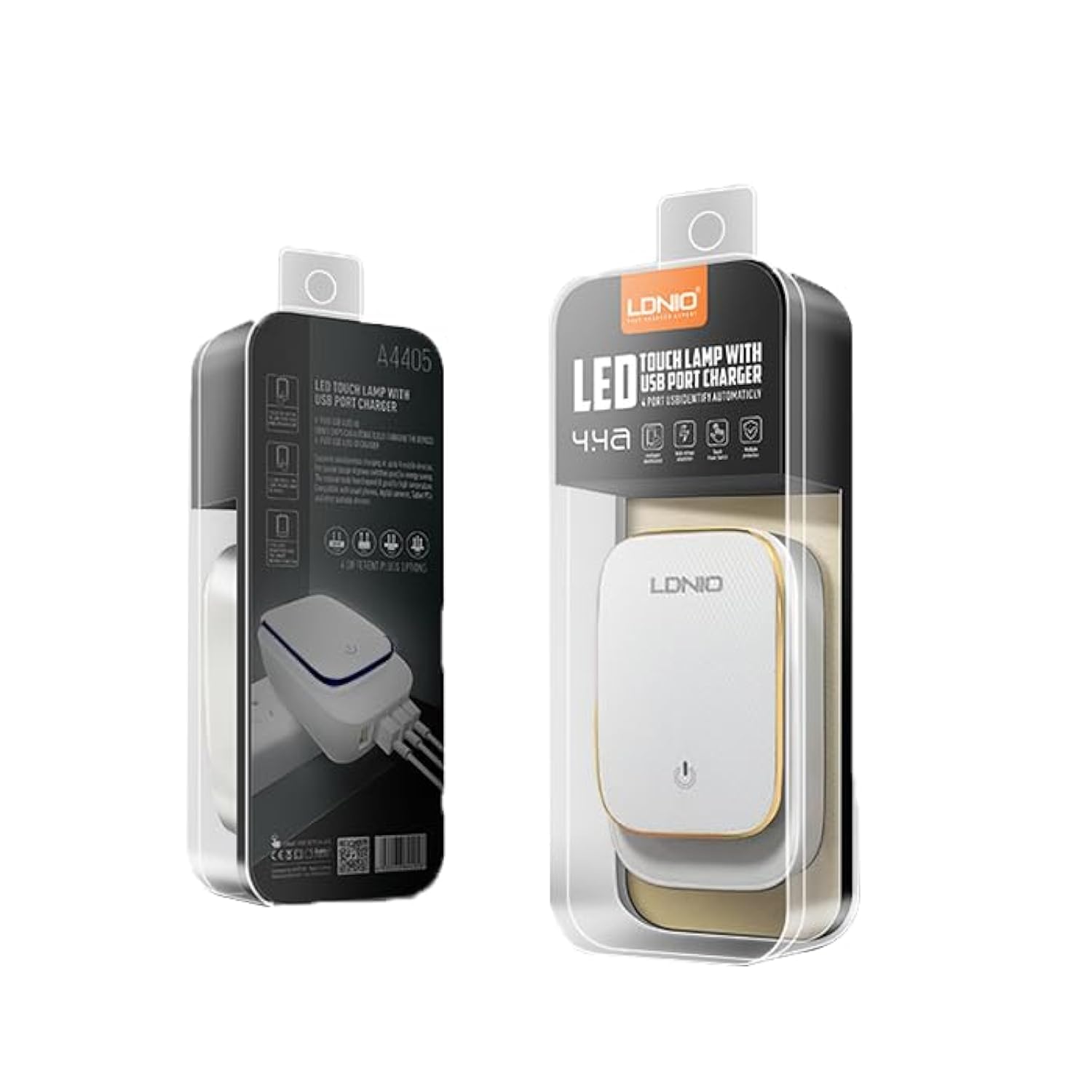
Figure 4.1: LDNIO A4405 4-Port USB Wall Charger in its retail packaging, showcasing the product and its features.

Figura 4.2: Quddiem view of the LDNIO A4405 charger, featuring four green USB ports labeled 'AUTO-ID' and an integrated UK-style power plug.

Figura 4.3: Quddiem view of the LDNIO A4405 charger, featuring four green USB ports labeled 'AUTO-ID' and an integrated EU-style power plug.

Figura 4.4: Fuq view of the LDNIO A4405 charger, showing the LDNIO logo and the touch-sensitive area for the LED lamp.
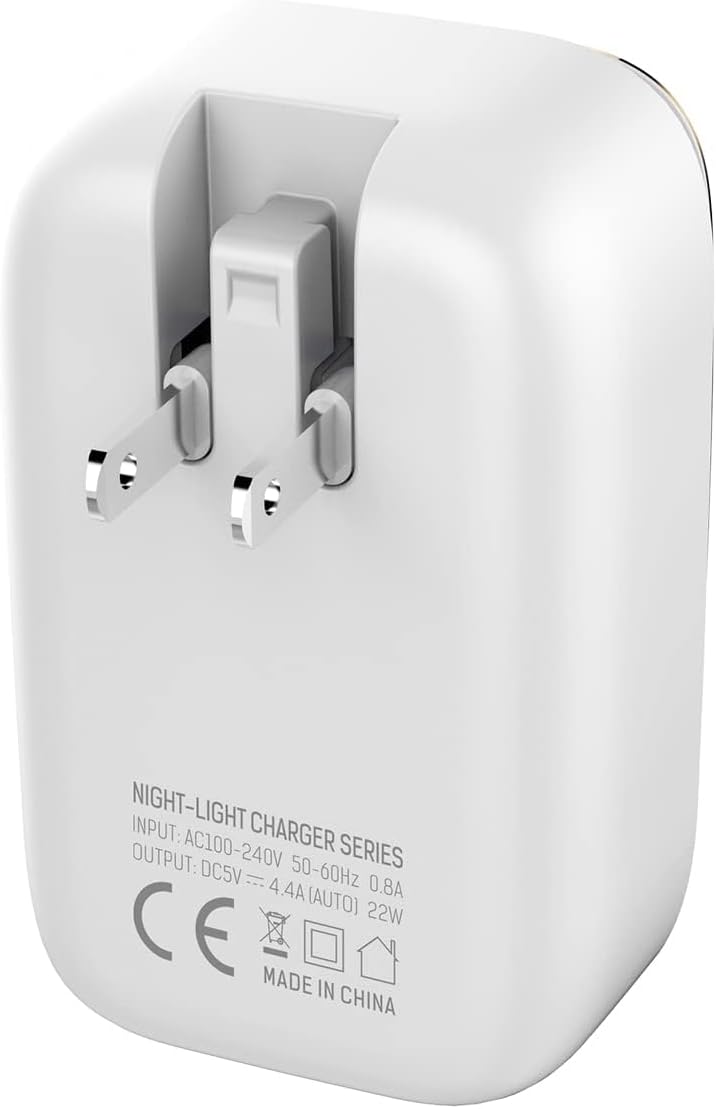
Figura 4.5: Lura view of the LDNIO A4405 charger, displaying detailed input (AC100-240V, 50-60Hz, 0.8A) and output (DC5V, 4.4A AUTO, 22W) specifications, along with CE certification.
5. Istruzzjonijiet ta' Setup
- Ippakkja: Carefully remove the LDNIO A4405 charger and included cable from its packaging.
- Spezzjona: Iċċekkja l-ċarġer u l-kejbil għal xi ħsara viżibbli. Tużax jekk ikun bil-ħsara.
- Ipplaggja: Insert the charger's integrated power plug into a standard wall electrical outlet. Ensure it is securely seated.
- Qabbad Apparat: Use the provided USB to Lightning cable or your own compatible USB charging cables to connect your devices to any of the four USB ports on the charger.
6. Istruzzjonijiet Operattivi
6.1 Apparati tal-Iċċarġjar
- Once plugged into a power outlet, the charger is ready for use.
- Connect your device's charging cable to one of the four USB ports. The charger's AUTO-ID technology will automatically detect your device and deliver the optimal charging current up to 2.4A per port, with a total output of 4.4A (22W) across all ports.
- Your device should indicate that it is charging.
- Skonnettja t-tagħmir tiegħek ladarba tkun iċċarġjat kompletament.
6.2 LED Touch Lamp Operazzjoni
- The top surface of the charger features an integrated LED touch lamp.
- Biex tixgħel/itfi: Lightly touch the power icon on the top surface of the charger.
- Biex taġġusta l-luminożità: Press and hold the power icon to cycle through different brightness levels. Release when the desired brightness is reached.
7. Manutenzjoni
- Tindif: Skonnettja l-ċarġer mill-iżbokk tal-enerġija qabel ma tnaddaf. Uża drapp artab u niexef biex timsaħ il-wiċċ. Tużax prodotti tat-tindif likwidi jew aerosols.
- Ħażna: Aħżen il-ċarġer f'post frisk u niexef 'il bogħod mix-xemx diretta u minn temperaturi estremi meta ma jkunx qed jintuża.
- Kura tal-Cable: Evita li tgħawweġ jew iddawwar il-kejbils tal-iċċarġjar b'mod eċċessiv, għax dan jista' jagħmel ħsara lilhom.
8 Issolvi l-problemi
| Problema | Kawża Possibbli | Soluzzjoni |
|---|---|---|
| Apparat mhux jiċċarġja | Charger not plugged in correctly Cable bil-ħsara Device issue | Ensure charger is firmly plugged into the wall outlet. Ipprova kejbil USB differenti. Test the device with another charger to confirm it's not a device problem. |
| Iċċarġjar bil-mod | Kwalità tal-kejbil Device drawing too much power Apparat multipli konnessi | Use a high-quality USB cable. Ensure the device is compatible with the charger's output. Disconnect other devices to see if charging speed improves. |
| LED lamp mhux qed jaħdem | Ebda qawwa Kwistjoni tas-sensor touch | Kun żgur li l-ċarġer huwa pplaggjat f'sokit tal-elettriku ħaj. Try touching the sensor firmly or for a longer duration. |
9. Speċifikazzjonijiet
| Karatteristika | Speċifikazzjoni |
|---|---|
| Isem tad-Ditta | LDNIO |
| Numru tal-Mudell | A4405 (Internal ID: ELC ldnio-045) |
| Tip ta' Prodott | Ċarġer tal-ħajt |
| Kulur | Abjad |
| Portijiet USB totali | 4 |
| Input Voltage | AC 100-240V, 50-60Hz, 0.8A |
| Output | DC 5V / 4.4A (AUTO-ID, 22W Total) |
| Kurrent tal-Ħruġ (għal kull port) | Sa 2.4A |
| Teknoloġija tal-Konnettività | USB |
| Tip ta 'Immuntar | Mount Wall |
| Sors tal-Enerġija | Corded Electric (Integrated Plug) |
| Apparati Kompatibbli | Multiple (Smartphones, Tablets, etc.) |
| Komponenti Inklużi | Charger, USB to Lightning Cable |
| Piż tal-oġġett | 50 gramma |
| Konformità | CE |
10. Garanzija u Appoġġ
LDNIO products are manufactured to high-quality standards. For warranty information, technical support, or customer service inquiries, please refer to the contact details provided on the product packaging or visit the official LDNIO websit. Jekk jogħġbok żomm il-prova tax-xiri tiegħek għal talbiet ta' garanzija.