
1. Introduzzjoni
Grazzi tax-xiriasing the VCHICS A22 Portable Mini Body Camera. This manual provides essential information for the proper setup, operation, and maintenance of your device. Please read it thoroughly before use to ensure optimal performance and longevity of the product.
Kontenut tal-Pakkett
- 1 x VCHICS A22 Mini Camera
- 1 x USB Data Cable
- 1 x Manwal għall-Utent bl-Ingliż

Image 1.1: The VCHICS A22 Mini Body Camera package contents, including the camera, USB cable, and user manual.
2. Prodott Aktarview
The VCHICS A22 is a compact and versatile mini body camera designed for various recording needs. It features a durable plastic shell, simple operation, and advanced recording capabilities.
Karatteristiċi Ewlenin
- Kostruzzjoni Durabbli: Robust plastic shell designed to withstand accidental drops.
- Simple One-Key Operation: Start recording instantly with a single button press.
- Viżjoni bil-lejl imtejba: Equipped with 4 x 940 IR night vision lights for clear recording in low-light conditions.
- Simultaneous Recording & Charging: Allows continuous operation without battery concerns.
- Reġistrazzjoni Loop: Ensures no critical moments are missed by overwriting the oldest filemeta l-ħażna tkun mimlija.
- Sejbien tal-Moviment: Automatically starts recording when movement is detected.
- Vidjow ta' Definizzjoni Għolja: Supports 1080P and 720P video recording.
- Użu versatili: Functions as a car DVR, sports DV, or web kamera.
- Ħażna espansibbli: Supports TF memory cards from 8GB to 256GB (FAT32 format).
- Rotatable Camera Head: 180-degree rotating camera head with a 160-degree ultra-wide angle lens.
- Magnetic Back Clip: Strong magnetic clip for secure attachment.
- Ħajja twila tal-batterija: Approximately 10 hours of continuous video recording at 720P 30fps on a full charge.
- Invisible Silent Recording: Records discreetly without visible indicators.
- Qbid tar-Ritratti: Supports taking photos during video recording.
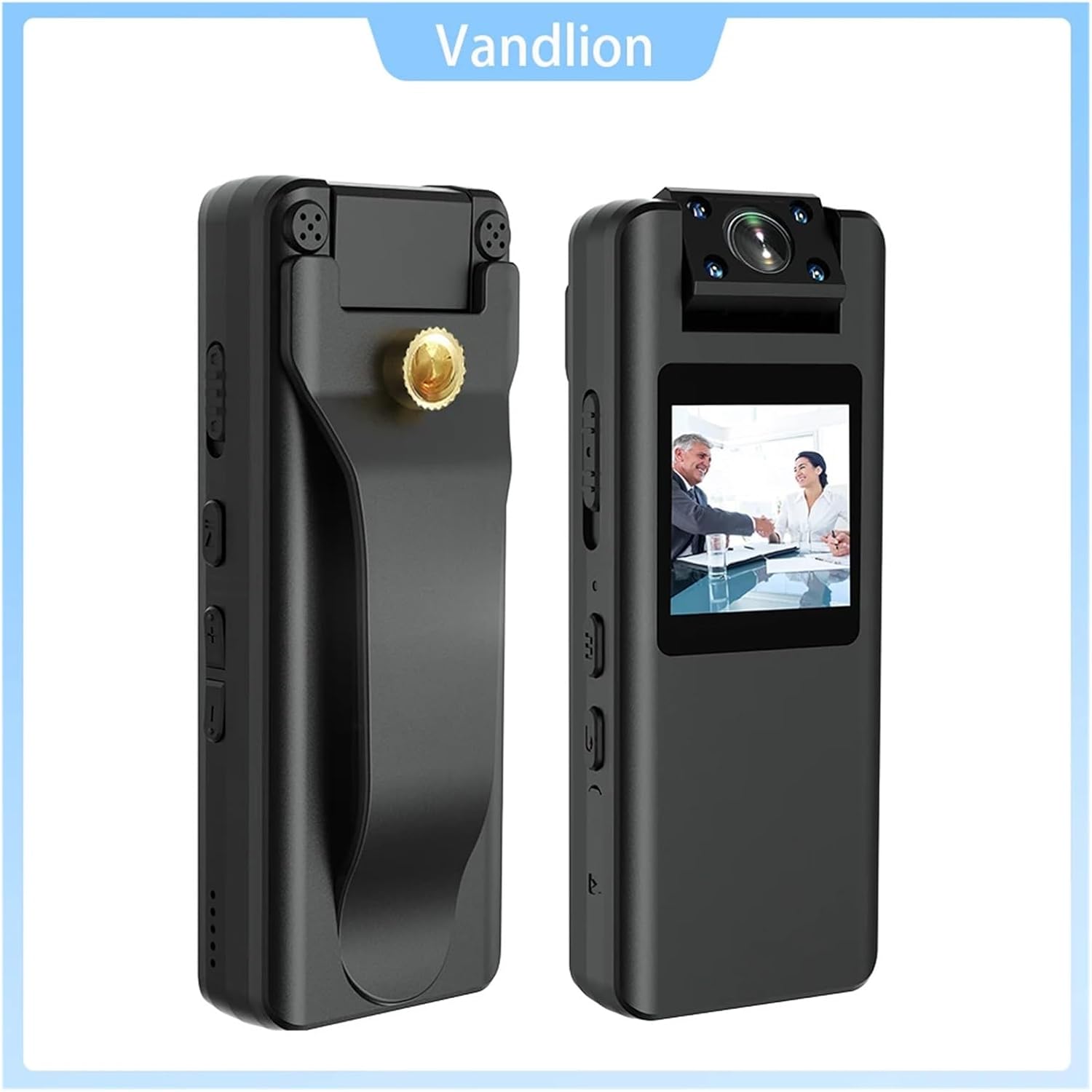
Immaġni 2.1: Minn quddiem u mill-ġenb views of the VCHICS A22 Mini Body Camera, highlighting its compact design and controls.
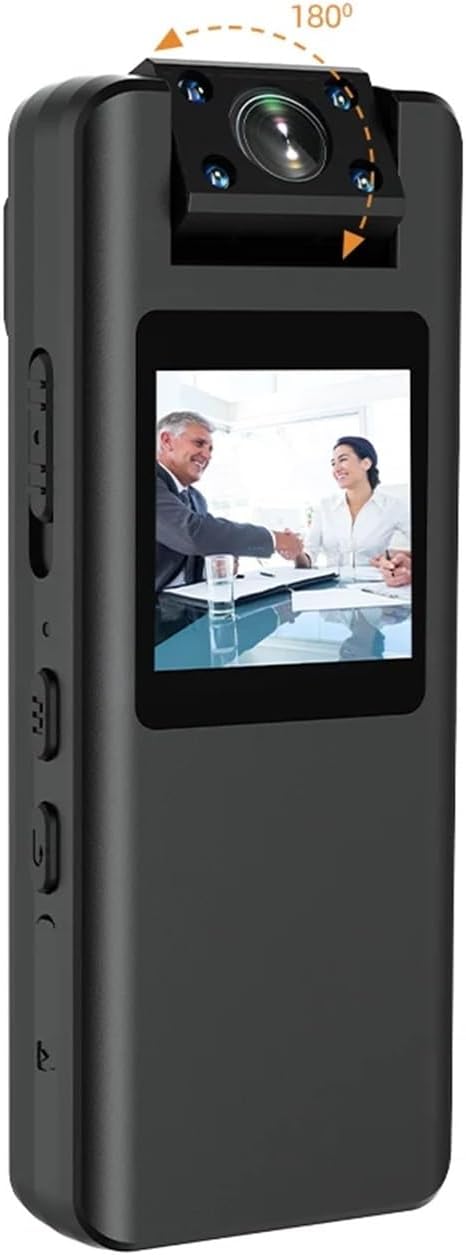
Image 2.2: The VCHICS A22 Mini Body Camera demonstrating its 180-degree rotatable camera head for flexible recording angles.
3. Setup
3.1 Iċċarġjar tal-Apparat
Before first use, fully charge the camera. Connect the camera to a USB power adapter (not included) or a computer's USB port using the provided USB data cable. The LED indicator will show charging status and turn off when fully charged.
3.2 Daħħal il-Karta tat-TF
The camera supports TF (microSD) cards from 8GB to 256GB. Ensure the card is formatted to FAT32. Gently insert the TF card into the designated slot until it clicks into place. To remove, push the card in again until it springs out.
3.3 L-issettjar tal-Ħin tas-Sistema
To synchronize the system time, connect the camera to a computer. Create a text file named `time.txt` in the root directory of the TF card. Open the file and enter the current date and time in the format `YYYYMMDDHHMMSS` (e.g., `20240302103000` for March 2, 2024, 10:30:00). Save the file and safely eject the camera. The time will be updated upon the next power-on.
4. Istruzzjonijiet Operattivi
4.1 Power On/Off
- Qawwa Mixgħul: Agħfas u żomm il-buttuna tal-Power għal ftit sekondi sakemm id-dawl indikatur jixgħel.
- Itfi: Agħfas u żomm il-buttuna tal-Qawwa għal ftit sekondi sakemm id-dawl indikatur jintefa.
4.2 Video Recording (1080P/720P)
Once powered on, press the Video Record button to start recording. The indicator light will flash to indicate recording is in progress. Press the button again to stop recording and save the file.
4.3 Teħid tar-Ritratti
In standby mode, press the Photo button to take a still image. The indicator light will flash once to confirm the photo has been taken and saved.
4.4 Reġistrazzjoni tal-Awdjo
In standby mode, press the Audio Record button to start audio-only recording. The indicator light will flash differently (refer to device specific light patterns) to indicate audio recording. Press again to stop and save.
4.5 Sejbien tal-Moviment
To activate motion detection, refer to the specific button sequence or menu option on your device. Once enabled, the camera will automatically begin recording when movement is detected within its 5-meter range and stop when motion ceases.
4.6 Viżjoni bil-lejl
The camera features 4 x 940 IR night vision lights. These lights activate automatically in low-light conditions or can be manually toggled via a dedicated button or menu setting (refer to device specific controls). This allows for clear video capture even in dark environments.

Image 4.1: Visual comparison of video quality captured by the VCHICS A22 camera during daytime and nighttime, demonstrating its night vision capability.
4.7 Loop Recording
The camera supports loop recording. When the TF card is full, the oldest video files se jiġu awtomatikament sostitwiti b'reġistrazzjonijiet ġodda. Dan jiżgura reġistrazzjoni kontinwa mingħajr tħassir manwali ta' dawk qodma files.
4.8 Connecting to PC (Webcam /File Trasferiment)
Connect the camera to your computer using the USB data cable. The camera can function as a removable disk for file transfer or as a webcam. Select the desired mode on the camera's screen or through your computer's settings.
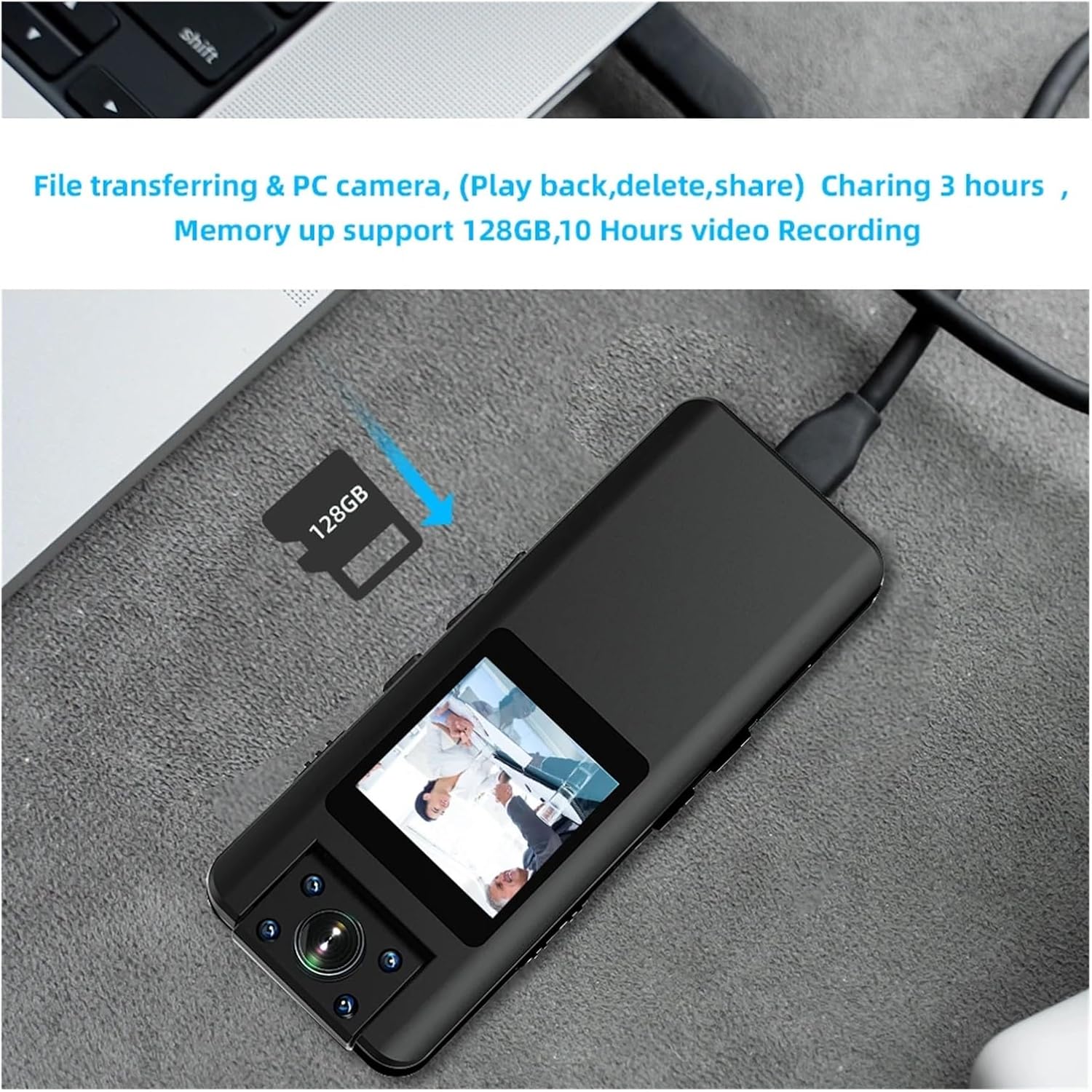
Image 4.2: The VCHICS A22 Mini Body Camera connected to a laptop, illustrating its capability for file transfer and use as a PC camera.
5. Manutenzjoni
5.1 Tindif
Wipe the camera body with a soft, dry cloth. Do not use liquid cleaners or solvents. For the lens, use a specialized lens cleaning cloth to avoid scratches.
5.2 Ħażna
Store the camera in a cool, dry place away from direct sunlight, extreme temperatures, and high humidity. Remove the TF card if storing for extended periods.
5.3 Kura tal-Batterija
To prolong battery life, avoid fully discharging the battery frequently. Charge the camera regularly, even if not in use, to maintain battery health. Do not expose the battery to high temperatures.
6 Issolvi l-problemi
6.1 Il-Kamera Mhux Tixgħel
- Kun żgur li l-batterija hija ċċarġjata. Qabbad ma' sors ta' enerġija u erġa' pprova.
- If the camera is unresponsive, try resetting it using a small pin in the reset hole (if available).
6.2 Recording Issues (No Recording/Corrupted Files)
- Check if a TF card is properly inserted and has sufficient free space.
- Ensure the TF card is formatted to FAT32. Reformat if necessary (this will erase all data on the card).
- Try using a different TF card to rule out card issues.
6.3 Kwalità tal-Vidjo Fqira
- Kun żgur li l-lenti tal-kamera hija nadifa u ħielsa minn tbajja’ jew trab.
- Check lighting conditions. For low light, ensure night vision is active.
- Verify that the correct video resolution (1080P or 720P) is selected.
6.4 Camera Not Recognized by PC
- Ipprova port USB jew kejbil USB differenti.
- Ensure the camera is powered on when connected to the PC.
- Check your computer's device manager for any driver issues.
7. Speċifikazzjonijiet
| Karatteristika | Speċifikazzjoni |
|---|---|
| Codec tal-vidjo | H.264 |
| Format tal-vidjo | MOV (1920x1080P) |
| Format tar-ritratti | JPG |
| Format Awdjo | WAV |
| Dimensjonijiet (L x W x H) | 96mm x 38mm x 16mm |
| Konnettur tal-USB | Mikro USB 2.0 |
| TF Memory Card Support | 8GB - 256GB (FAT32) |
| Kapaċità tal-batterija | 3.8V/2200MA Lithium Battery |
| Frame Rata | 30FPS |
| Distanza ta' Sejbien tal-Moviment | 5 metri (linja dritta) |
| Photo Resolution Options | 40M/21M/12M/10M/8M/5M/2MHD/1.3M/VGA |
| Video Resolution Options | 1080P/720P |
| Temperatura operattiva | -5°C sa 45°C |
8. Garanzija u Appoġġ
For warranty information and technical support, please refer to the contact details provided with your purchase or visit the official VCHICS websit. Żomm l-irċevuta tax-xiri tiegħek bħala prova tax-xiri għal talbiet ta' garanzija.
If you encounter any issues not covered in this manual, please contact our customer support team for assistance.