
Introduzzjoni
Thank you for choosing the litokam 2.5K 4MP QHD Outdoor PTZ Security Camera. This manual provides detailed instructions for setting up, operating, and maintaining your camera to ensure optimal performance and security for your home. This camera features 2.5K 4MP QHD resolution, 360° pan/tilt monitoring, AI motion detection, color night vision, and two-way audio communication.
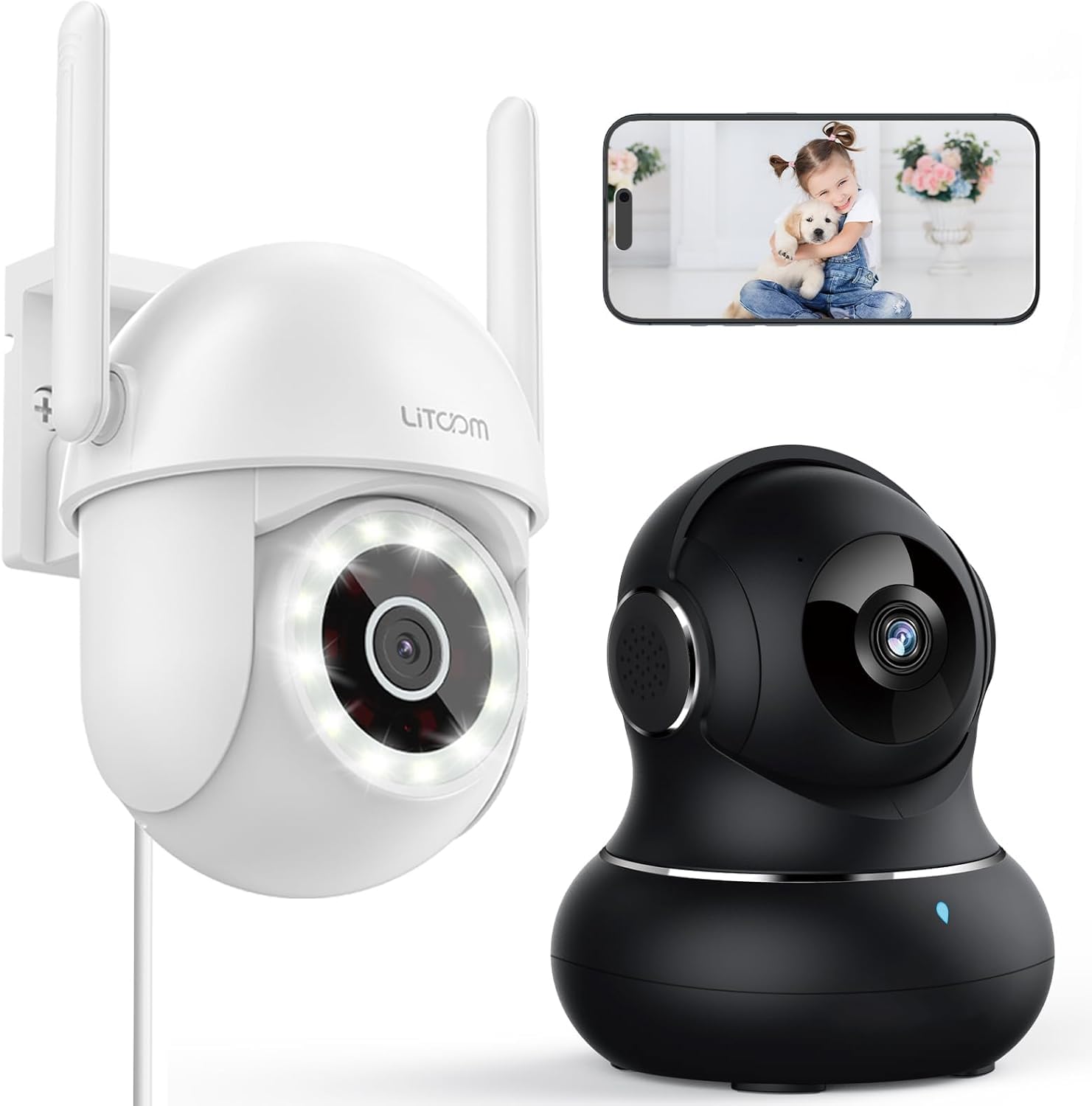
Immaġni: Fuqview of the litokam 2.5K 4MP QHD Outdoor PTZ Security Camera.
Gwida ta' Setup
1. Kontenut tal-Pakkett
Qabel l-installazzjoni, jekk jogħġbok kun żgur li l-komponenti kollha huma preżenti:
- litokam 2.5K 4MP QHD Outdoor PTZ Security Camera
- Adapter tal-Enerġija
- Viti u Ankri tal-Immuntar
- Manwal għall-Utent (dan id-dokument)
2. Powering tal-Kamera
The camera requires a direct power supply. Connect the provided power adapter to the camera's power input port and then plug it into a standard electrical outlet. Ensure the power source is stable.
3. Immuntar tal-Kamera
The camera is designed for wall mounting. Choose a suitable location that provides the desired viewing angle and is within range of your 2.4GHz Wi-Fi network. Use the included screws and anchors to securely mount the camera.
- Mark the drilling points on the wall using the camera's base as a template.
- Drill toqob fil-punti mmarkati.
- Daħħal l-ankri tal-plastik fit-toqob imtaqqbin.
- Align the camera base with the holes and secure it with the screws.
4. Installazzjoni tal-App u Konnessjoni Wi-Fi
To operate the camera, you need to download the litokam app on your smartphone (compatible with Android and iOS). The camera only works with 2.4GHz Wi-Fi networks.
- Download the litokam app from your device's app store.
- Irreġistra jew idħol fil-kont tiegħek.
- Follow the in-app instructions to add your new camera. This typically involves scanning a QR code on the camera or manually selecting the device type and entering Wi-Fi credentials.
- Kun żgur li t-telefon tiegħek huwa konness ma' netwerk Wi-Fi ta' 2.4GHz matul il-proċess tas-setup.
Istruzzjonijiet Operattivi
1. Ħaj View u Kontroll Pan/Tilt
Access the live video feed through the litokam app. The camera offers 360° pan and tilt functionality, allowing you to remotely adjust the viewing angle. Use the on-screen controls in the app to pan horizontally and tilt vertically.

Image: Remote Pan/Tilt/Zoom (PTZ) control via the mobile application, showing 360° horizontal viewing angle and 3X digital zoom.
The camera also supports 3X digital zoom to view details more closely within the live feed.
2. Sejbien u Twissijiet tal-Mozzjoni bl-AI
The camera features PIR motion detection and advanced AI analytics to accurately identify and differentiate between people and vehicles, significantly reducing false alarms. When motion is detected, real-time alerts are sent to your phone.

Image: AI analysis detecting a vehicle in the surveillance area, reducing false alarms.

Image: The camera detecting motion, with options for real-time alerts and app notifications.
You can customize alert settings, including siren activation and flashing white light, to deter unwanted visitors.
3. Komunikazzjoni Awdjo f'Żewġ Direzzjonijiet
With a built-in microphone and speaker, the camera enables two-way audio. Use the app to speak with visitors, family members, or pets directly through the camera, or to warn intruders.

Image: Demonstrating two-way audio, allowing communication with a person at the door.
4. Modi ta' Viżjoni bil-Lejl
The camera offers three night vision options for clear monitoring up to 33 feet in low-light conditions:
- Modalità infra-aħmar: Viżjoni standard bil-lejl bl-abjad u l-iswed bl-użu ta' LEDs infra-aħmar.
- Modalità b'Kulur Sħiħ: Utilizes the built-in LED spotlight to provide full-color video even at night.
- Modalità Smart: Automatically switches between infrared and full-color mode based on detected motion or light conditions.

Image: Comparison of standard night vision (left) and full-color night vision (right) with LED spotlight activated.

Image: Visual representation of 4MP HD resolution for clearer images, comparing it to lower resolution.
5. Kondiviżjoni bejn Diversi Utenti
The litokam app allows you to share camera access with multiple users, such as family members. This enables several people to view the live feed and receive alerts simultaneously.

Image: The litokam app interface showing multi-user access and sharing capabilities across different devices (Android, iOS, Tablet, PC Software).
Manutenzjoni
1. Tindif tal-Kamera
To ensure clear image quality, periodically clean the camera lens and housing. Use a soft, damp drapp biex timsaħ it-trab u l-ħmieġ. Evita li tuża kimiċi ħarxa jew materjali li joborxu li jistgħu jagħmlu ħsara lill-lenti jew lill-finitura.
2. Aġġornamenti tal-Firmware
Keep your camera's firmware updated to benefit from the latest features and security enhancements. Check for available updates within the litokam app and follow the on-screen instructions to install them.
3. Reżistenza għat-temp
The camera has an IP65 rating, indicating it is protected against dust and water jets. This allows for efficient, all-weather operation, withstanding rain, snow, and harsh conditions. No special weather-related maintenance is typically required beyond ensuring the power connection remains secure and protected.
Issolvi l-problemi
If you encounter issues with your litokam security camera, refer to the following common solutions:
- Kamera Offline:
- Ensure the camera is properly powered and the power adapter is securely connected.
- Verify your Wi-Fi router is working and the camera is within range of a 2.4GHz Wi-Fi signal.
- Erġa' ibda l-kamera billi tneħħi u terġa' twaħħal l-adapter tal-enerġija.
- Check the litokam app for any network status indicators or troubleshooting guides.
- Ma tistax tikkonnettja mal-Wi-Fi:
- Confirm your Wi-Fi network is 2.4GHz. The camera does not support 5GHz Wi-Fi.
- Kun żgur li qed iddaħħal il-password korretta tal-Wi-Fi.
- Mexxi l-kamera eqreb lejn ir-router Wi-Fi tiegħek matul il-proċess tas-setup.
- Reset the camera (refer to the app for specific reset instructions, usually a small button).
- Kwalità Fqira tal-Immaġni:
- Naddaf il-lenti tal-kamera b'ċarruta ratba.
- Kun żgur li m'hemm l-ebda ostaklu quddiem il-lenti.
- Iċċekkja l-veloċità tal-konnessjoni tal-internet tiegħek; konnessjoni bil-mod tista' taffettwa l-kwalità tal-istriming.
- Is-Sejbien tal-Moviment Mhux Taħdim:
- Verify motion detection settings are enabled in the litokam app.
- Aġġusta l-livelli ta' sensittività jekk meħtieġ.
- Kun żgur li l-kamera view ma jkunx ostakolat.
For further assistance, please contact litokam customer support or refer to the FAQ section within the litokam app.
Speċifikazzjonijiet
| Karatteristika | Dettall |
|---|---|
| Mudell | 2.5K 4MP QHD Outdoor PTZ Security Camera |
| Riżoluzzjoni tal-Qbid tal-Vidjo | 2.5K, 4 MP (2560*1440) |
| Zoom Diġitali | 3X |
| Kopertura Pan/Tilt | 360° |
| Protokoll tal-Konnettività | Wi-Fi (2.4GHz biss) |
| Sors tal-Enerġija | Wired (Direct Power Supply) |
| Sejbien tal-Moviment | PIR Motion Detection, Advanced AI Analytics (Person/Vehicle Differentiation) |
| Viżjoni bil-lejl | Full-Color, Infrared, Smart Mode (up to 33ft visible range) |
| Awdjo | Awdjo b'żewġ direzzjonijiet (Mikrofonu u Speaker integrati) |
| Reżistenza għat-temp | IP65 Rated |
| Apparati Kompatibbli | Smartphone (Android, iOS), PC Software |
| Tip ta 'Immuntar | Mount Wall |
| ASIN | B0CX91MDJ4 |
Garanzija u Appoġġ
Informazzjoni dwar Garanzija
For detailed warranty information, please refer to the warranty card included with your product or visit the official litokam websit. It-termini u l-kundizzjonijiet tal-garanzija jistgħu jvarjaw skont ir-reġjun u d-data tax-xiri.
Appoġġ għall-Klijent
If you require technical assistance, have questions about your product, or need to report an issue, please contact litokam customer support. You can typically find contact information (email, phone, or support portal) on the official litokam website or within the litokam mobile application.
Please have your product model and ASIN (B0CX91MDJ4) ready when contacting support for faster service.