
Introduzzjoni
This manual provides essential information for setting up, operating, and maintaining your ASUS VA329HE 32-inch Full HD LED Backlit LCD Monitor. The ASUS VA series is designed to enhance productivity with vivid visuals and eye care features. This bundle includes a dual monitor stand for an optimized workspace.
Setup
1. Tneħħija tal-kaxxa u Kontroll tal-Komponenti
Neħħi l-komponenti kollha mill-imballaġġ bir-reqqa. Kun żgur li l-oġġetti li ġejjin huma preżenti:
- Monitor tal-ASUS VA329HE
- Adapter tal-Enerġija u Cable
- Cable HDMI
- Kejbil VGA
- Dual Monitor Desk Mount Stand (with heavy-duty desk clamp and detachable VESA bracket plates)
- Manwal għall-Utent (dan id-dokument)
2. Assemblea tal-Monitor
The monitor can be used with its included desk mount stand or mounted using its VESA compatibility.

Figure 1: Components of the Dual Monitor Desk Mount Stand. This image shows the various parts of the desk mount, including the main pole, adjustable arms, and VESA plates, ready for assembly.
For Desk Mount Stand:
- Attach the VESA bracket plates to the back of each monitor using the provided screws.
- Assemble the desk mount stand according to its specific instructions, securing the heavy-duty desk clamp għall-iskrivanija tiegħek.
- Attach the monitors (with VESA plates) to the adjustable arms of the stand.
- Adjust the height, tilt, swivel, and rotation of the monitors for optimal viewkumdità.
For VESA Wall Mount (not included):
- The monitor is VESA compatible. Remove the pre-attached stand (if any) and follow the instructions provided with your VESA wall mount kit.

Figura 2: Wara view of the ASUS VA329HE monitor, highlighting the VESA mounting holes for attaching to a compatible stand or wall mount.
3. Kejbils tal-Konnessjoni
Qabbad il-kejbils meħtieġa mal-monitor u l-kompjuter tiegħek.
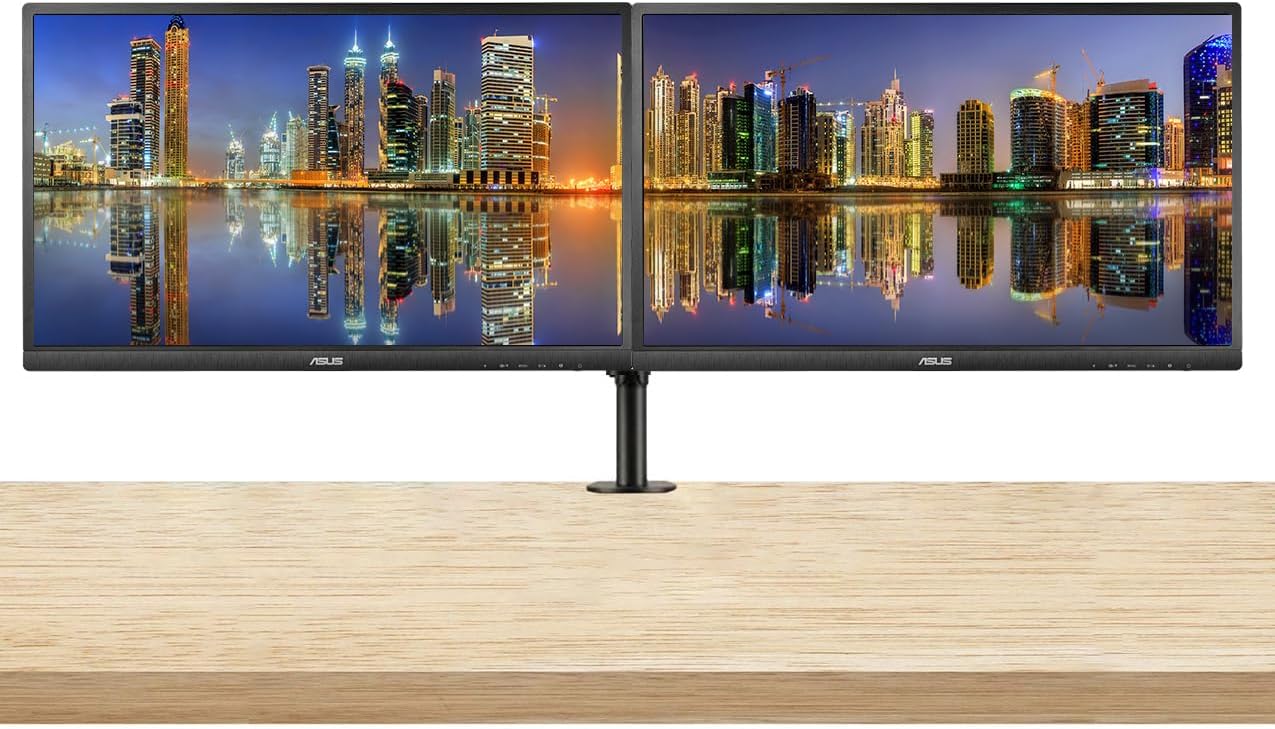
Figure 3: Two ASUS VA329HE monitors displayed on a dual monitor stand, showcasing a typical setup for enhanced productivity.
- Qawwa: Qabbad l-adapter tal-enerġija mad-dħul tal-enerġija tal-monitor u mbagħad ma' sokit tal-enerġija.
- Video Input: Connect either the HDMI cable or the VGA cable from your computer's video output to the corresponding port on the monitor.
- Awdjo (Mhux obbligatorju): Jekk tixtieq tuża kelliema jew headphones esterni, qabbadhom mal-jack tal-output tal-awdjo tal-monitor.
Video 1: This video demonstrates the unboxing and initial setup of an ASUS 31.5-inch 1080P monitor, including connecting cables and powering it on. It provides a visual guide to the physical setup process.
Istruzzjonijiet Operattivi
1. Power On/Off
Agħfas il-buttuna tal-qawwa li tinsab fin-naħa t'isfel tal-lemin tal-monitor biex tixgħelu jew titfih. Id-dawl indikatur tal-qawwa jixgħel meta l-monitor ikun attiv.
2. Menu tal-Wiri fuq l-Iskrin (OSD).
The OSD menu allows you to adjust various monitor settings. Use the control buttons located on the bottom right bezel of the monitor to navigate the menu.
- Agħfas il- Menu buttuna biex tiftaħ il-menù tal-OSD.
- Uża l- Navigazzjoni buttons (up/down/left/right arrows) to move through options.
- Agħfas il- Agħżel button (often the center button) to confirm a selection.
- Agħfas il- Ħruġ button to close the OSD menu or go back to the previous level.
3. Karatteristiċi u Settings Ewlenin
- Għażla tal-Input: Use the OSD menu to switch between HDMI and VGA inputs.
- Luminożità/Kuntrast: Adjust these settings in the OSD menu to optimize visual clarity for your environment. The monitor features an ultra-high 3,000:1 contrast ratio and 300cd/m² brightness.
- ASUS Smart Contrast Technology: This feature, with an 80,000,000:1 contrast ratio, optimizes color brightness, contrast, and sharpness. Access various modes like Reading and Darkroom via the OSD.
- Teknoloġija tal-Kura tal-Għajnejn: The VA Series includes a certified Blue Light Filter to reduce harmful blue light emissions. Select from four different filter settings in the OSD menu to minimize eye strain during extended use.
- AMD FreeSync: This technology helps eliminate screen tearing and choppy frame rates for smoother visuals, especially during dynamic content. Ensure your graphics card supports AMD FreeSync for optimal performance.
Manutenzjoni
1. Tindif tal-Monitor
- Dejjem itfi l-monitor u aqla’ l-korda tal-enerġija qabel ma tnaddaf.
- Uża ċarruta ratba u mingħajr ħelu dampMaħsul bl-ilma jew b'tindif tal-iskrin ħafif u mhux abrażiv.
- Wipe the screen gently. Avoid applying direct pressure to the screen.
- Tużax alkoħol, ammonja, jew prodotti tat-tindif li joborxu, għax dawn jistgħu jagħmlu ħsara lill-wiċċ tal-iskrin.
2. Kura Ġenerali
- Evita li tpoġġi oġġetti tqal fuq il-monitor jew il-kejbils tiegħu.
- Żomm il-monitor 'il bogħod mix-xemx diretta, sorsi ta' sħana, u umdità eċċessiva.
- Kun żgur li jkun hemm ventilazzjoni adegwata madwar il-monitor biex tevita li jisħon iżżejjed.
Issolvi l-problemi
Jekk tiltaqa' ma' problemi bil-monitor tiegħek, irreferi għas-soluzzjonijiet komuni li ġejjin:
| Problema | Soluzzjoni Possibbli |
|---|---|
| L-ebda immaġni fuq l-iskrin |
|
| L-immaġni hija mċajpra jew distorta |
|
| L-ebda ħoss mill-ispikers/headphones |
|
| Teptip tal-iskrin |
|
Speċifikazzjonijiet
| Karatteristika | Dettall |
|---|---|
| Numru tal-Mudell | VA329HE |
| Daqs tal-Iskrin | 32 Pulzier |
| Riżoluzzjoni | 1920 x 1080 Pixel (FHD 1080p) |
| Proporzjon ta' l-aspett | 16:9 |
| Riffriskar Rata | 75 Hz |
| Luminożità tal-Immaġni | 300 cd/m² |
| Proporzjon ta' Kuntrast | 3,000:1 (Typical), 80,000,000:1 (ASUS Smart Contrast Ratio) |
| ViewIng Angolu | 178° Wiesgħa-View |
| Wiċċ tal-Iskrin | Tleqq |
| Konnettività | VGA, HDMI |
| Dimensjonijiet tal-Prodott | 9 x 24 x 28 pulzieri |
| Piż tal-oġġett | 30 liri |

Figure 4: The ASUS VA329HE monitor with its physical dimensions (height, width, depth) clearly indicated for reference.
Garanzija u Appoġġ
Għal informazzjoni dwar il-garanzija u appoġġ tekniku, jekk jogħġbok irreferi għall-websajt uffiċjali tal-ASUS website or contact ASUS customer service directly. Keep your purchase receipt for warranty claims.