
Introduzzjoni
This manual provides detailed instructions for the setup, operation, and maintenance of your MageGee SKY 87 75% Mechanical Gaming Keyboard. Designed for both gaming and office use, this compact 87-key keyboard features tactile brown switches, ice blue LED backlighting, and broad compatibility.
1. Setup
1.1 Kontenut tal-Pakkett
- MageGee SKY 87 Mechanical Gaming Keyboard
- USB-A Cable (Wired Connection)
- Puller tal-Keycap (għall-manutenzjoni)
1.2 Konnessjoni tat-Tastiera
The MageGee SKY 87 keyboard uses a wired USB-A connection. To connect:
- Plug the USB-A cable into the USB port on the keyboard.
- Connect the other end of the USB-A cable to an available USB port on your computer (PC, Mac, or laptop).
- It-tastiera hija plug-and-play u għandha tiġi rikonoxxuta awtomatikament mis-sistema operattiva tiegħek.
2. Istruzzjonijiet Operattivi
2.1 Kontroll tad-Dawl ta' Wara
The keyboard features ice blue LED backlighting with multiple modes and adjustable settings.
- Change Backlighting Mode: Agħfas Fn + PrtSc to cycle through 20 preset ice blue backlighting modes.
- Aġġusta l-luminożità: Agħfas Fn + ↑ (Vleġġa 'l fuq) biex iżżid il-luminożità, u Fn + ↓ (Vleġġa 'l isfel) biex tnaqqas il-luminożità.
- Adjust Flowing Speed: Agħfas Fn + - to decrease flowing speed, and Fn + = to increase flowing speed (for dynamic modes).

Image: The MageGee SKY 87 keyboard showcasing its vibrant ice blue LED backlighting and customizable light effects.
2.2 Tactile Brown Switches
The keyboard is equipped with tactile brown switches, offering a balanced typing experience with a noticeable bump without a loud click, suitable for both typing and gaming.

Immaġni: Close-up view of the keyboard demonstrating the tactile brown switches and a keycap puller for easy removal.
2.3 Ergonomic Design and Side Lighting
The keyboard features stepped keycaps and a two-stage adjustable stand for ergonomic comfort. Additionally, an ice blue LED light strip on the bottom provides enhanced visual effects.

Image: The keyboard highlighting its distinctive ice blue side lighting, which enhances the aesthetic in low-light conditions.

Image: An illustration detailing the two-step adjustable keyboard feet, allowing users to set the keyboard at high or low angles for personalized comfort.
2.4 Compact TKL Layout (87 Keys)
The 75% Tenkeyless (TKL) design provides a compact footprint with 87 keys, including independent arrow keys, saving desk space while retaining essential functionality.
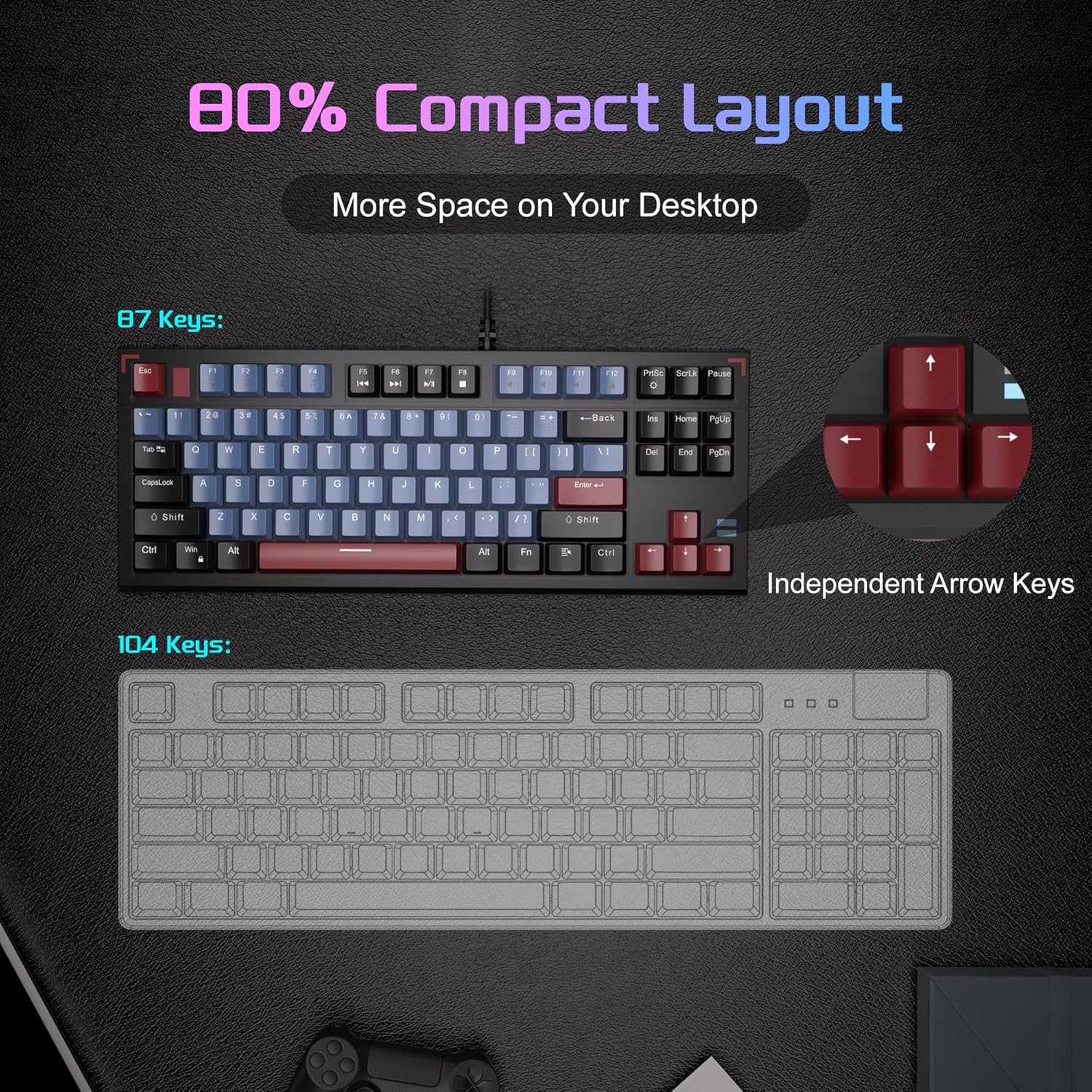
Image: A visual comparison illustrating the compact 87-key layout of the MageGee SKY 87 keyboard next to a standard 104-key keyboard, emphasizing space-saving benefits.
2.5 N-Key Rollover (Anti-Ghosting)
The keyboard supports 100% N-key rollover, meaning all keys can be pressed simultaneously without conflict, ensuring every keystroke is registered accurately during intense gaming or fast typing.

Image: A diagram showing how multiple key presses are registered simultaneously without ghosting, highlighting the N-key rollover feature.
2.6 Shortcuts Multimedia
Access various multimedia functions using the Fn key in combination with the F-keys.
| Function Key Combination | Deskrizzjoni |
|---|---|
| Fn + F1 | Il-Kompjuter Tiegħi |
| Fn + F2 | Fittex |
| Fn + F3 | Kalkulatur |
| Fn + F4 | Media Player |
| Fn + F5 | Track Preċedenti |
| Fn + F6 | Track li jmiss |
| Fn + F7 | Play/Pawsa |
| Fn + F8 | Waqqaf |
| Fn + F9 | Mute |
| Fn + F10 | Volum 'l isfel |
| Fn + F11 | Volum Up |
| Fn + F12 | Lock Screen |

Image: The keyboard layout highlighting the F-keys and their corresponding multimedia functions when used with the Fn key.
3. Manutenzjoni
3.1 Tindif tat-Tastiera
Biex tiġi żgurata prestazzjoni ottimali u lonġevità, huwa rakkomandat tindif regolari.
- Skonnettja t-tastiera mill-kompjuter tiegħek qabel ma tnaddafha.
- Uża pinzell artab jew arja kkompressata biex tneħħi t-trab u l-fdalijiet minn bejn il-keycaps.
- Għal ħmieġ iebes, imsaħ bil-mod il-keycaps u l-wiċċ tat-tastiera b'xi ftit damp, drapp mingħajr suf. Evita umdità eċċessiva.
- Tużax kimiċi ħarxa jew tindif li joborxu.
3.2 Tneħħija u Sostituzzjoni tal-Għatu taċ-Ċwievet
The included keycap puller can be used to remove and replace keycaps for cleaning or customization.
- Waħħal bil-mod il-puller tal-keycap mal-keycap li tixtieq tneħħi.
- Pull straight up with even pressure until the keycap detaches from the switch.
- Biex tpoġġiha lura, allinja l-għatu taċ-ċwievet maz-zokk tas-swiċċ u agħfas 'l isfel sew sakemm tikklikkja f'postu.

Image: The keyboard with some keycaps removed, illustrating the possibility of customization or deep cleaning.
4 Issolvi l-problemi
If you encounter issues with your MageGee SKY 87 keyboard, refer to the following common solutions:
- It-Tastiera Mhux Tirrispondi:
- Kun żgur li l-kejbil USB huwa konness sew kemm mat-tastiera kif ukoll mal-kompjuter.
- Ipprova qabbad it-tastiera ma' port USB differenti fuq il-kompjuter tiegħek.
- Ibda mill-ġdid il-kompjuter tiegħek.
- Id-Dawl ta' Wara Mhux Jaħdem jew Mhux Korrett:
- Check if the brightness is set too low (Fn + ↑/↓).
- Cycle through lighting modes using Fn + PrtSc.
- Ċwievet Speċifiċi Mhux Jaħdmu:
- Remove the keycap and check for any obstructions or debris around the switch.
- Jekk il-kwistjoni tippersisti, ikkuntattja l-appoġġ tal-klijent.
5. Speċifikazzjonijiet
| Karatteristika | Dettall |
|---|---|
| Brand | MageGee |
| Numru tal-Mudell | SEMA 87 |
| Teknoloġija tal-Konnettività | USB-A (Bil-fili) |
| Deskrizzjoni tat-Tastiera | Mekkaniċi |
| Tip ta' Swiċċ | Tactile Brown Switches |
| Numru ta' Ċwievet | 87 |
| Layout tat-Tastiera | QWERTY |
| Backlighting | Ice Blue LED (Single Color) |
| Karatteristiċi Speċjali | Backlit, Ergonomic, Multimedia Keys, Portable |
| Apparati Kompatibbli | Laptop, PC (Windows, Mac) |
| Dimensjonijiet tal-Prodott (L x W x H) | 14.37" x 5.51" x 1.69" |
| Materjal | Acrylonitrile Butadiene Styrene (ABS) |
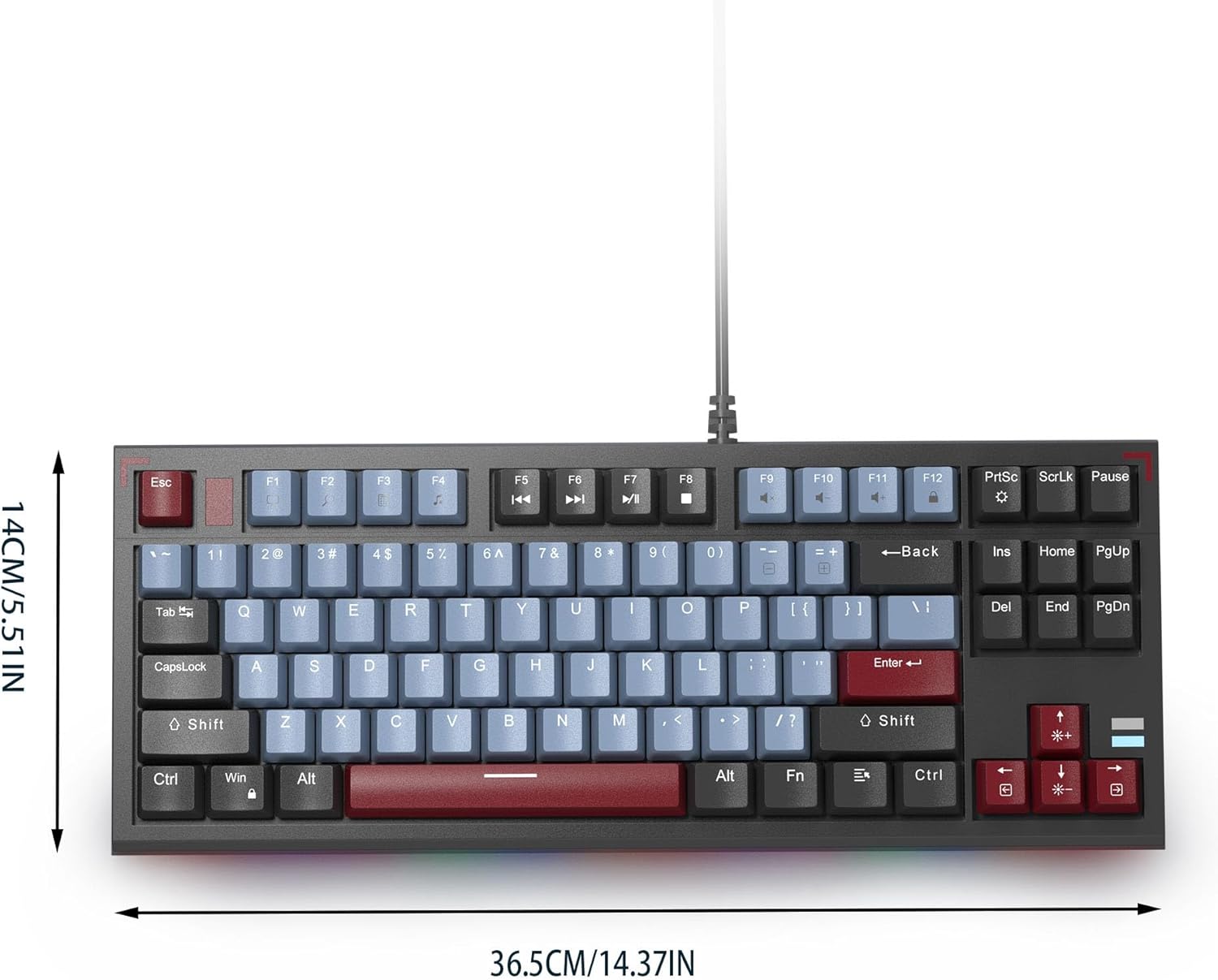
Image: The MageGee SKY 87 keyboard with its physical dimensions clearly indicated.
6. Garanzija u Appoġġ
For warranty information and technical support, please refer to the official MageGee webis-sit jew ikkuntattja lis-servizz tal-konsumatur tagħhom direttament. Żomm l-irċevuta tax-xiri tiegħek għal talbiet ta' garanzija.