
1. Introduzzjoni
This manual provides essential instructions for the installation, operation, and maintenance of your STEPPERONLINE Closed Loop Stepper Motor 1 Axis CNC Kit. This kit is designed for precision motion control applications, offering enhanced accuracy and reliability compared to open-loop systems. Please read this manual thoroughly before using the product to ensure correct setup and optimal performance.
2. Prodott Aktarview
The STEPPERONLINE Closed Loop Stepper Motor 1 Axis CNC Kit combines a high-torque Nema 17 stepper motor with an integrated encoder and a compatible closed-loop stepper driver. This system provides real-time position feedback, preventing step loss and ensuring precise positioning for various applications such as 3D printers, CNC machines, carving machines, dispensers, and other automation equipment.
2.1 Komponenti tal-Kit
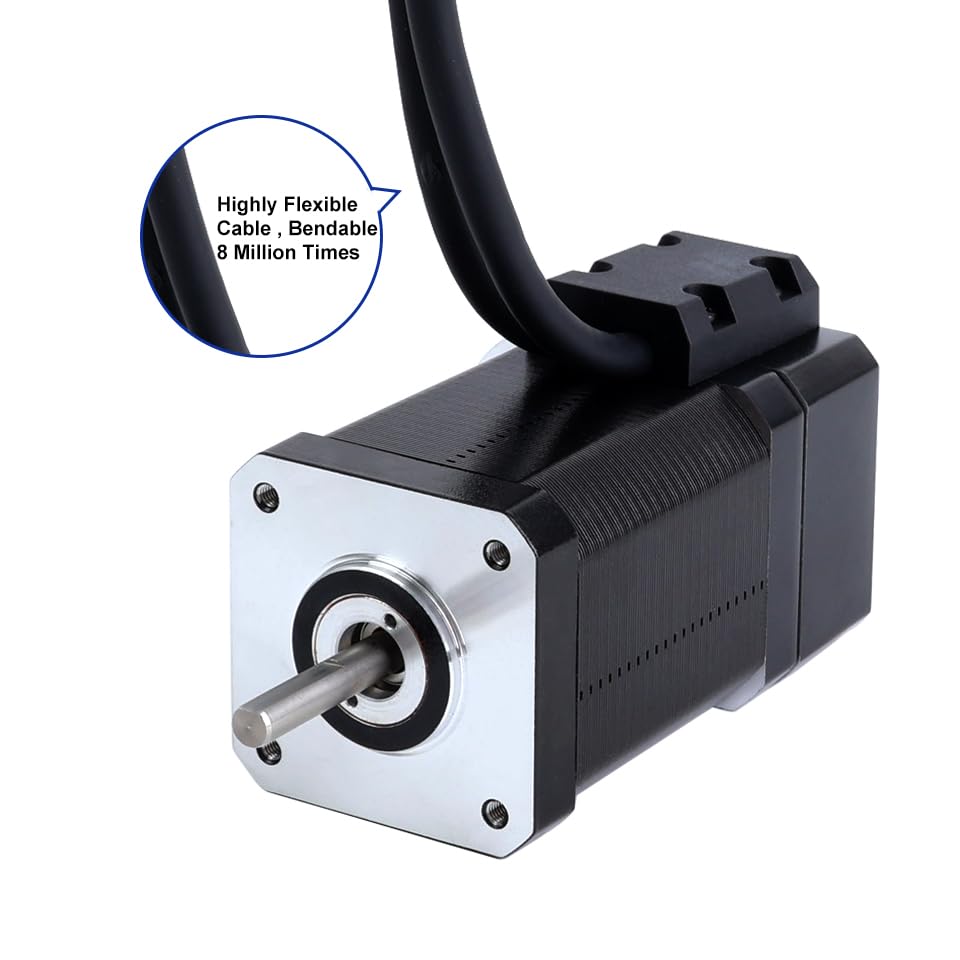
- 1 x Nema 17 Closed Loop Stepper Motor (Model: 17HS24-2004D-E1K) with Encoder 1000PPR (4000CPR)
- 1 x Closed Loop Stepper Driver (Model: CL42T-V4.1) 0-3.0A, 24-48VDC
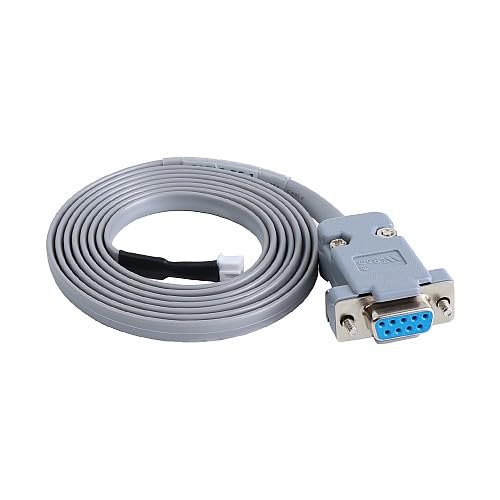
- 1 x RS232 Debugging Cable (Model: CABLE-PC-1)

3. Speċifikazzjonijiet
3.1 Motor Specifications (17HS24-2004D-E1K)
- Numru ta' Fażijiet: 2
- Step Angle: 1.8 grad
- Holding Torque: 80 Ncm (113.29 oz.in)
- Rated Current/Phase: 2.0 A
- Phase Resistance: 1.3 ohms
- Induttanza: 2.7 mH ± 20% (1KHz)
- Daqs tal-qafas: 42 x 42 mm
- Tul tal-Korp: 80 mm
- Dijametru tax-xaft: Φ5 mm
- Tul tax-xaft: 24 mm
- D-Cut Shaft Length: 15 mm
- Tul taċ-ċomb: 500 mm

3.2 Encoder Specifications
- Output Circuit Type: Tip differenzjali
- Tip ta' Encoder: Optical Incremental
- Riżoluzzjoni tal-Encoder: 1000 PPR (4000 CPR)
- Output Signal Channels: 2 kanali
- Provvista Voltage: 5V (Min/Max)
- Ħruġ Vol Għolitage: <4V
- Ħruġ Vol Baxxtage: <1V
3.3 Driver Specifications (CL42T-V4.1)
- Output Peak Current: 0 ~ 3A
- Input Voltage: +24~48VDC (Typical 24VDC)
- Logic Signal Current: 7~16mA (Typical 10mA)
- Pulse Input Frequency: 0 ~ 200kHz
- Wisa' tal-polz: 2.5 µS
- Debugging Interface: RS232 available
- Karatteristiċi: Low noise and vibration, smooth motion
- Protezzjonijiet: Iktar minn voltage, over current, position following error

3.4 Speċifikazzjonijiet Ġenerali
- Dimensjonijiet tal-pakkett: 9.84 x 7.09 x 3.54 pulzieri
- Piż: 2.4 Liri
- Manifattur: STEPPERONLINE
4. Setup u Installazzjoni
4.1 Rekwiżiti tal-Provvista tal-Enerġija
- The driver requires a DC power supply between 24VDC and 48VDC. A typical operating voltage huwa 24VDC.
- Ensure the power supply can provide sufficient current for the motor's peak current requirements (up to 3A).
- Connect the power supply to the +VDC and GND terminals on the driver. Observe polarity.
4.2 Konnessjonijiet tal-Wiring
Carefully connect the motor, encoder, and control signals to the CL42T driver as described below. Refer to Figure 4 for terminal locations on the driver.
- Motor to Driver: Connect the motor phase wires (A+, A-, B+, B-) to the corresponding terminals on the driver. Ensure correct phase matching.
- Encoder to Driver: The motor's integrated encoder connects directly to the driver's encoder input port. This connection is crucial for closed-loop operation.
- Sinjali ta' Kontroll: Connect your controller's pulse (PUL+ / PUL-), direction (DIR+ / DIR-), and enable (ENA+ / ENA-) signals to the driver. Use differential connections for noise immunity.
- Riżultat ta 'allarm The ALM/P and COM terminals provide an alarm output for error conditions.
- Brake Output: The BRK and COM terminals provide a brake output, if applicable to your system.
5. Operazzjoni
5.1 Driver Configuration (DIP Switches)
The CL42T driver features DIP switches (SW1-SW8) for configuring microstep resolution, output current, and control mode. Ensure the power is off before changing DIP switch settings.
5.1.1 Microstep Resolution Setting (SW1-SW4)
Set the desired microstep resolution using DIP switches SW1 to SW4 according to the table below. 'on' typically means the switch is down, 'off' means up.
| Pulse/rev | SW1 | SW2 | SW3 | SW4 |
|---|---|---|---|---|
| Default | on | on | on | on |
| 800 | mitfi | on | on | on |
| 1600 | on | mitfi | on | on |
| 3200 | mitfi | mitfi | on | on |
| 6400 | on | on | mitfi | on |
| 12800 | mitfi | on | mitfi | on |
| 25600 | on | mitfi | mitfi | on |
| 51200 | mitfi | mitfi | mitfi | on |
| 1000 | on | on | on | mitfi |
| 2000 | mitfi | on | on | mitfi |
| 4000 | on | mitfi | on | mitfi |
| 8000 | mitfi | mitfi | on | mitfi |
| 10000 | on | on | mitfi | mitfi |
| 20000 | mitfi | on | mitfi | mitfi |
| 40000 | on | mitfi | mitfi | mitfi |
| 80000 | mitfi | mitfi | mitfi | mitfi |
5.1.2 Output Current Setting (SW5-SW7)
Adjust the output peak current using DIP switches SW5 to SW7. Select a current setting appropriate for your motor to prevent overheating and ensure optimal performance.
| L-ogħla Kurrenti | RMS Kurrenti | Kodiċi | SW5 | SW6 | SW7 |
|---|---|---|---|---|---|
| 0.8A | 0.6A | 0-3 | on | on | on |
| 1.4A | 1A | 4-7 | mitfi | on | on |
| 2.1A | 1.5A | 8-B | on | mitfi | on |
| 2.8A | 2A | CF | mitfi | mitfi | on |
5.1.3 Control Mode Setting (SW8)
SW8 configures the control mode and pulse input type. For closed-loop operation, ensure SW8 is set to 'ON'.
| Issettjar SW8 | Modalità ta' Kontroll | Modalità Direzzjoni | Modalità ta' Input tal-Polz |
|---|---|---|---|
| ON | Loop Magħluq | CCW | Polz/Direzzjoni |
| OFF | Ċirku Miftuħ | CW | CW/CCW |
5.2 Sinjali ta' Kontroll
- PUL (Pulse): Input signal for motor movement. Each pulse corresponds to a microstep.
- DIR (Direction): Input signal for motor rotation direction. High or low state determines direction.
- ENA (Enable): Input signal to enable or disable the driver. When disabled, the motor is free-spinning.
6. Manutenzjoni
- Tindif: Keep the driver and motor free from dust and debris. Use a soft, dry cloth for cleaning. Avoid liquid cleaners.
- Ventilazzjoni: Ensure adequate airflow around the driver to prevent overheating. Do not obstruct ventilation holes.
- Konnessjonijiet: Periodically check all wiring connections for tightness and integrity. Loose connections can lead to intermittent operation or damage.
- Ambjent: Operate the kit within its specified temperature and humidity ranges.
7 Issolvi l-problemi
- Il-Mutur Mhux Jiċċaqlaq:
- Iċċekkja l-provvista tal-enerġija voltage u kurrenti.
- Verify PUL, DIR, and ENA signal connections and levels from the controller.
- Ensure DIP switch settings for current and microsteps are correct.
- Check motor wiring for correct phase connections.
- Is-sħana żejda tal-mutur:
- Reduce the output current setting via DIP switches (SW5-SW7).
- Ensure adequate heat dissipation and ventilation.
- Verify the motor load is within its torque capabilities.
- Motor Vibrates/Makes Noise:
- Check for loose mechanical connections.
- Verify microstep settings. Higher microsteps generally lead to smoother operation.
- Ensure motor phase wiring is correct.
- Loss of Steps/Position Error:
- Confirm SW8 is set to 'ON' for closed-loop operation.
- Check encoder connections for integrity.
- Ensure the motor is not overloaded.
- Use the RS232 debugging interface to check for specific error codes if available.
8. Garanzija u Appoġġ
STEPPERONLINE products are manufactured to high-quality standards. For specific warranty information, technical support, or service inquiries, please refer to the official STEPPERONLINE webis-sit jew ikkuntattja lis-servizz tal-konsumatur tagħhom direttament. Żomm l-irċevuta tax-xiri tiegħek għal talbiet ta' garanzija.
You can visit the STEPPERONLINE store for more information: STEPPERONLINE Store