
Introduzzjoni
Thank you for choosing the Visual Land Soundwave A1 Active Noise Cancelling Earbuds. These earbuds are designed to provide a high-quality audio experience with advanced features such as active noise cancellation, long battery life, and a water-resistant design. This manual provides detailed instructions on how to set up, operate, and maintain your Soundwave A1 earbuds.
Kontenut tal-Pakkett
Jekk jogħġbok iċċekkja l-pakkett għall-oġġetti li ġejjin:
- Visual Land Soundwave A1 Earbuds (Left and Right)
- Kawża tal-Iċċarġjar
- Cable tal-Iċċarġjar tal-USB-C
- Additional Ear Tip Sizes (Small, Medium, Large)
- Manwal għall-Utent (dan id-dokument)
Prodott Overview
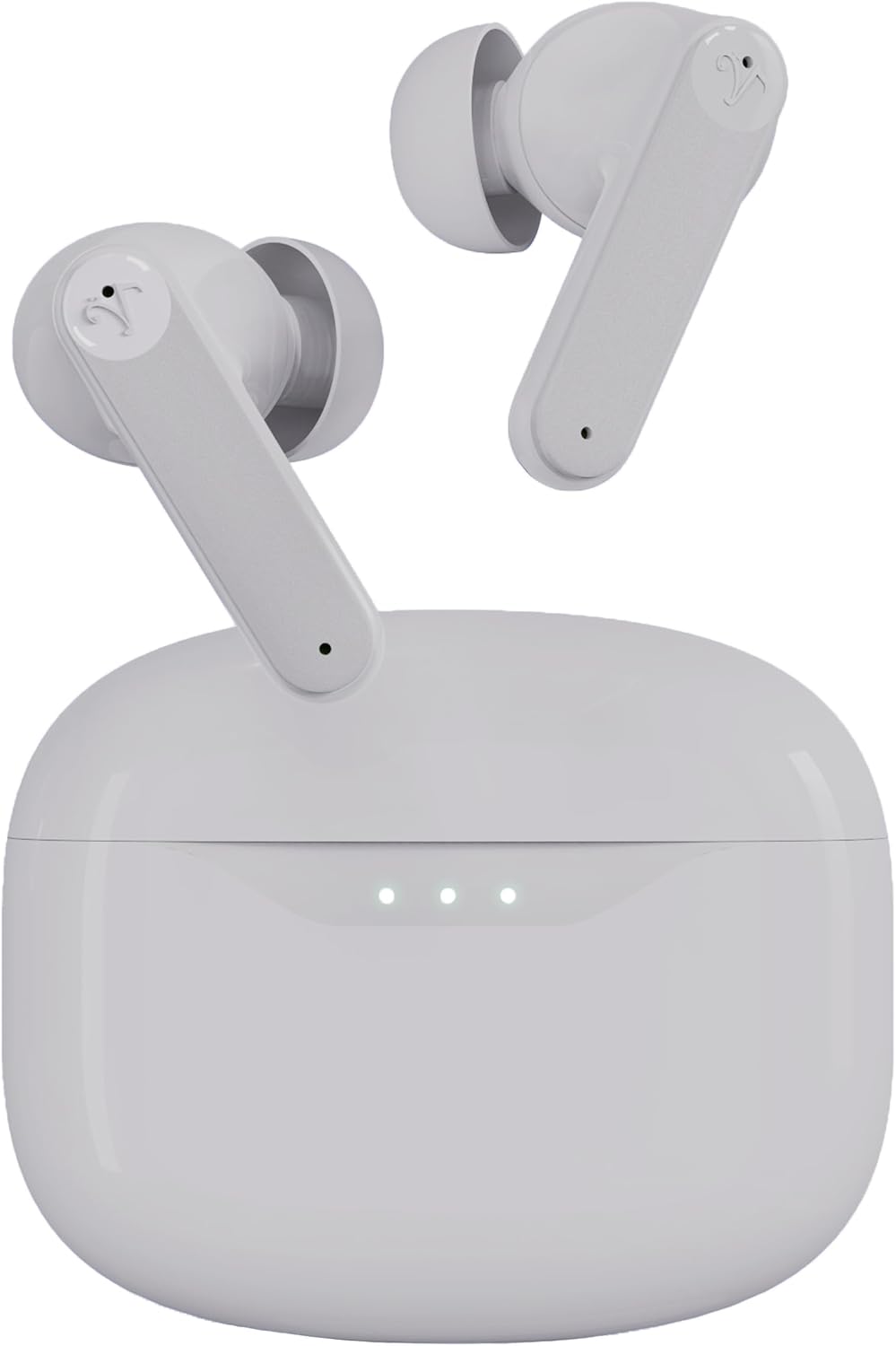


Setup
1. Iċċarġjar tal-Earbuds u l-Kaxxa
Before first use, fully charge the earbuds and charging case. Place the earbuds into the charging case and close the lid. Connect the USB-C charging cable to the charging port on the case and plug the other end into a USB power adapter (not included).
- Id-dwal indikatur fuq il-kaxxa tal-iċċarġjar juru l-istatus tal-iċċarġjar.
- A full charge takes approximately 1.5 hours for the case and earbuds.
- Iċċarġjar veloċi: 15 minutes of charging provides up to 5 hours of playtime.
- Total playtime with the charging case is up to 40 hours.
2. L-Għażla tal-Ponot tal-Widnejn
The Soundwave A1 earbuds come with three sizes of ear tips (Small, Medium, Large). Choose the size that provides the most secure and comfortable fit for optimal sound quality and noise cancellation performance.
- Iġbed bil-mod il-ponot tal-widnejn installati minn qabel.
- Select a new pair of ear tips and push them onto the earbud nozzle until they are securely attached.
3. Tqabbil ma' Apparat Bluetooth
The earbuds will automatically enter pairing mode when first removed from the charging case.
- Open the charging case. The earbuds will power on and enter pairing mode (indicator lights will flash).
- Fuq l-apparat tiegħek (smartphone, tablet, eċċ.), mur fis-settings tal-Bluetooth.
- Fittex għal available devices and select "Visual Land Soundwave A1".
- Ladarba tkun imqabbad, id-dwal indikatur tal-earbuds jieqfu jteptpu, u tisma' ton ta' konferma.
- Għal użu sussegwenti, il-earbuds jikkonnettjaw awtomatikament mal-aħħar apparat imqabbad meta jitneħħew mill-kaxxa.
Istruzzjonijiet Operattivi
Qawwa mixgħul/mitfi
- Qawwa Mixgħul: Iftaħ il-kaxxa tal-iċċarġjar, jew agħfas fit-tul iż-żona tal-kontroll touch fuq iż-żewġ earbuds għal 3 sekondi.
- Itfi: Poġġi l-earbuds lura fil-kaxxa tal-iċċarġjar u agħlaq l-għatu, jew agħfas fit-tul iż-żona tal-kontroll touch fuq iż-żewġ earbuds għal 5 sekondi.
Modi ta' Kanċellazzjoni Attiva tal-Istorbju (ANC)
The Soundwave A1 features 6-microphone Active Noise Cancellation with multiple modes:
- ANC Mixgħul: Inaqqas l-istorbju ambjentali għal esperjenza ta' smigħ immersiva.
- Modalità ta' Trasparenza: Allows you to hear your surroundings while still enjoying your audio, enhancing awareness.
- ANC Mitfi: Standard audio mode without noise cancellation or transparency.
Biex taqleb il-modi: Tap and hold the touch control area on either earbud for 2 seconds to cycle through ANC On, Transparency Mode, and ANC Off.
Touch Kontrolli
The touch-sensitive area on each earbud allows for easy control of music and calls.
| Funzjoni | Azzjoni |
|---|---|
| Ilgħab/Pawża Mużika | Tektek wieħed fuq kull earbud |
| Track li jmiss | Tektek darbtejn fuq il-earbud tal-lemin |
| Track Preċedenti | Tektek darbtejn fuq il-earbud tax-xellug |
| Volum Up | Tektek triplu fuq il-widna tal-lemin |
| Volum 'l isfel | Tektek triplu fuq il-earbud tax-xellug |
| Tweġiba/Tmiem Sejħa | Tektek wieħed fuq kull earbud |
| Irrifjuta Sejħa | Tap and hold on either earbud for 2 seconds |
| Attiva l-Assistent tal-Vuċi | Tap and hold on either earbud for 3 seconds (when not on a call) |
| Aqleb il-Modi ANC | Tap and hold on either earbud for 2 seconds |
Manutenzjoni
- Tindif: Naddaf il-earbuds u l-kaxxa tal-iċċarġjar regolarment b'ċarruta ratba, niexfa u mingħajr suf. Tużax kimiċi ħarxa jew materjali li joborxu.
- Tips tal-widnejn: Neħħi l-ponot tal-widnejn u naddafhom bl-ilma u sapun ħafif jekk meħtieġ. Kun żgur li jkunu niexfa għalkollox qabel ma terġa’ twaħħalhom.
- Kuntatti tal-Iċċarġjar: Kun żgur li l-kuntatti tal-iċċarġjar kemm fuq il-earbuds kif ukoll fuq il-kaxxa huma nodfa u ħielsa minn debris biex tiżgura ċċarġjar xieraq.
- Reżistenza għall-Ilma: The earbuds are IPX5 water-resistant, meaning they can withstand splashes and sweat. Do not submerge them in water or expose them to strong jets of water. Dry them thoroughly after exposure to moisture.
- Ħażna: Meta ma tkunx qed tużahom, aħżen il-earbuds fil-kaxxa tal-iċċarġjar tagħhom biex tipproteġihom u żżommhom iċċarġjati. Aħżen f'post frisk u niexef 'il bogħod minn temperaturi estremi.
Issolvi l-problemi
| Problema | Soluzzjoni Possibbli |
|---|---|
| Earbuds ma jingħaqdux |
|
| L-ebda ħoss minn earbud wieħed |
|
| Każ tal-iċċarġjar mhux iċċarġjar |
|
| Poor sound quality or weak ANC |
|
Speċifikazzjonijiet
| Karatteristika | Dettall |
|---|---|
| Isem tal-Mudell | SOUNDWAVE A1 V2 |
| Teknoloġija tal-Konnettività | Bluetooth 5.3, Mingħajr Fili |
| Kontroll tal-Ħoss | Kanċellazzjoni Attiva tal-Istorbju (ANC) |
| Mikrofoni | Sistema ta' 6 mikrofoni |
| Livell ta 'Reżistenza għall-Ilma | IPX5 (Reżistenti għall-Ilma) |
| Ħin Totali tal-Logħob (bil-kaxxa) | Sa 40-il Siegħa |
| Iċċarġjar Mgħaġġel | 15 minutes charge for up to 5 hours playtime |
| Metodu ta' Kontroll | Touch Kontrolli |
| Daqsijiet tal-Ponta tal-Widnejn | Żgħar, Medju, Kbir |
| Port tal-Iċċarġjar | USB-C |
| Kawża tal-Ġarr Kapaċità tal-Batterija | 500 mAh |
| Piż tal-oġġett | 2 Uqija (total) |
| Materjal | Plastik |
| Apparati Kompatibbli | iOS and Android devices with Bluetooth support |
Informazzjoni dwar is-Sigurtà
Please read and follow these safety guidelines to ensure safe operation and prolong the lifespan of your earbuds:
- Do not expose earbuds to extreme temperatures, humidity, or corrosive environments.
- Evita li twaqqa', tħalli impatt fuq, jew tiżżarma l-apparat.
- Do not use unauthorized chargers or cables.
- Evita li tisma' f'volumi għoljin għal perjodi estiżi biex tevita ħsara fis-smigħ.
- Use caution when using earbuds in situations requiring awareness of your surroundings (e.g., driving, cycling).
- Żomm fejn ma jintlaħaqx mit-tfal u l-annimali domestiċi.
Garanzija u Appoġġ
Visual Land products are designed for reliability and performance. For warranty information, technical support, or customer service inquiries, please refer to the official Visual Land webis-sit jew ikkuntattja l-appoġġ għall-klijenti tagħhom direttament. Jekk jogħġbok żomm il-prova tax-xiri tiegħek għal talbiet ta' garanzija.
Għal aktar għajnuna, żur: Visual Land Store on Amazon