
1. Introduzzjoni
Thank you for choosing the energeeks Sentinel III Indoor WiFi Security Camera. This manual provides detailed instructions for setting up, operating, and maintaining your camera. Please read this manual thoroughly before use to ensure proper functionality and safety. Keep this manual for future reference.
2. Kontenut tal-Pakkett
Ivverifika li l-oġġetti kollha huma preżenti fil-pakkett tiegħek:
- energeeks Sentinel III Camera (EG-CIP004)
- Adapter tal-Enerġija
- Cable USB
- Bracket tal-Immuntar u Viti
- Manwal għall-Utent
3. Prodott Aktarview
Familiarize yourself with the camera's components and features.
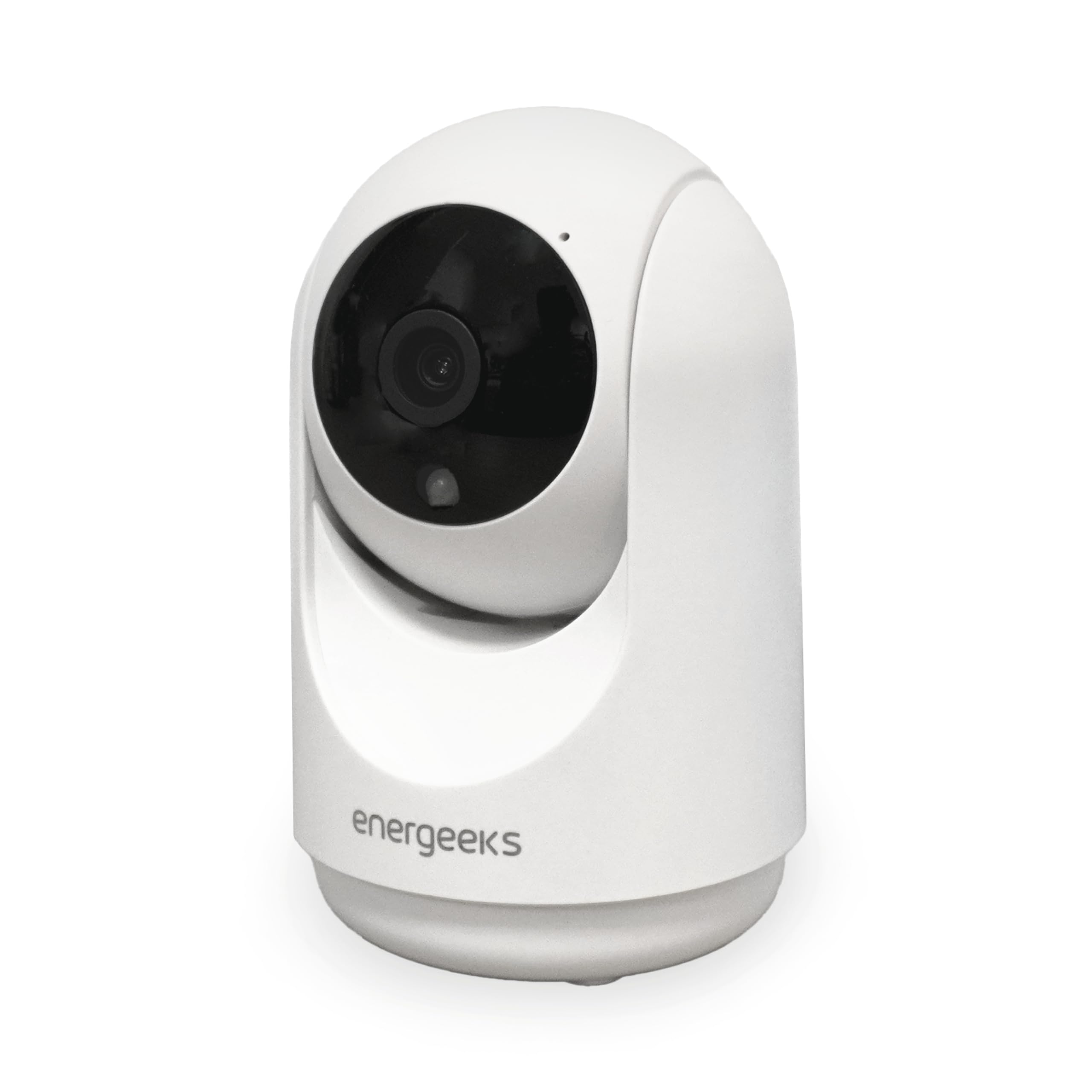
Stampa 3.1: Quddiem view of the energeeks Sentinel III camera, showing the lens and main body.
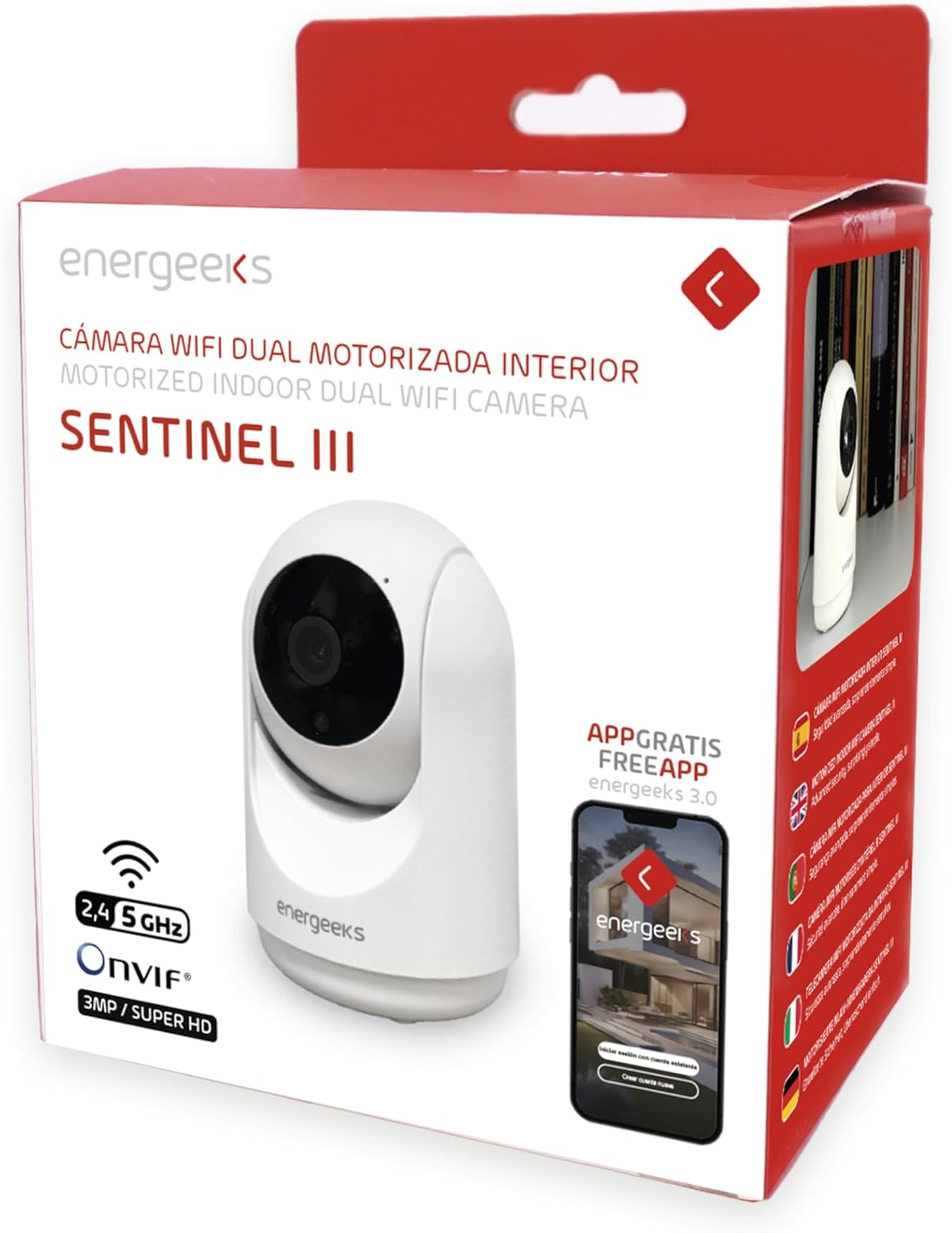
Stampa 3.2: Ġenb view of the camera illustrating its dimensions (7 cm width, 11 cm height) and indicating the 355° horizontal and 180° vertical rotation capabilities. The image also highlights the reset button and microSD card slot.

Stampa 3.3: Fuqview of key features including 2.4GHz/5GHz WiFi support, Bluetooth installation, notification reception, two-way talk, human detection filter, and recording options (Micro SD/Cloud/NVR).
Komponenti tal-Kamera:
- Lenti tal-Kamera: Captures 1080p Full HD video.
- LEDs infra-aħmar: For night vision functionality.
- Mikrofonu: Għal input awdjo u komunikazzjoni f'żewġ direzzjonijiet.
- Kelliem: Għall-ħruġ tal-awdjo u l-komunikazzjoni f'żewġ direzzjonijiet.
- Slott tal-Karta MicroSD: Jappoġġja sa 128GB għall-ħażna lokali.
- Buttuna Irrisettja: Użat biex jirrestawra s-settings tal-fabbrika.
- Port tal-Enerġija: Tqabbad mal-adapter tal-enerġija.
- Dawl Indikatur tal-Istat: Indicates camera status (e.g., pairing mode, connected).
4. Gwida ta' Setup
4.1. Installazzjoni tal-App
- Niżżel il- Energeeks App from the App Store (iOS) or Google Play Store (Android). Alternatively, you can use the generic SmartLife by Tuya App.
- Irreġistra għal kont ġdid jew idħol jekk diġà għandek wieħed.
4.2. Tqabbil tal-Apparat
- Connect the camera to a power source using the provided USB cable and power adapter. The camera will power on, and the status indicator light will begin to flash, indicating it is in pairing mode.
- Kun żgur li l-apparat mobbli tiegħek huwa konness ma' Netwerk Wi-Fi 2.4GHz. The camera does not support 5GHz Wi-Fi for initial setup.
- Open the Energeeks App, tap "Add Device" or the "+" icon.
- Agħżel "Kamera tas-Sigurtà" jew "Kamera Intelliġenti" mil-lista tal-apparati.
- Follow the on-screen instructions to connect the camera. This typically involves scanning a QR code generated by the app with the camera lens or using Bluetooth pairing.
- Once connected, the status indicator light will turn solid, and the camera will appear in your app's device list.
4.3. It-Tqegħid tal-Kamera
The energeeks Sentinel III is designed for indoor use only.
- Place the camera on a flat surface or mount it to a wall using the included bracket and screws.
- Ensure the camera is within range of your 2.4GHz Wi-Fi network for stable connectivity.
- Avoid placing the camera in direct sunlight or near strong light sources, which can affect image quality.
- For optimal motion detection, position the camera to cover the desired area without obstructions.
5. Istruzzjonijiet Operattivi
5.1. Ħaj View
Open the Energeeks App and select your Sentinel III camera from the device list to access the live video feed.

Stampa 5.1: The Energeeks app displaying multiple camera feeds, demonstrating compatibility with NVR systems for comprehensive surveillance.
5.2. Kontroll tal-Pan u l-Tilt
Mill-live view interface in the app, use the directional controls to remotely adjust the camera's viewing angle. The camera supports 355° horizontal rotation and 90° vertical tilt, providing a 360° panoramic view of your indoor space.
5.3. Awdjo b'żewġ direzzjonijiet
Tektek l-ikona tal-mikrofonu fil-live tal-app view to speak through the camera's speaker. Tap the speaker icon to listen to audio from the camera's environment. This feature allows for real-time communication.
5.4. Sejbien tal-Mozzjoni u Twissijiet
The camera features advanced motion detection with human filtering to reduce false alarms. When motion is detected, the camera can automatically track the movement and send instant notifications to your mobile device.

Stampa 5.2: The camera's auto-tracking feature in action, following a child and a cat, demonstrating its ability to detect and monitor movement within its field of view.

Stampa 5.3: A mobile phone screen displaying a notification received from the energeeks camera, indicating detected activity.
- To enable/disable motion detection and configure sensitivity, navigate to the camera settings in the app.
- The camera also features intelligent sound detection, alerting you to abnormal noises like a baby crying, functioning as a baby monitor.
5.5. Viżjoni bil-lejl
Il-kamera taqleb awtomatikament għal viżjoni bil-lejl bl-infra-aħmar f'kundizzjonijiet ta' dawl baxx, u tipprovdi vidjow ċar iswed u abjad sa 10 metri.
5.6. Reġistrazzjoni u Ħażna
The energeeks Sentinel III offers multiple recording options:
- Karta MicroSD: Insert a microSD card (up to 128GB, not included) into the designated slot. The camera will automatically record events or continuous video based on your app settings.
- Ħażna Cloud: Optional cloud storage plans are available through the app for secure, off-site video backup.
- Kompatibilità tal-NVR: The camera supports ONVIF protocol, allowing integration with compatible Network Video Recorders (NVRs) for centralized recording and management.
5.7. Smart Home Integrazzjoni
The camera is compatible with Amazon Alexa and Google Home. Follow the instructions in your smart home assistant app to link your Energeeks account and control the camera using voice commands (e.g., "Show me the living room camera").
6. Manutenzjoni
6.1. Tindif
To maintain optimal performance, periodically clean the camera lens and body with a soft, dry cloth. Avoid using harsh chemicals or abrasive materials.
6.2. Aġġornamenti tal-Firmware
Check the Energeeks App regularly for available firmware updates. Keeping your camera's firmware up-to-date ensures you have the latest features and security enhancements.
7 Issolvi l-problemi
| Problema | Soluzzjoni Possibbli |
|---|---|
| Il-kamera ma tirnexxilhiex tikkonnettja mal-Wi-Fi. |
|
| Ma waslu l-ebda notifiki. |
|
| Kwalità fqira tal-immaġni. |
|
| Il-karta SD mhux qed tirrekordja. |
|
8. Speċifikazzjonijiet
| Karatteristika | Dettall |
|---|---|
| Numru tal-Mudell | EG-CIP004 |
| Riżoluzzjoni | 1080p Full HD (2 Megapixels) |
| Medda Pan/Tilt | Orizzontali: 355°, Vertikali: 90° |
| Viżjoni bil-lejl | Infrared, up to 10 meters |
| Awdjo | Awdjo bidirezzjonali (mikrofonu u kelliem integrati) |
| Sejbien tal-Moviment | Yes, with human filter and auto-tracking |
| Sejbien tal-Ħoss | Iva |
| Għażliet ta' Ħażna | MicroSD card (up to 128GB, not included), Cloud Storage, NVR (ONVIF) |
| Konnettività bla fili | Wi-Fi 2.4GHz (IEEE 802.11b/g/n), Bluetooth |
| Kompatibilità tal-App | Energeeks App (iOS/Android), SmartLife by Tuya App |
| Integrazzjoni tad-Dar Intelliġenti | Amazon Alexa, Google Home |
| Input tal-Enerġija | 5V DC |
| Konsum tal-Enerġija | 3.7 Watts |
| Dimensjonijiet (L x W x H) | 6.5 x 6.5 x 10.7 ċm |
| Materjal | Plastik |
| Tip ta 'Immuntar | Mount Wall |
| Użu Ambjent | Ġewwa Biss |
9. Garanzija u Appoġġ
For warranty information, technical support, or any questions regarding your energeeks Sentinel III camera, please refer to the warranty card included in your package or visit the official energeeks website. You can also contact energeeks customer service directly through the contact information provided on their website or within the Energeeks App.