
Introduzzjoni
This manual provides detailed instructions for the setup, operation, maintenance, and troubleshooting of your Keychron K13 Max Low-Profile Wireless Mechanical Keyboard. Please read this manual thoroughly before using the product to ensure proper functionality and longevity.
X'hemm fil-Kaxxa
Ivverifika li l-oġġetti kollha huma preżenti fil-pakkett:
- 1x Tastiera Mmuntata bis-sħiħ
- 1x Cable tat-Tip-Ċ
- 1x Adapter tat-Tip A għal Tip Ċ
- 1x Riċevitur tat-Tip A 2.4GHz
- 1x Keycap Puller
- Additional set of customized keycaps for both Windows and macOS systems

Image: Contents of the Keychron K13 Max package, showing the keyboard, USB-C cable, USB-A to USB-C adapter, 2.4GHz receiver, and a keycap puller.
Setup
Swiċċ tal-Kompatibbiltà tas-Sistema
The Keychron K13 Max is designed for compatibility with macOS, Windows, and Linux operating systems. Use the system toggle switch located on the back of the keyboard to select the appropriate operating system mode.

Immaġni: Wara view of the Keychron K13 Max keyboard, highlighting the toggle switch for Windows/Android and Mac/iOS compatibility. Additional keycaps for different operating systems are also shown.
Modi ta' Konnettività
The keyboard supports three connection modes: 2.4 GHz wireless, Bluetooth 5.1, and wired USB-C.
- 2.4 GHz bla fili: For optimal performance and a rapid 1000 Hz polling rate, use the included 2.4 GHz USB dongle. Plug the dongle into an available USB port on your computer.
- Bluetooth 5.1: For seamless multitasking, the keyboard can connect to up to 3 devices via Bluetooth. To pair, switch the keyboard to Bluetooth mode and follow your device's pairing instructions.
- Wired USB-C: Connect the keyboard directly to your computer using the provided USB-C cable for a stable wired connection and charging.

Image: The Keychron K13 Max keyboard showcasing its versatile connectivity options: Bluetooth 5.1, 2.4 GHz wireless via a USB dongle, and wired USB Type-C connection.
Istruzzjonijiet Operattivi
Key Remapping with QMK/VIA
The Keychron K13 Max supports QMK/VIA for extensive key remapping and macro commands. This allows for a highly customized workflow.
- Download the Keychron Launcher software from the official Keychron websit.
- Connect your K13 Max keyboard to your device using the USB-C cable.
- Open Keychron Launcher. You can then drag and drop your favorite keys or macro commands to remap any key on any supported system (macOS, Windows, or Linux).
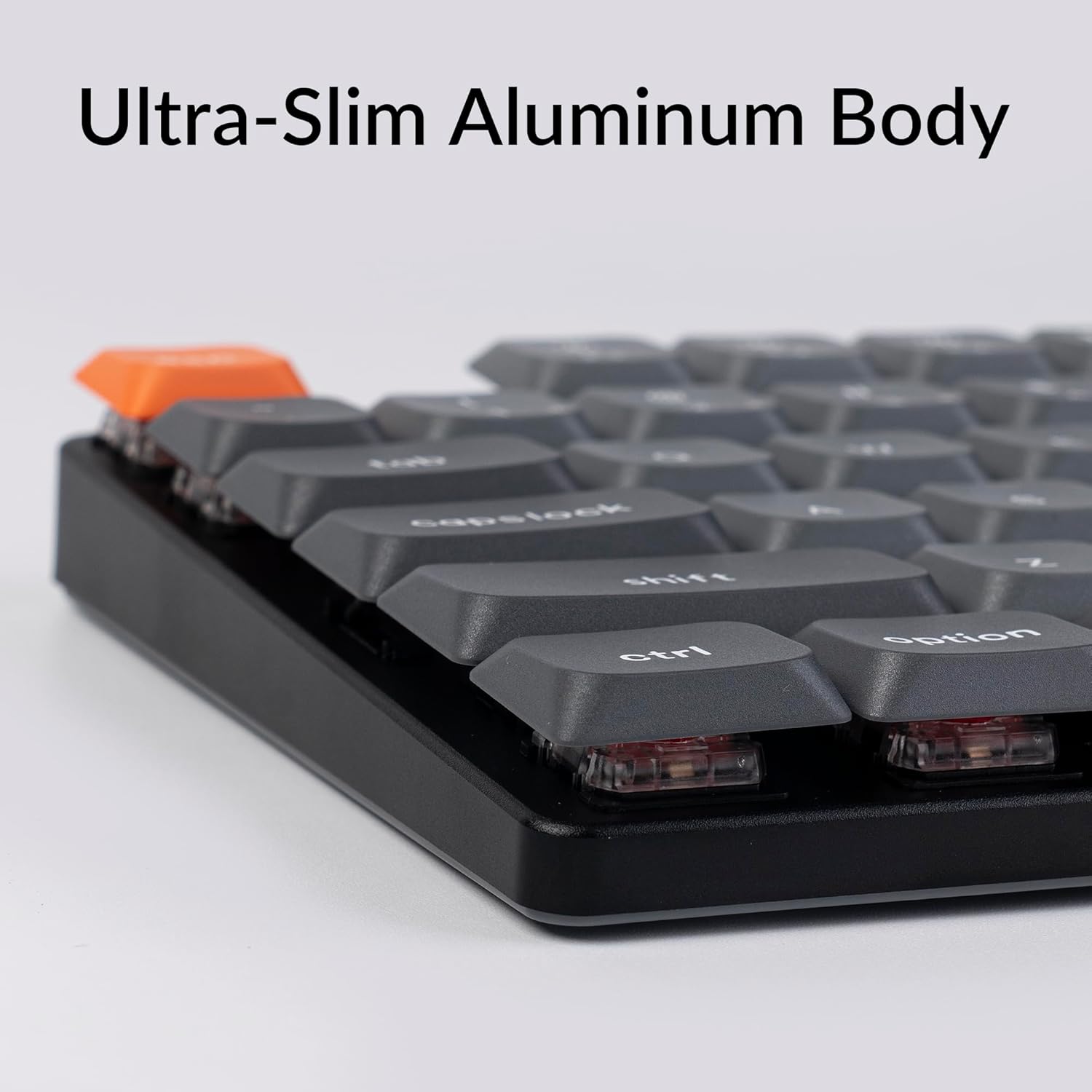
Image: A visual representation of the QMK/VIA software interface, demonstrating how users can remap individual keys and assign macro commands to customize their Keychron K13 Max keyboard.
Kontroll tad-dawl ta' wara
The keyboard features a white backlight. You can adjust the brightness and lighting effects using dedicated function keys or through the QMK/VIA software.

Immaġni: Close-up view of the Keychron K13 Max keyboard, highlighting the white backlight feature that illuminates the keys for improved visibility in various lighting conditions.
Appoġġ Ergonomiku
The K13 Max offers three levels of adjustable typing angle to provide long-lasting ergonomic wrist support. Adjust the feet on the underside of the keyboard to your preferred height.

Immaġni: Side profile of the Keychron K13 Max keyboard, illustrating its adjustable feet that allow for three different typing angles to enhance ergonomic comfort.
Manutenzjoni
Tindif tat-Tastiera
- Skonnettja t-tastiera mis-sorsi kollha tal-enerġija qabel ma tnaddafha.
- Uża drapp ratba u mingħajr ħelu ftit dampened with water or a mild cleaning solution to wipe the keycaps and frame.
- Għat-trab u l-fdalijiet bejn iċ-ċwievet, uża arja kkompressata.
- Evita li tuża kimiċi ħarxa jew materjali li joborxu.
Tneħħija u Sostituzzjoni tal-Keycap
The K13 Max comes with low-profile PBT keycaps that are durable and oil-resistant. You can remove and replace keycaps using the included keycap puller.
- Waħħal bil-mod il-puller tal-keycap mal-keycap li tixtieq tneħħi.
- Pull straight up with even pressure to detach the keycap.
- Biex tpoġġiha lura, allinja l-għatu taċ-ċwievet maz-zokk tas-swiċċ u agħfas 'l isfel sew sakemm tikklikkja f'postu.

Immaġni: Dettaljata view of the Keychron K13 Max keyboard, emphasizing its low-profile double-shot PBT keycaps, known for their durability and resistance to oil.
Issolvi l-problemi
| Problema | Kawża Possibbli | Soluzzjoni |
|---|---|---|
| It-tastiera ma tirrispondix (bil-fili) | Konnessjoni tal-kejbil maħlula, port USB difettuż. | Kun żgur li l-kejbil USB-C huwa konness sew. Ipprova port jew kejbil USB differenti. |
| Keyboard not responding (wireless 2.4 GHz) | Dongle not plugged in, out of range, interference, low battery. | Ensure 2.4 GHz dongle is plugged in. Move keyboard closer to dongle. Recharge keyboard. |
| It-tastiera ma tirrispondix (Bluetooth) | Not paired, out of range, low battery, interference. | Ensure keyboard is in Bluetooth mode and paired. Recharge keyboard. Re-pair if necessary. |
| Keys double-typing or not registering | Dust/debris under keycap, switch issue, software glitch. | Clean under keycaps with compressed air. Try factory reset via QMK/VIA. Contact support if issue persists. |
| Backlight ma jaħdimx | Backlight turned off, low battery, software setting. | Press backlight control keys. Recharge keyboard. Check QMK/VIA settings. |
For further assistance, please refer to the official Keychron support resources or contact customer service.
Speċifikazzjonijiet
| Karatteristika | Dettall |
|---|---|
| Numru tal-Mudell | K13M-A1 |
| Teknoloġija tal-Konnettività | Bluetooth 5.1, 2.4 GHz Wireless, USB-C Wired |
| Ir-Rata tal-Votazzjoni | 1000 Hz (2.4 GHz wireless and wired) |
| Apparati Kompatibbli | macOS, Windows, Linux |
| Tappijiet ewlenin | Baxx-Profile PBT b'Doppju Shot |
| Swiċċijiet | Baxx-Profile Gateron Red Switch |
| Dawl ta' wara | White Backlight (Single Color) |
| Numru ta' Ċwievet | 90 |
| Materjal | ABS + Aluminum frame |
| Piż tal-oġġett | 2.25 liri |
| Dimensjonijiet tal-Pakkett | 14.48 x 6.26 x 1.54 pulzieri |
| Batterija | 1 batterija tal-polimer tal-litju (inkluża) |
| Ħajja tal-batterija | Up to 80 hours (estimated, based on typical usage) |

Image: An illustration highlighting the estimated battery life of up to 80 hours for the Keychron K13 Max keyboard on a single charge.
Garanzija u Appoġġ
Keychron products are designed for durability and performance. For specific warranty information, please refer to the warranty card included with your product or visit the official Keychron websit.
For technical support, troubleshooting not covered in this manual, or general inquiries, please contact Keychron customer support through their official channels. You can often find support contact information on the Keychron webis-sit jew fl-imballaġġ tal-prodott tiegħek.
Official Keychron Websit: www.keychron.com
Gwida għall-Utent (PDF): Niżżel il-Gwida għall-Utent
Manwal tal-Utent (PDF): Niżżel il-Manwal tal-Utent