
1. Introduzzjoni
This manual provides comprehensive instructions for the setup, operation, and maintenance of your Lecoo WS208 Wireless Mouse. Please read this manual carefully before using the product to ensure proper function and longevity. Keep this manual for future reference.
2. Prodott Aktarview
The Lecoo WS208 is a wireless optical mouse designed for comfort and efficiency. It features a 1200 DPI sensor for precise tracking and a silent click mechanism for a quiet user experience.
Karatteristiċi ewlenin:
- Sensor Ottiku ta' 1200 DPI: Provides accurate and responsive cursor control.
- Disinn b'3 Buttuni: Standard left, right, and scroll wheel buttons for essential functions.
- Ikklikkja Siekta: Inaqqas l-istorbju tal-klikks għal ambjent tax-xogħol aktar kwiet.
- Konnettività Wireless: Operates via a 2.4GHz USB receiver, offering a range of up to 10 meters.
- Ergonomic and Compact Design: Lightweight (54g) and shaped for comfortable use over extended periods.
- Ħajja twila tal-batterija: Powered by one AA battery, providing up to 6 months of usage depending on conditions.
- Kompatibilità Universali: Supports Windows XP/7/8/10/11, Mac OS X 10.4+, Linux Kernel 2.6+, and Android devices.
Kontenut tal-Pakkett:
- Lecoo WS208 Wireless Mouse
- USB Mini Receiver
- Manwal għall-Utent
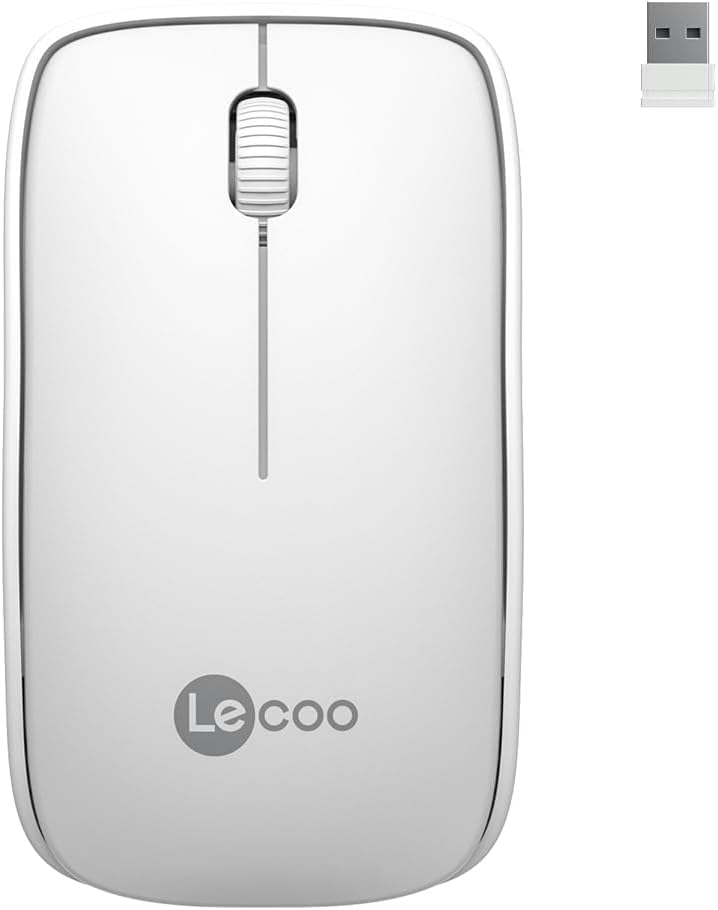
Image: Lecoo WS208 Wireless Mouse and its USB receiver.

Image: Diagram illustrating the components of the Lecoo WS208 mouse. Key features include the scroll wheel, left and right buttons, optical sensor, and USB dongle storage slot.
3. Setup
3.1 Installazzjoni tal-batterija
- Sib l-għatu tal-kompartiment tal-batterija fil-qiegħ tal-maws.
- Żerżaq jew erfa' l-għatu bil-mod biex tiftaħ il-kompartiment.
- Daħħal batterija AA waħda (mhux inkluża) fil-kompartiment, waqt li tiżgura li t-terminals pożittivi (+) u negattivi (-) ikunu allinjati sew mal-indikaturi.
- Erġa’ poġġi l-għatu tal-kompartiment tal-batterija sakemm tikklikkja sew f’postu.
3.2 Konnessjoni tar-Riċevitur USB
- Remove the USB mini receiver from its storage slot, usually located inside the battery compartment or on the bottom of the mouse.
- Plug the USB receiver into an available USB port on your computer (PC, Mac, Laptop) or compatible device.
- Is-sistema operattiva tiegħek għandha tiskopri u tinstalla awtomatikament id-drajvers meħtieġa. Dan jista' jieħu ftit mumenti.
3.3 Powering On the Mouse
After installing the battery and plugging in the receiver, the mouse should automatically power on. Some models may have a power switch on the bottom; ensure it is in the 'ON' position if present.
4. Istruzzjonijiet Operattivi
4.1 Funzjonijiet Bażiċi
- Buttuna tax-Xellug: Primary click function (e.g., select items, open links).
- Buttuna tal-lemin: Secondary click function (e.g., open context menus).
- Scroll Wheel: Skrollja 'l fuq jew 'l isfel fid-dokumenti u web paġni. Ir-rota tal-iscroll tiffunzjona wkoll bħala buttuna tan-nofs meta tiġi ppressata.
4.2 DPI Sensitivity
The Lecoo WS208 operates at a fixed 1200 DPI (Dots Per Inch) sensitivity, providing a balanced speed and precision for most daily tasks. No manual DPI adjustment is available on this model.
4.3 Medda operattiva
The mouse maintains a stable connection within a 10-meter range from the USB receiver. Performance may vary depending on environmental factors and obstacles.

Image: Icons representing universal compatibility with Android, Apple (macOS), Windows, Linux, and ChromeOS.
5. Manutenzjoni
5.1 Tindif
- Ensure the mouse is powered off before cleaning.
- Uża drapp artab, niexef u mingħajr suf biex timsaħ il-wiċċ tal-maws.
- Għal ħmieġ iebes, neħħi ftitampLaħlaħ id-drapp bl-ilma jew b'tindif ħafif u mhux abrażiv. Evita umdità eċċessiva.
- Tużax kimiċi ħarxa, solventi, jew materjali li joborxu, għax dawn jistgħu jagħmlu ħsara lill-finitura tal-maws.
5.2 Sostituzzjoni tal-batterija
When the mouse's performance degrades or it stops responding, it may be time to replace the AA battery. Follow the battery installation steps in Section 3.1.
6 Issolvi l-problemi
Kwistjonijiet Komuni u Soluzzjonijiet:
- Il-maws ma jirrispondix:
- Kun żgur li l-batterija hija installata sew u għandha biżżejjed ċarġ. Ibdelha jekk meħtieġ.
- Verify the USB receiver is securely plugged into a working USB port. Try a different USB port.
- Ensure the mouse is within the 10-meter operating range of the receiver.
- Ibda mill-ġdid il-kompjuter tiegħek.
- Erratic or jumpy cursor movement:
- Naddaf is-senser ottiku fil-qiegħ tal-maws b'ċarruta ratba u niexfa.
- Kun żgur li qed tuża l-maws fuq wiċċ adattat. Evita uċuħ li jirriflettu ħafna jew trasparenti.
- Iċċekkja għal interferenza minn apparat ieħor mingħajr fili.
- Kwistjonijiet ta' konnessjoni:
- Unplug and re-plug the USB receiver.
- Mexxi l-maws eqreb lejn ir-riċevitur USB.
7. Speċifikazzjonijiet
| Brand | Lecoo |
| Mudell | WS208 |
| Teknoloġija tal-Konnettività | Wireless (Riċevitur USB 2.4GHz) |
| Sejbien tal-Moviment | Ottiċi |
| Sensittività DPI | 1200 DPI |
| Numru ta' Buttuni | 3 (Left, Right, Scroll Wheel/Middle) |
| Medda Operattiva | Sa 10 metri |
| Tip ta 'batterija | 1 x Batterija AA (mhux inklużi) |
| Ħajja tal-batterija | Sa 6 xahar (skont l-użu) |
| Dimensjonijiet (L x W x H) | 95mm x 54mm x 31mm |
| Piż | 54g (mouse only) |
| Kompatibilità | Windows XP/7/8/10/11, Mac OS X 10.4+, Linux Kernel 2.6+, Android |

Image: Visual representation of the Lecoo WS208 mouse dimensions (95mm length, 54mm width, 31mm height) and weight (54g).
8. Garanzija u Appoġġ
Lecoo products are designed for reliability and performance. For warranty information or technical support, please refer to the warranty card included with your product or visit the official Lecoo websit. Żomm l-irċevuta tax-xiri tiegħek bħala prova tax-xiri għal talbiet ta' garanzija.