
Nuroum OW20B
Nuroum OW20B Open-Ear Bluetooth Earphones with Microphone User Manual
Model: OW20B
Introduzzjoni
Thank you for choosing the Nuroum OW20B Open-Ear Bluetooth Earphones. This manual provides detailed instructions for the safe and efficient use of your new earphones. Please read it thoroughly before use and retain it for future reference.
Informazzjoni Importanti dwar is-Sigurtà
- Tesponix il-earphones għal temperaturi jew umdità estremi.
- Evita li twaqqa’ l-earphones jew li tissottomettihom għal impatti qawwija.
- Tiżżarmax jew timmodifikax il-earphones. Dan jista’ jannulla l-garanzija u jikkawża ħsara.
- Żomm fejn ma jintlaħaqx mit-tfal u l-annimali domestiċi.
- Uża biss il-kejbil tal-iċċarġjar ipprovdut.
- Avoid using the earphones at high volume for extended periods to prevent hearing damage.
Kontenut tal-Pakkett
Jekk jogħġbok iċċekkja li l-oġġetti kollha huma preżenti:
- Nuroum OW20B Bluetooth Earphones x 1
- Iċċarġjar Cable x 1
- Manwal ta' Istruzzjoni x 1
Prodott Overview
The Nuroum OW20B features an open-ear design for comfort and situational awareness, a rotatable boom microphone for clear communication, and integrated controls for ease of use.

Figure 1: Nuroum OW20B Open-Ear Bluetooth Earphones. This image shows the overall design of the earphones, highlighting their open-ear form factor and the integrated boom microphone.
Komponenti:
- Ear Hooks: Designed for a secure and comfortable fit over the ear.
- Unitajiet tal-Ispeaker: Deliver audio without blocking the ear canal.
- Rotatable Boom Microphone: Can be positioned for optimal voice pickup during calls or rotated away when not in use.
- Buttuni tal-Kontroll: For power, volume, track control, and call management.
- Port tal-Iċċarġjar: Għall-konnessjoni tal-kejbil tal-iċċarġjar.
Disinn u Kumdità
The Nuroum OW20B earphones are engineered for comfort and a secure fit, weighing only 22g. Their open-ear design allows you to stay aware of your surroundings while enjoying audio, preventing the stuffiness often associated with in-ear headphones. The soft silicone ear hooks ensure a snug fit without discomfort, even during extended wear or active use like running or cycling.

Figure 2: Open-Ear Comfort & Fit. This image illustrates the benefits of the open-ear design compared to traditional in-ear headphones, emphasizing comfort and a secure fit with soft silicone ear hooks.
Setup
1. Iċċarġjar tal-Earphones
Before first use, fully charge the earphones. A full charge takes approximately 2 hours and provides up to 15 hours of continuous playback.
- Connect the provided charging cable to the charging port on the earphones.
- Qabbad it-tarf l-ieħor tal-kejbil tal-iċċarġjar ma' adapter tal-enerġija USB (mhux inkluż) jew mal-port USB tal-kompjuter.
- The indicator light will show the charging status. It will typically turn off or change color once fully charged.
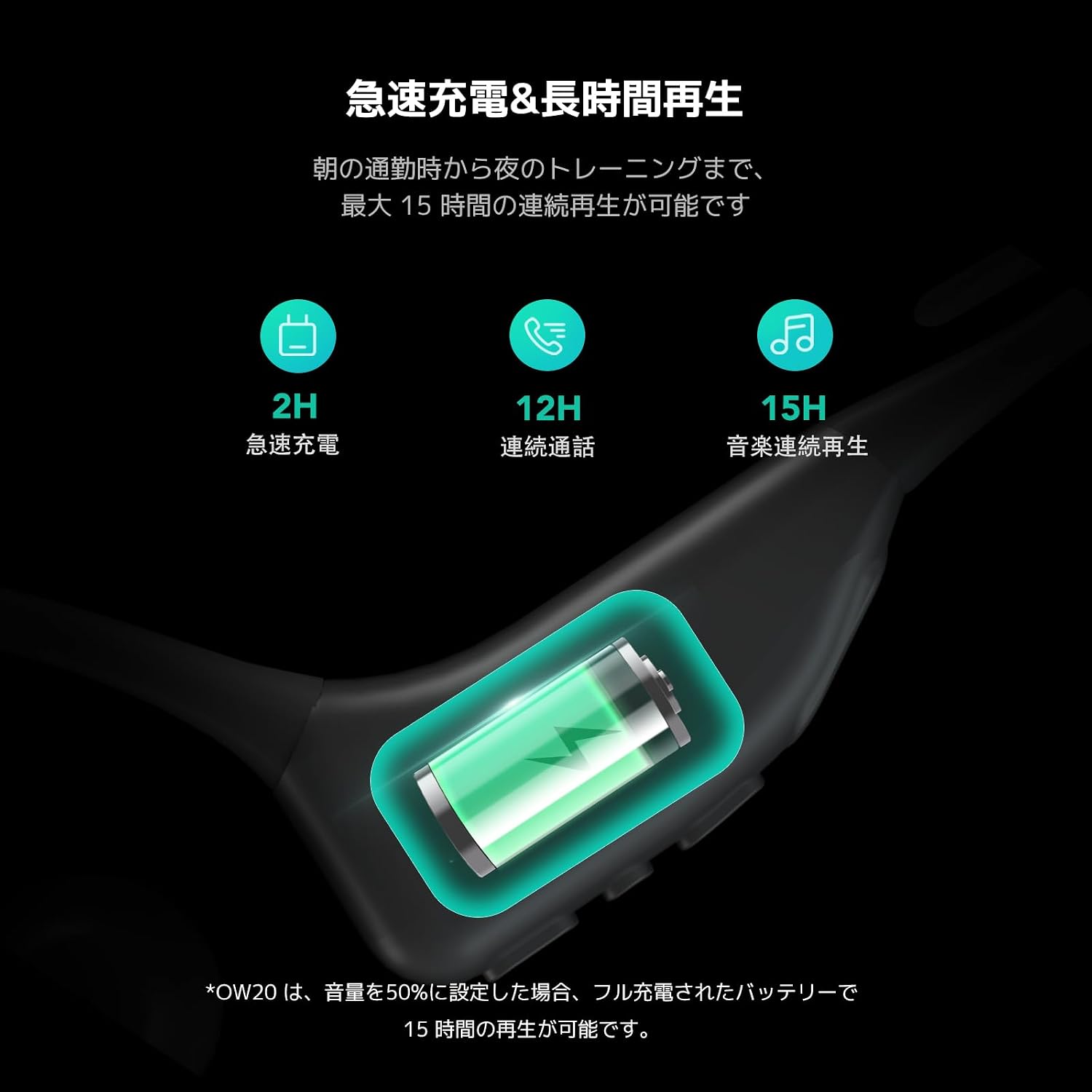
Figure 3: Fast Charging & Long Playback. This image displays the charging process and highlights the battery performance, including 2 hours for fast charging and up to 15 hours of continuous music playback.
2. Tixgħil / Mitfi
- Biex Tixgħel: Press and hold the Multi-Function Button (MFB) for approximately 3 seconds until you hear a power-on prompt and the indicator light flashes.
- Biex Tifi: Press and hold the MFB for approximately 5 seconds until you hear a power-off prompt and the indicator light turns off.
3. Tqabbil tal-Bluetooth
The Nuroum OW20B uses Bluetooth 5.3 for a stable and seamless connection.
- Kun żgur li l-earphones huma mitfija.
- Press and hold the MFB for about 5-7 seconds until the indicator light flashes red and blue alternately, indicating pairing mode.
- Fuq l-apparat tiegħek (smartphone, tablet, kompjuter), attiva l-Bluetooth u fittex apparati disponibbli.
- Select "Nuroum OW20B" from the list of found devices.
- Once connected, the indicator light will flash blue slowly, and you will hear a connection confirmation prompt.
Note: The earphones support multi-point connection, allowing simultaneous connection to two devices. After pairing with the first device, disable Bluetooth on it, then pair with the second device. Re-enable Bluetooth on the first device, and the earphones should connect to both.
Istruzzjonijiet Operattivi
Kontrolli
The earphones feature intuitive controls for managing audio and calls.

Figure 4: User-Friendly Integrated Controls. This image highlights the control buttons on the earphone body, including volume up (+), volume down (-), and the Multi-Function Button (MFB), along with the mute button on the microphone boom.
| Funzjoni | Azzjoni |
|---|---|
| Qawwa Mixgħul | Agħfas u żomm MFB għal 3 sekondi |
| Qawwa Mitfi | Agħfas u żomm MFB għal 5 sekondi |
| Ilgħab/Pawża Mużika | Istampa waħda MFB |
| Track li jmiss | Istampa doppja MFB |
| Track Preċedenti | Agħfas triplu MFB |
| Volum Up | Single press '+' button |
| Volum 'l isfel | Single press '-' button |
| Tweġiba/Tmiem Sejħa | Istampa waħda MFB |
| Irrifjuta Sejħa | Agħfas u żomm MFB għal 2 sekondi |
| Mikrofonu Mute / Unmute | Single press the mute button on the boom mic |
Użu tal-mikrofonu
The rotatable boom microphone is designed for optimal voice clarity during calls, featuring ENC (Environmental Noise Cancellation) and a DSP chip to reduce ambient noise by 99.9%.
- For calls, rotate the microphone boom forward so it is positioned near your mouth.
- When listening to music or not needing the microphone, rotate it backward behind your ear for convenient storage and a less obtrusive profile.

Figure 5: Rotatable Boom Microphone. This image demonstrates how to position the rotatable boom microphone for clear calls (forward, near mouth) and for storage (backward, behind ear).

Figure 6: Industry-leading Noise Cancelling with HiFi 4 DSP. This image illustrates the ENC (Environmental Noise Cancellation) and DSP chip technology, showing how it processes and reduces background noise for clearer voice transmission during calls.
Kwalità Awdjo
Equipped with a large driver and a private bass boost algorithm powered by HiFi4 DSP, the Nuroum OW20B delivers powerful volume and rich bass. This ensures an enjoyable listening experience for your favorite music, whether you are running outdoors or traveling on an airplane.
Manutenzjoni
- Clean the earphones regularly with a soft, dry cloth. Do not use abrasive cleaners or solvents.
- Aħżen il-earphones f'post frisk u niexef 'il bogħod mix-xemx diretta u minn temperaturi estremi.
- Avoid prolonged exposure to liquids. While designed for sports, excessive moisture can still cause damage.
- When not in use for extended periods, charge the earphones at least once every three months to maintain battery health.
Issolvi l-problemi
| Problema | Soluzzjoni |
|---|---|
| Il-earphones ma jixegħlux. | Ensure the earphones are charged. Connect to a power source using the provided cable. |
| Ma tistax tqabbad ma' apparat. |
|
| L-ebda ħoss jew volum baxx. |
|
| Il-mikrofonu mhux qed jaħdem. |
|
| Il-konnessjoni tinqata’ ta’ spiss. |
|
Speċifikazzjonijiet
| Karatteristika | Dettall |
|---|---|
| Isem tal-Mudell | AW-OW20B-JP |
| Brand | Nuroum |
| Teknoloġija tal-Konnettività | Mingħajr fili (Bluetooth 5.3) |
| Fattur tal-Forma tal-Headphone | Open-Ear, Ear-hook |
| Karatteristiċi Speċjali | ENC Noise Cancelling, Microphone, Lightweight (22g) |
| Ħin ta' Daqq Kontinwu | Sa 15 sigħat |
| Ħin tal-Iċċarġjar | Appross. 2 sigħat |
| Firxa Wireless | Sa 10 metri (33 pied) |
| Kulur | Iswed |
Garanzija u Appoġġ
The Nuroum OW20B Open-Ear Bluetooth Earphones come with a garanzija ta 'sena mid-data tax-xiri.
For warranty claims, technical support, or any inquiries regarding your product, please contact Nuroum customer service through the retailer where you purchased the product or visit the official Nuroum websit għal informazzjoni ta' kuntatt.
Jekk jogħġbok żomm il-prova tax-xiri tiegħek għall-validazzjoni tal-garanzija.