
Inwa MZ633
Inwa MZ633 Bluetooth Audio Stereo AmpManwal ta 'l-Utent aktar ħaj
Model: MZ633
1. Introduzzjoni
The Inwa MZ633 is a compact yet powerful 2.0 channel Hi-Fi stereo amplifier designed to enhance your home audio experience. It features multiple input options including HDMI (ARC), Optical, Coaxial, USB, RCA, and Bluetooth 5.3, allowing connection to various audio sources. With 100W RMS per channel at 4 ohms, it delivers clear and high-quality sound to passive speakers. The amplifier also includes bass and treble controls, a digital LED display, and a remote control for convenient operation.
2. Kontenut tal-Pakkett
- Inwa MZ633 Stereo AmpUnità lifier
- Kontrollur mill-bogħod
- Adapter tal-Enerġija
- Antenna Bluetooth
- Manwal għall-Utent
3. Prodott Aktarview
3.1 Panel ta 'Quddiem
The front panel features the digital display, bass and treble control knobs, and a multi-function volume/mode/on-off knob.

Immaġni: Bord ta 'quddiem u ta' wara Overview. This image displays the front panel with its digital display, bass, treble, and volume/mode/on-off controls, and the rear panel with all input and output ports.
- Wirja Diġitali: Shows current input mode and volume level.
- Buttuna tal-Kontroll tal-Bass: Jaġġusta l-ħruġ tal-awdjo ta' frekwenza baxxa.
- Buttuna tal-Kontroll tat-Treble: Jaġġusta l-ħruġ tal-awdjo ta' frekwenza għolja.
- Volume/Mode/On-Off Knob: Rotates to adjust volume. Short press to cycle through input modes. Long press to power on/off.
3.2 Panel ta 'wara
The rear panel provides all connection ports for audio input, speaker output, and power.

Immaġni: Dettaljati view tal- amplifier's rear panel, highlighting the Bluetooth antenna port, HDMI (ARC), USB, Optical, Coaxial, RCA (Audio Input), DC IN, Speaker Output terminals, and Power Switch.
- Antenna BT: Connect the included Bluetooth antenna for optimal wireless reception.
- Input HDMI (ARC): Connect to a TV's HDMI ARC port for audio return channel functionality.
- Input USB: Connect a USB drive for audio playback.
- Input ottiku: Connect to devices with optical digital audio output.
- Input koassjali: Connect to devices with coaxial digital audio output.
- RCA (Audio Input): Connect to analog audio sources using RCA cables.
- DC IN: Qabbad l-adapter tal-enerġija.
- Speaker Output (L+/L-, R+/R-): Connect passive speakers using speaker wire.
- Swiċċ tal-Enerġija: Main power toggle for the ampaktar ħaj.
4. Istruzzjonijiet ta' Setup
Follow these steps to set up your Inwa MZ633 ampaktar ħaj:
- Qabbad l-Ispeakers: Connect your passive speakers to the Speaker Output terminals on the rear panel. Ensure correct polarity (positive to positive, negative to negative).
- Qabbad l-Antenna Bluetooth: Screw the Bluetooth antenna into the "BT Ant" port on the rear panel.
- Qabbad is-Sors tal-Awdjo: Choose your desired audio input method (HDMI ARC, USB, Optical, Coaxial, or RCA) and connect the corresponding cable from your audio source device to the ampIl-pannell ta' wara tal-lifer.

Immaġni: Connection diagram illustrating how to connect various audio sources (TV, phone, tablet, PC, laptop, projector) via Bluetooth, HDMI (ARC), Optical, Coaxial, AUX (RCA), and USB to the amplifier, and then to dual-channel speakers.
- Qabbad l-Enerġija: Connect the power adapter to the "DC IN" port on the rear panel, then plug the adapter into a power outlet.
- Qawwa Mixgħul: Flip the main Power Switch on the rear panel to the "ON" position. The amplifier se jidħol fil-mod standby.
For a visual guide on connecting inputs and operating the amplifier, please refer to the video below:
Vidjow: This video demonstrates the physical connection of various audio inputs (HDMI ARC, USB, Optical, RCA) and speaker outputs to the Inwa MZ633 amplifier. It also shows how to power on the device, switch between different input modes (Bluetooth, USB, AUX, Optical, Coaxial, ARC) using the remote or front knob, and adjust volume. The video concludes by demonstrating how to enter standby mode and power off the ampaktar ħaj.
5. Istruzzjonijiet Operattivi
5.1 Power On/Off and Standby
- Biex titħaddem il- amplifier from standby, short press the Power button on the remote control or the Volume/Mode/On-Off knob on the front panel.
- To enter standby mode, short press the Power button on the remote control or the Volume/Mode/On-Off knob on the front panel while the unit is active.
- To completely power off the amplifier, flip the main Power Switch on the rear panel to the "OFF" position.
5.2 Għażla tal-Modalità ta' Input
You can switch between input modes using the remote control or the front panel knob.
- Bl-użu tal-Kontroll mill-Bogħod: Press the "Mode" button on the remote to cycle through available inputs (Bluetooth, USB, Optical, Coaxial, HDMI ARC, RCA).
- Using Front Panel Knob: Short press the Volume/Mode/On-Off knob to cycle through input modes.
5.3 Kontroll tal-Volum
- Bl-użu tal-Kontroll mill-Bogħod: Uża l-buttuni Volume Up (+) u Volume Down (-).
- Using Front Panel Knob: Rotate the Volume/Mode/On-Off knob clockwise to increase volume, counter-clockwise to decrease volume.
5.4 Aġġustament tal-Bass u t-Treble
Adjust the bass and treble levels to customize your audio output.
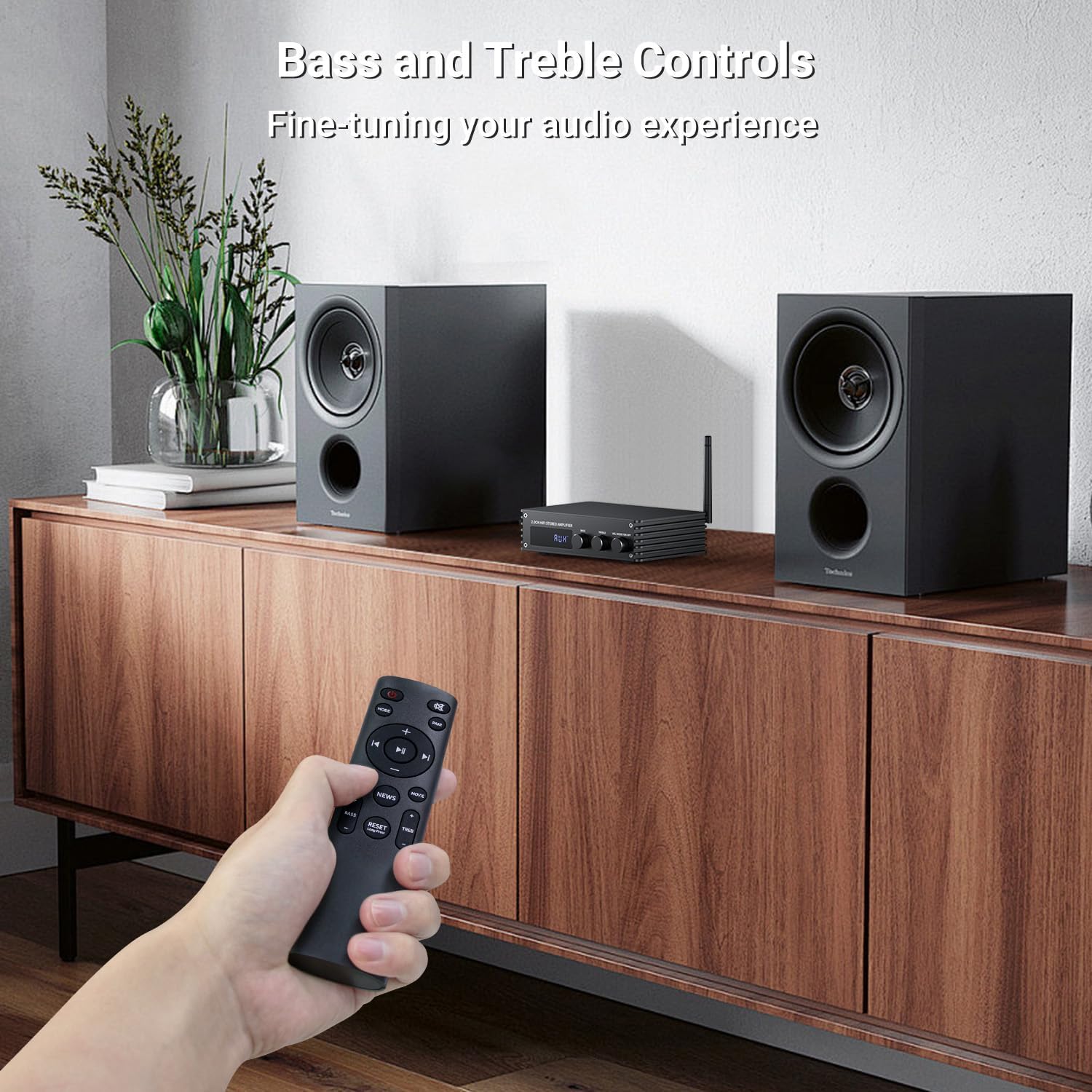
Immaġni: A hand holding the remote control, pointing towards the amplifier. The image highlights the bass and treble control knobs on the amplifier's front panel, indicating fine-tuning capabilities.
- Buttuna tal-Kontroll tal-Bass: Rotate to increase or decrease bass frequencies.
- Buttuna tal-Kontroll tat-Treble: Rotate to increase or decrease treble frequencies.
5.5 Sound Mode Selection
Il- amplifier offers three distinct sound modes to optimize your listening experience:
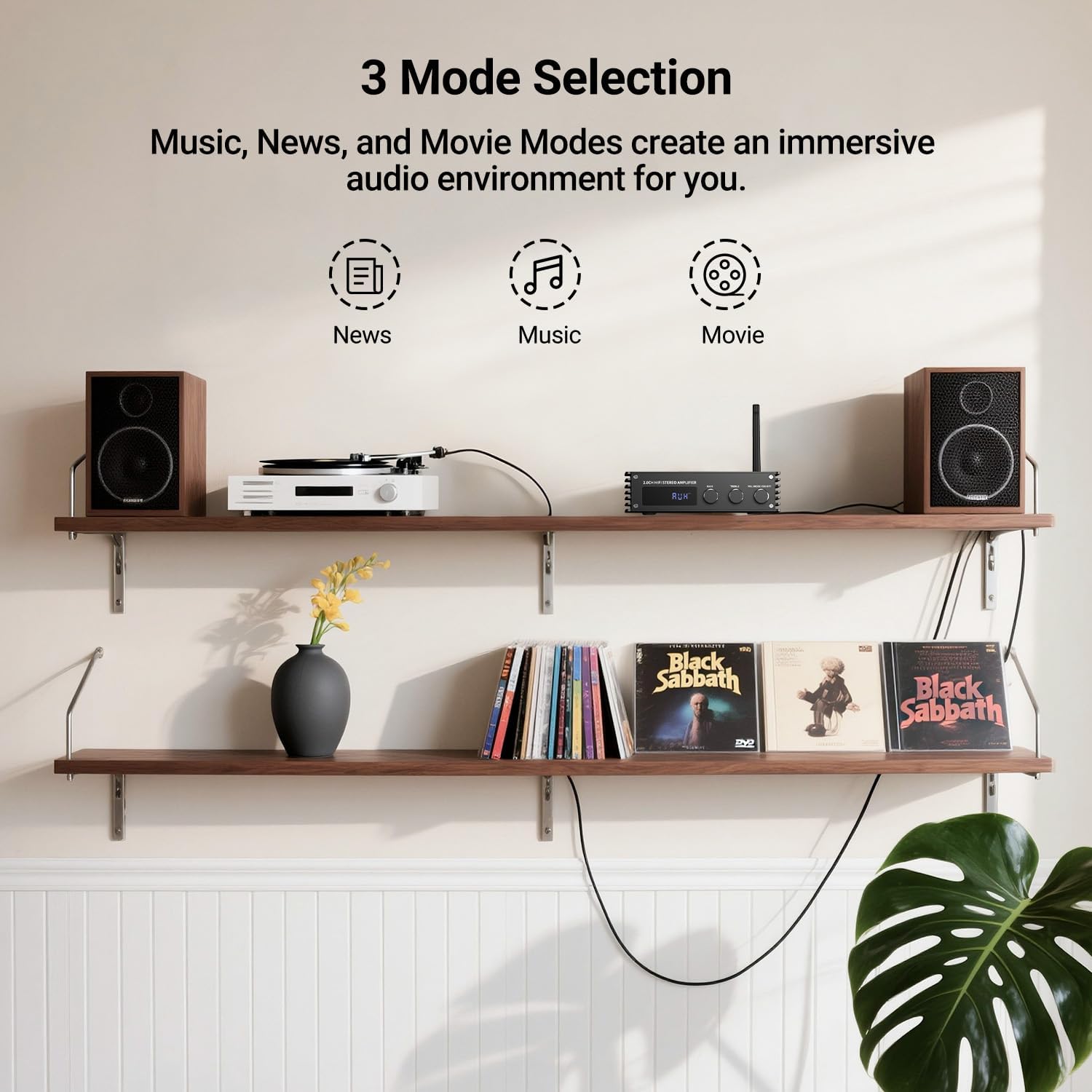
Immaġni: Visual representation of the three sound modes: News, Music, and Movie. Each mode has an icon and a brief description of its audio characteristics, such as enhancing vocals for News, providing high-quality sound for Music, and offering 3D surround for Movie mode.
- Modalità Aħbarijiet: Enhances vocal clarity for spoken content.
- Modalità Mużika: Provides a balanced, high-quality sound for general music listening.
- Modalità tal-Film: Offers a 3D surround effect for an immersive cinematic experience.
- Use the dedicated buttons on the remote control to switch between these modes.
6. Tqabbil tal-Bluetooth
To connect your Bluetooth device to the Inwa MZ633 ampaktar ħaj:
- Ensure the Bluetooth antenna is securely connected to the ampaktar ħaj.
- Aqleb il- amplifier to Bluetooth input mode (BT) using the remote or front knob. The digital display will show "BT".
- On your mobile device (phone, tablet, etc.), enable Bluetooth and search for available devices.
- Select "Inwa MZ633" from the list of devices.
- Ladarba mqabbdin, il amplifier will indicate a successful connection, and you can begin streaming audio.
- The Bluetooth 5.3 technology ensures stable connectivity up to 50ft/15m.
7. Speċifikazzjonijiet
| Karatteristika | Dettall |
|---|---|
| Qawwa tal-Ħruġ | 100W RMS x 2 (at 4 ohms) |
| Kanali | 2.0 Kanal |
| Verżjoni Bluetooth | 5.3 |
| Medda Bluetooth | Sa 50ft / 15m |
| Inputs | HDMI (ARC), USB, Optical, Coaxial, RCA, Bluetooth |
| Kontroll Awdjo | Bass, Treble, Volume, 3 Sound Modes (News, Music, Movie) |
| Wiri | Display LED diġitali |
| Dimensjonijiet | 4.8 x 7.08 x 1.85 pulzieri |
| Piż tal-oġġett | 2.2 liri |
| Numru tal-Mudell | MZ633 |
| Manifattur | Inwa |
8 Issolvi l-problemi
If you encounter issues with your Inwa MZ633 amplifier, please refer to the following common solutions:
- Ebda Qawwa:
- Kun żgur li l-adapter tal-enerġija huwa konness sew maż-żewġ amplifer u sokit tal-enerġija li jaħdem.
- Check that the main Power Switch on the rear panel is in the "ON" position.
- Ivverifika li s-sokit tal-enerġija jaħdem billi tqabbad apparat ieħor.
- Ebda Ħsejjes:
- Confirm that the speakers are correctly connected to the amplifier's output terminals with proper polarity.
- Check that the correct input mode is selected on the amplifier (e.g., "BT" for Bluetooth, "ARC" for HDMI ARC).
- Żid il-volum fuq iż-żewġ amplifier u l-apparat tas-sors tal-awdjo tiegħek.
- Ensure audio cables (HDMI, Optical, Coaxial, RCA) are securely connected and not damaged.
- If using HDMI ARC, ensure your TV's ARC function is enabled and the amplifier is selected as the audio output device in your TV settings.
- If using Bluetooth, ensure the device is successfully paired and not connected to another ampaktar ħaj.
- Ħoss Mgħawġ:
- Naqqas il-volum fuq iż-żewġ amplifier u s-sors tal-awdjo biex jipprevjenu l-qtugħ.
- Check speaker connections for loose wires or incorrect polarity.
- Kun żgur li s-sors awdjo qed jipprovdi sinjal nadif.
- Adjust bass and treble controls to a neutral position or to your preference.
- Kwistjonijiet ta' Konnessjoni Bluetooth:
- Tiżgura l- ampIl-lifer jinsab fil-modalità Bluetooth.
- Mexxi l-apparat Bluetooth tiegħek eqreb lejn amplifier biex ittejjeb is-saħħa tas-sinjal.
- Skonnettja u erġa' qabbad l-apparat.
- Ensure no other devices are actively connected to the amplifier permezz tal-Bluetooth.
- Ipprova erġa' ibda t-tnejn amplifer u t-tagħmir Bluetooth tiegħek.
9. Manutenzjoni
To ensure the longevity and optimal performance of your Inwa MZ633 amplifer, segwi dawn il-linji gwida tal-manutenzjoni:
- Tindif: Uża drapp ratba u niexfa biex tnaddaf il-barra tal- amplifier. Avoid using liquid cleaners, aerosols, or abrasive materials, as they may damage the finish or internal components.
- Ventilazzjoni: Tiżgura l- amplifier is placed in a well-ventilated area. Do not block the ventilation openings, as this can lead to overheating.
- Pjazzament: Poġġi l- amplifier on a stable, flat surface away from direct sunlight, heat sources, and moisture.
- Qawwa Mitfi meta ma tkunx qed tintuża: Jekk il- amplifier will not be used for an extended period, power it off using the rear switch and unplug it from the power outlet.
- Ġestjoni tal-Kejbil: Żomm il-kejbils kollha organizzati pulit u ħielsa minn brim jew tensjoni eċċessiva biex tevita l-ħsara.
10. Garanzija u Appoġġ
Inwa products are designed for reliability and performance. For warranty information, technical support, or service inquiries, please refer to the warranty card included with your product or visit the official Inwa websit. Żomm l-irċevuta tax-xiri tiegħek bħala prova tax-xiri għal talbiet ta' garanzija.
Manifattur: Inwa
Ask a question about this manual
Ask about setup, troubleshooting, compatibility, parts, safety, or missing instructions. Manuals+ will review the question and use this page’s manual context to help answer it.