
1. Introduzzjoni
This manual provides essential information for the safe and efficient operation of your SYLVOX 15.6" Under Cabinet Smart TV. Please read these instructions thoroughly before installation and use, and retain them for future reference. This television is designed for space-saving installation under cabinets, offering smart TV functionalities with Google TV.
2. Informazzjoni dwar is-Sigurtà
- Sigurtà Elettrika: Ensure the power supply matches the TV's requirements (AC 100-240V, DC12V, 9-32V). Do not expose the TV to rain or moisture. Disconnect power during lightning storms or when unused for long periods.
- Immuntar: The TV must be securely mounted to a sturdy surface capable of supporting its weight. Follow all installation instructions carefully to prevent injury or damage.
- Ventilazzjoni: Ensure adequate ventilation around the TV. Do not block ventilation openings. Overheating can lead to malfunction.
- Tindif: Always unplug the TV before cleaning. Use a soft, dry cloth. Avoid liquid cleaners or aerosols.
- Tfal: Żomm partijiet żgħar u materjali tal-ippakkjar 'il bogħod mit-tfal biex tevita perikli ta' fgar.
3. Kontenut tal-Pakkett
Iċċekkja li l-oġġetti kollha elenkati hawn taħt huma inklużi fil-pakkett tiegħek:
- SYLVOX 15.6" Under Cabinet Smart TV
- Kontroll mill-bogħod
- Manwal ta 'Istruzzjoni (dan id-dokument)
- Power Adapter (AC 100-240V to DC12V)
- Bażi tal-Kontroll mill-bogħod
- Bracket tal-Immuntar
- Screws (KA4.0x8MM)
- Batteriji AAA (2, għall-kontroll remot)
- Karta ta' Garanzija

Image 3.1: Included accessories and components.
4. Prodott Aktarview
The SYLVOX 15.6" Under Cabinet Smart TV is designed for versatile viewing and space efficiency. It features a 15.6-inch Full HD (1080p) LED display with a 16:9 aspect ratio and a 60Hz refresh rate, offering a 178° horizontal and 178° vertical ultra-wide viewangolu tal-ing.
4.1 Karatteristiċi ewlenin
- Flip-Down Screen: The screen can be vertically flipped down 0-90 degrees for optimal viewing and folded up for storage.
- Rotazzjoni 360°: The entire unit can rotate 360 degrees horizontally for flexible positioning.
- Smart Google TV: Integrated Google TV system with 1.5G RAM and 8G storage, supporting various streaming applications.
- Konnettività: Built-in Wi-Fi (5G support) and Wireless Connection (Bluetooth 5.0).
- Interface tal-Utent: Touch buttons on the unit and a full-function remote control.
- Funzjonijiet addizzjonali: LED clock display and timer alarm clock functionality.

Stampa 4.1: Quddiem view of the SYLVOX Under Cabinet Smart TV.
4.2 Portijiet u Konnessjonijiet
The TV includes the following ports for various connections:
- DC 12V Enerġija Input
- RJ45 (Ethernet)
- SPDIF OUT
- Line (L/R) Out
- HDMI (2 ports, with CEC & ARC support)
- RF (Antenna Input)
- USB (2 ports)
- Mini AV In
- Earphone Out

Image 4.2: Rear panel with connection ports.
4.3 Screen Movement
The TV offers flexible screen positioning:
- Flip-Down: The screen can be pulled down up to 90 degrees from its stored position.
- Rotazzjoni: The entire TV unit can rotate 360 degrees horizontally when extended.

Image 4.3: Screen rotation and flip-down capabilities.
5. Setup u Installazzjoni
Careful installation is crucial for the stability and functionality of your TV.
5.1 Konsiderazzjonijiet tal-Post tal-Immuntar
- Choose a sturdy under-cabinet location that can safely support the TV's weight (approximately 7.7 lbs).
- Ensure there is sufficient clearance for the TV to rotate and flip down. The center point of the TV bracket should be at least 10.4 inches from any wall or obstruction to allow full rotation.
- Avoid locations near heat sources or direct sunlight.

Image 5.1: Mounting clearance and VESA dimensions.
5.2 Passi tal-Immuntar
- Ipprepara l-wiċċ: If your cabinet has a recessed bottom, you may need to add a piece of wood (e.g., MDF) to create a flush mounting surface. Ensure this piece is securely attached to the cabinet.
- Waħħal il-parentesi tal-immuntar: Position the mounting bracket (VESA 40x40mm) on the chosen under-cabinet location. Mark the screw holes.
- Drill Pilota Toqob: Drill pilot holes into the cabinet surface at the marked locations.
- Bracket Sikur: Use the provided screws (KA4.0x8MM) to firmly attach the mounting bracket to the cabinet.
- Attach TV to Bracket: Carefully align the TV with the mounted bracket and secure it according to the instructions provided with the bracket. Ensure the single screw for rotation is properly engaged but allows movement.
5.3 Konnessjoni tal-Enerġija
Connect the power adapter to the DC 12V input port on the TV, then plug the adapter into a standard electrical outlet. The TV supports 9-32V wide voltage protection, making it suitable for various power sources, including RVs (12V car power cable not included).
5.4 Setup Inizjali
- Qawwa Mixgħul: Agħfas il-buttuna tal-qawwa fuq it-TV jew fuq ir-remote control.
- Għażla tal-Lingwa: Segwi l-istruzzjonijiet fuq l-iskrin biex tagħżel il-lingwa preferuta tiegħek.
- Konnessjoni tan-Netwerk: Connect the TV to your Wi-Fi network or via an Ethernet cable (RJ45). Enter your Wi-Fi password if prompted.
- Kont Google: Sign in with your Google account to access Google TV features, download apps, and personalize your experience.
- Skennjar tal-Kanali (Mhux obbligatorju): If connecting an antenna, follow the on-screen instructions to scan for available channels.
6. Istruzzjonijiet Operattivi
This section details how to use your SYLVOX Smart TV.
6.1 Remote Control and Touch Buttons
The TV can be operated using the included remote control or the touch-sensitive buttons located on the front panel of the unit.
- Qawwa: Ixgħel jew jitfi t-TV.
- Sors: Selects input sources (HDMI, AV, ATV/DTV).
- Menu: Aċċessa s-settings u l-għażliet tat-TV.
- CH+/CH-: Changes channels or navigates menus.
- VOL+/VOL-: Jaġġusta l-volum.
- SET/ENTER: Jikkonferma l-għażla.
- TIME MINUS/TIME PLUS: Aġġusta s-settings tat-tajmer.
6.2 L-Interfaċċja tat-TV tal-Google
After initial setup, the Google TV home screen will display. This interface provides access to streaming apps, live TV, and personalized recommendations.

Image 6.1: Google TV home screen.
6.3 Użu tal-App
You can download and use various applications from the Google Play Store. Pre-certified apps include Netflix, YouTube, Twitter, Facebook, AccuWeather, Mirracast, Vudu, Pandora, and HTML5.
- Navigate to the 'Apps' section on the home screen.
- Select the Google Play Store icon to browse and download new applications.
- Select an installed app to launch it.
Image 6.2: Accessing the Google Play Store.
6.4 Wireless Connectivity and Screen Casting
- Wi-Fi: Connect to your home Wi-Fi network via the settings menu for internet access.
- Konnessjoni bla fili (Bluetooth 5.0): Pair Bluetooth devices like headphones or speakers through the TV's settings.
- Ikkastjar tal-Iskrin: The TV supports screencasting from compatible phones and devices, allowing you to display content from your mobile device directly on the TV screen.
6.5 Funzjoni Timer
The TV includes a timing function (15-60 minutes optional) which can be used as a cooking timer or for other purposes. Use the 'TIME MINUS' and 'TIME PLUS' buttons on the control panel or remote to set the desired duration.
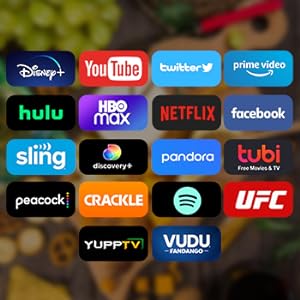
Image 6.3: Using the timing function.
7. Manutenzjoni
Manutenzjoni xierqa tiżgura l-lonġevità u l-prestazzjoni tat-TV tiegħek.
- Tindif tal-Iskrin: Imsaħ l-iskrin bil-mod b'ċarruta ratba u mingħajr suf. Għal marki persistenti, nixxef ftit.ampLaħlaħ id-drapp bl-ilma jew b'soluzzjoni tat-tindif speċifika għall-iskrin (tisprejjax direttament fuq l-iskrin).
- Tindif ta' barra: Uża drapp artab u niexef biex timsaħ it-TV.asing. Evita prodotti tat-tindif jew solventi li joborxu.
- Ventilazzjoni: Iċċekkja perjodikament li l-fetħiet tal-ventilazzjoni jkunu ħielsa mit-trab u l-fdalijiet.
- Ħażna: When not in use, fold the TV screen up into its storage position to protect it from dust and potential damage.

Image 7.1: TV folded for storage, freeing up space.
8 Issolvi l-problemi
Jekk tiltaqa' ma' problemi bit-TV tiegħek, irreferi għall-problemi u s-soluzzjonijiet komuni li ġejjin:
| Problema | Kawża Possibbli | Soluzzjoni |
|---|---|---|
| Ebda Qawwa | Power cable disconnected; outlet malfunction; remote batteries dead. | Check power cable connection; test outlet with another device; replace remote batteries. |
| L-ebda Stampa, iżda l-Ħoss huwa Preżenti | Sors ta' input mhux korrett magħżul; problema bl-apparat estern. | Press 'Source' button to cycle through inputs; check external device connections. |
| L-ebda ħoss, iżda l-istampa hija preżenti | Volum immut jew baxx wisq; problema bis-sistema awdjo esterna. | Unmute or increase volume; check audio connections to external devices. |
| Kwistjonijiet ta' Konnessjoni Wi-Fi | Password mhux korretta; problema bir-router; it-TV wisq 'il bogħod mir-router. | Re-enter Wi-Fi password; restart router; move TV closer to router or use Ethernet. |
| Il-Kontroll Remot Mhux Jaħdem | Batteriji mejta; ostruzzjoni bejn ir-remote u t-TV. | Replace batteries; remove obstructions; ensure remote is pointed at the TV's sensor. |
| Prestazzjoni bil-mod / Ħabtiet fl-App | Wisq applikazzjonijiet jaħdmu; memorja baxxa. | Close unused apps; restart the TV; clear cache for problematic apps in settings. |
If the problem persists after trying these solutions, please contact SYLVOX customer support.
9. Speċifikazzjonijiet
| Karatteristika | Dettall |
|---|---|
| Numru tal-Mudell | KT16A0KHGA |
| Daqs tal-Iskrin | 15.6 Pulzier |
| Teknoloġija tal-Wiri | LED |
| Riżoluzzjoni | 1080p (Full HD) |
| Riffriskar Rata | 60Hz |
| Proporzjon ta' l-aspett | 16:9 |
| ViewAngolu tal-Inġenju (H/V) | 178° / 178° |
| Sistema Operattiva | Google TV |
| Memorja (RAM + Ħażna) | 1.5G+8G |
| Konnettività bla fili | Wi-Fi (5G Support), Bluetooth 5.0 |
| Inputs tal-Vidjo | ATV/DTV, Mini AV, HDMI (x2) |
| Input tan-Netwerk | RJ45 |
| Portijiet Oħrajn | SPDIF OUT, Line (L/R) Out, RF, Earphone, USB (x2) |
| Input tal-Enerġija | AC 100-240V, DC12V, 9-32V |
| Dimensjonijiet tal-Prodott (mingħajr stand) | 373.35 x 226.85 x 9.5 mm (0.4"D x 14.7"W x 8.9"Għ) |
| Piż tal-oġġett | 7.7 Lira (3.5 kg) |
| Temperatura operattiva | -20°C sa 45°C (-4°F sa 113°F) |
10. Garanzija u Appoġġ
SYLVOX is committed to providing quality products and customer satisfaction.
- Garanzija: Your SYLVOX TV comes with a 12-month free defect protection.
- Ritorni: Free returns are offered for quality issues. A 30-day hassle-free return policy is available, requiring original packaging.
- Appoġġ għall-Klijent: For technical assistance, warranty claims, or any other inquiries, please refer to the contact information provided on your warranty card or visit the official SYLVOX websit.