
Introduzzjoni
This manual provides essential information for setting up, operating, maintaining, and troubleshooting your Lenovo LOQ 15.6-inch Gaming Laptop. Please read this guide thoroughly to ensure optimal performance and longevity of your device.

Image: The Lenovo LOQ Gaming Laptop, highlighting its 15.6-inch Full HD display and core components like the Intel Core i5-13420H processor and NVIDIA GeForce RTX 3050 graphics.
Nibdew
X'hemm fil-Kaxxa
Upon unboxing your Lenovo LOQ Gaming Laptop, verify that the following items are included:
- Lenovo LOQ Gaming Laptop
- Adapter tal-Enerġija
- Gwida għall-Utent (dan id-dokument)
Setup Inizjali
Follow these steps to prepare your laptop for first use:
- Qabbad l-Adapter tal-Enerġija: Ipplaggja l-adapter tal-enerġija fil-port tad-dħul tal-enerġija tal-laptop u mbagħad f'sokit tal-ħajt.
- Qawwa Mixgħul: Iftaħ l-għatu tal-laptop u agħfas il-buttuna tal-qawwa, li tipikament tinsab fuq it-tastiera.
- Konfigurazzjoni Inizjali tal-Windows: Follow the on-screen instructions to complete the Windows 11 operating system setup, including language selection, network connection, and user account creation.
- Iċċarġja Batterija: Allow the laptop to charge fully before its first unplugged use.

Immaġni: Minn fuq għal isfel view of the Lenovo LOQ Gaming Laptop, showcasing its display and keyboard layout during operation.
Hardware Overview
Portijiet u Konnetturi
Familiarize yourself with the various ports on your laptop for connecting external devices:

Image: A detailed diagram illustrating the location and type of ports on the Lenovo LOQ Gaming Laptop, including USB-A, USB-C, HDMI, Ethernet, and audio jacks.
- USB-A 3.2 Ġen 2 (10Gbps): Portijiet ta' trasferiment ta' dejta b'veloċità għolja.
- USB-C 3.2 Gen 2 (10Gbps) with DisplayPort 1.4 and 140W Power Delivery: Versatile port for data, video output, and charging.
- HDMI 2.1: Għall-konnessjoni ma' displays jew televiżjonijiet esterni.
- Ethernet (RJ45): Għal konnessjonijiet tan-netwerk bil-fili.
- Power-in: Qabbad l-adapter tal-enerġija hawn.
- Electronic E-shutter switch: For privacy control of the webcam.
- Jack tal-Headphone/Microphone Combo: Għad-dħul u l-ħruġ tal-awdjo.
Display u Keyboard
- Wiri: The 15.6-inch Full HD (1920 x 1080) IPS display features a 144Hz refresh rate for smooth visuals, especially beneficial for gaming. It has an anti-glare finish and 350 nits brightness.
- Tastiera: The laptop is equipped with a backlit keyboard, allowing for comfortable typing in various lighting conditions.
It-Tħaddim tal-Laptop Tiegħek
Ġestjoni tal-Enerġija
- Power On/Off: Press the power button to turn the laptop on. To turn off, use the Windows Start menu options (Shut down, Restart).
- Modalità Sleep: Close the lid or select 'Sleep' from the Windows Start menu to put the laptop into a low-power state.
Konnessjoni Periferali
Utilize the available USB ports to connect external devices such as mice, keyboards, and external storage. The HDMI port allows connection to an external monitor for extended display options.
Konnettività tan-Netwerk
- Wi-Fi: Connect to wireless networks using the integrated Wi-Fi 6E module. Access Wi-Fi settings via the Windows taskbar network icon.
- Bluetooth: Pair Bluetooth-enabled devices like headphones or game controllers through Windows Bluetooth settings.
Settings tal-awdjo
Adjust audio output and input settings through the Windows Sound settings. The headphone/mic combo jack supports standard 3.5mm audio devices.
Manutenzjoni u Kura
Tindif
- Skrin: Uża ċarruta ratba u mingħajr ħelu dampLaħlaħ bl-ilma jew b'tindif tal-iskrin. Evita kimiċi ħarxa.
- Tastiera u Chassis: Use a soft cloth to wipe surfaces. Compressed air can be used to clear debris from between keys and vents.

Image: The underside of the Lenovo LOQ Gaming Laptop, displaying the extensive ventilation grilles designed for efficient heat dissipation. Regular cleaning of these vents is recommended for optimal performance.
Kura tal-batterija
To prolong battery life, avoid consistently draining the battery completely or keeping it at 100% charge for extended periods. Periodically allow the battery to discharge and recharge.
Aġġornamenti tas-Software
Regularly update your Windows operating system and device drivers to ensure system stability, security, and optimal performance. Check the Lenovo support website for the latest driver updates specific to your model.
Issolvi l-problemi
Kwistjonijiet Komuni u Soluzzjonijiet
- Il-laptop ma jixgħelx: Kun żgur li l-adapter tal-enerġija huwa konness sew u li s-sokit jaħdem. Ipprova sokit ieħor.
- Problemi bil-wiri (l-ebda immaġni, teptip): Check external monitor connections if applicable. Restart the laptop. Update graphics drivers.
- Problemi ta' konnettività Wi-Fi jew Bluetooth: Ensure wireless features are enabled in Windows settings. Restart your router/modem. Update network drivers.
- System crashes or freezes: Ensure all drivers are up to date. Check for Windows updates. Perform a system scan for malware. If issues persist, consider a system restore or contacting support.
- Prestazzjoni bil-mod: Agħlaq l-applikazzjonijiet mhux meħtieġa. Iċċekkja għal proċessi fl-isfond li jikkunsmaw riżorsi. Kun żgur li hemm biżżejjed spazju għall-ħażna.
For more complex issues or persistent problems, refer to the Lenovo support websit jew ikkuntattja l-appoġġ tekniku.
Speċifikazzjonijiet Tekniċi
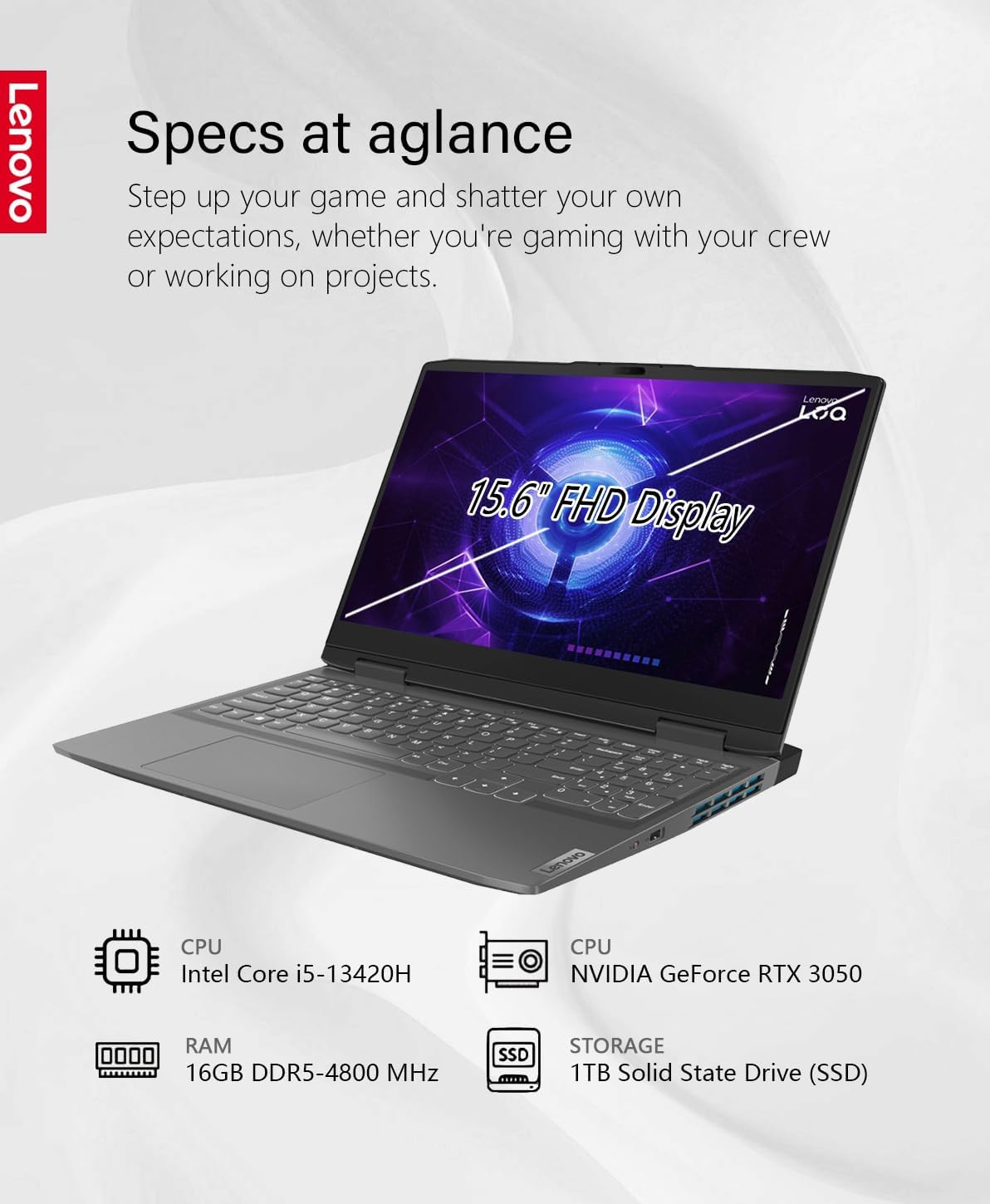
Image: An infographic providing a quick overview of the Lenovo LOQ Gaming Laptop's specifications, including CPU, GPU, RAM, and storage.
| Karatteristika | Speċifikazzjoni |
|---|---|
| Isem tal-Mudell | LOQ 15.6 Gaming |
| Sistema Operattiva | Windows 11 |
| Proċessur | Intel 13th Generation Core i5-13420H (8-core, 3.4GHz up to 4.6 GHz) |
| Grafika | NVIDIA GeForce RTX 3050 bi 6GB GDDR6 |
| RAM | 16GB DDR5-4800 MHz (Expandable to 32GB) |
| Ħażna | 1TB Solid State Drive (SSD) |
| Wiri | 15.6" FHD (1920 x 1080) IPS, Anti-Glare, 45%NTSC, 350 nits, 144Hz |
| Konnettività bla fili | Wi-Fi 6E (802.11ax), Bluetooth |
| Portijiet | 1x HDMI 2.1, 1x USB-A 3.2 Gen 1, 2x USB-C 3.2 Gen 2 (with DisplayPort 1.4, 140W PD), Ethernet (RJ45), Headphone/Mic Combo Jack |
| Ħajja tal-batterija | Up to 7 hours (Lithium-polymer, 4-cell) |
| Dimensjonijiet (WxDxH) | 14.16 x 10.43 x 0.99 pulzieri |
| Piż | 5.29 liri |
| Kulur | Storm Gray |
Garanzija u Appoġġ
Garanzija tal-Prodott
Your Lenovo LOQ Gaming Laptop is covered by Lenovo's standard limited warranty. For detailed terms and conditions, including warranty duration and coverage, please refer to the warranty information provided with your product or visit the official Lenovo support websit.
Appoġġ Tekniku
Għal assistenza teknika, downloads ta' sewwieqa, jew talbiet għal servizz, jekk jogħġbok żur is-sit uffiċjali tal-Appoġġ Lenovo websit fuq support.lenovo.com. You may also contact Lenovo customer service directly for personalized support.
Additionally, one month of GaLiMu support is included with your purchase for initial setup and troubleshooting assistance.