
1. Introduzzjoni
The Fractal Design Meshify 3 Ambience Pro RGB is a high-performance PC case designed for optimal cooling and a fluid, aerodynamic aesthetic. This model features advanced ARGB Gen 2 integrated atmospheric lighting and powerful Momentum fans, all controllable via the intuitive web-based Adjust Pro Hub. This manual provides detailed instructions for setting up, operating, and maintaining your computer case to ensure the best possible experience.
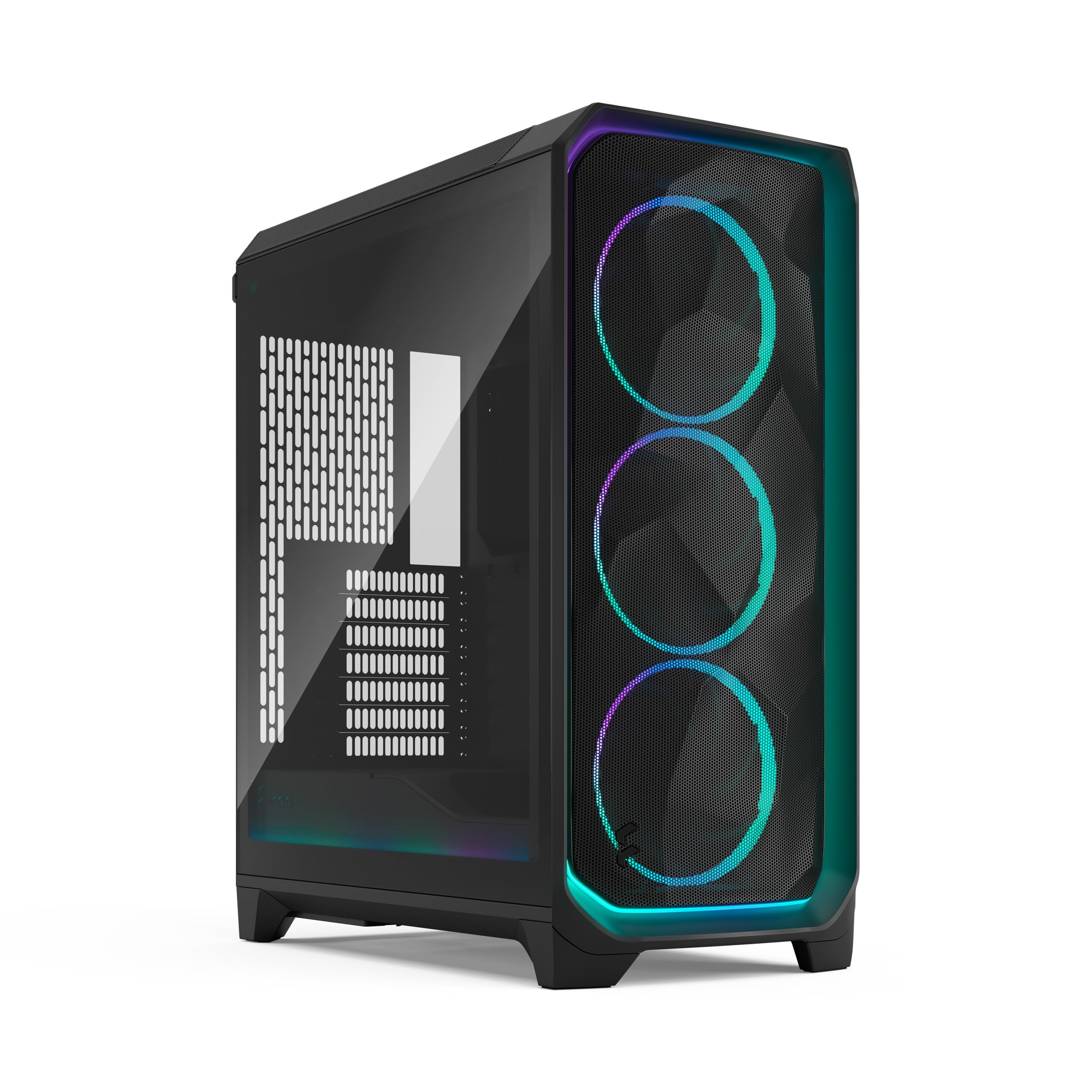
Figura 1: Quddiem view of the Fractal Design Meshify 3 Ambience Pro RGB computer case.
2. Setup
2.1 Dimensjonijiet tal-Kaxxa
The Meshify 3 Ambience Pro RGB has dimensions of 423mm (height) x 229mm (width) x 507mm (depth). It is classified as a compact mid-tower case, designed to offer ample internal space without occupying excessive desk area.
2.2 Panel Removal and Access
2.2.1 Panel ta 'Quddiem
To remove the front mesh panel, gently pull it upwards from the bottom. The panel detaches easily, allowing access to the front fans. The RGB lighting on the front panel is connected via pogo-style pins, which automatically disconnect when the panel is removed and reconnect when reattached.

Figura 2: Quddiem view of the Meshify 3 case, highlighting the iconic mesh design and RGB fans.
2.2.2 Panel ta 'Fuq
The top panel is ventilated and can be removed by pulling the tab located at the rear. This provides access to the top cooling bracket for installation or cleaning. The top cooling bracket is fully removable by unscrewing two thumb screws, supporting up to 2x 120mm or 140mm fans, or radiators up to 280mm.
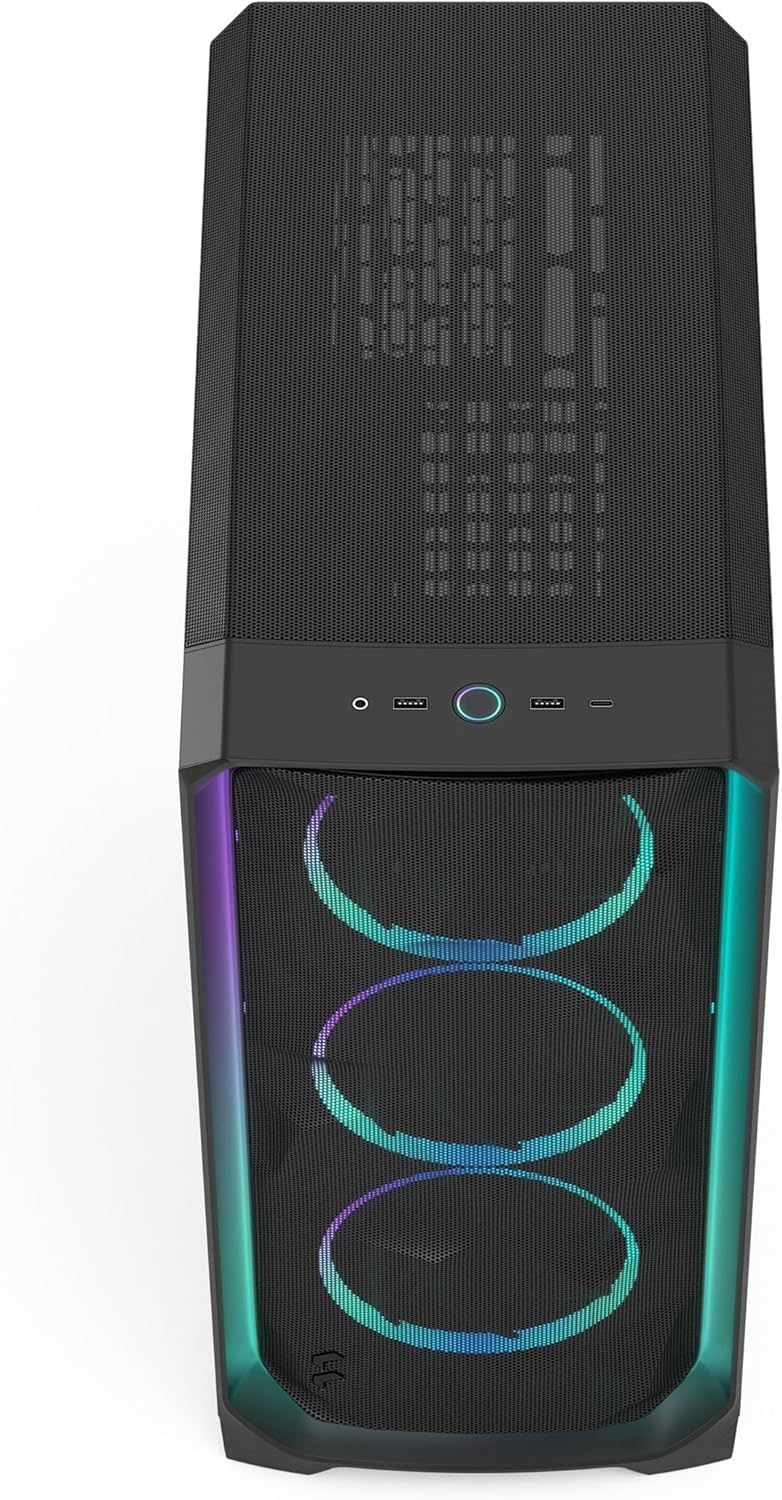
Figura 3: Minn fuq għal isfel view showing the front I/O ports and the ventilated top panel of the Meshify 3.
2.2.3 Bordijiet tal-Ġenb
The main side panel features tempered glass, allowing visibility of internal components. It is removed by pulling a tab at the top, and it will detach completely, so ensure a firm grip. The opposite side panel is a solid white steel panel, removed using the same locking mechanism.

Figura 4: Ġenb view of the Meshify 3 case with its tempered glass panel, showcasinkomponenti interni g.
2.3 Installazzjoni tal-Komponenti
2.3.1 Motherboard Compatibility
The Meshify 3 supports Mini-ITX, Micro-ATX, ATX, and Extended ATX motherboards up to 277mm in width.
2.3.2 Graphics Card (GPU)
This case supports graphics cards up to 349mm in length. An internal air guide directs airflow directly towards the GPU for improved cooling.

Figura 5: Intern view of the Meshify 3, showing the installed GPU and the air guide for enhanced cooling.
2.3.3 Unità tal-Provvista tal-Enerġija (PSU)
The PSU is mounted at the bottom of the case. The maximum supported PSU length is 180mm.
2.3.4 Drives tal-Ħażna
The case includes two 2.5"/3.5" storage brackets and two additional 2.5" SSD mounts near the power supply, allowing for a total of six storage drives. The brackets are two-piece designs, allowing for flexible configuration to accommodate either 2.5" SSDs or 3.5" HDDs.

Figura 6: Intern ta' wara view of the Meshify 3, detailing the storage drive mounts and cable management features.
2.4 Ġestjoni tal-Cable
The Meshify 3 features new cable aligners and Velcro ties on the backside of the motherboard tray to simplify cable routing and ensure a clean build. Built-in cable covers towards the front of the case also contribute to a tidy interior.
3. Istruzzjonijiet Operattivi
3.1 Portijiet I/O ta' Quddiem
The top front of the case provides convenient access to:
- Large Power Button
- 2x USB 3.0 Type-A Ports
- 1x USB 3.2 Gen 2x2 Type-C Port
- 1x Combination Headphone and Microphone Jack
3.2 Sistema tat-tkessiħ
The Meshify 3 Ambience Pro RGB comes with three pre-installed 140mm Momentum RGB PWM fans in the front. These fans feature low-noise LCP blades and a true FDB bearing for quiet and efficient operation.
- Quddiem: Supports 3x 120mm or 140mm fans, or radiators up to 360mm.
- Fuq: Supports 2x 120mm or 140mm fans, or radiators up to 280mm.
- Wara: Jappoġġja fann wieħed ta' 120mm.
3.3 Kontroll tad-Dawl RGB
The integrated ARGB Gen 2 atmospheric lighting and fans are controlled via the included Adjust Pro Hub, which is pre-wired and mounted on the backside of the motherboard tray. Simply connect the hub to power and the PWM cable to your motherboard. The Adjust Pro Hub uses proprietary Type-C connectors for Momentum fans. A breakout cable is included for direct motherboard connection of PWM and ARGB if the hub is not desired.
Vidjo 1: Wirja uffiċjali tal-vidjo tal-prodottasing the Fractal Design Meshify 3 computer case features and design, including RGB lighting and cooling capabilities.
4. Manutenzjoni
4.1 Tindif tal-Filtru tat-Trab
Regular cleaning of dust filters is essential for maintaining optimal airflow and cooling performance.
- Front Mesh: The front mesh panel can be easily removed for cleaning by pulling it upwards from the bottom.
- Filtru ta' Fuq: The top filter is integrated into the top panel, which can be removed by pulling the rear tab.
- PSU Filter: A convenient pull-out filter for the power supply is located on the side of the case, making it easy to access and clean without moving the entire system.
5 Issolvi l-problemi
If you encounter any issues with your Meshify 3 Ambience Pro RGB case, please consider the following general troubleshooting steps:
- Ebda Qawwa: Ensure all power connections, including the PSU and motherboard cables, are securely seated. Check the power button connection to the motherboard.
- Fan/RGB Issues: Verify that the Adjust Pro Hub is correctly powered and connected to the motherboard. If using the breakout cable, ensure proper connections to the motherboard's PWM and ARGB headers.
- Is-sħana żejda: Confirm that all fans are spinning correctly and that dust filters are clean to ensure unrestricted airflow. Check component temperatures using monitoring software.
- Pannelli sfużi: Ensure all side, front, and top panels are securely latched into place after installation or maintenance.
For persistent issues or advanced troubleshooting, please refer to the official Fractal Design support resources.
6. Speċifikazzjonijiet
| Karatteristika | Speċifikazzjoni |
|---|---|
| Isem tal-Mudell | Meshify 3 Ambience Pro RGB Black TG Light Tint |
| Numru tal-Mudell tal-Oġġett | FD-C-MES3A-03 |
| Brand | Disinn Fractal |
| Tip ta' Każ | Torri tan-Nofs |
| Kulur | Ambience Pro RGB Black TG Light Tint |
| Materjal | Metall |
| Dimensjonijiet tal-Prodott (LxWxH) | 507 x 229 x 423 mm (17 x 20 x 9 pulzieri) |
| Piż tal-oġġett | 11 kg (24.2 libbra) |
| Kompatibbiltà tal-motherboard | Mini-ITX, Micro-ATX, ATX, E-ATX (up to 277mm) |
| Appoġġ għat-Tul tal-GPU | Sa 349mm |
| PSU Length Support | Sa 180mm |
| Drive Bays | 2x 2.5"/3.5" (convertible), 2x 2.5" SSD mounts (total 6 drives possible) |
| Portijiet I / O ta 'quddiem | 2x USB 3.0 Type-A, 1x USB 3.2 Gen 2x2 Type-C, Combo Audio Jack, Power Button |
| Fannijiet Inklużi | 3x 140mm Momentum RGB PWM fans (front) |
| Metodu tat-tkessiħ | Arja |
| Użi Rakkomandati | Logħob |
7. Garanzija u Appoġġ
For warranty information, technical support, or to access additional resources, please visit the official Fractal Design webis-sit jew ikkuntattja s-servizz tal-konsumatur tagħhom. Żomm il-prova tax-xiri tiegħek għal talbiet ta’ garanzija.
- Fractal Design Official Websit: www.fractal-design.com
- Amazon Store: Fractal Design Store on Amazon