
Introduzzjoni
The Vieta Pro Way 3 headphones are designed to provide a versatile audio experience with multiple connectivity options and features. This device supports Bluetooth wireless connection, an Aux-in port for wired use, an integrated microphone for hands-free communication, a dedicated gaming mode, and Dual Pairing functionality. With an impressive battery life of up to 50 hours, these headphones are suitable for extended listening sessions.
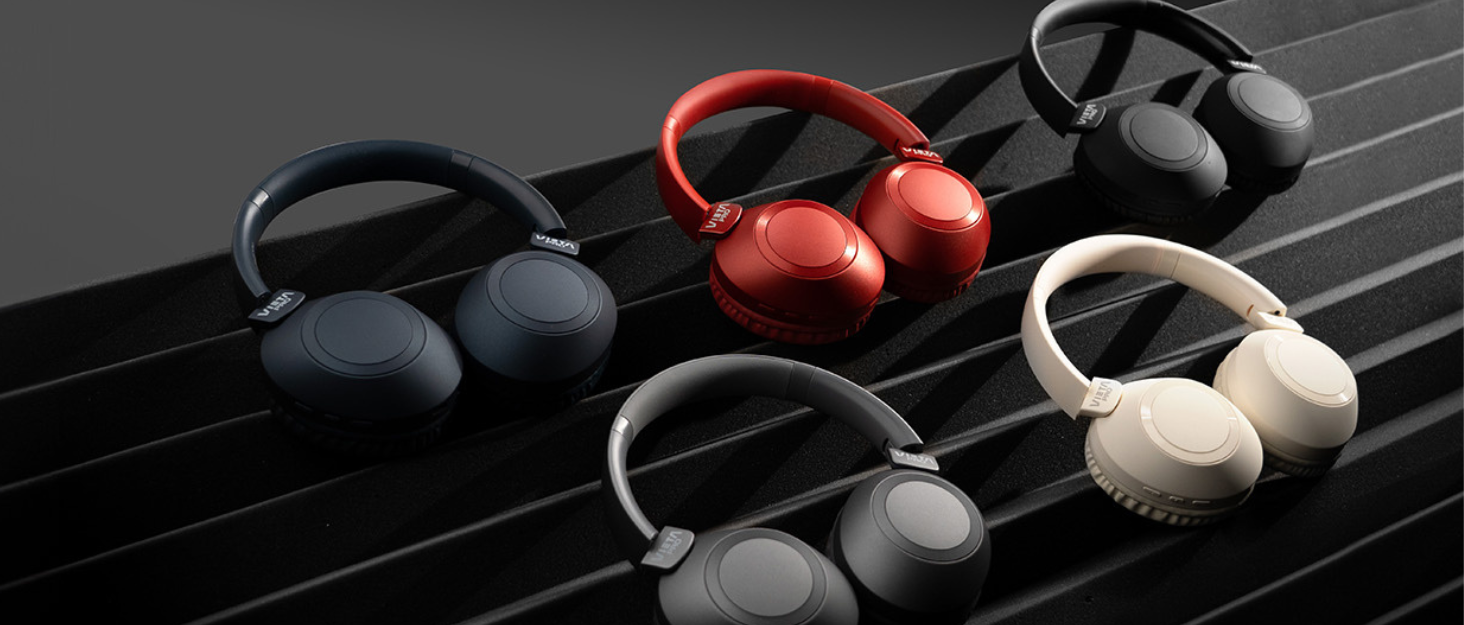
Image: Vieta Pro Way 3 headphones displayed in multiple color options.
Setup
1. Iċċarġjar tal-Headphones
Before initial use, ensure the headphones are fully charged. The Vieta Pro Way 3 headphones support wireless charging. A full charge provides up to 50 hours of continuous playback.
- Connect the provided charging cable to the charging port on the headphones and to a compatible USB power source.
- Alternatively, place the headphones on a compatible wireless charging pad.
- The indicator light will show the charging status and turn off or change color once fully charged.
2. Tixgħil / Mitfi
- Biex Tixgħel: Agħfas u żomm il-buttuna tal-Power għal madwar 3 sekondi sakemm id-dawl indikatur jixgħel.
- Biex Tifi: Agħfas u żomm il-buttuna tal-Power għal madwar 3 sekondi sakemm id-dawl indikatur jintefa.
3. Tqabbil tal-Bluetooth
Biex tqabbad il-headphones tiegħek mingħajr fili ma' apparat:
- Kun żgur li l-headphones huma mitfija.
- Agħfas u żomm il-buttuna tal-Power għal madwar 5-7 sekondi sakemm id-dawl indikatur jteptep malajr, u dan jindika l-modalità ta' tqabbil.
- Fuq l-ismartphone, it-tablet, jew il-kompjuter tiegħek, attiva l-Bluetooth u fittex apparati disponibbli.
- Select "Vieta Pro Way 3" from the list of found devices.
- Once connected, the indicator light will stop flashing and remain solid or flash slowly.
4. Konnessjoni Aux-in
For a wired connection, use a 3.5mm audio cable:
- Connect one end of the 3.5mm audio cable to the Aux-in port on the headphones.
- Connect the other end to the 3.5mm audio output of your audio source.
- The headphones will automatically switch to Aux-in mode when a cable is detected.
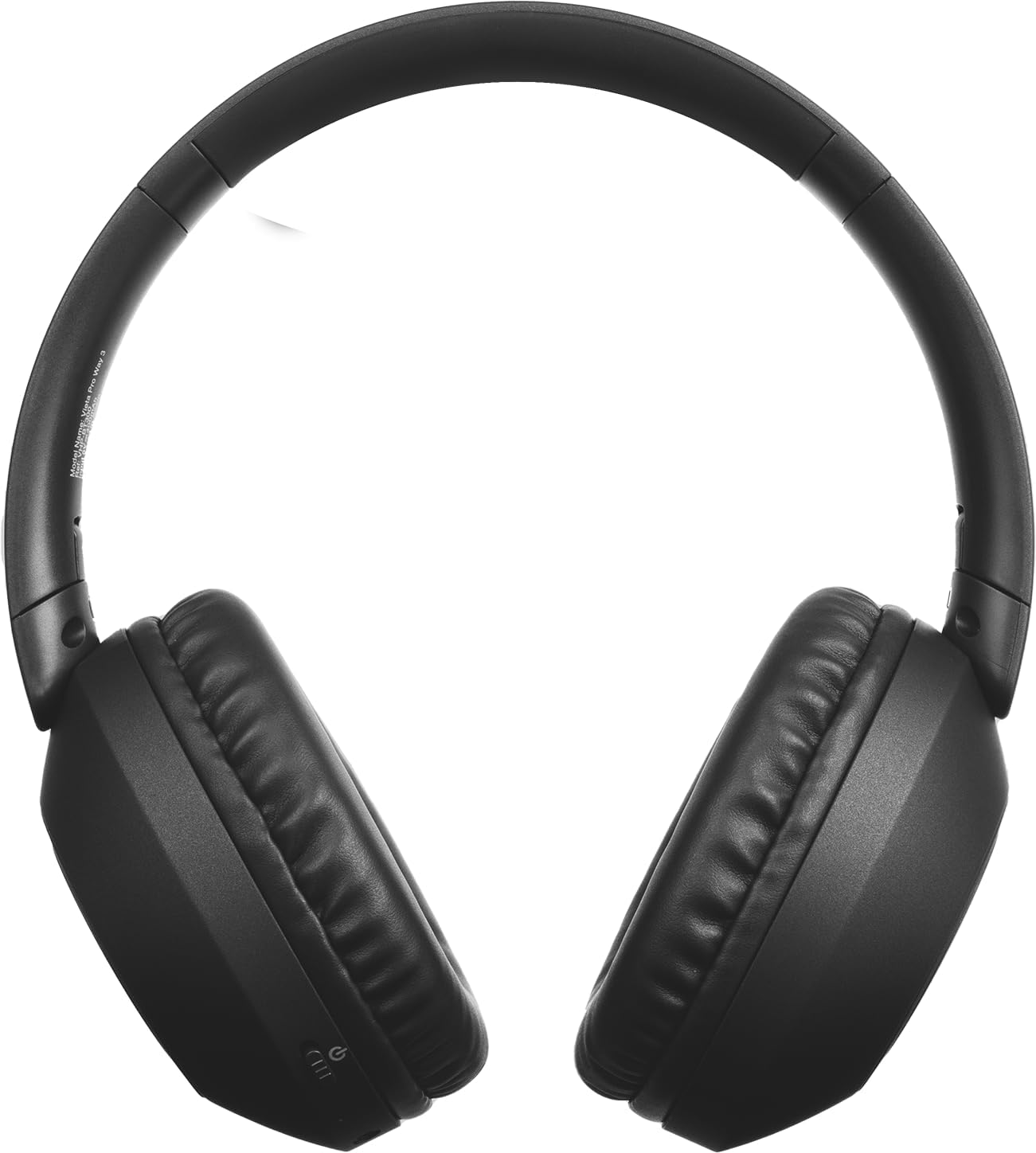
Immaġni: Quddiem view of the Vieta Pro Way 3 headphones, showing the earcups and headband.
Istruzzjonijiet Operattivi
1. Daqq tal-mużika
When connected via Bluetooth or Aux-in, you can control your music:
- Play/Pawsa: Agħfas il-buttuna b'diversi funzjonijiet darba.
- Track li jmiss: Agħfas u żomm il-buttuna Volume Up.
- Track preċedenti: Agħfas u żomm il-buttuna Volum Down.
- Volum 'il fuq: Agħfas il-buttuna Volume Up fil-qosor.
- Volum 'l isfel: Agħfas il-buttuna Volum 'l isfel fil-qosor.
2. Ġestjoni tas-Sejħiet
The integrated microphone allows for hands-free calls when connected via Bluetooth:
- Tweġiba/Tmiem Sejħa: Agħfas il-buttuna b'diversi funzjonijiet darba.
- Irrifjuta Sejħa: Agħfas u żomm il-buttuna Multi-funzjoni għal 2-il sekonda.
- Assistent tal-Vuċi: Double-press the Multi-function button to activate your device's voice assistant.
3. Mod tal-logħob
Activate the dedicated gaming mode for optimized audio performance during gameplay, reducing latency and enhancing sound effects.
- Attiva l-Modalità tal-Logħob: Refer to the specific button or gesture indicated in the quick start guide for your model. (Typically a dedicated button or a long press on a volume button).
4. Tqabbil Doppju
The Dual Pairing feature allows the Vieta Pro Way 3 headphones to connect to two different Bluetooth devices simultaneously. This enables seamless switching between audio sources without the need to disconnect and re-pair.
- Pair the headphones with your first device following the Bluetooth Pairing instructions.
- Disconnect Bluetooth on the first device temporarily.
- Qabbad il-headphones mat-tieni apparat tiegħek.
- Erġa' attiva l-Bluetooth fuq l-ewwel apparat. Il-headphones issa għandhom ikunu konnessi maż-żewġ apparati.
- Audio will play from the active source, and you can switch by pausing one and playing the other.

Image: A person wearing the Vieta Pro Way 3 headphones, demonstrating comfortable use.
Manutenzjoni
1. Tindif
- Imsaħ il-headphones b'ċarruta ratba, niexfa u mingħajr suf.
- Do not use abrasive cleaners, solvents, or strong chemicals, as these may damage the surface or internal components.
- Evita li tidħol l-umdità fi kwalunkwe fetħiet.
2. Ħażna
- Aħżen il-headphones f'post frisk u niexef, 'il bogħod mix-xemx diretta u minn temperaturi estremi.
- When not in use for extended periods, store them in their protective case (if included) to prevent dust and damage.
3. Kura tal-batterija
- To prolong the lifespan of the battery, avoid fully discharging the headphones frequently.
- Charge the headphones regularly, even if not in frequent use.
Issolvi l-problemi
1. Ebda Ħoss
- Ensure the headphones are powered on and charged.
- Check the volume levels on both the headphones and the connected device.
- Verify that the headphones are properly paired via Bluetooth or securely connected via the Aux-in cable.
- Ipprova erġa' ibda kemm il-headphones kif ukoll l-apparat tas-sors tal-awdjo.
2. Kwistjonijiet ta' Tqabbil
- Ensure the headphones are in Bluetooth pairing mode (indicator light flashing rapidly).
- Iddiżattiva u erġa' attiva l-Bluetooth fuq l-apparat tiegħek.
- Move the headphones closer to your device to ensure a strong signal.
- Clear previous Bluetooth connections from your device's Bluetooth settings and try pairing again.
3. Kwistjonijiet ta' Iċċarġjar
- Verify that the charging cable is securely connected to both the headphones and the power source, or that the headphones are correctly placed on the wireless charging pad.
- Ensure the power source (USB adapter, computer port, wireless charger) is functional.
- Check the charging port on the headphones for any debris that might obstruct the connection.
Speċifikazzjonijiet
| Brand | Vieta Pro |
| Mudell | Mod 3 |
| Fattur tal-Formola | Over-ear (Headband) |
| Teknoloġija tal-Konnettività | Wireless (Bluetooth), Wired (Aux-in) |
| Komunikazzjoni bla fili | Bluetooth |
| Ħajja tal-batterija | Sa 50 sigħat (daqq) |
| Karatteristiċi Speċjali | Wireless Charging, Built-in Microphone, Gaming Mode, Dual Pairing |
| Manifattur | FRAMASON AUDIO SA |
| ASIN | B0CRL99NBD |
Nota: L-ispeċifikazzjonijiet huma soġġetti għal bidla mingħajr avviż.
Garanzija u Appoġġ
For detailed warranty information, product registration, or technical assistance, please refer to the official Vieta Pro webis-sit jew ikkuntattja l-appoġġ għall-klijenti tagħhom direttament. Huwa rakkomandat li żżomm l-irċevuta tax-xiri tiegħek bħala prova tax-xiri għal kwalunkwe talba ta' garanzija.
- Uffiċjali Websit: Żur www.vietapro.com (or relevant regional site) for support resources.
- Servizz tal-Klijent: Contact information can typically be found on the official websit.